oracle 创建表空间/用户/授权/数据泵expdp导出/数据泵impdp导入
·
CentOS 7 最小安装,使用响应文件静默安装Oracle 11g
参考地址:https://blog.csdn.net/wang_chaodong/article/details/116025515
参考地址:https://blog.csdn.net/wang_chaodong/article/details/115603042
参考地址:https://blog.csdn.net/wang_chaodong/article/details/116242947
目录
一、表空间
mkdir -p /data/tablespaces/ # 创建表空间文件存放目录
sqlplus system/oracle as sysdba # 登录sysdba

1、创建表空间
create tablespace ts logging datafile '/data/tablespaces/ts01.dbf' size 200m; --创建ts表空间200m在目录/data/tablespaces/下

alter tablespace ts add datafile '/data/tablespaces/ts02.dbf' size 200m autoextend on next 5m maxsize 3000m;--表空间ts增加表空间文件200m在目录/data/tablespaces/下,自动增长,每次增加5m,最大3000m

2、查看表空间
(1)、按表空间文件查看使用量/使用率
Select b.file_name                                                      物理文件名,
       b.tablespace_name                                                表空间,
       b.bytes / 1024 / 1024                                            大小M,
       (b.bytes - sum(nvl(a.bytes, 0))) / 1024 / 1024                   已使用M,
       substr((b.bytes - sum(nvl(a.bytes, 0))) / (b.bytes) * 100, 1, 5) 利用率
from dba_free_space a,
     dba_data_files b
where a.file_id = b.file_id
group by b.tablespace_name, b.file_name, b.bytes
order by b.tablespace_name;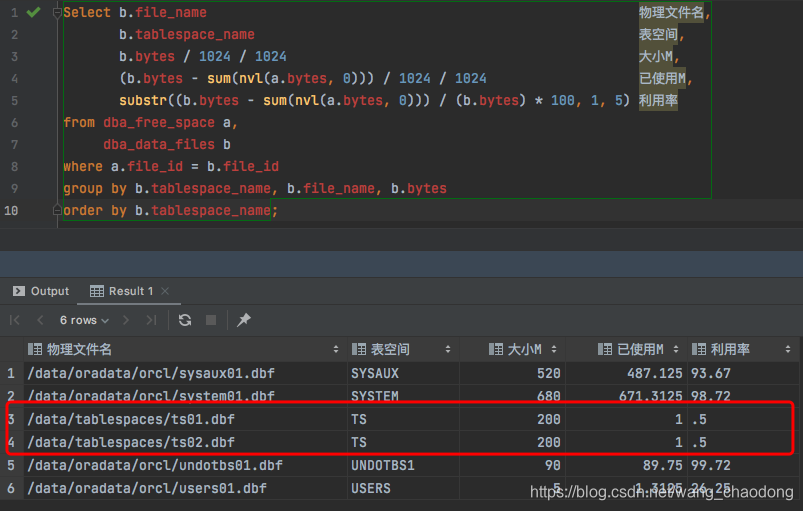
(2)、按表空间查看使用量/使用率
Select a.A1                                     表空间名称,
       c.C2                                     类型,
       c.C3                                     区管理,
       b.B2 / 1024 / 1024                       表空间大小m,
       (b.B2 - a.A2) / 1024 / 1024              已使用m,
       substr((b.B2 - a.A2) / b.B2 * 100, 1, 5) 利用率
From (Select Tablespace_Name A1, Sum(Nvl(Bytes, 0)) A2 From Dba_Free_Space Group By Tablespace_Name) a,
     (Select Tablespace_Name B1, Sum(Bytes) B2 From Dba_Data_Files Group By Tablespace_Name) b,
     (Select Tablespace_Name C1, Contents C2, Extent_Management C3 from Dba_Tablespaces) c
where a.A1 = b.B1
  And c.C1 = b.B1;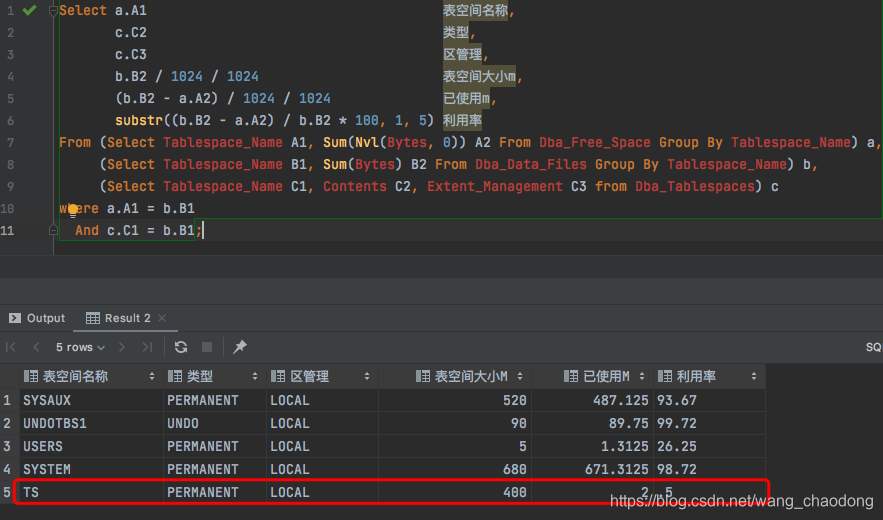
3、删除表空间
(1)、删除表空间文件
alter tablespace ts drop datafile '/data/tablespaces/ts02.dbf';

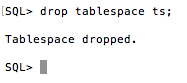
(2)、删除表空间
drop tablespace ts;
二、用户
1、创建用户
create user test identified by test default tablespace ts;--创建用户test,密码test,默认表空间ts

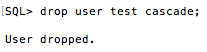
2、删除用户
drop user test cascade;
三、权限
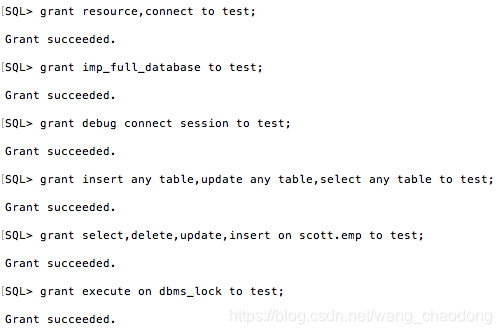
1、授权/角色
grant resource,connect to test;                                    --角色
grant imp_full_database to test;                                   --导入权限
grant debug connect session to test;                               --debug权限
grant insert any table,update any table,select any table to test;  --插入、更新、查询当前实例所有用户权限
grant select,delete,update,insert on scott.emp to test;            --查询、删除、更新、插入用户scoot下emp表权限
grant execute on dbms_lock to test;                                --lock权限,sleep延时需要
2、收回权限/角色
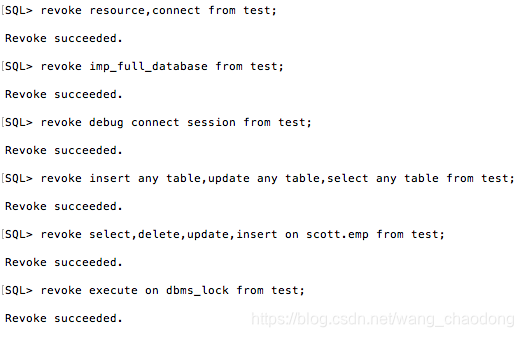
revoke resource,connect from test;                                    --角色
revoke imp_full_database from test;                                   --导入权限
revoke debug connect session from test;                               --debug权限
revoke insert any table,update any table,select any table from test;  --插入、更新、查询当前实例所有用户权限
revoke select,delete,update,insert on scott.emp from test;            --查询、删除、更新、插入用户scoot下emp表权限
revoke execute on dbms_lock from test;                                --lock权限,sleep延时需要
四、数据泵导出/导入
1、数据泵expdp导出
(1)创建物理文件夹
mkdir -p /data/dp_dir

(2)创建oracle文件夹
create or replace directory dp_dir as '/data/dp_dir';

(3)文件夹授权
grant read,write on directory dp_dir to scott; --读取、写入文件权限

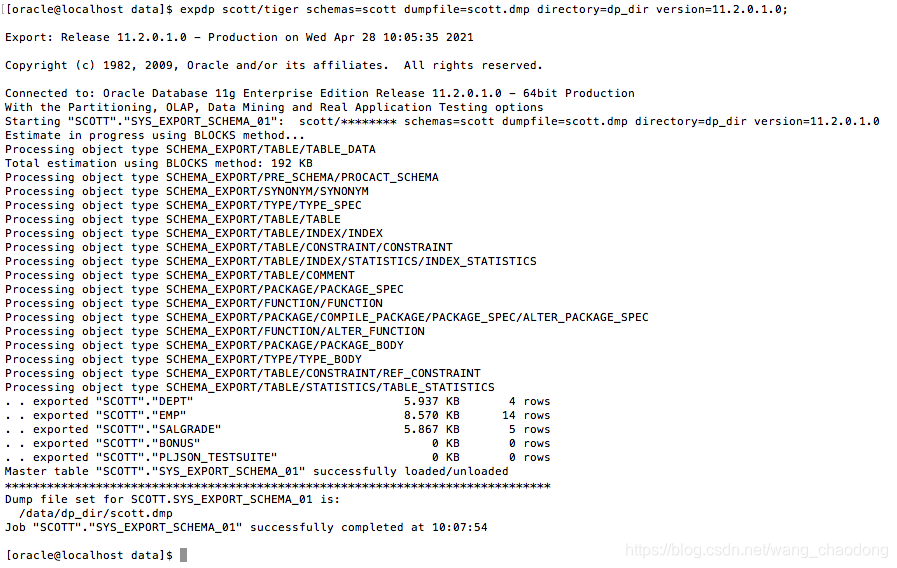
(4)导出用户scoot
expdp scott/tiger schemas=scott dumpfile=scott.dmp directory=dp_dir version=11.2.0.1.0;
2、数据泵impdp导入
(1)创建物理文件夹
mkdir -p /data/dp_dir
(2)创建oracle文件夹
create or replace directory dp_dir as '/data/dp_dir';
(3)文件夹授权
grant read,write on directory dp_dir to scott; --读取、写入文件权限
(4)把需要导入的文件放入文件夹
异地导入:上传至需要导入的文件到导入文件夹(注意文件权限,oracle有权限读取)
本机导入:复制文件到导入文件夹(注意文件权限,oracle有权限读取)
(5)导入用户test
impdp test/test directory=dp_dir dumpfile=scott.dmp schemas=scott remap_schema=scott:test remap_tablespace=users:ts version=11.2.0.1.0 table_exists_action=truncate;


北京人形旗下天工造物具身智能开源社区,聚焦具身天工与慧思开物两大平台
更多推荐
 0
0 0
0- 0


 已为社区贡献1条内容

所有评论(0)