ubuntu20.04 安装zabbix5.0界面是英文,需要安装中文语言包
·
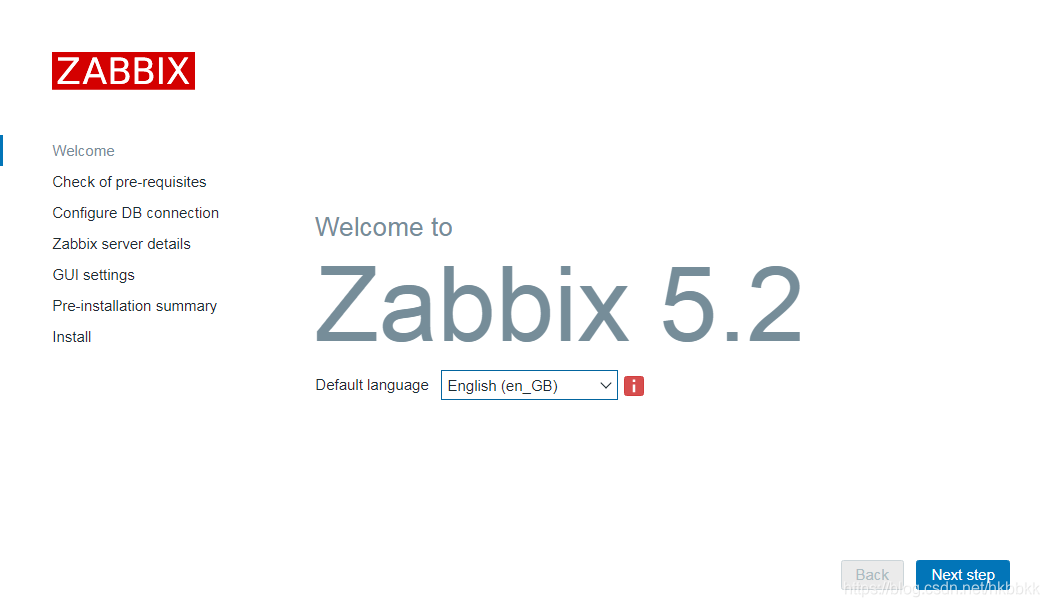
一,默认安装的ubuntu20.04没有中文环境。
二,sudo apt install language-pack-zh-hans #安装中文语言包
三,sudo vim /etc/locale.gen #找到zh_CN.UTF-8 UTF-8 并取消#号注释,然后保存并退出
四,sudo locale-gen #编译语言包
Generating locales (this might take a while)...
en_US.UTF-8... done
zh_CN.UTF-8... done
zh_SG.UTF-8... done
Generation complete.
五,sudo vim /etc/default/locale #修改默认语言为中文,将原来的内容改为
LANG=zh_CN.UTF-8
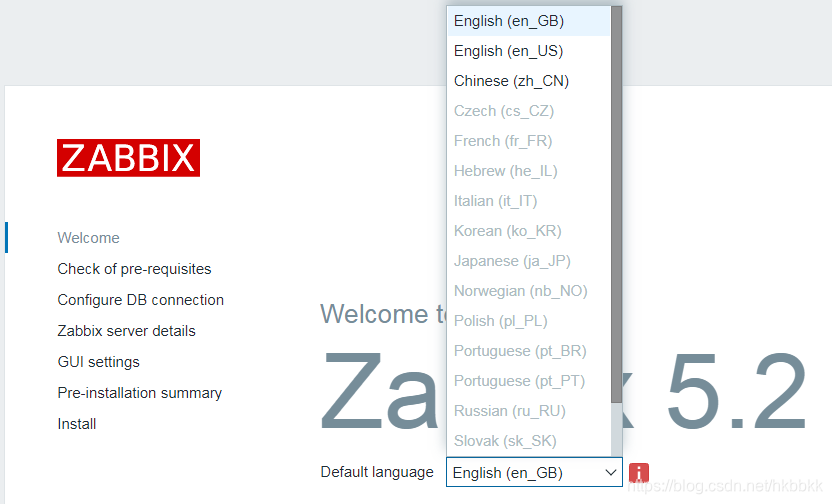
六,成功看到中文选项

北京人形旗下天工造物具身智能开源社区,聚焦具身天工与慧思开物两大平台
更多推荐
 0
0 0
0- 0


 已为社区贡献8条内容

所有评论(0)