maven项目引入外部jar包
·
1.在项目下创建lib包
将外部jar包放入新建的lib目录下面
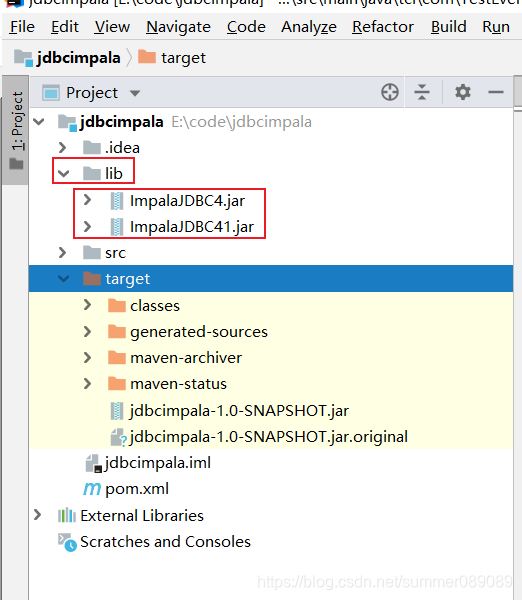
2.本地运行时能够找到引入的jar包
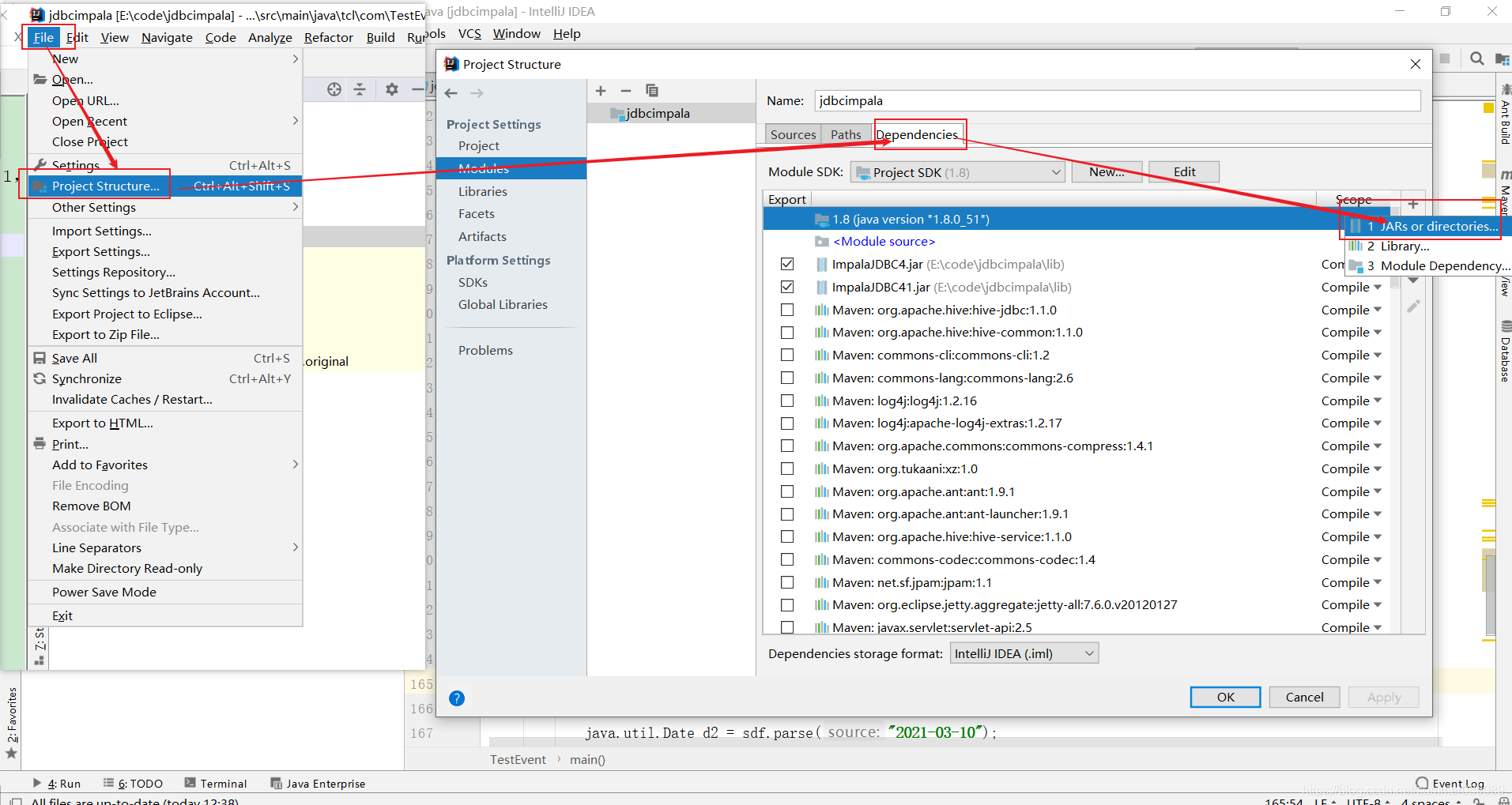
点击对应jar包,依次点击OK ----Apply ----- OK
,这样在idea里面run的时候就可以找到对应的jar包了。
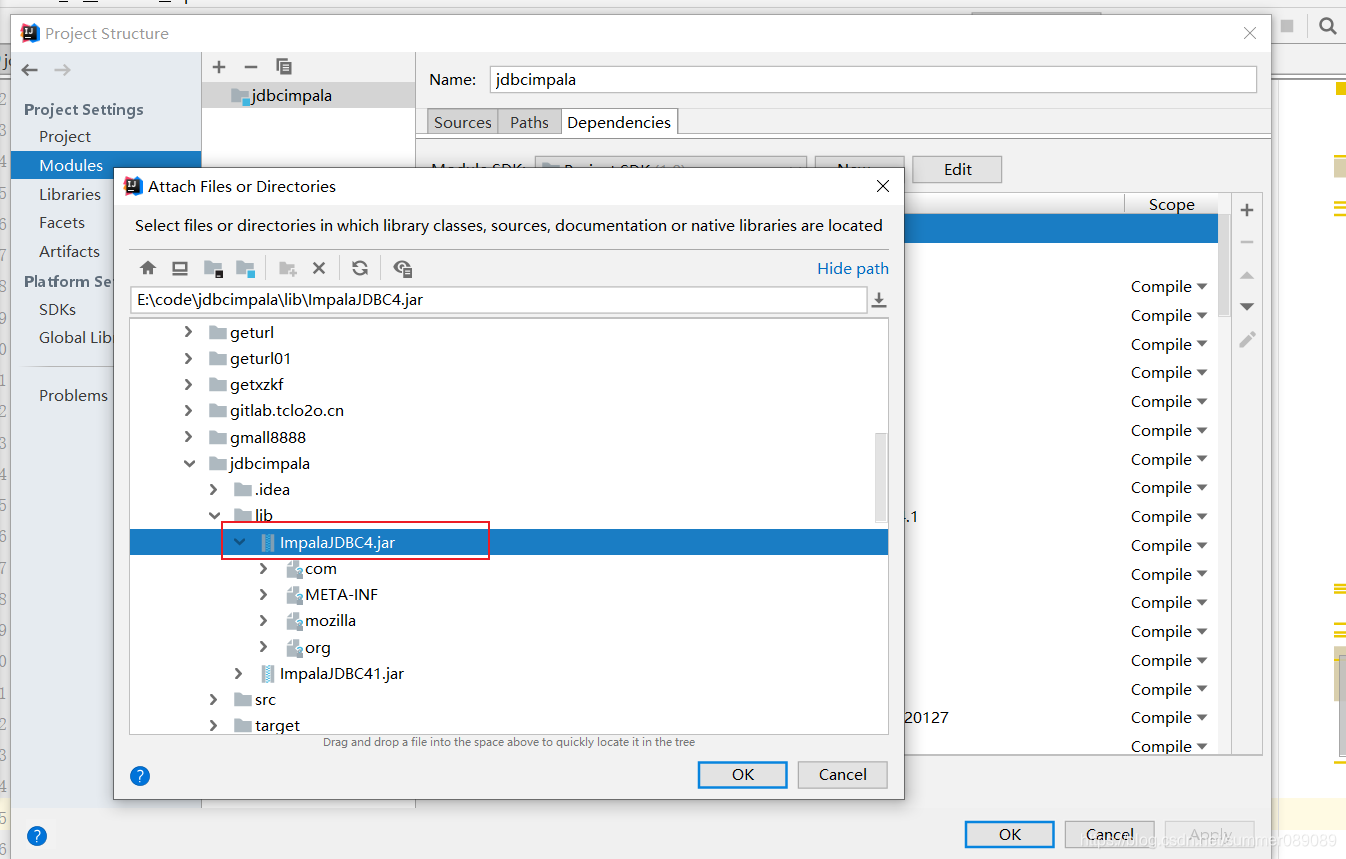
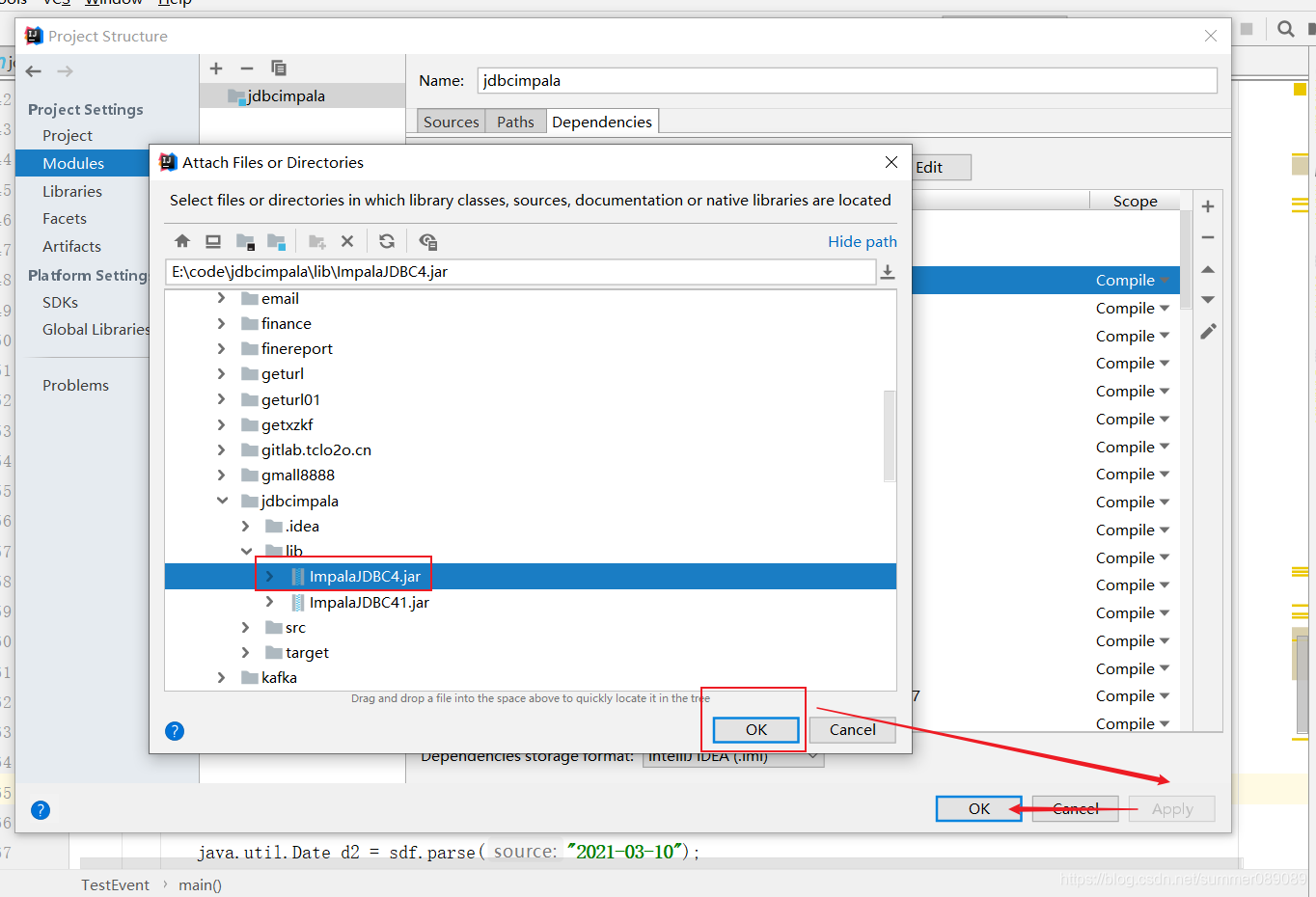
3.如何打包是引入外部jar包
引入外部jar坐标
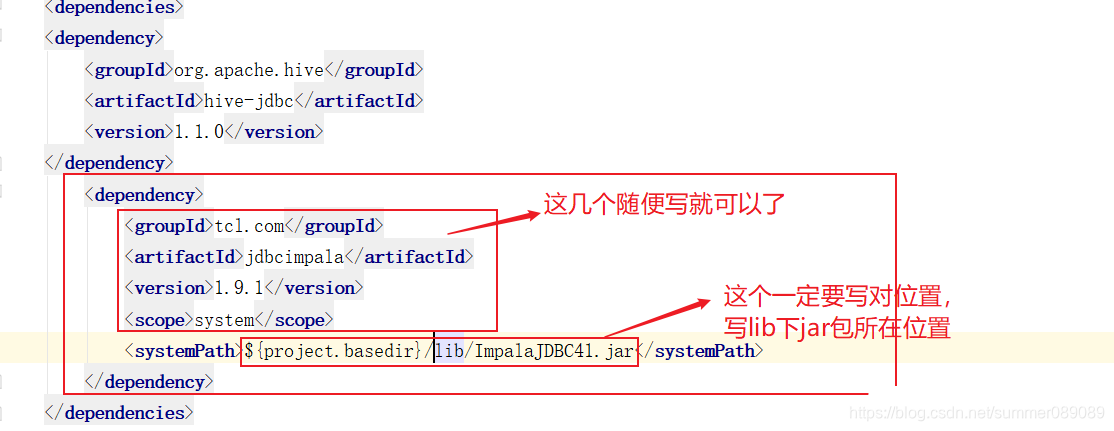
        <dependency>
            <groupId>tcl.com</groupId>
            <artifactId>jdbcimpala</artifactId>
            <version>1.9.1</version>
            <scope>system</scope>
            <systemPath>${project.basedir}/lib/ImpalaJDBC41.jar</systemPath>
        </dependency>
在下面的xml中指定includeSystemScope标签
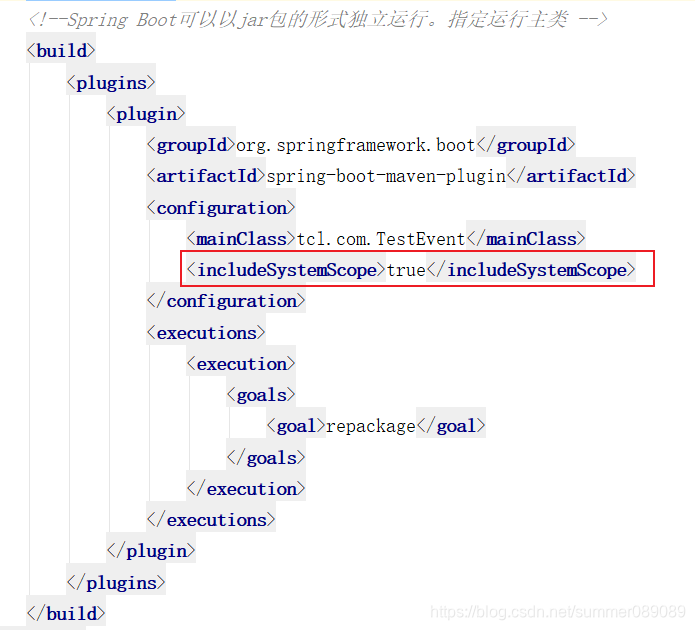
<build>
        <plugins>
            <plugin>
                <groupId>org.springframework.boot</groupId>
                <artifactId>spring-boot-maven-plugin</artifactId>
                <configuration>
                    <mainClass>tcl.com.TestEvent</mainClass>
                    <includeSystemScope>true</includeSystemScope>
                </configuration>
                <executions>
                    <execution>
                        <goals>
                            <goal>repackage</goal>
                        </goals>
                    </execution>
                </executions>
            </plugin>
        </plugins>
    </build>

北京人形旗下天工造物具身智能开源社区,聚焦具身天工与慧思开物两大平台
更多推荐
 0
0 0
0- 0


 已为社区贡献5条内容

所有评论(0)