postman: charels导入postman,使用postman api monitor做接口测试并通知结果(邮件和钉钉消息)
超级喜欢postman api monitor这个工具
1. 数据来源,方便测试
通常情况下是测试自有接口
1. curl
使用: https://curl.se/docs/manpage.html
示例: 比如从node端发出一个钉钉机器人消息
curl 'https://oapi.dingtalk.com/robot/send?access_token=' \
   -H 'Content-Type: application/json' \
   -d "$params"

2. charles
一个代理工具,专业抓包(http,https,ws,wss等)

3. chares export to curl

4. import curl to postman
-
file -> import

-
import -> import RawText

-
重新请求
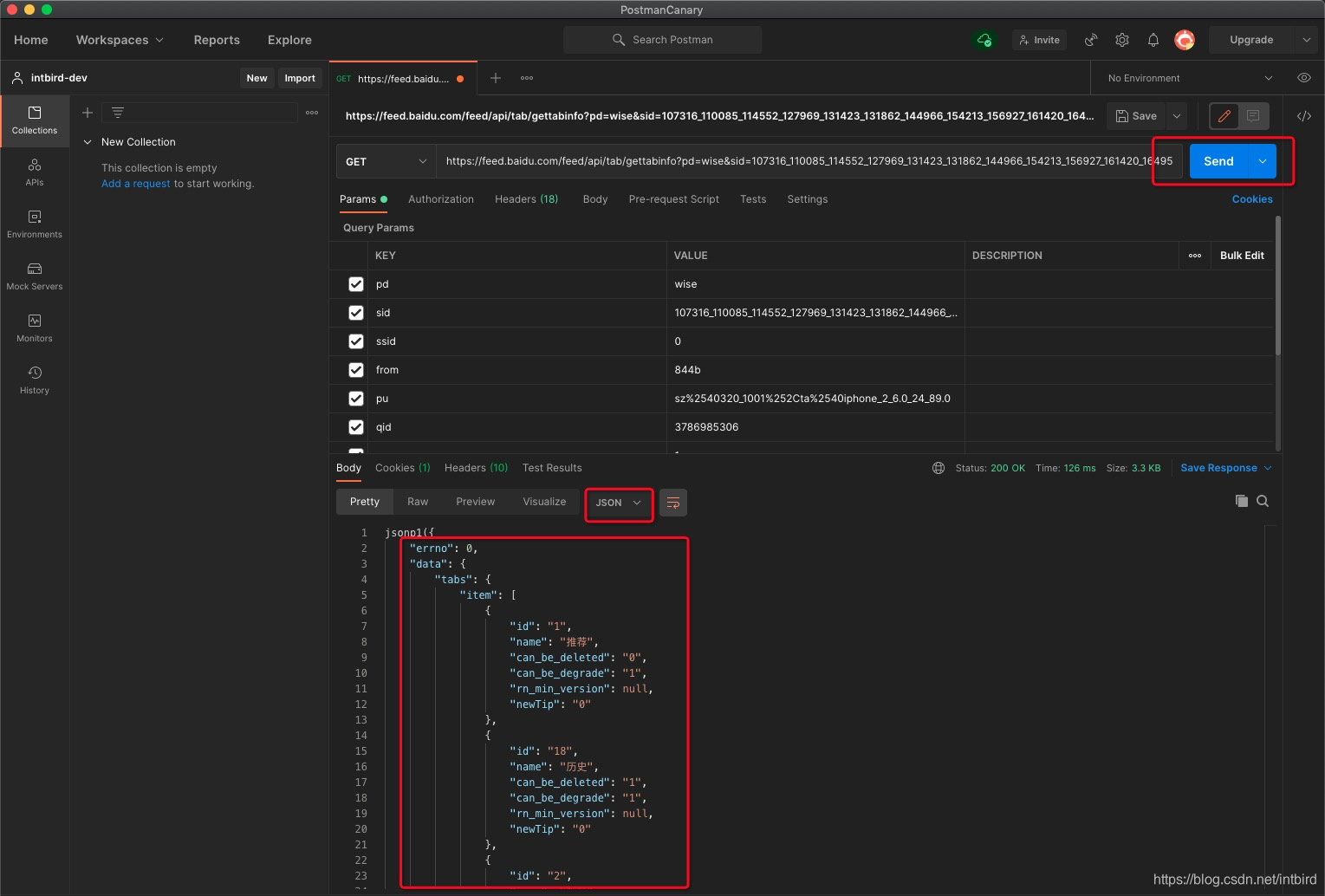](https://i-blog.csdnimg.cn/blog_migrate/b9beef61601f07f7f0e6f2331ba33b12.png)
2. 测试用例
1. 官方教程
2. 语法教程
https://www.chaijs.com/api/bdd/
3. 开始上手
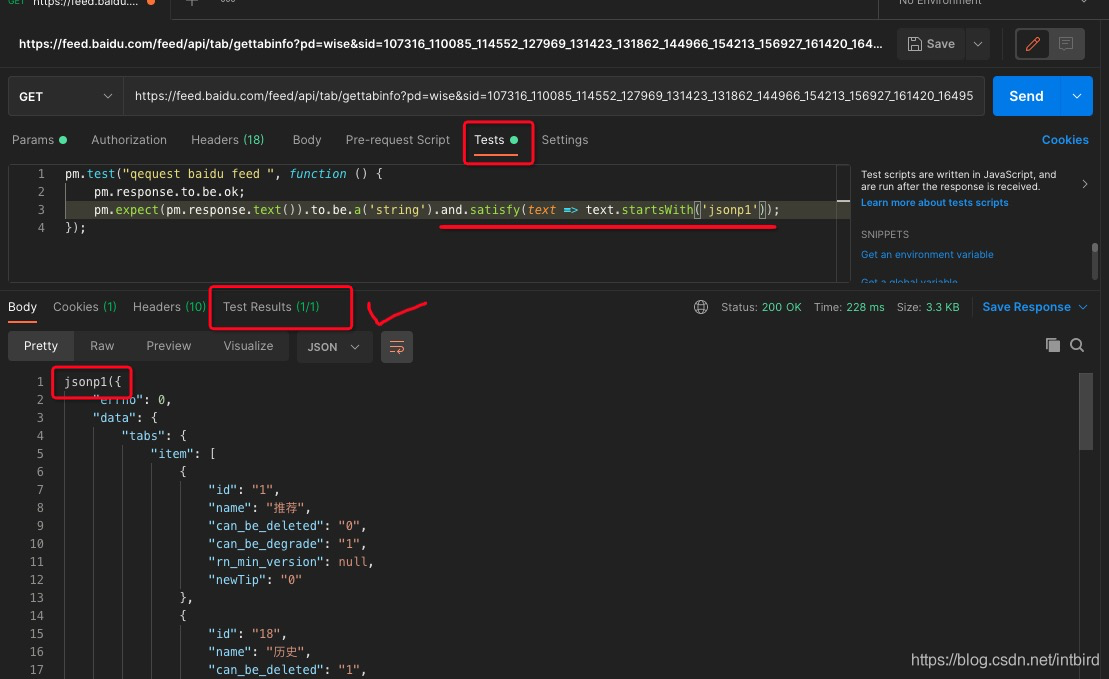
1.测试返回值以 ‘jsonp1’ 开头
测试通过
pm.test("qequest baidu feed ", function () {
    pm.response.to.be.ok;
    pm.expect(pm.response.text()).to.be.a('string').and.satisfy(text => text.startsWith('jsonp1'));
});
2.测试返回值以 ‘jsonp2’ 开头
测试失败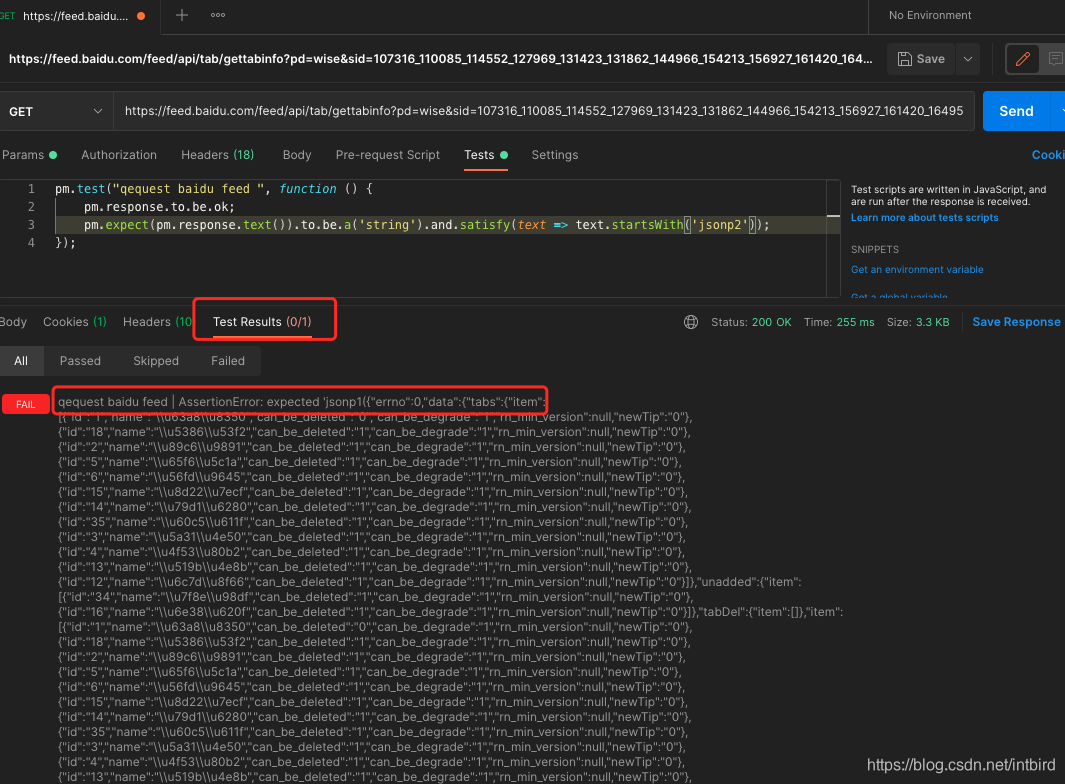
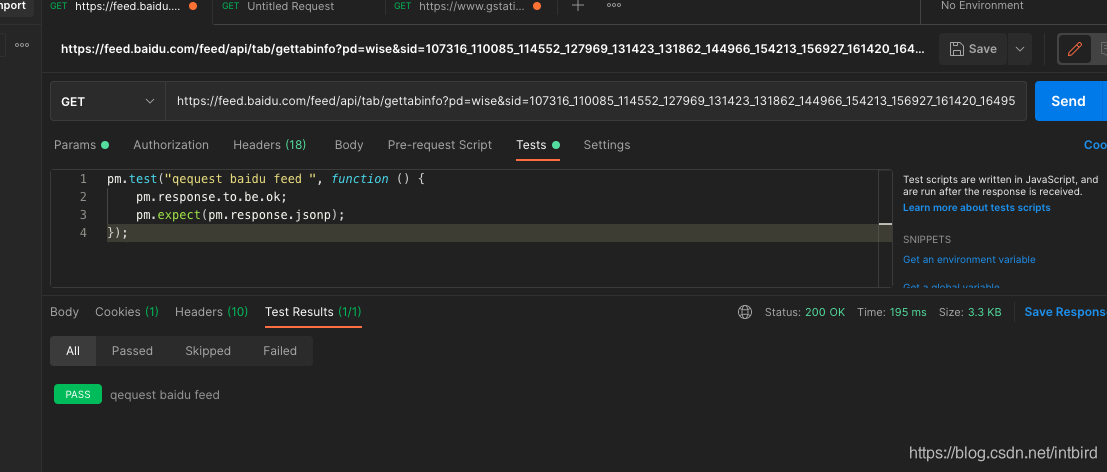
3.测试返回值是个jsonp
pm.test("qequest baidu feed ", function () {
    pm.response.to.be.ok;
    pm.expect(pm.response.jsonp);
});
3. postman api monitor
将刚才的接口请求保存到集合中
新建一个monitor将挨个请求集合中的接口
如果遇到失败则进行邮件汇报,成功则没有通知
1.新建监控
每次点击run都会运行一次检查,如果不手动操作,则会用创建的自动规则
1.新建消息
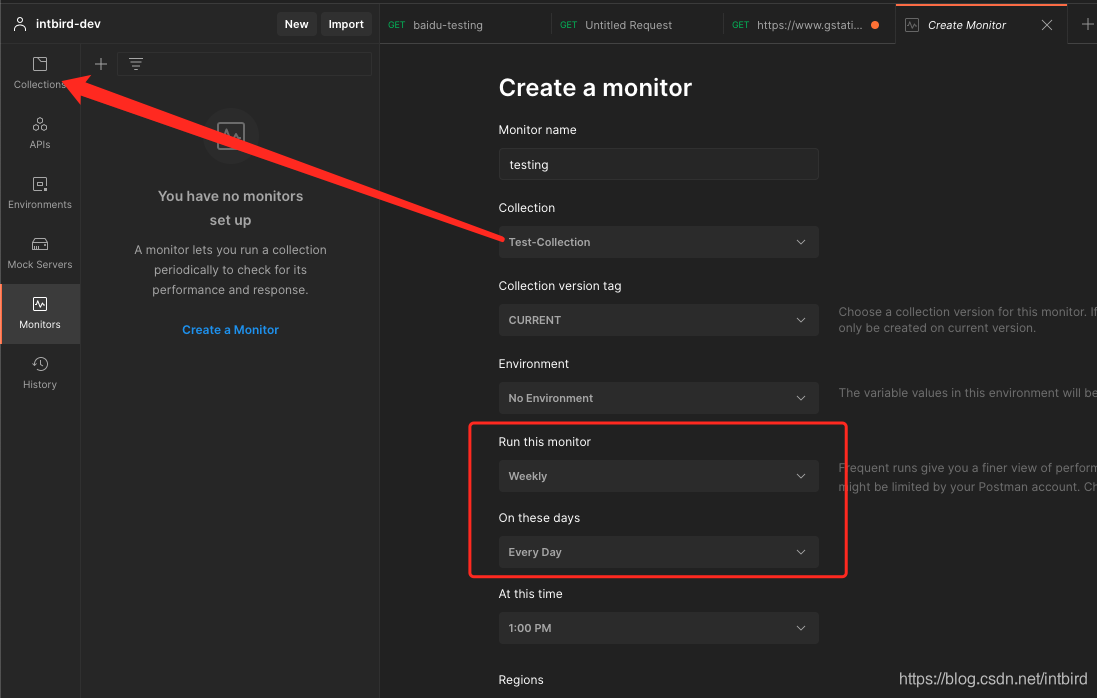
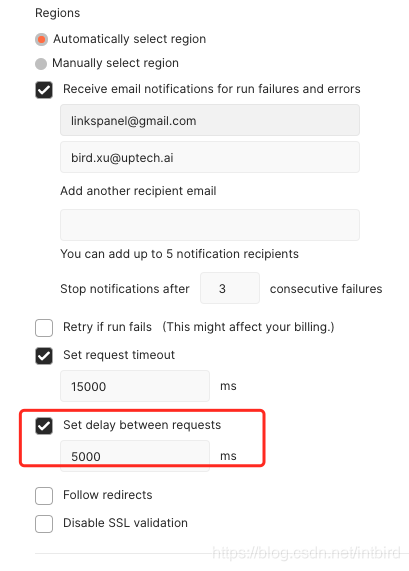
2.调用间隔
两个接口流出一定的间隔
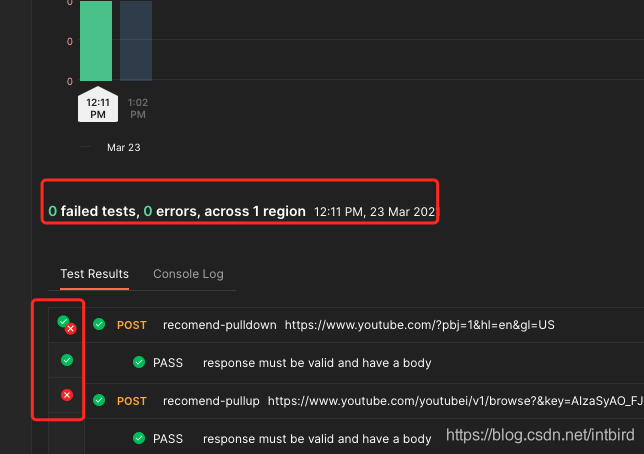
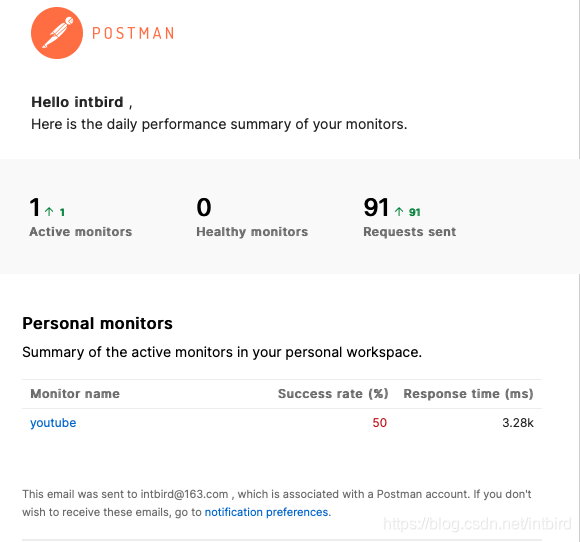
2.监控结果
1.面板结果
2.邮件通知
3.钉钉机器人消息
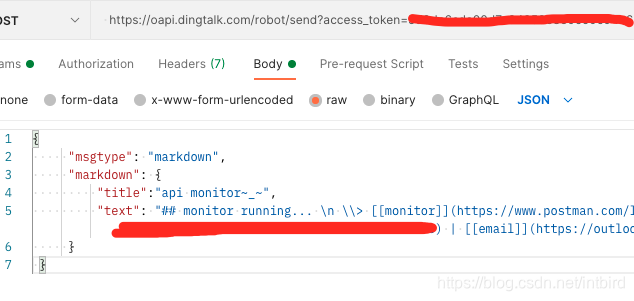
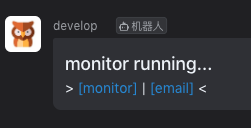
在要监控的集合里添加一个钉钉机器人的post消息即可
因为结果也会有邮件通知,所以放两个选项
- monitor项目链接
- 邮箱收件箱地址
{
     "msgtype": "markdown",
     "markdown": {
         "title":" monitor",
         "text": "## monitor running... \n \\> [[monitor]]($monitor_link) | [[email]](https://outlook.office.com/mail/inbox) < \n"
     }
 }
4.收费通知扩展
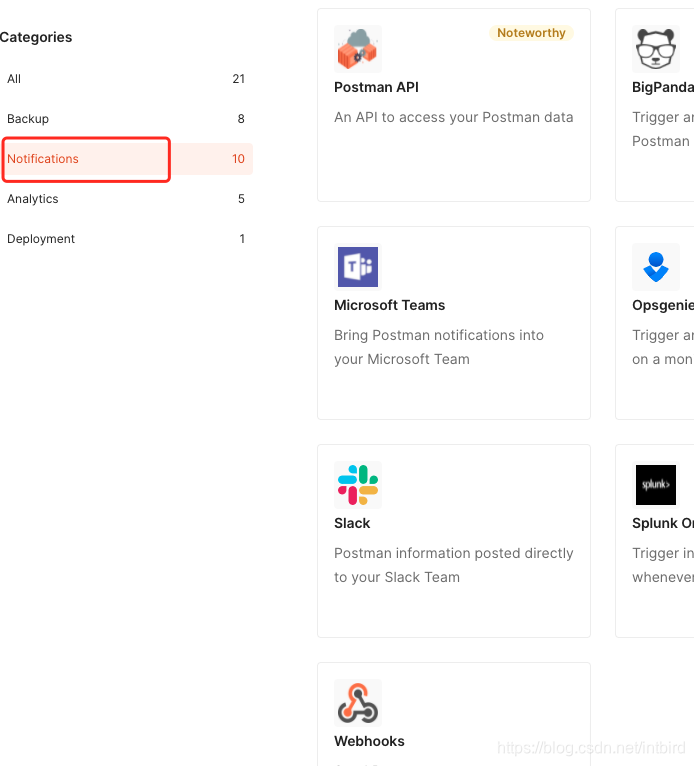
收费
https://web.postman.co/integrations/browse?category=notifications
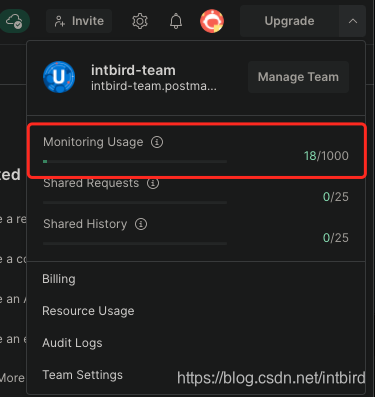
3.账户限制
免费账户注意账户限制
4.结果通知(收费)
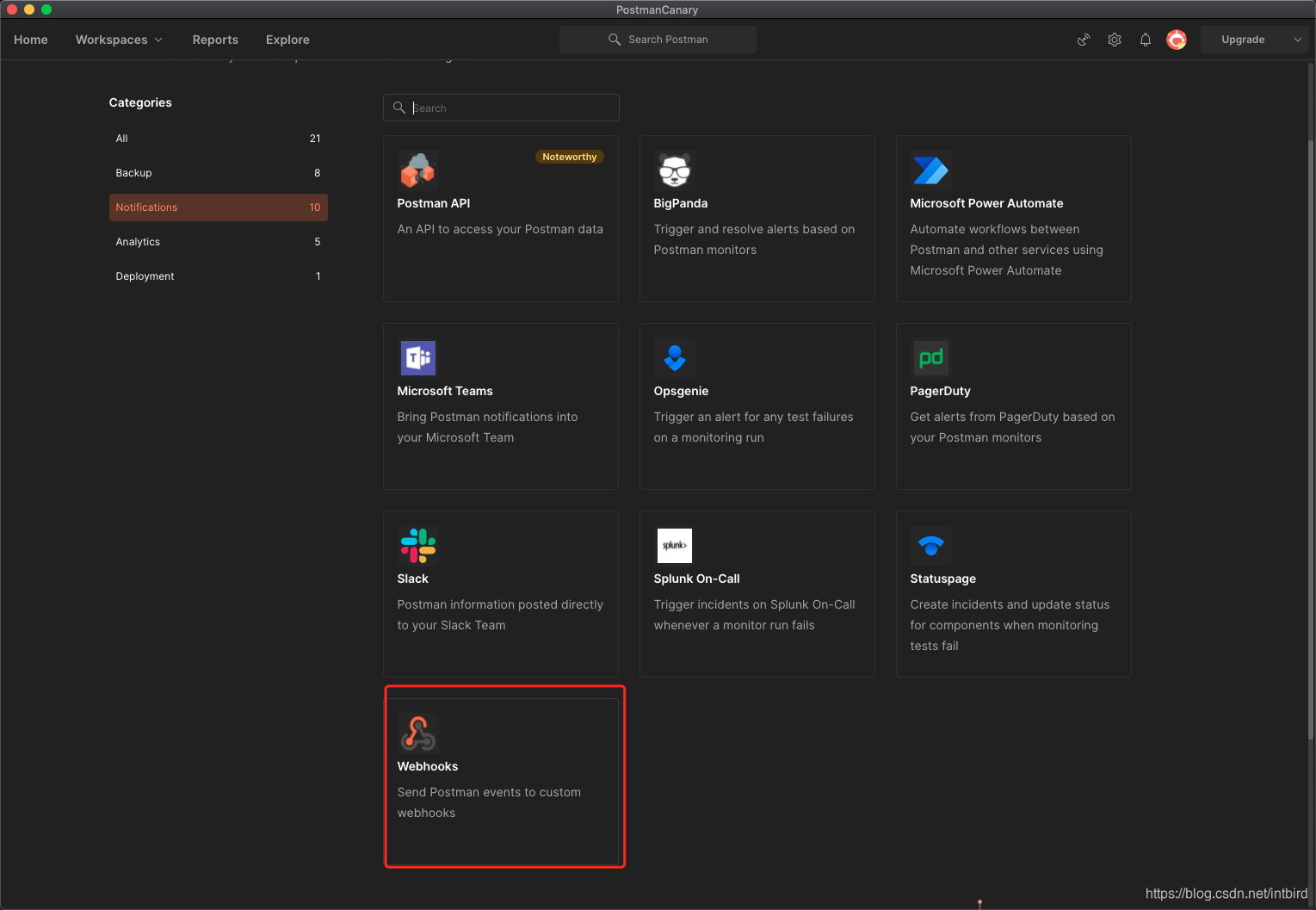
1. webhooks
收费后有更多功能. 比如webhooks
浏览扩展功能: https://www.postman.com/explore
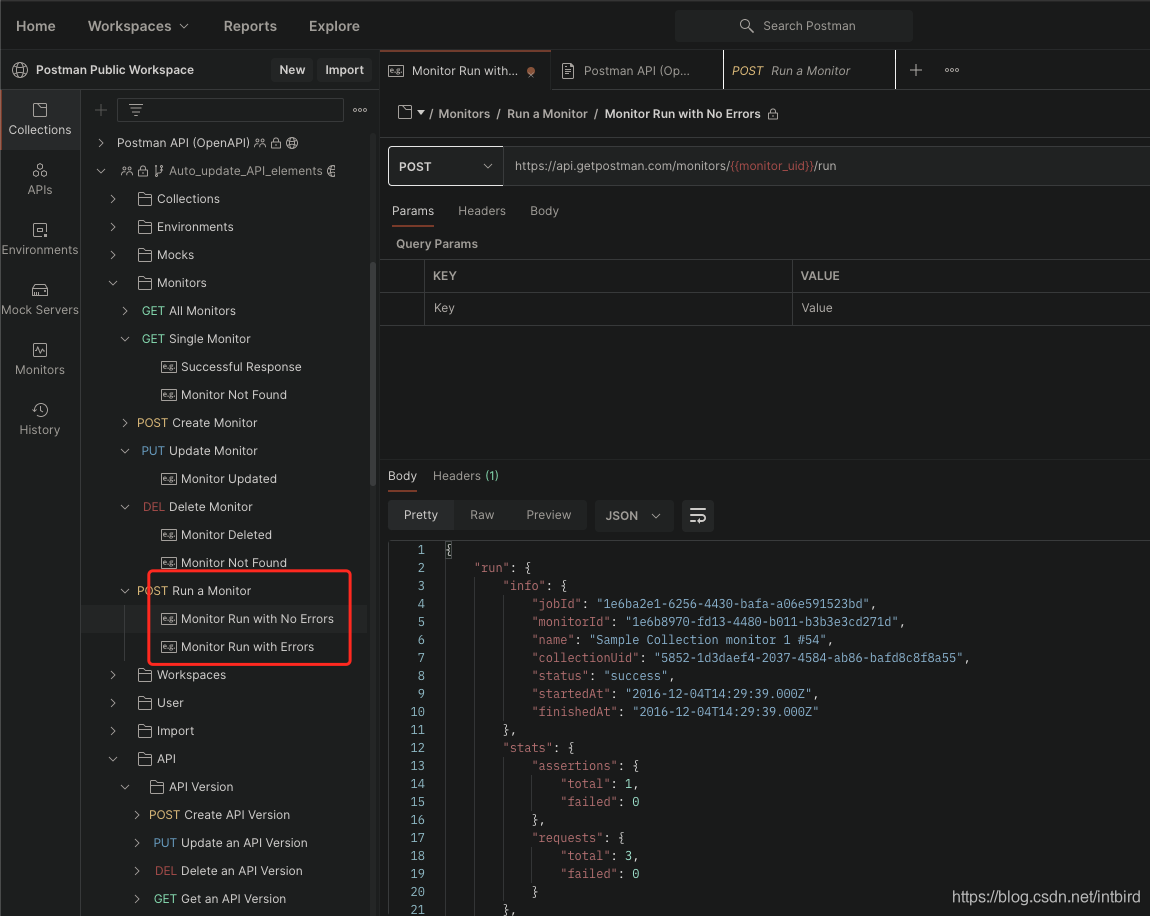
2. postman api
postman monitor api: https://www.postman.com/postman/workspace/postman-public-workspace/request/6294718-77655800-5c4a-489d-9980-7fd3e3e11fb5
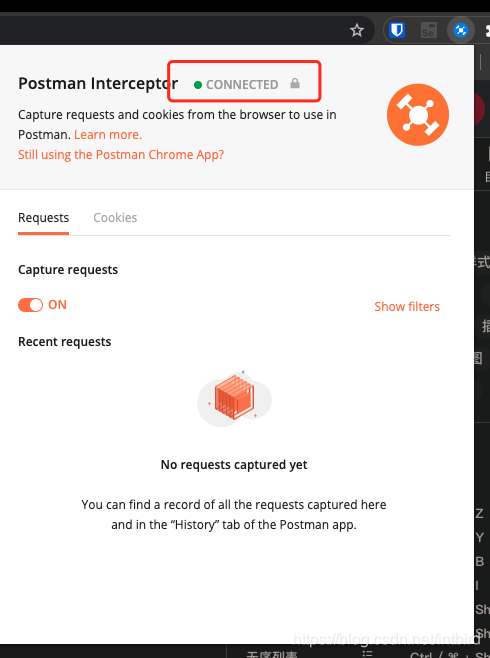
4. Capture requests and cookies
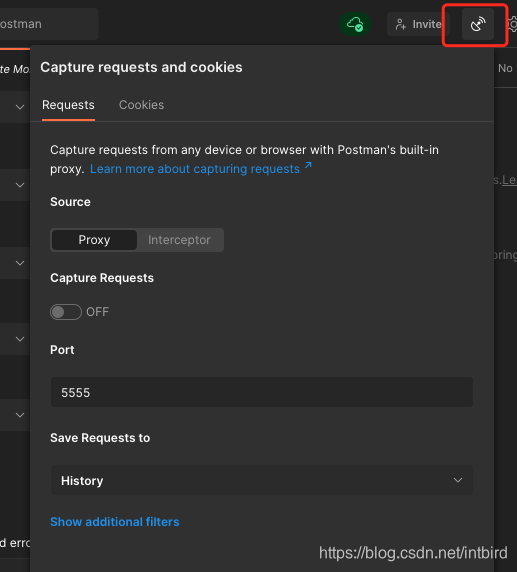
chrome 的postman interceptor 连接本地 postman
方便的获取浏览器的cookie等信息
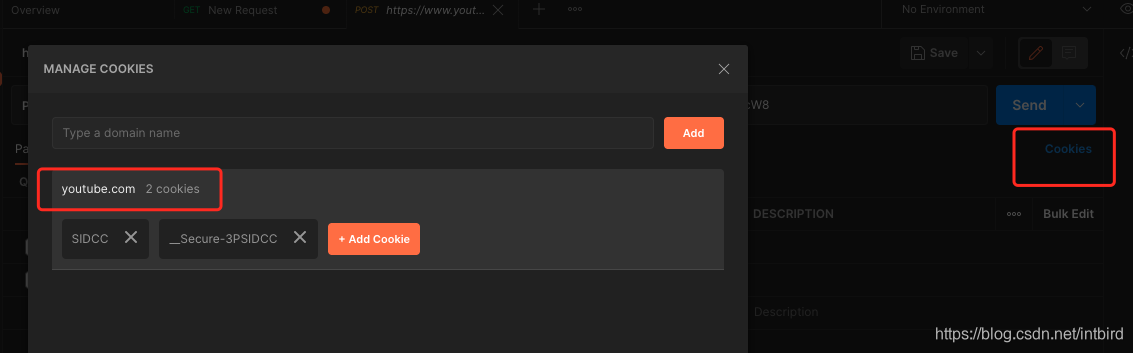
cookie信息将会按需要的域名进行展示,操作等
1.chrome 插件
2.dashborad设置
3.请求时添加cookie
文章来自:http://blog.csdn.net/intbird 转载请说明出处
个人网站 https://intbird.net 更多精彩

北京人形旗下天工造物具身智能开源社区,聚焦具身天工与慧思开物两大平台
更多推荐
 0
0 0
0- 0


 已为社区贡献2条内容

所有评论(0)