web前端项目(一) 做一个网易考拉官网 常规静态页面 + 页面放到http服务 + 前后端分离
1
新建文件夹 分css img 文件夹 index.html
静态页面
2
将本地做的静态页面放到 http 服务
localhost:8080
设置nodejs静态目录 npm install express -save-env
如果提示 没有 package.json 考过来就行
// 这个地方相当于引用 express
var express = require('express');
var app = express();

app.get('/', function (req, res) {
    res.end('i am fhj');
})

app.listen(8080, function () {
    console.log('网易考拉,8080已经运行');
})
打开终端

打开页面 localhost:8080

3
接口生成 导航条
标准的前后端分离
1
// 引入express
var express = require("express");
var app = express();

// 顶部导航条的数据
app.get("/get_top_nav", function (req, res) {
  // 本来这个东西是需要写在数据库中
  var _topNav = {
    arrs: [
      "每日签到",
      "我的订单",
      "个人中心",
      "客户服务",
      "充值中心",
      "消费者权益",
      "更多",
      "视频内容",
    ],
  };
  res.send(_topNav);
});
// 创建静态目录
app.use(express.static("public"));
// 监听时间
app.listen(8080, function () {
  console.log("网易考拉,8080已经运行");
});
2 访问链接 得到接口
1)

2)
然后 我们需要做的事情是 将这部分引入到 我们的localhost:8080
3)
菜鸟教程 ---- 学习 jquery  ----- 安装 jquery ----- 往下拉到  百度 CDN
----引用  在线的jquery 也可以自己下载
<script src="https://apps.bdimg.com/libs/jquery/2.1.4/jquery.min.js">
</script>
4)我们利用jquery 写到 html尾部
//上面是做这个页面需要的代码 先不展示出来了
<script src="https://apps.bdimg.com/libs/jquery/2.1.4/jquery.min.js">
</script>
<script>
//利用jquery  这个格式需要注意
    $(function () {
    //调用ajax 方法 里面写入了多个内容
        $.ajax({
       //这个是路径
            url: 'http://localhost:8080/get_top_nav',
            //方法
            type: 'get',
            //数据类型
            dataType: 'json',
            //成功展示后的操作
            success: function (_d) {
                console.log(_d)
            }
        })
    })
</script>
5) 打开 node app.js
我们刷新一下 可以在 localhost:8080 看到
我们成功啦!

6)
删掉 本来的部分

添加一个id 来进行操作

7)
html里面添加内容
var _data = _d.arrs;
for (var i = 0; i < _data.length; i++) {
  console.log(_data[i]);
}
页面效果

8)
继续写
<script src="https://apps.bdimg.com/libs/jquery/2.1.4/jquery.min.js">
</script>
<script>
    $(function () {
        $.ajax({
        // 发起请求
            url: 'http://localhost:8080/get_top_nav',
            type: 'get',
            dataType: 'json',
            // 回调函数 保存
            success: function (_d) {
                // console.log(_d)
                var _data = _d.arrs;
                for (var i = 0; i < _data.length; i++) {
                    console.log(_data[i])
                    //  生成
                    $('<li/>')
                        .html(_data[i])
                        .appendTo($('#topNavUlId'));
                }
            }
        })
    })
</script>

我现在想把这三个放在一个接口内 怎么操作??

1 首先修改app.js
// 引入express
var express = require("express");
var app = express();

// 顶部导航条的数据
app.get("/get_header_data", function (req, res) {
  // 本来这个东西是需要写在数据库中
  // 但是暂且把数据写在这里
  var _data = {
    top_nav: [
      "每日签到",
      "我的订单",
      "个人中心",
      "客户服务",
      "充值中心",
      "消费者权益",
      "更多",
      "视频内容",
    ],
    hot_word: ["面膜", "口红", "减肥", "全球工厂店", "运动鞋", "项链", "女包"],
    column_word: ["首页", "海外直购", "工厂店", "品质奶粉", "人气面膜", "充值"],
  };
  res.send(_data);
});

// 创建静态目录
app.use(express.static("public"));
// 监听时间
app.listen(8080, function () {
  console.log("网易考拉,8080已经运行");
});
2
更改 html
在这里插入代码片
3
<script src="https://apps.bdimg.com/libs/jquery/2.1.4/jquery.min.js">
</script>
<script>
    $(function () {
        $.ajax({
            url: 'http://localhost:8080/get_header_data',
            type: 'get',
            dataType: 'json',
            success: function (_d) {
                console.log(_d)
                //     var _data = _d.arrs;
                //     for (var i = 0; i < _data.length; i++) {
                //         console.log(_data[i])
                //         $('<li/>')
                //             .html(_data[i])
                //             .appendTo($('#topNavUlId'));
                // }
            }
        })
    })
</script>
4
看一下页面效果
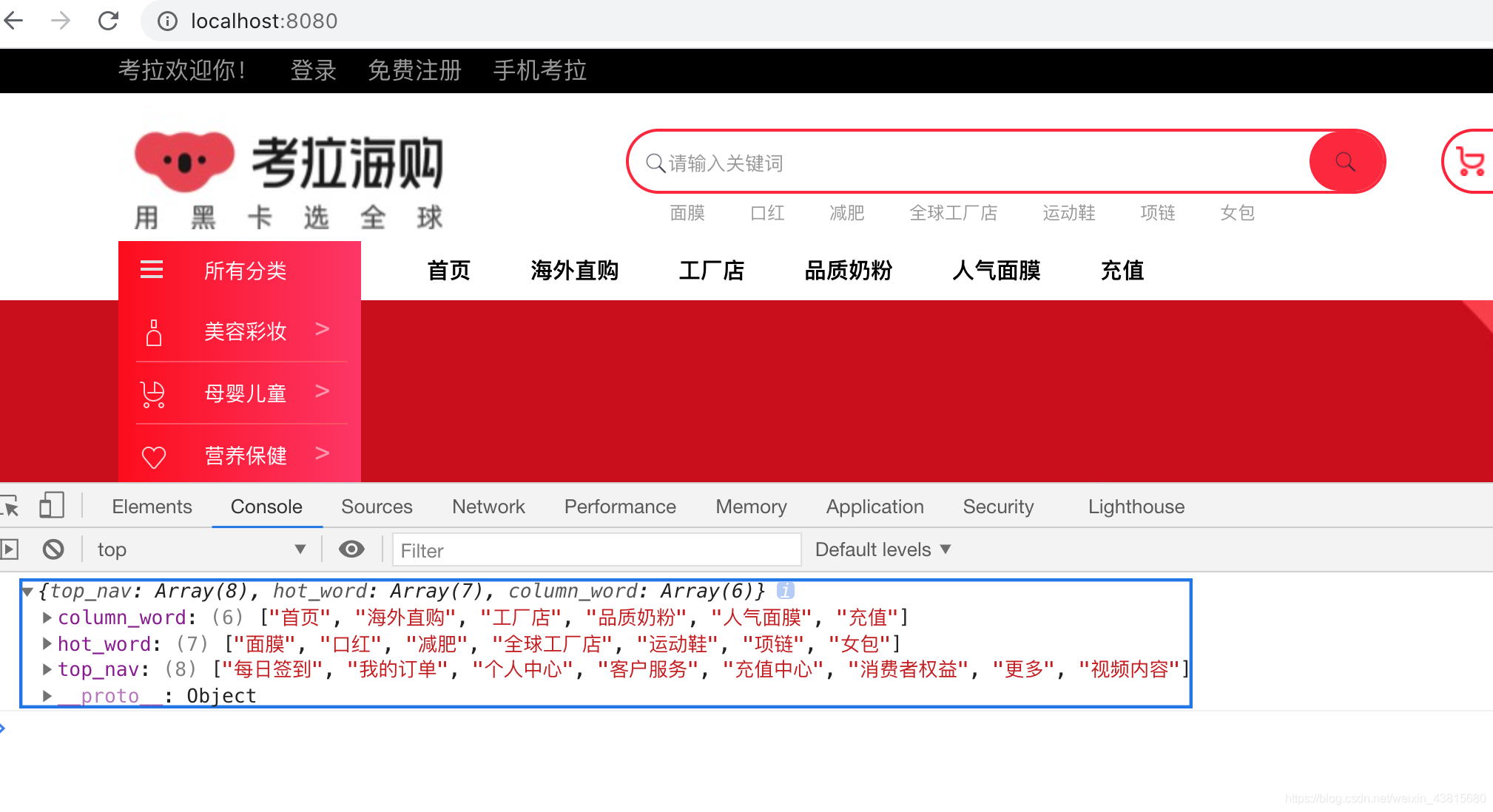
5
js修改一下
// 引入express
var express = require("express");
var app = express();

// 顶部导航条的数据
app.get("/get_header_data", function (req, res) {
  // 本来这个东西是需要写在数据库中
  // 但是暂且把数据写在这里
  var _data = {
    top_nav: [
      "每日签到",
      "我的订单",
      "个人中心",
      "客户服务",
      "充值中心",
      "消费者权益",
      "更多",
      "视频内容",
    ],
    hot_word: ["面膜", "口红", "减肥", "全球工厂店", "运动鞋", "项链", "女包"],
    column_word: ["首页", "海外直购", "工厂店", "品质奶粉", "人气面膜", "充值"],
  };
  res.send(_data);
});

// 创建静态目录
app.use(express.static("public"));
// 监听时间
app.listen(8080, function () {
  console.log("网易考拉,8080已经运行");
});
6
html 修改一下
<script src="https://apps.bdimg.com/libs/jquery/2.1.4/jquery.min.js">
</script>
<script>
    $(function () {
        $.ajax({
            url: 'http://localhost:8080/get_header_data',
            type: 'get',
            dataType: 'json',
            success: function (_d) {
                console.log(_d)
                // /d 表示的是整个对象
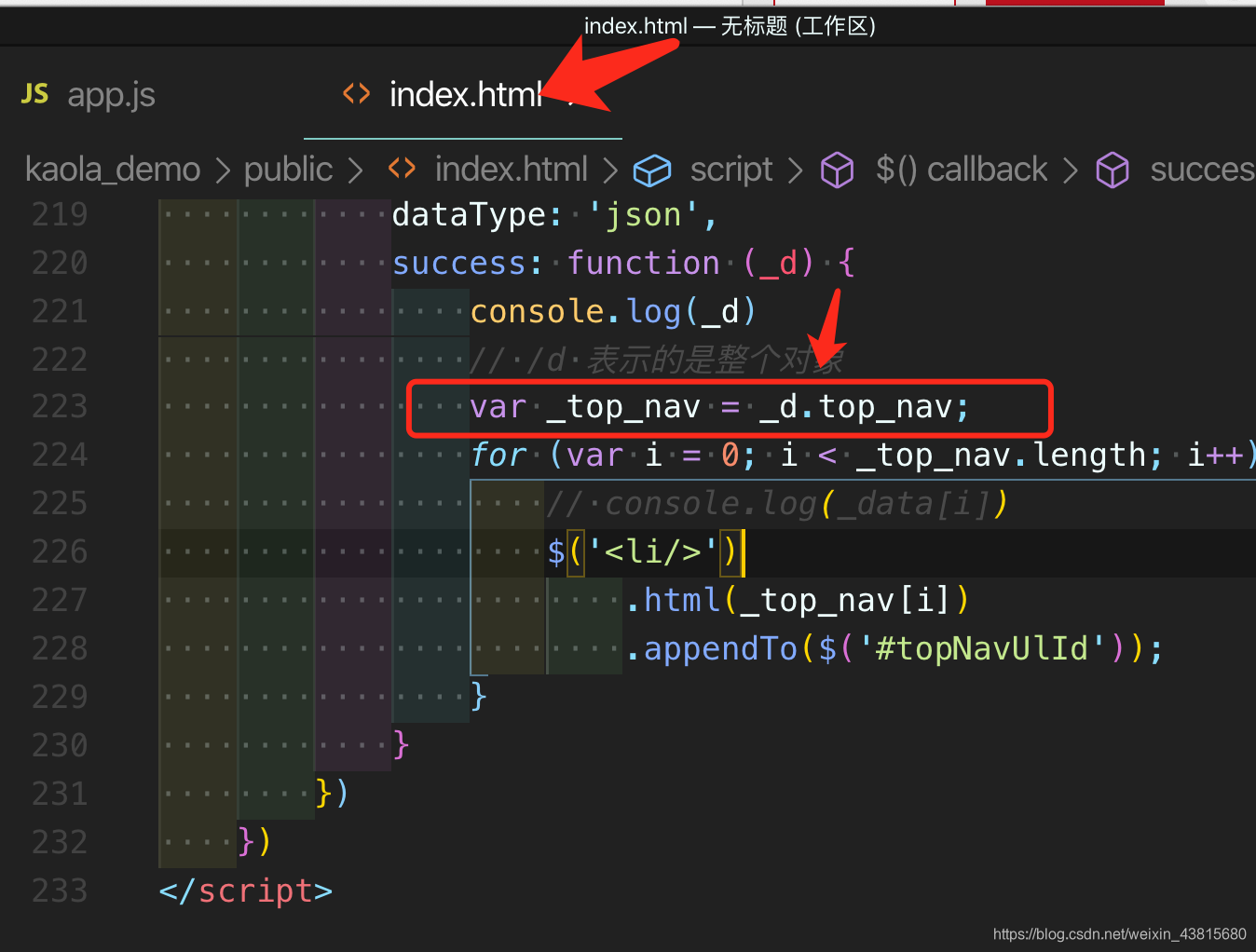
                var _top_nav = _d.top_nav;
                for (var i = 0; i < _top_nav.length; i++) {
                    // console.log(_data[i])
                    $('<li/>')
                        .html(_top_nav[i])
                        .appendTo($('#topNavUlId'));
                }
            }
        })
    })
</script>
看一下页面效果
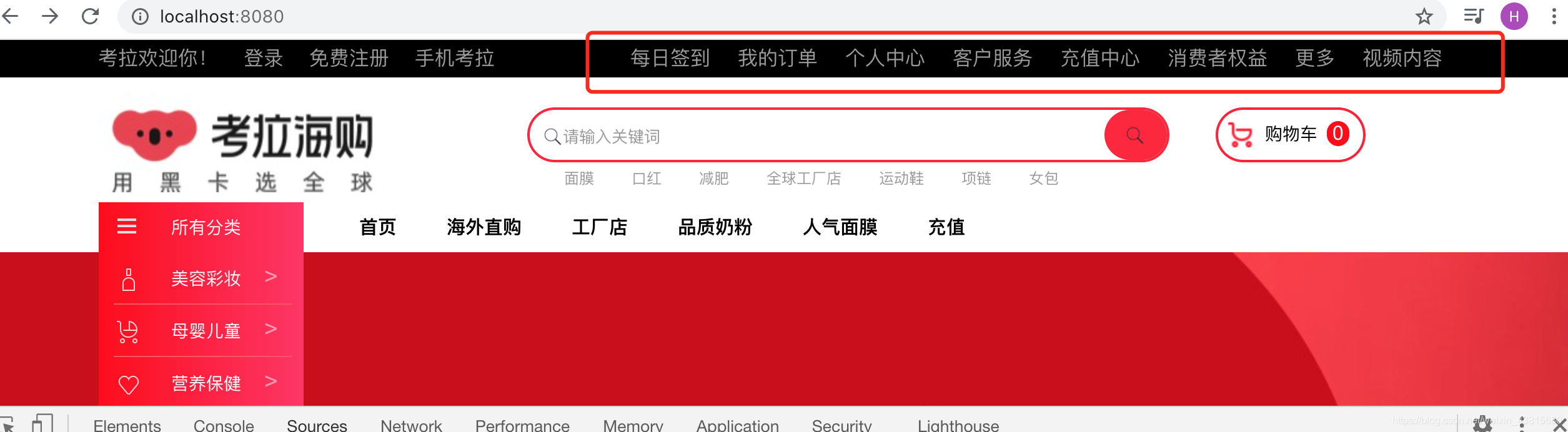
这里需要特别注意一个问题 var _top_nav = _d.top_nav;
不能写成 var _top_nav = _d._top_nav;
7
再做另外两栏的效果
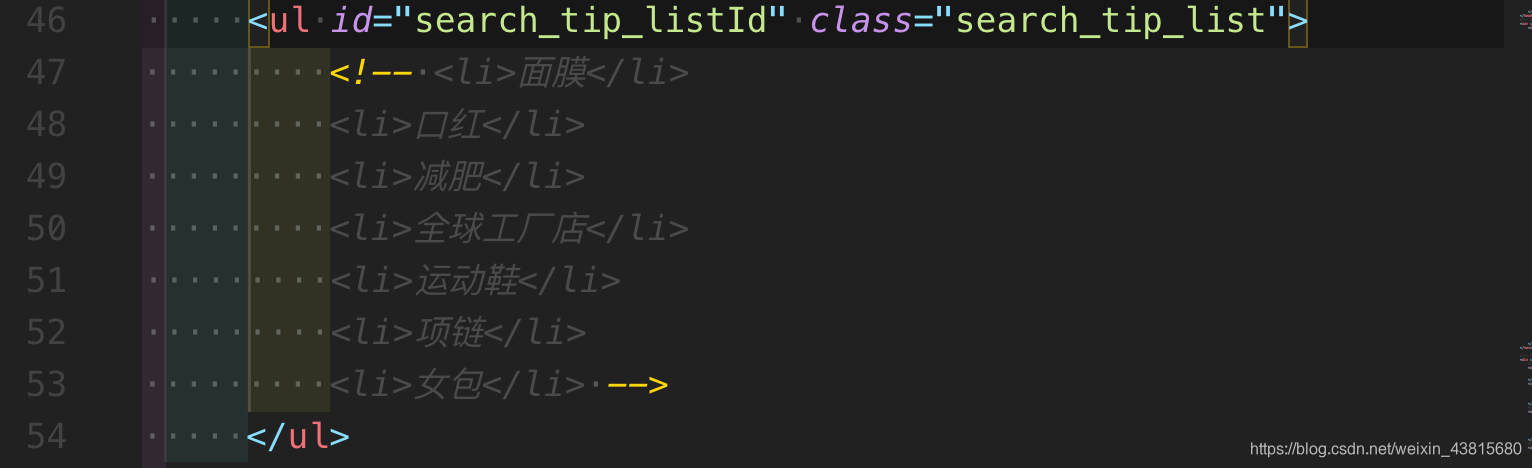
7-1 先找到 html 里面写这一部分的内容
删掉 所以的li 加一个id : class名字加一个Id
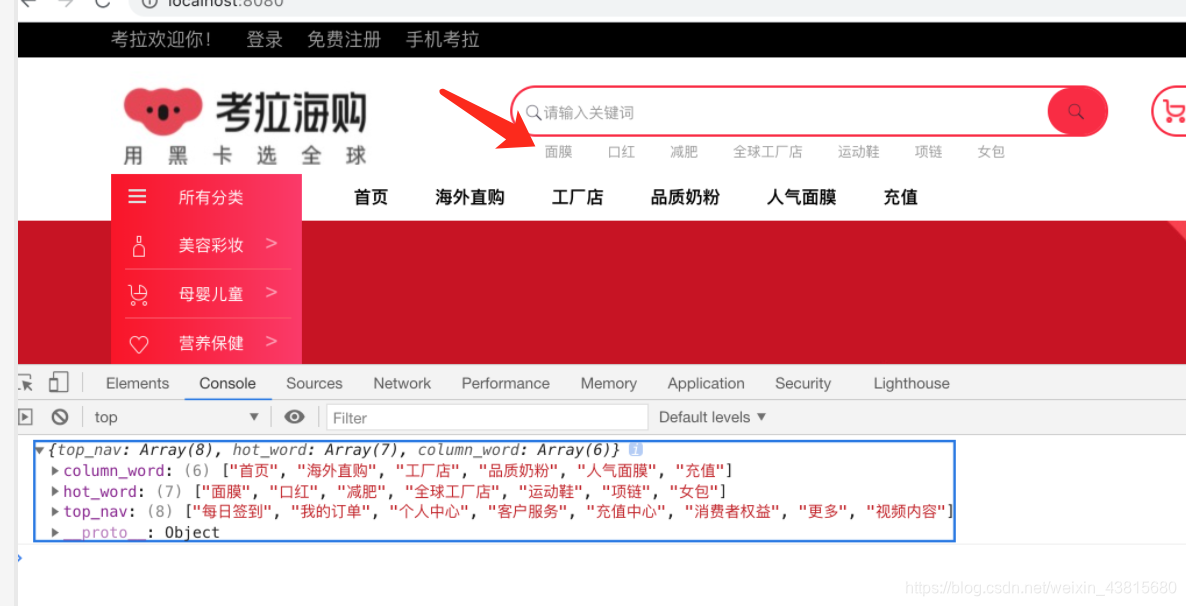
变成这个样子
7-2
修改html 加了第二部分内容 可以在下面的代码看到
<script src="https://apps.bdimg.com/libs/jquery/2.1.4/jquery.min.js">
</script>
<script>
    $(function () {
        $.ajax({
            url: 'http://localhost:8080/get_header_data',
            type: 'get',
            dataType: 'json',
            success: function (_d) {
                console.log(_d)
                // /d 表示的是整个对象
                var _top_nav = _d.top_nav;
                //第二行的内容
                var _hot_word = _d.hot_word;
                for (var i = 0; i < _top_nav.length; i++) {
                    // console.log(_data[i])
                    $('<li/>')
                        .html(_top_nav[i])
                        .appendTo($('#topNavUlId'));
                }
                // 加了第二部分内容
                for (var i = 0; i < _hot_word.length; i++) {
                    // console.log(_data[i])
                    $('<li/>')
                        .html(_hot_word[i])
                        .appendTo($('#search_tip_listId'));
                }
            }
        })
    })
</script>
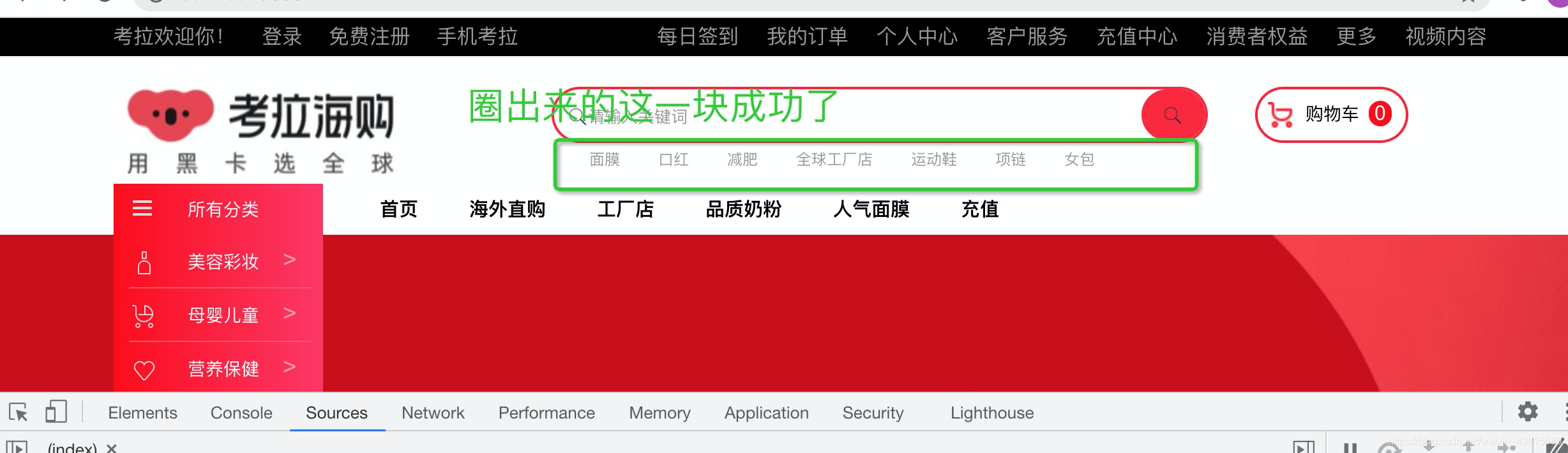
8
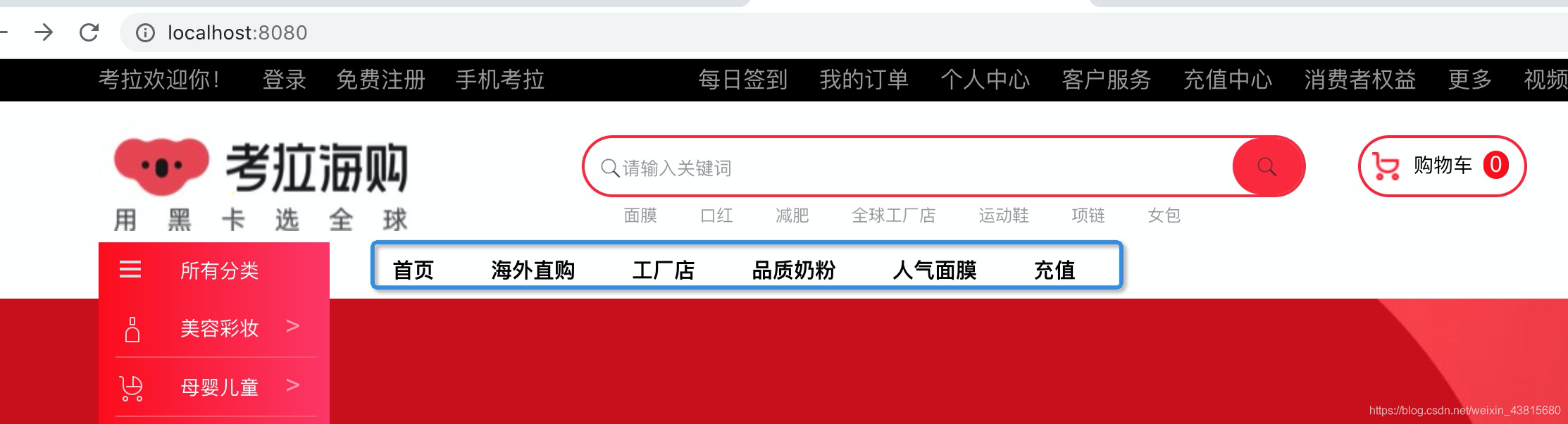
我们再来尝试做第三部分的内容
8-1
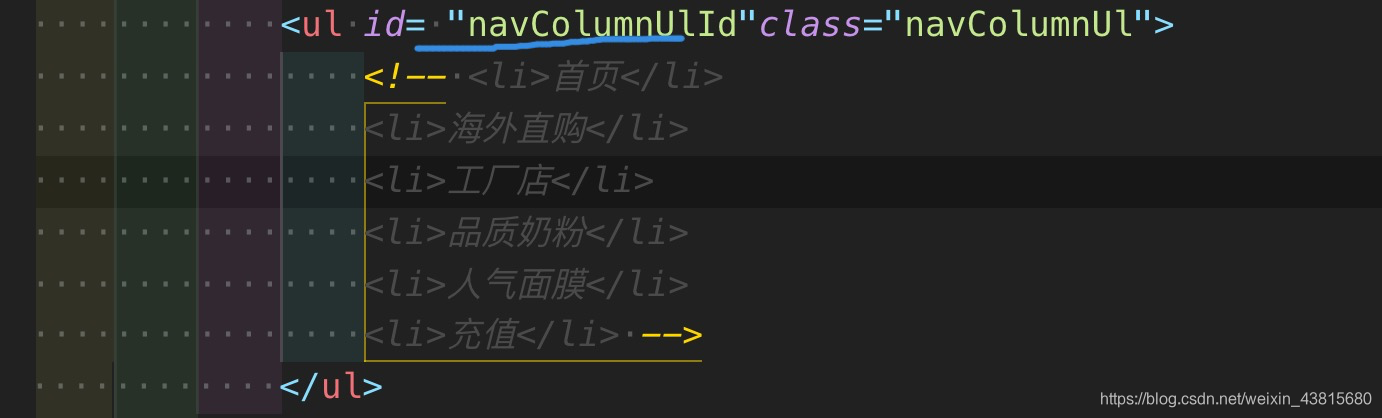
我们也是在html 找到这部分 加id 并且注释掉 li

8-2
我们在html 加上这个第三部分
<script src="https://apps.bdimg.com/libs/jquery/2.1.4/jquery.min.js">
</script>
<script>
    $(function () {
        $.ajax({
            url: 'http://localhost:8080/get_header_data',
            type: 'get',
            dataType: 'json',
            success: function (_d) {
                console.log(_d)
                // /d 表示的是整个对象
                var _top_nav = _d.top_nav;
                //第二行的内容
                var _hot_word = _d.hot_word;
                //第三部分的内容
                var _column_word = _d.column_word;
                // 顶部导航条
                for (var i = 0; i < _top_nav.length; i++) {
                    // console.log(_data[i])
                    $('<li/>')
                        .html(_top_nav[i])
                        .appendTo($('#topNavUlId'));
                }
                // 搜索框下面的导航条
                for (var i = 0; i < _hot_word.length; i++) {
                    // console.log(_data[i])
                    $('<li/>')
                        .html(_hot_word[i])
                        .appendTo($('#search_tip_listId'));
                }
                // 栏目导航条
                for (var i = 0; i < _column_word.length; i++) {
                    // console.log(_data[i])
                    $('<li/>')
                        .html(_column_word[i])
                   //这个引号的部分 非常重要 就是上面html 第三部分写的
                  // 那个id = "navColumnUlId"
                        .appendTo($('#navColumnUlId'));
                }
            }
        })
    })
</script>
8-3
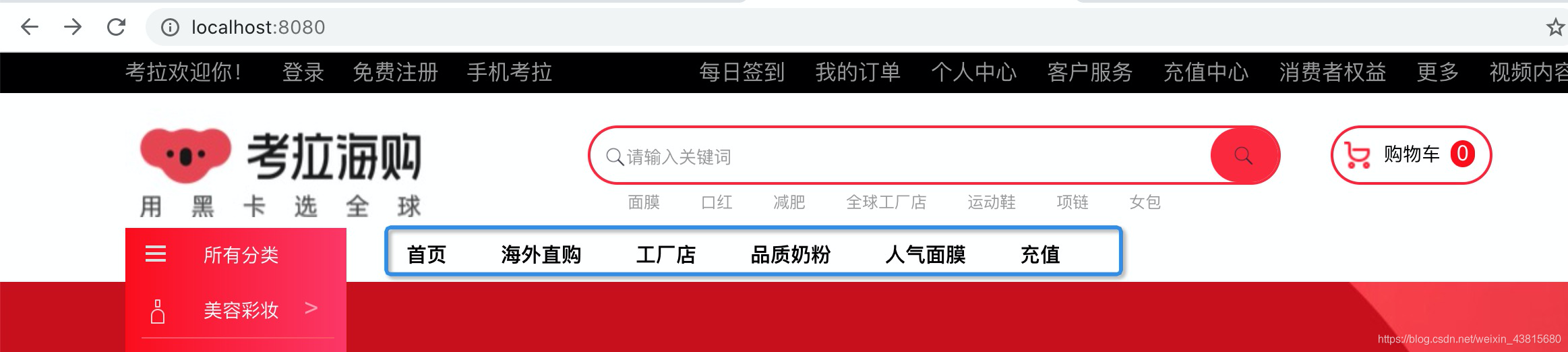
我们看一下效果试试 完美出现了 说明我们成功了
9
我们现在做的东西 是可以的 但是不能点击 需要加链接
9-1
更改 app.js 文件 更改的是 columb_word
// 引入express
var express = require("express");
var app = express();

// 顶部导航条的数据
app.get("/get_header_data", function (req, res) {
  // 本来这个东西是需要写在数据库中
  // 但是暂且把数据写在这里
  var _data = {
    top_nav: [
      "每日签到",
      "我的订单",
      "个人中心",
      "客户服务",
      "充值中心",
      "消费者权益",
      "更多",
      "视频内容",
    ],
    hot_word: ["面膜", "口红", "减肥", "全球工厂店", "运动鞋", "项链", "女包"],
    column_word: [
      {
        name: "首页",
        // a_url表示a 标签的内容  先这样写
        a_url: "aaa",
      },
      {
        name: "海外直购",
        // a_url表示a 标签的内容  先这样写
        a_url: "bbb",
      },
      {
        name: "工厂店",
        // a_url表示a 标签的内容  先这样写
        a_url: "ccc",
      },
      {
        name: "品质奶粉",
        // a_url表示a 标签的内容  先这样写
        a_url: "ddd",
      },
      {
        name: "人气面膜",
        // a_url表示a 标签的内容  先这样写
        a_url: "eee",
      },
      {
        name: "充值",
        // a_url表示a 标签的内容  先这样写
        a_url: "fff",
      },
    ],
  };
  res.send(_data);
});

// 创建静态目录
app.use(express.static("public"));
// 监听时间
app.listen(8080, function () {
  console.log("网易考拉,8080已经运行");
});
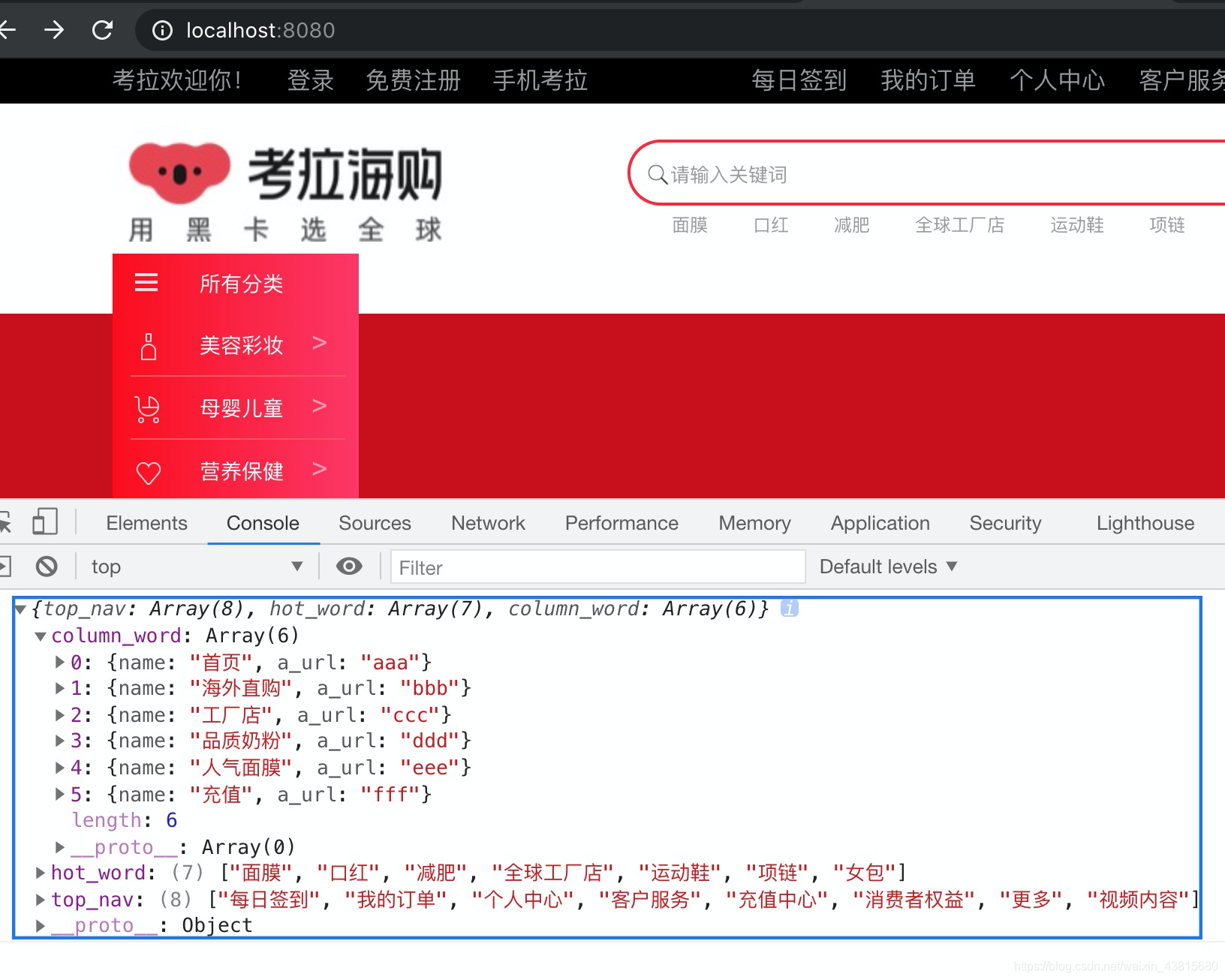
重启服务后打开 页面是column_word是一堆对象
9-2 修改 html部分的文件
先把名字在页面上展示出来
<script src="https://apps.bdimg.com/libs/jquery/2.1.4/jquery.min.js">
</script>
<script>
    $(function () {
        $.ajax({
            url: 'http://localhost:8080/get_header_data',
            type: 'get',
            dataType: 'json',
            success: function (_d) {
                console.log(_d)
                // /d 表示的是整个对象
                var _top_nav = _d.top_nav;
                //第二行的内容
                var _hot_word = _d.hot_word;
                var _column_word = _d.column_word;
                // 顶部导航条
                for (var i = 0; i < _top_nav.length; i++) {
                    // console.log(_data[i])
                    $('<li/>')
                        .html(_top_nav[i])
                        .appendTo($('#topNavUlId'));
                }
                // 搜索框下面的导航条
                for (var i = 0; i < _hot_word.length; i++) {
                    // console.log(_data[i])
                    $('<li/>')
                        .html(_hot_word[i])
                        .appendTo($('#search_tip_listId'));
                }
                // 栏目导航条
                for (var i = 0; i < _column_word.length; i++) {
                    console.log(_column_word[i].name)
                    $('<li/>')
                        .html(_column_word[i].name)
                        .appendTo($('#navColumnUlId'));
                }
            }
        })
    })
</script>
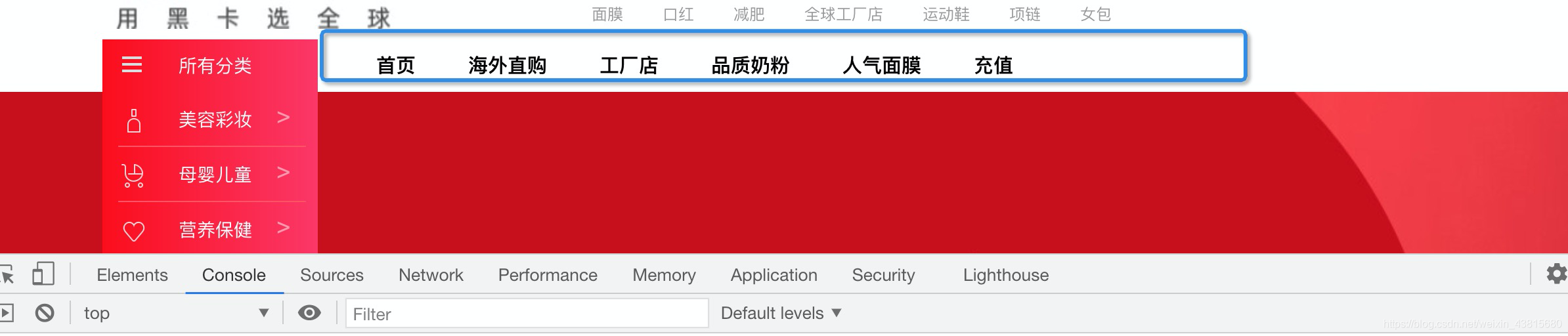
页面看一下效果
接下来 我们实现 a标签
<script src="https://apps.bdimg.com/libs/jquery/2.1.4/jquery.min.js">
</script>
<script>
    $(function () {
        $.ajax({
            url: 'http://localhost:8080/get_header_data',
            type: 'get',
            dataType: 'json',
            success: function (_d) {
                console.log(_d)
                // /d 表示的是整个对象
                var _top_nav = _d.top_nav;
                //第二行的内容
                var _hot_word = _d.hot_word;
                var _column_word = _d.column_word;
                // 顶部导航条
                for (var i = 0; i < _top_nav.length; i++) {
                    // console.log(_data[i])
                    $('<li/>')
                        .html(_top_nav[i])
                        .appendTo($('#topNavUlId'));
                }
                // 搜索框下面的导航条
                for (var i = 0; i < _hot_word.length; i++) {
                    // console.log(_data[i])
                    $('<li/>')
                        .html(_hot_word[i])
                        .appendTo($('#search_tip_listId'));
                }
                // 栏目导航条
                for (var i = 0; i < _column_word.length; i++) {
                    // console.log(_column_word[i].name)
                    $('<li/>')
                        // li里面是a标签
                        .html(function () {
                            $('<a/>')
                                .attr('href', _column_word[i].a_url)
                                // a标签里面是文字
                                .html(_column_word[i].name)
                                .appendTo($(this));
                        })
                        .appendTo($('#navColumnUlId'));
                }
            }
        })
    })
</script>
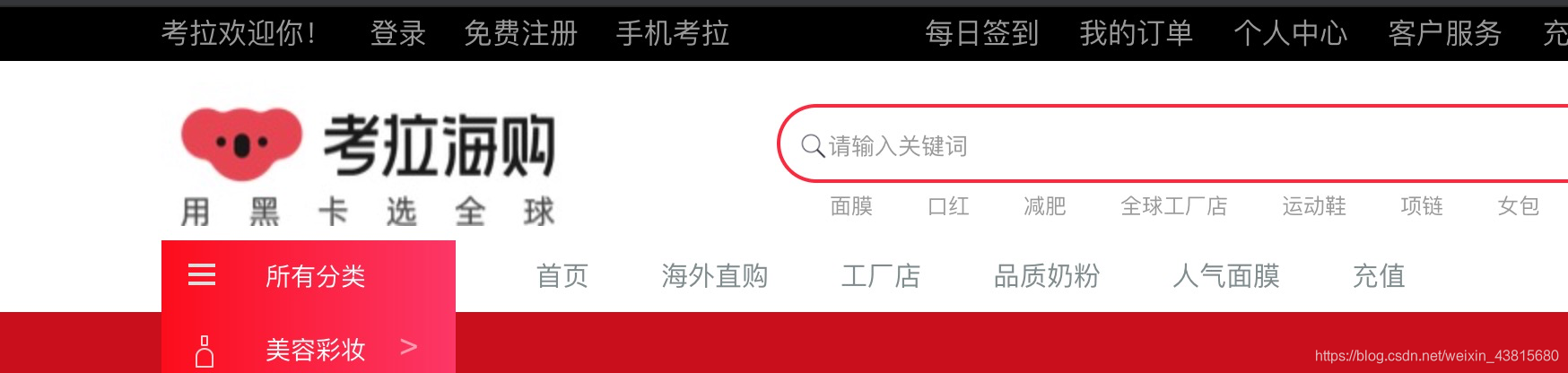
页面展示一下 有点瑕疵 可以点击了
不过颜色淡了 暂且不处理
我们补写一下 另外两个 展示一下 app.js
// 引入express
var express = require("express");
var app = express();

// 顶部导航条的数据
app.get("/get_header_data", function (req, res) {
  // 本来这个东西是需要写在数据库中
  // 但是暂且把数据写在这里
  var _data = {
    top_nav: [
      {
        name: "每日签到",
        a_url: "a",
      },
      {
        name: "我的订单",
        a_url: "b",
      },
      {
        name: "个人中心",
        a_url: "c",
      },
      {
        name: "客户服务",
        a_url: "d",
      },
      {
        name: "充值中心",
        a_url: "e",
      },
      {
        name: "消费者权益",
        a_url: "f",
      },
      {
        name: "更多",
        a_url: "g",
      },
      {
        name: "视频内容",
        a_url: "h",
      },
    ],
    hot_word: [
      {
        name: "面膜",
        a_url: "aa",
      },
      {
        name: "口红",
        a_url: "bb",
      },
      {
        name: "减肥",
        a_url: "cc",
      },
      {
        name: "全球工厂店",
        a_url: "dd",
      },
      {
        name: "运动鞋",
        a_url: "ee",
      },
      {
        name: "项链",
        a_url: "ff",
      },
      {
        name: "女包",
        a_url: "gg",
      },
    ],
    column_word: [
      {
        name: "首页",
        // a_url表示a 标签的内容  先这样写
        a_url: "aaa",
      },
      {
        name: "海外直购",
        // a_url表示a 标签的内容  先这样写
        a_url: "bbb",
      },
      {
        name: "工厂店",
        // a_url表示a 标签的内容  先这样写
        a_url: "ccc",
      },
      {
        name: "品质奶粉",
        // a_url表示a 标签的内容  先这样写
        a_url: "ddd",
      },
      {
        name: "人气面膜",
        // a_url表示a 标签的内容  先这样写
        a_url: "eee",
      },
      {
        name: "充值",
        // a_url表示a 标签的内容  先这样写
        a_url: "fff",
      },
    ],
  };
  res.send(_data);
});

// 创建静态目录
app.use(express.static("public"));
// 监听时间
app.listen(8080, function () {
  console.log("网易考拉,8080已经运行");
});
展示一下 html
<script src="https://apps.bdimg.com/libs/jquery/2.1.4/jquery.min.js">
</script>
<script>
    $(function () {
        $.ajax({
            url: 'http://localhost:8080/get_header_data',
            type: 'get',
            dataType: 'json',
            success: function (_d) {
                console.log(_d)
                // /d 表示的是整个对象
                var _top_nav = _d.top_nav;
                //第二行的内容
                var _hot_word = _d.hot_word;
                var _column_word = _d.column_word;
                // 顶部导航条
                for (var i = 0; i < _top_nav.length; i++) {
                    // console.log(_data[i])
                    $('<li/>')
                        // li里面是a标签
                        .html(function () {
                            $('<a/>')
                                .attr('href', _top_nav[i].a_url)
                                // a标签里面是文字
                                .html(_top_nav[i].name)
                                .appendTo($(this));
                        })
                        .appendTo($('#topNavUlId'));
                }
                // 搜索框下面的导航条
                for (var i = 0; i < _hot_word.length; i++) {
                    // console.log(_hot_word[i])
                    $('<li/>')
                        // li里面是a标签
                        .html(function () {
                            $('<a/>')
                                .attr('href', _hot_word[i].a_url)
                                // a标签里面是文字
                                .html(_hot_word[i].name)
                                .appendTo($(this));
                        })
                        .appendTo($('#search_tip_listId'));

                }
                // 栏目导航条
                for (var i = 0; i < _column_word.length; i++) {
                    // console.log(_column_word[i].name)
                    $('<li/>')
                        // li里面是a标签
                        .html(function () {
                            $('<a/>')
                                .attr('href', _column_word[i].a_url)
                                // a标签里面是文字
                                .html(_column_word[i].name)
                                .appendTo($(this));
                        })
                        .appendTo($('#navColumnUlId'));
                }
            }
        })
    })
</script>
我们看一下页面 很舒适 这三个地方都已经写好了 都是可以点击的


北京人形旗下天工造物具身智能开源社区,聚焦具身天工与慧思开物两大平台
更多推荐
 0
0 0
0- 0


 已为社区贡献2条内容

所有评论(0)