unity父子物体_Unity中的父子游戏对象
unity父子物体
Its time to put your baby toys and milk bottle down, we are not taking care of tiny little gameObject babies anymore. Instead, we're gonna learn how to create child gameObjects of main gameObjects in the Hierarchy, a technique that proves to be quite useful when used with the Instantiate() method, that we have just learned about.
是时候放下您的婴儿玩具和奶瓶了,我们不再照顾小小的gameObject婴儿了。 取而代之的是,我们将学习如何在层次结构中创建主要gameObjects的子 gameObjects,该技术在与我们刚刚学习的Instantiate()方法一起使用时被证明非常有用。
If you have directly arrived on this tutorial, we recommend you to check our last tutorial for understanding the ongoing example.
如果您直接接触了本教程,我们建议您检查我们的上一教程以了解正在进行的示例。
If you pay close attention to the character we've created in the previous tutorial, you will notice that the fireballs just spawn out of the middle of our main game character, not from where you would expect (Like in this case, the outstretched hand).
如果您密切关注我们在上一教程中创建的角色,您会注意到火球只是从我们主要游戏角色的中间产生的,而不是您期望的位置(例如,在这种情况下,伸出的手)。
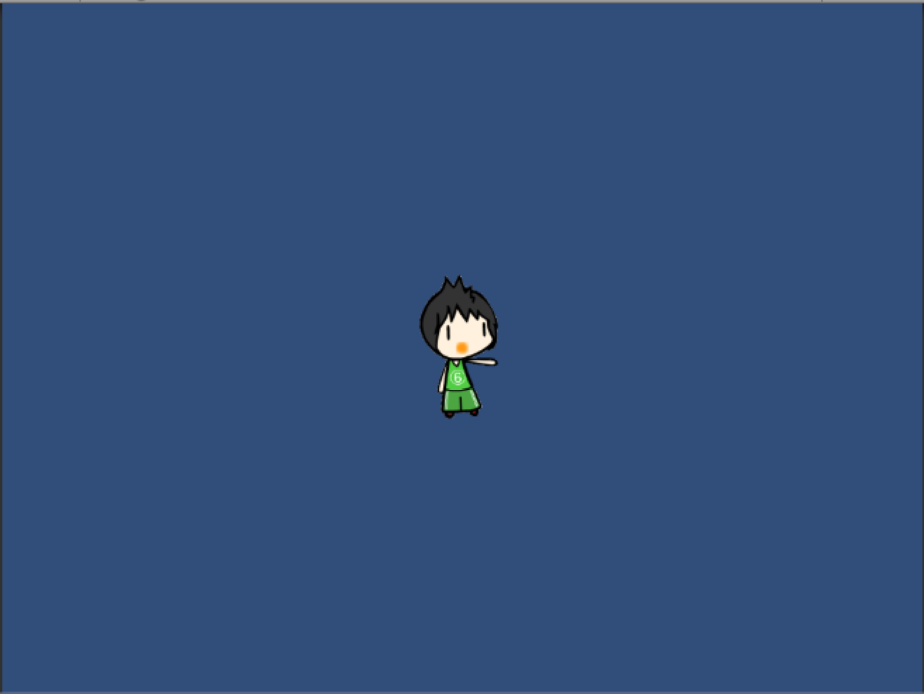
Now, what if instead of the character, there was an invisible gameObject that shot the fireballs? After all, a user (game player) wouldn't really be able to see who exactly shot the fireball. So let's do that. First of all, create a new empty gameObject.
现在,如果有一个看不见的游戏物体代替了火星 ,那该怎么办呢? 毕竟,用户(游戏玩家)实际上无法看到谁准确地射击了火球。 因此,让我们这样做。 首先, 创建一个新的空gameObject 。
You see, gameObjects in general have their location relative to the game world.
您会看到,gameObject通常具有相对于游戏世界的位置。
But for certain objects, like a gun or a car's horn, you might need it to be relative to another gameObject instead. Instead of saying This gameObject is 2 units away from the dead center of the game, we can make gameObjects say This gameObject is 2 units away from another gameObject, no matter where it is.
但是对于某些物体,例如枪或汽车的喇叭,您可能需要使其相对于另一个gameObject。 不必说这个gameObject距离游戏的死点2个单位 ,我们可以使gameObjects说这个gameObject距离另一个游戏对象2个单位,无论它在哪里。
Let's try it out in our game, to see how it really works. To make a gameObject a child, simply drag and drop the intended child onto the intended parent gameObject. In our case, we'll drag our empty gameObject onto our character object (Shooting Savi).
让我们在游戏中尝试一下,看看它是如何工作的。 要将gameObject设为子代 ,只需将目标子代拖放到目标父代gameObject上即可。 在本例中,我们将空的GameObject拖动到角色对象上(射击Savi)。
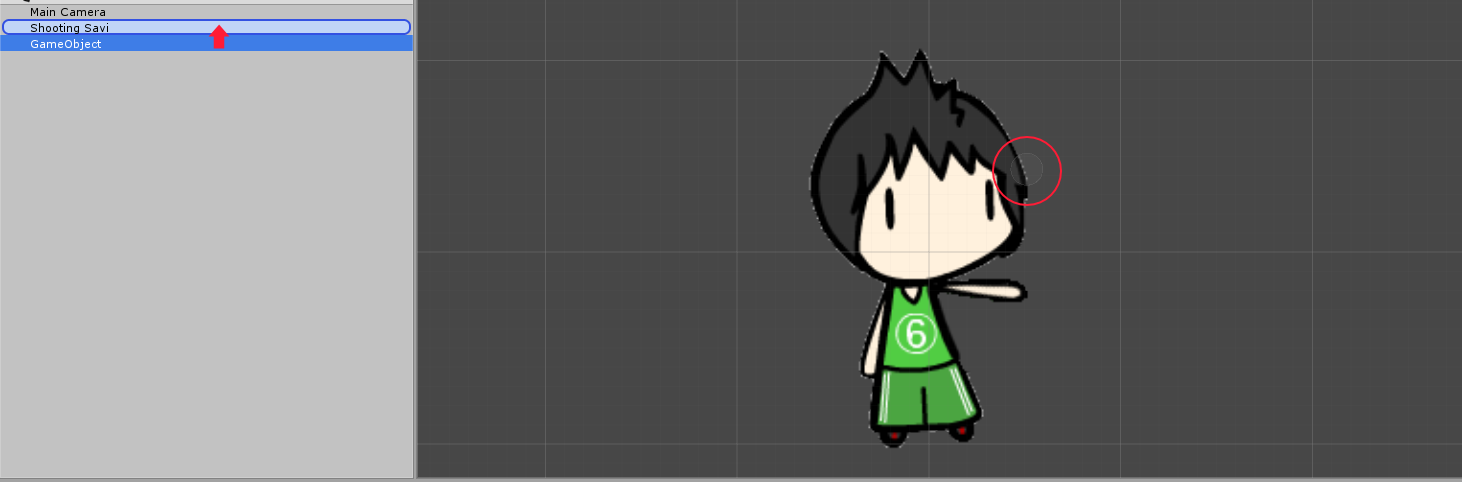
You'll notice that the new gameObject now comes in a dropdown list under our main character, and has a small indentation added to its name in the Hierarchy. This means that the gameObject is now a child of our character. If you try to move the character now, you'll notice that the empty gameObject also moves with it, but remains at the same relative distance.
您会注意到,新的gameObject现在出现在我们主要角色下的下拉列表中,并且在层次结构中的名称中添加了一个小的缩进。 这意味着gameObject现在是我们角色的孩子。 如果您现在尝试移动角色,您会注意到空的GameObject也随之移动,但保持相对距离不变。
But the empty gameObject is floating near our character's head, and not near his hand! To fix that, simply adjust the position of the empty gameObject using the position values in the Transform view, until the empty gameObject gets to where you need it to be.
但是空的gameObject漂浮在我们角色的头部附近,而不是他的手附近! 要解决此问题,只需使用Transform视图中的position值调整空gameObject的position ,直到空gameObject到达所需位置即可。
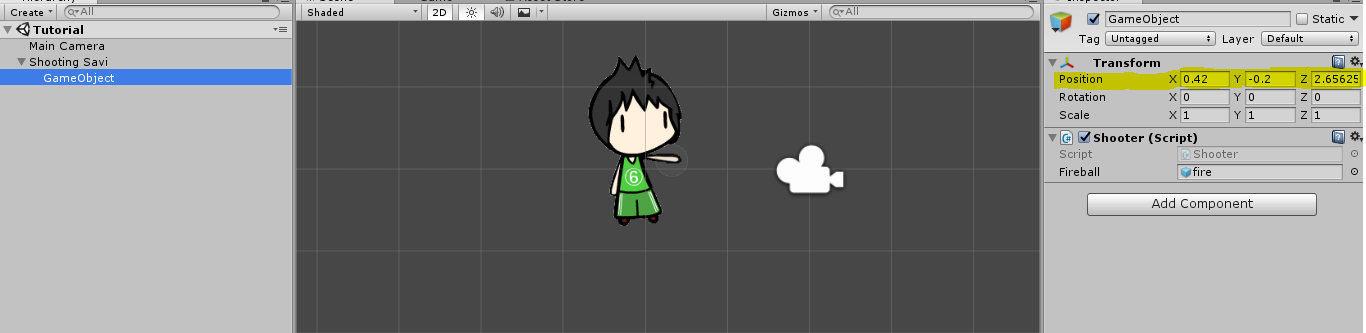
Once again, a child gameObject will have its position relative to its parent, not the game world. Meaning if you set the position to (0, 0, 0), a child gameObject will get positioned in the dead center of the parent gameObject, not the screen.
再一次,子游戏对象将相对于其父对象而不是游戏世界具有其位置。 这意味着如果将位置设置为(0, 0, 0) ,则子gameObject将定位在父gameObject的死点而不是屏幕的死点。
In our case, if you remember from the last tutorial, we added the code the instantiate a new fireball everytime the spacebar is hit, in the script attached to Shooting Savi game object. And the same script also holds the code for enabling the Shooting Savi game object to move.
在我们的案例中,如果您还记得上一篇教程 ,我们在附加Shooting Savi游戏对象的脚本中添加了代码,每次按下空格键时实例化一个新的火球。 该脚本还包含用于使Shooting Savi游戏对象移动的代码。
So we will have to remove the fireball prefab creation code from the update() method of the Shooter class.
因此,我们将不得不从Shooter类的update()方法中删除火球预制创建代码。
Let's create a new class ShootingBehaviour and add the code to the update() method of this class and attach this script to the new Invisible child game object of the Shooting Savi game object.
让我们创建一个新的ShootingBehaviour类,并将代码添加到此类的update()方法中,并将此脚本附加到Shooting Savi游戏对象的新的Invisible子游戏对象中。
using System.Collections;
using System.Collections.Generic;
using UnityEngine;

public class ShootingBehaviour : MonoBehaviour
{
    public GameObject fireball;

    void update()
    {

        // When spacebar is hit
        if(Input.GetKeyDown(KeyCode.Space))
        {
            // instantiate the fireball object
            Instantiate(fireball,
                new Vector3(gameObject.transform.position.x, gameObject.transform.position.y, 0),
                new Quaternion(0, 0, 0, 0));
        }
    }

}
And the Shooter class which is making the Shooting Savi move will look like,
而正在使Shooting Savi迈步的Shooter类看起来像,
using System.Collections;
using System.Collections.Generic;
using UnityEngine;

public class Shooter : MonoBehaviour
{
    public RigidBody2D body;
    public float speed;

    void update()
    {
        body.velocity = new Vector2(Input.GetAxisRaw("Horizontal")*speed, Input.GetAxisRaw("Vertical")*speed);
    }

}
Now that we've attached the shooting script to the empty gameObject and made it a child of our character's gameObject, let's test our game now.
现在,我们已经将射击脚本附加到了空的gameObject上,并将其作为角色的gameObject的子代,现在让我们测试游戏。
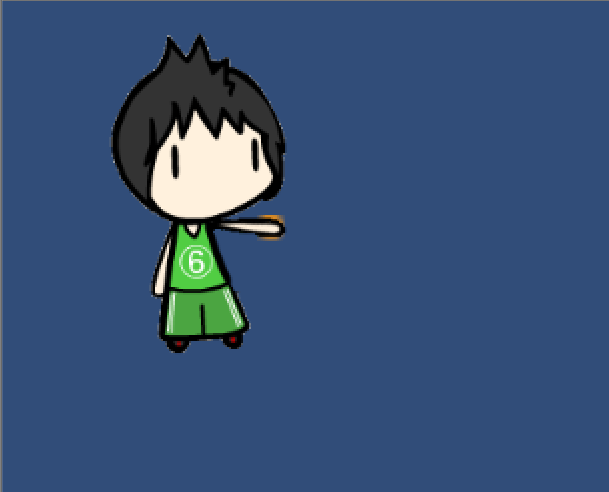
It works! So what have we learned in this lesson? We've learned how gameObject parenting works and how we can use it to our advantage, and we didn't have to change a single dirty diaper (we don't have to do much work).
有用! 那么我们在本课中学到了什么? 我们已经了解了gameObject育儿的工作原理以及如何利用它来发挥自己的优势,而且我们不必更换单个脏尿布(我们不必做很多工作)。
翻译自: https://www.studytonight.com/game-development-in-2D/parenting-game-objects
unity父子物体

北京人形旗下天工造物具身智能开源社区,聚焦具身天工与慧思开物两大平台
更多推荐
 0
0 0
0- 0


 已为社区贡献6条内容

所有评论(0)