https免费证书(certbot)
·
环境配置
安装了nginx,并且nginx安装https模块
记得安装之前备份nginx的配置文件(nginx.conf),不然一会给你覆盖了
CentOS Linux release 7.7.1908 (Core)
Linux version 3.10.0-1062.1.1.el7.x86_64 (mockbuild@kbuilder.bsys.centos.org) (gcc version 4.8.5 20150623 (Red Hat 4.8.5-39) (GCC) ) #1 SMP Fri Sep 13 22:55:44 UTC 2019
1.安装依赖
yum -y install yum-utils
yum-config-manager --enable rhui-REGION-rhel-server-extras rhui-REGION-rhel-server-optional
sudo yum install certbot python2-certbot-nginx
出错看抱错
2.安装
certbot --nginx
1.输入邮箱

2.同意
输入a

输入y

3.配置用户

先输入c退出,然后这里我们需要去nginx配置我们的用户名字
vim /etc/nginx/nginx.conf (根据自己的实际情况)
将local换成你要解析的域名保存退出

执行certbot --nginx 重新执行1,2步骤
选择你要配置的域名

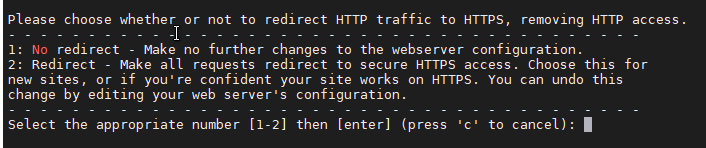
4.重定向
1是保留80
2是将80指向安装的https
根据个人需要选择(我选择了1)
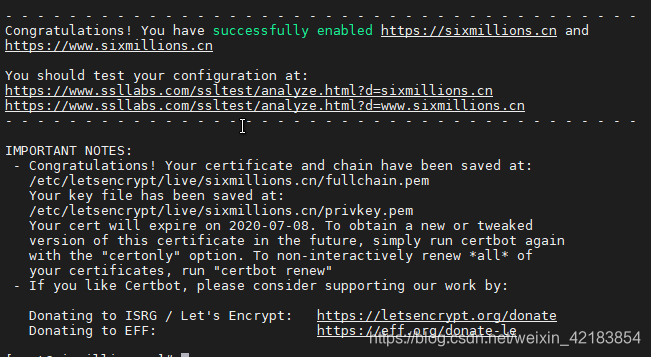
5.成功
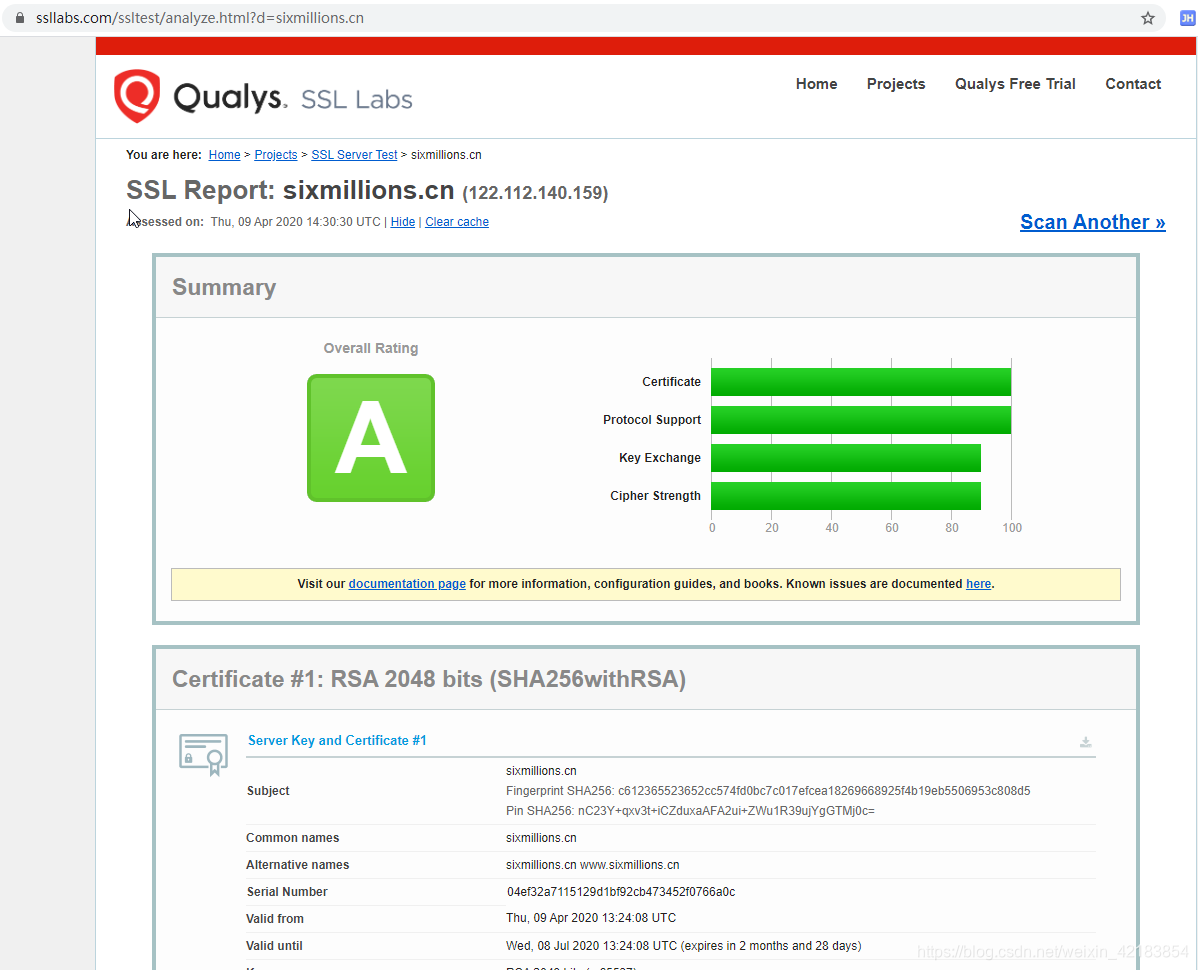
可以去那个地址查看证书
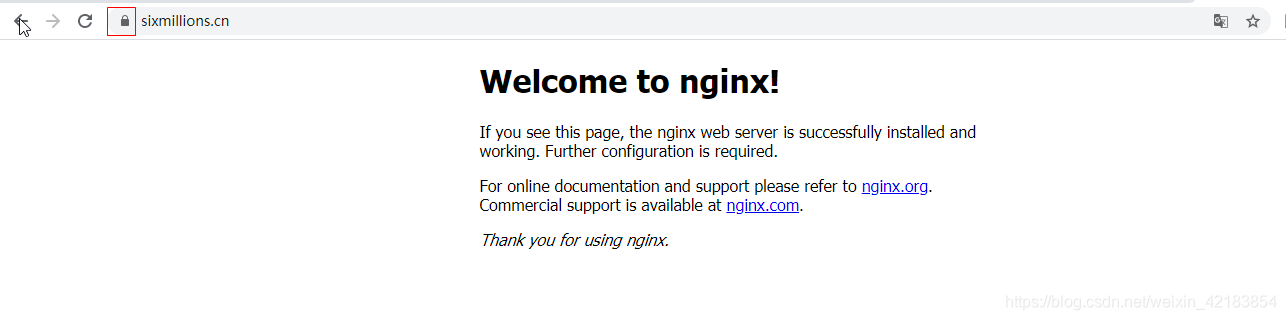
3.查看
4.定期更新
echo "0 0,12 * * * root python -c 'import random; import time; time.sleep(random.random() * 3600)' && certbot renew -q" | sudo tee -a /etc/crontab > /dev/null
5.增加安全证书
https://golightlyplus.com/add-subdomain-existing-certificate-using-certbot/
记得把之前的也添加上
记得加 --expand
certbot -d www.sixmillions.cn,sixmillions.cn,blog.sixmillions.cn,www.blog.sixmillions.cn,www.order.sixmillions.cn,order.sixmillions.cn,www.qa.sixmillions.cn,qa.sixmillions.cn --expand
抱错
Could not automatically find a matching server block for blog.sixmillions.cn. Set the `server_name` directive to use the Nginx installer.
还是像上面需要先配置nginx的服务名
server {
    listen       80;
    server_name  www.blog.sixmillions.cn blog.sixmillions.cn;
    location / {
        root   /usr/share/nginx/html;
        index  index.html index.htm;
    }
}
抱错
IMPORTANT NOTES:
 - The following errors were reported by the server:

   Domain: www.blog.sixmillions.cn
   Type:   dns
   Detail: During secondary validation: DNS problem: SERVFAIL looking
   up CAA for sixmillions.cn - the domain's nameservers may be
   malfunctioning
就在控制台添加该caa记录

结果
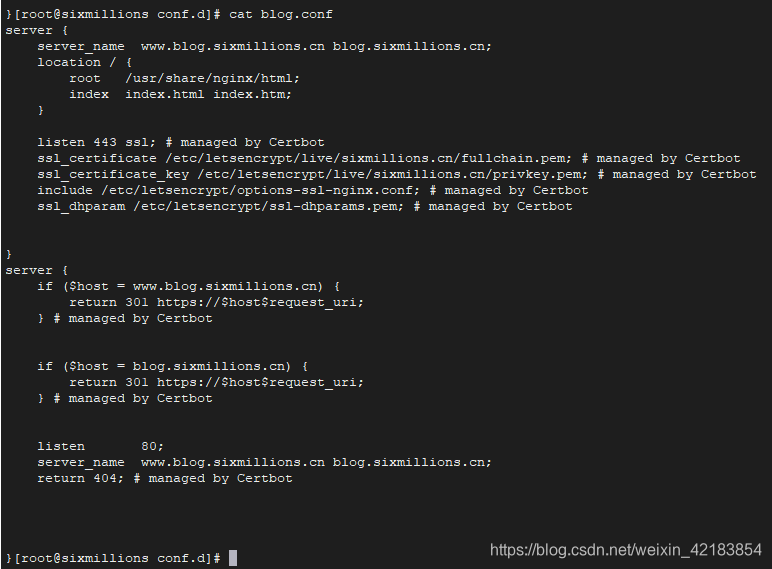
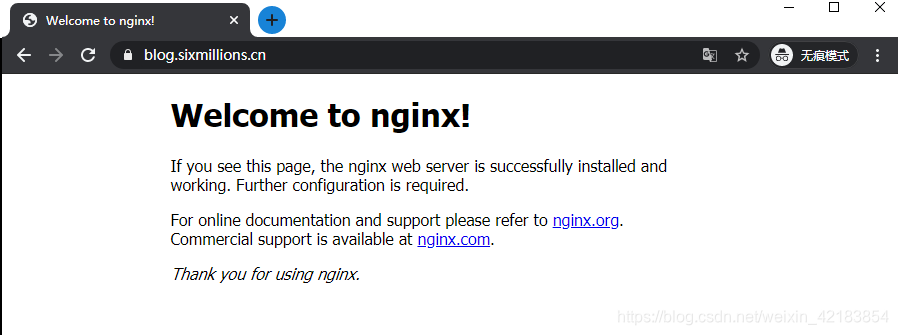
抱错
注意pip一定要用python2的
ImportError: cannot import name UnrewindableBodyError
解决办法,重装 urllib3 库:
pip uninstall urllib3
pip install urllib3
ImportError: ‘pyOpenSSL’ module missing required functionality. Try upgrading to v0.14 or newer.
# 先移除刚才安装的
yum remove certbot
pip uninstall pyOpenSSL

# 更新pip
pip install --upgrade pip

# 重新安装
yum install -y python-devel
yum install -y openssl-devel
yum install certbot python2-certbot-nginx
还是不行就
pip install --upgrade --force-reinstall 'requests==2.6.0'
https://blog.csdn.net/sinat_39595180/article/details/88120604
pkg_resources.DistributionNotFound: The ‘PyOpenSSL>=0.13’ distribution was not found and is required by josepy
pip uninstall PyOpenSSL
# 更新pip
pip install --upgrade pip
# 安装
pip install PyOpenSSL
添加caa解析
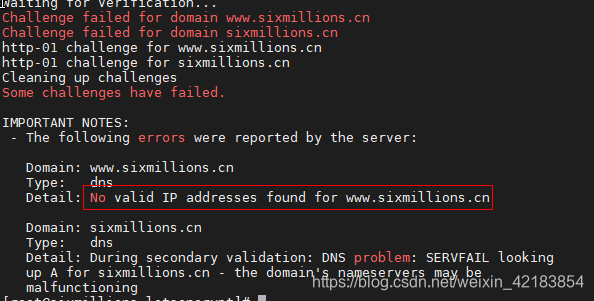
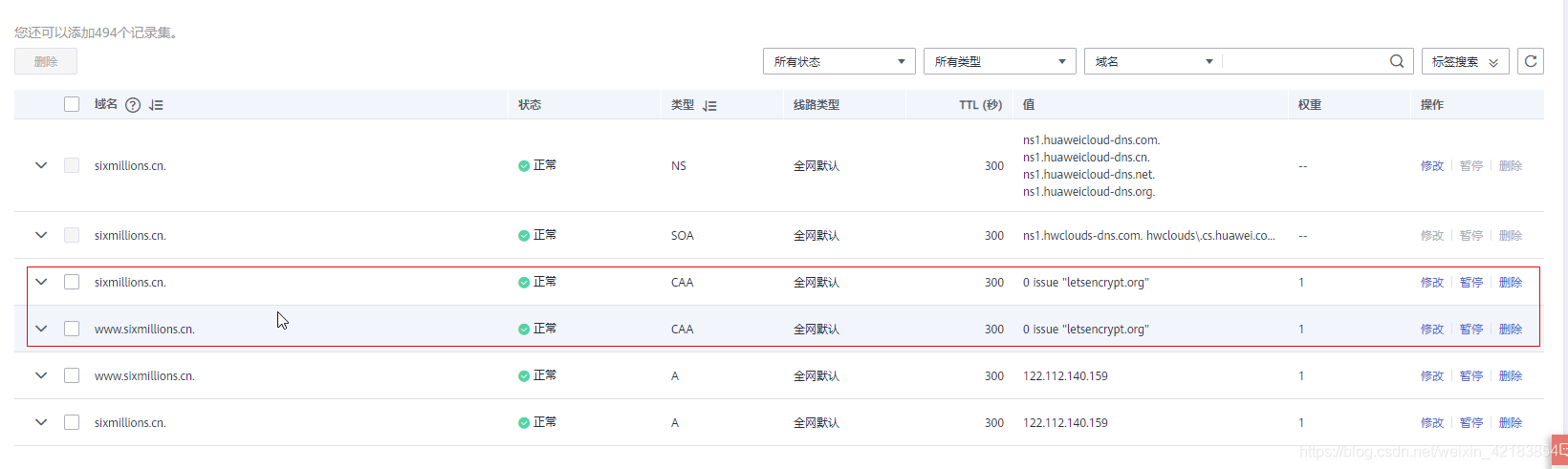
0 issue "letsencrypt.org"
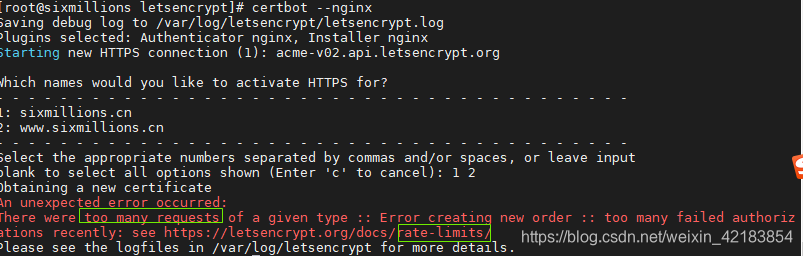
次数限制了,查看自己申请的次数
每周最多 5 张重复证书的限制
https://crt.sh/
https://letsencrypt.org/zh-cn/docs/rate-limits/
如果次数没超,但是也报这个错误,可以过一两个小时再试一下.

北京人形旗下天工造物具身智能开源社区,聚焦具身天工与慧思开物两大平台
更多推荐
 1
1 0
0- 0


 已为社区贡献3条内容

所有评论(0)