解决maven项目没有Maven Dependencies
·
一.本文使用开发环境版本
eclipse(Help->About Eclipse IDE):
Eclipse IDE for Enterprise Java Developers.
Version: 2019-12 (4.14.0)
Build id: 20191212-1212
maven(Window->Preferences->Maven->Installations):
EMBEDDED : 3.6.3/1.14.0.20191209-1923
注:此eclipse版本已经内置maven插件,如果没有需要自行安装
二.新建项目
在start.spring.io配置了一个新的mave项目,下载到本地,导入到eclipse中
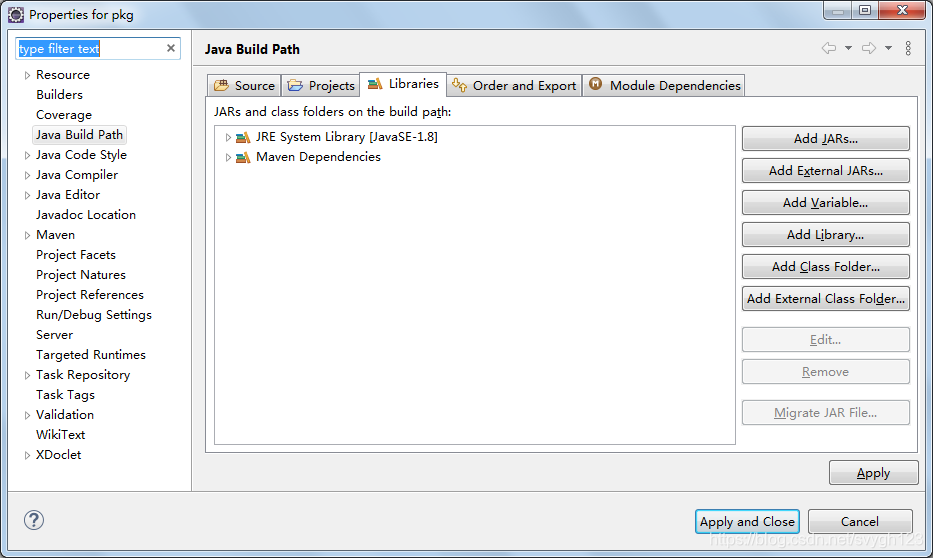
但是右键项目->Properties->Java Build Path->Libraries选项卡里并没有Maven Dependencies,
和以前的项目配置文件比较了一下,发现.classpath是这样配置
<?xml version="1.0" encoding="UTF-8"?>
<classpath>
	<classpathentry kind="src" output="target/classes" path="src/main/java">
		<attributes>
			<attribute name="optional" value="true"/>
			<attribute name="maven.pomderived" value="true"/>
		</attributes>
	</classpathentry>
	<classpathentry excluding="**" kind="src" output="target/classes" path="src/main/resources">
		<attributes>
			<attribute name="maven.pomderived" value="true"/>
		</attributes>
	</classpathentry>
	<classpathentry kind="src" output="target/test-classes" path="src/test/java">
		<attributes>
			<attribute name="optional" value="true"/>
			<attribute name="maven.pomderived" value="true"/>
			<attribute name="test" value="true"/>
		</attributes>
	</classpathentry>
	<classpathentry kind="con" path="org.eclipse.jdt.launching.JRE_CONTAINER/org.eclipse.jdt.internal.debug.ui.launcher.StandardVMType/JavaSE-1.8">
		<attributes>
			<attribute name="maven.pomderived" value="true"/>
		</attributes>
	</classpathentry>
	<classpathentry kind="con" path="org.eclipse.m2e.MAVEN2_CLASSPATH_CONTAINER">
		<attributes>
			<attribute name="maven.pomderived" value="true"/>
		</attributes>
	</classpathentry>
	<classpathentry kind="output" path="target/classes"/>
</classpath>
就是缺少了
<attributes>
    <attribute name="maven.pomderived" value="true"/>
</attributes>
我们当然可以手动添加,但是理论上不应该手动添加,试着更新一下maven项目
右键项目->Maven->Update Project...
果然可以了
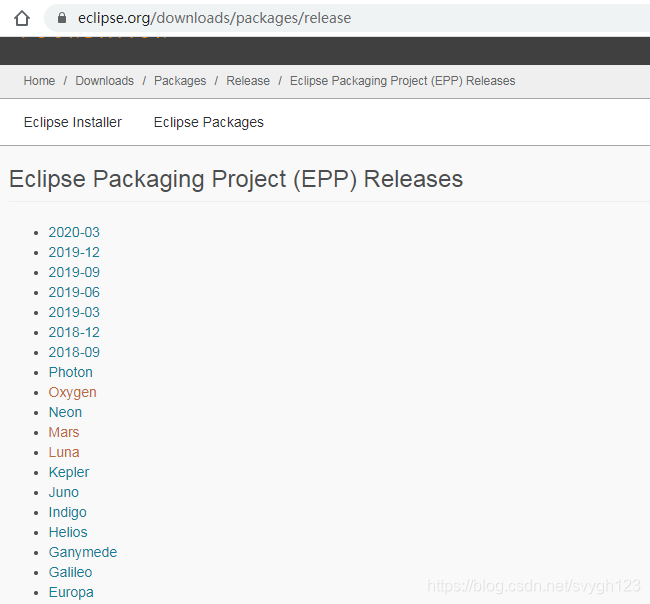
截止本文完成,eclipse的版本如下

北京人形旗下天工造物具身智能开源社区,聚焦具身天工与慧思开物两大平台
更多推荐
 0
0 0
0- 0



 已为社区贡献5条内容

所有评论(0)