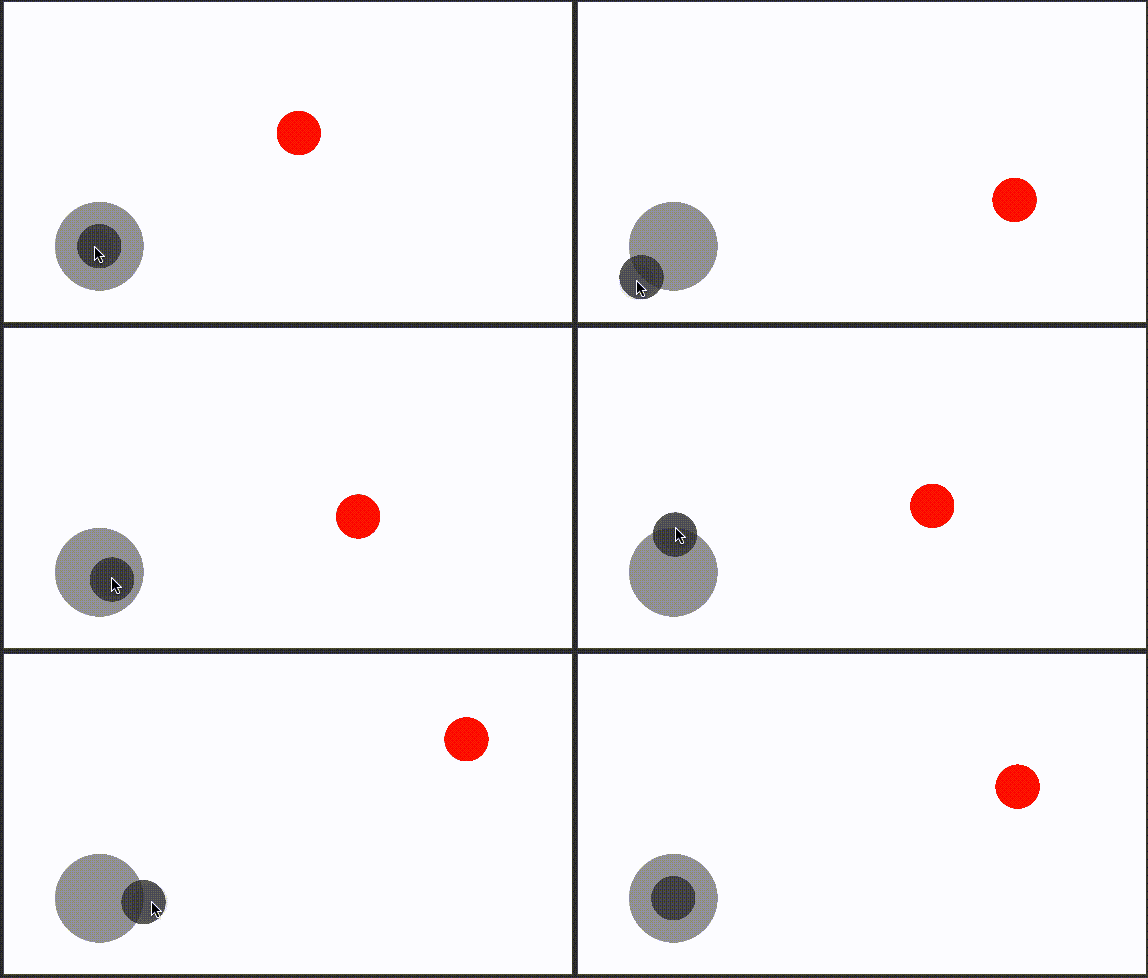
【cocos creator】【TS】摇杆,控制角色移动,通过移动摇杆距离调节移动快慢
·
展示:
Demo下载:
https://download.csdn.net/download/K86338236/85912640
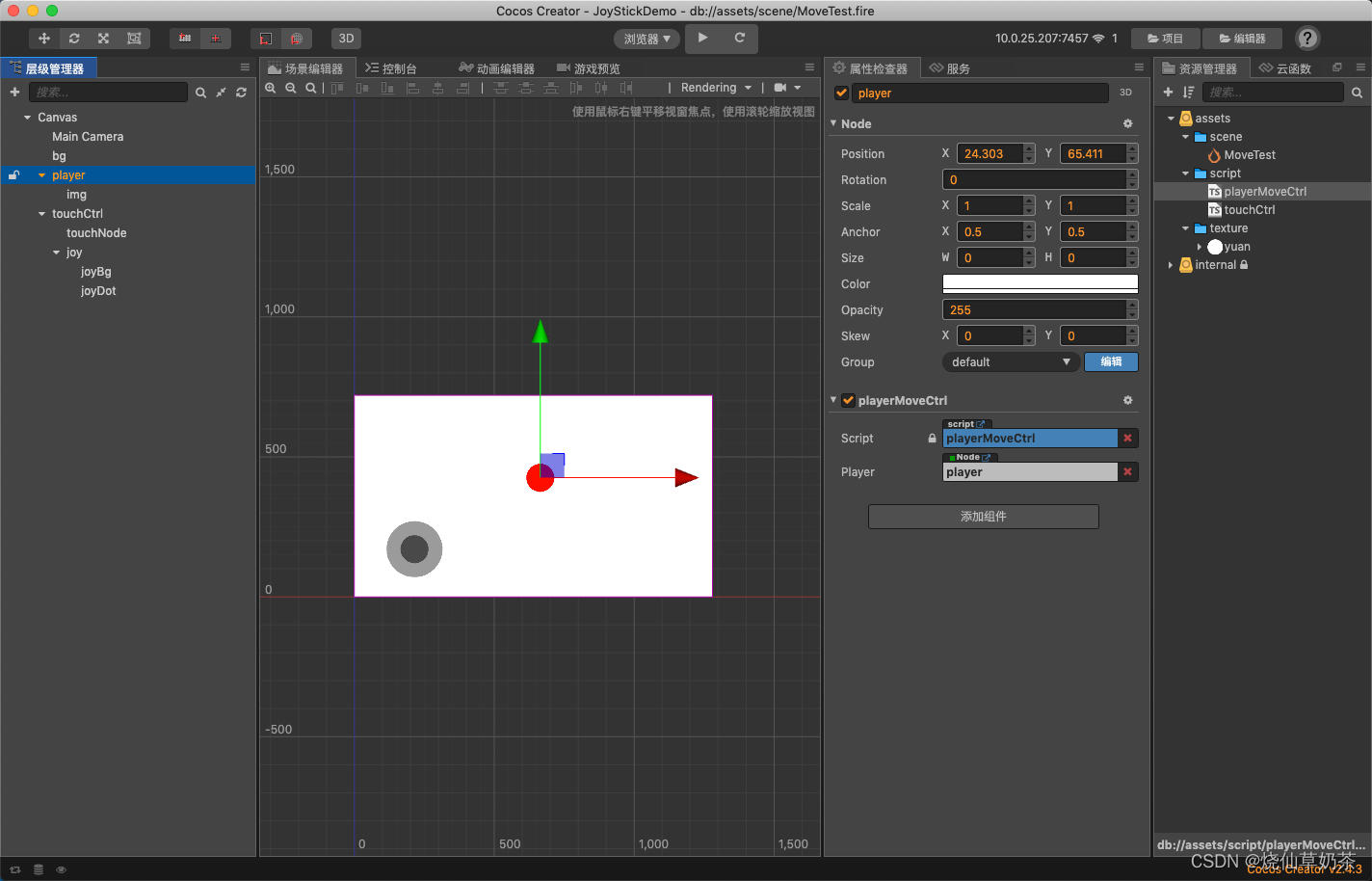
节点挂载:
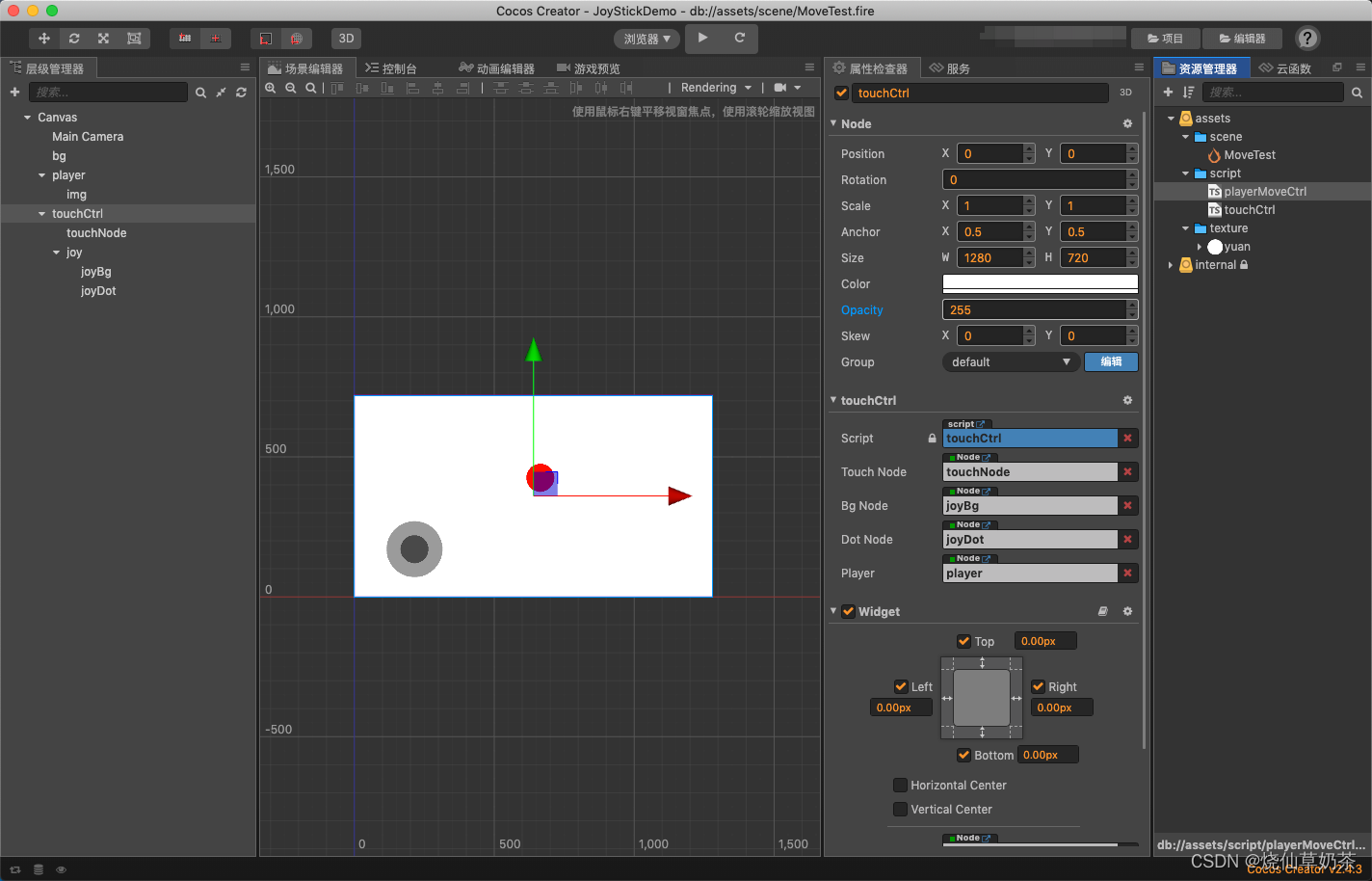
首先是 摇杆类:
import playerMoveCtrl from "./playerMoveCtrl";

const { ccclass, property } = cc._decorator;


export const SpeedType = cc.Enum({
    STOP: 0,
    NORMAL: 1,
    FAST: 2,
})

@ccclass
export default class touchCtrl extends cc.Component {

    @property({
        type: cc.Node,
    })
    touchNode: cc.Node = null;
    @property({
        type: cc.Node,
    })
    bgNode: cc.Node = null;
    @property({
        type: cc.Node,
    })
    dotNode: cc.Node = null;

    @property({
        type: cc.Node,
    })
    player: cc.Node = null;


    dir: cc.Vec2 = cc.v2(0, 0);
    touchPos: cc.Vec2 = cc.v2(0, 0);
    radius: number = 0;
    speedType

    onLoad() {
        this.radius = this.bgNode.width / 2;
        this.initTouchEvent();
    }

    initTouchEvent() {
        this.touchNode.on(cc.Node.EventType.TOUCH_START, this.touchMoveEvent, this);
        this.touchNode.on(cc.Node.EventType.TOUCH_MOVE, this.touchMoveEvent, this);
        this.touchNode.on(cc.Node.EventType.TOUCH_END, this.touchEndEvent, this);
        this.touchNode.on(cc.Node.EventType.TOUCH_CANCEL, this.touchEndEvent, this);
    }

    touchMoveEvent(event) {
        if (this.touchPos == event.getLocation()) {
            return;
        }
        //将触摸坐标 转化到 bg 下, 此时 的dis 就是 触摸点相对于bg 的距离
        let touchPos = event.getLocation();
        let touchP = cc.v2(touchPos.x - cc.winSize.width / 2, touchPos.y - cc.winSize.height / 2);
        let dotBgPos = this.nodeToCanvasSpace(this.bgNode);
        let vec = touchP.sub(dotBgPos);
        let dis = dotBgPos.sub(touchP).mag();
        let angle = Math.atan2(vec.y, vec.x) * 180 / Math.PI;
        if (angle < 0) angle += 360

        if (this.radius > dis) {
            let pos = cc.v3(touchP.x - this.dotNode.parent.x, touchP.y - this.dotNode.parent.y);
            this.dotNode.position = pos;
            this.speedType = SpeedType.NORMAL;
        }
        else {
            //摇杆在圈边
            let pos = this.getPosByRot(this.bgNode.width / 2, angle);
            this.dotNode.position = pos;
            this.speedType = SpeedType.FAST;
        }
        this.player.getComponent(playerMoveCtrl).touchMove(angle, this.speedType)
    }

    /**
     * 节点坐标转换
     * @param node
     * @returns
     */
    nodeToCanvasSpace(node) {
        if (!cc.isValid(node)) return cc.v2(0, 0);
        let pos = node.convertToWorldSpaceAR(cc.v2(0, 0));
        return cc.find('Canvas').convertToNodeSpaceAR(pos);
    }
    getPosByRot(R: number, angle: number): cc.Vec3 {
        var x = R * Math.cos(2 * Math.PI / 360 * (angle));
        var y = R * Math.sin(2 * Math.PI / 360 * (angle));
        return cc.v3(x, y);
    }

    touchEndEvent(event) {
        this.dotNode.setPosition(this.bgNode.getPosition());
        this.speedType = SpeedType.STOP;
        this.player.getComponent(playerMoveCtrl).touchMove(null, this.speedType)
    }


    onDestroy() {
        this.node.off(cc.Node.EventType.TOUCH_MOVE, this.touchMoveEvent, this);
        this.node.off(cc.Node.EventType.TOUCH_END, this.touchEndEvent, this);
        this.node.off(cc.Node.EventType.TOUCH_CANCEL, this.touchEndEvent, this);
    }
}
玩家移动类:
import { SpeedType } from "./touchCtrl";


const { ccclass, property } = cc._decorator;

@ccclass
export default class playerMoveCtrl extends cc.Component {

    @property({
        type: cc.Node,
    })
    player: cc.Node = null;

    private speed: number = 10;
    private moveSpeed: number = 0
    private moveX: number = 0;
    private moveY: number = 0;


    update() {
        let speed = this.moveSpeed * this.speed;
        this.player.position = cc.v3(this.player.position.x + speed * this.moveX, this.player.position.y + speed * this.moveY);
    }

    /**
     *
     * @param angle 摇杆角度
     * @param speedType 移动速度
     * @returns
     */
    touchMove(angle, speedType) {
        let moveSpeed = 1;
        switch (speedType) {
            case SpeedType.STOP:
                moveSpeed = 0;
                break;
            case SpeedType.NORMAL:
                moveSpeed = 0.5;
                break;
            case SpeedType.FAST:
                moveSpeed = 1;
                break;
        }
        this.moveSpeed = moveSpeed;
        if (!cc.isValid(angle)) {
            return;
        }

        this.moveX = Math.cos(angle * (Math.PI / 180)) * 1;
        this.moveY = Math.sin(angle * (Math.PI / 180)) * 1;
        cc.log(this.moveX, this.moveY)

        // //判断方向,4方位移动
        // var index = Math.round((angle) / 90);
        // //1234->右上左下
        // if (index == 4) index = 0;
    }
}
;
DEMO:
链接:https://pan.baidu.com/s/1NKK7yjOurO_F96PgFiSh4A
提取码:35aa

北京人形旗下天工造物具身智能开源社区,聚焦具身天工与慧思开物两大平台
更多推荐
 1
1 0
0- 0


 已为社区贡献18条内容

所有评论(0)