Vue2.0+Element UI 上线和Nginx解决跨域问题
·
一 前言
采用Vue+Element UI开发前后端分离的项目,在开发可以使用Vue的ProxyTable解决跨域问题。但在上线部署却不能使用,可以通过Nginx的反向代理来解决。
二 如何打包
1.直接npm run build,按照config下的index.js里的配置来编译
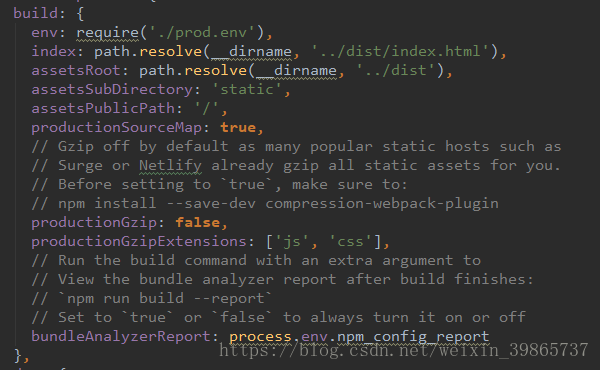
2.复制dist文件夹下的内容至服务器,忽略git文件
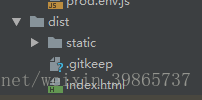
三 如何部署
项目部署在linux里,部署前需要安装好Nginx,可以直接用yum在线安装。离线环境安装请先参看【离线安装Nginx和常见故常排除】。
1.修改Nginx的Nginx.conf文件配置
输入命令,打开Nignx.conf文件
cd /usr/local/nginx/conf
vim nginx.conf
修改配置,具体看下图:
server {
        listen       80;  #端口
        server_name  10.82.118.83; #IP

        root /home/workspace/oamail;  #打包dist传至服务器里的路径
        index index.html;


        charset utf-8;

        #access_log  logs/host.access.log  main;

        location / {
            root /home/workspace/oamail; #打包dist传至服务器里的路径
            try_files $uri $uri/ /index.html last;
            index  index.html;
        }
        location /api/ {
            proxy_pass http://10.82.118.54:80/; #反向代理需要设置,不然会有跨域问题
        }
       location /aaa {
            rewrite ^/(.*)$ http://10.82.118.54/jfinal_demo/$1 permanent;#测试重定向
        }
2. 启动Nginx
/usr/local/nginx/sbin/nginx

北京人形旗下天工造物具身智能开源社区,聚焦具身天工与慧思开物两大平台
更多推荐
 0
0 0
0- 0


 已为社区贡献1条内容

所有评论(0)