实战自动化测试Espresso和Ui automator(二)
·
版权声明:本文为博主原创文章,未经博主允许不得转载。
这篇文章,是接着 实战自动化测试Espresso和Ui automator(一)来进行记录的,由于时间的限制,和阅读的习惯,我不喜欢,把一篇文章,写的又臭又长,所以拆成了两部分。
UI automator的测试依赖已经在上篇文章加入了,所以不在贴出了。而测试的目的,也与上一次的Espresso测试的目的是一样的,3个。
UI automator的使用:
1.获取UiDevice实例,模拟对Device的一系列的操作
2.通过uiDevice.findObject方法,创建一个UiObject实例,用来描述如何搜索、选定UI元素
3.写test代码,模拟用户的交互,进行检测判断。
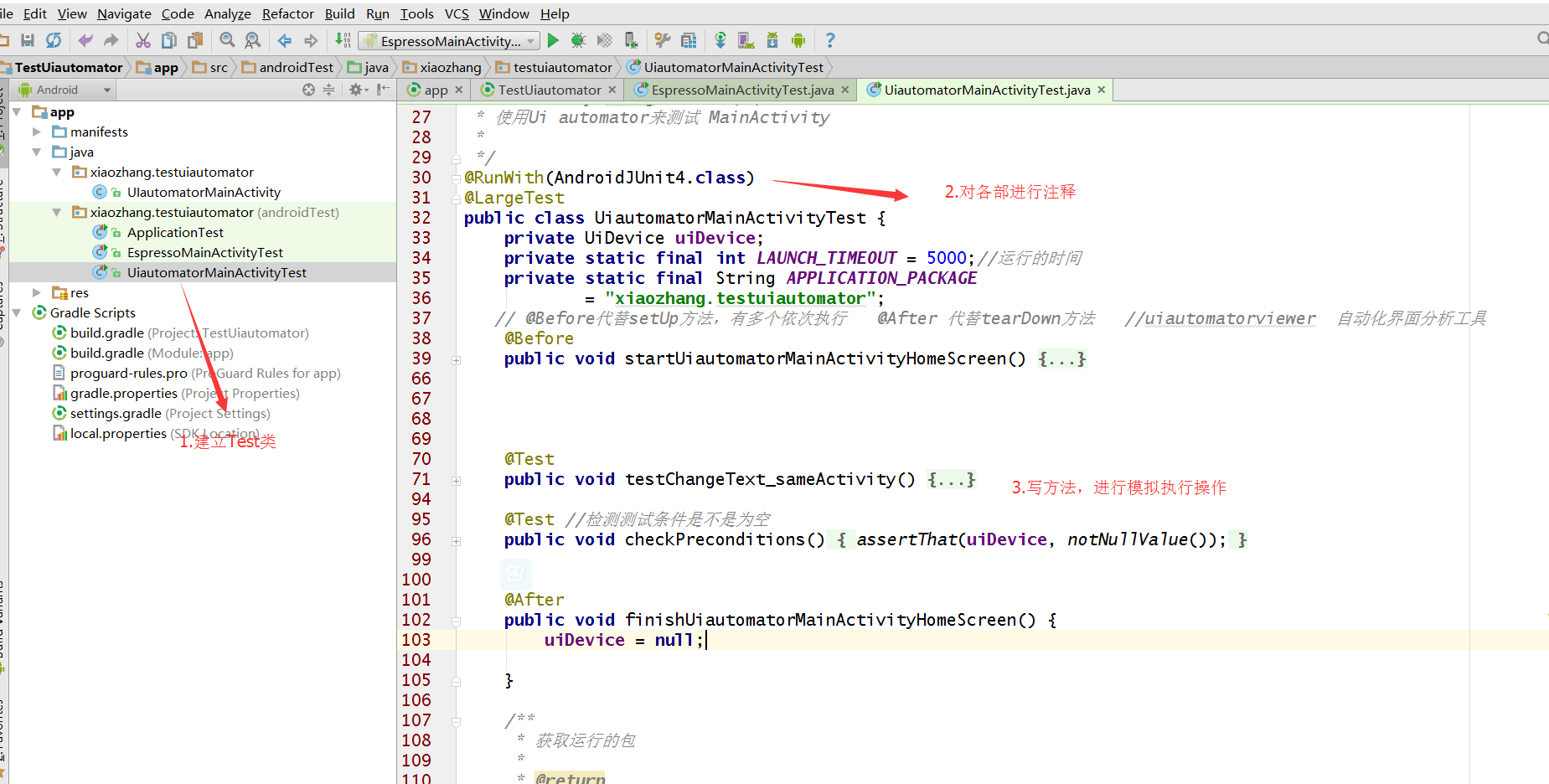
这里特别的就是,红框中模拟的一系列的对Device的操作。
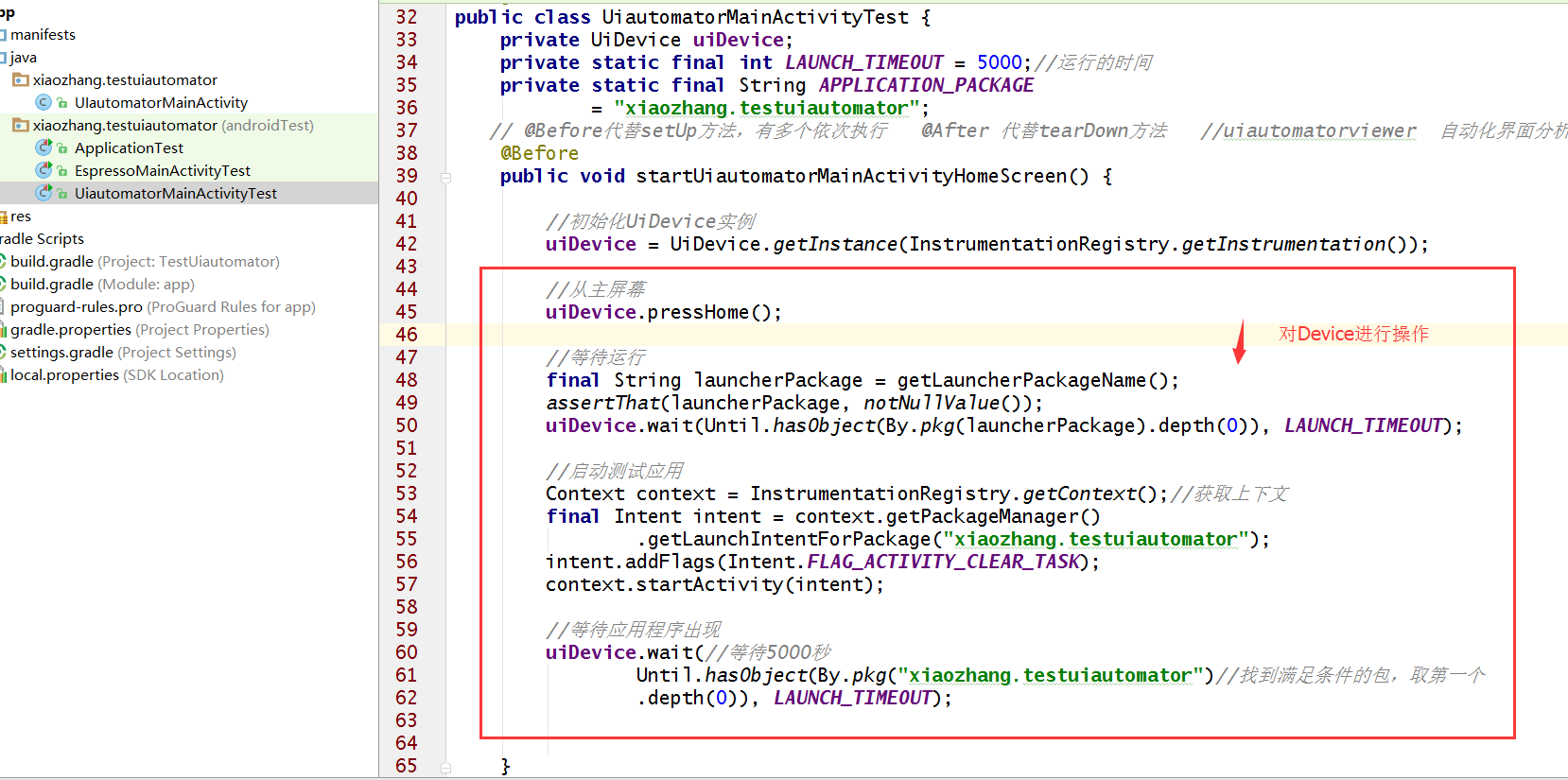
UiDevice的解释:
UiDevice代表设备状态。在测试时,可以调用UiDevice实例的方法来检查不同属性的状态,如当前的屏幕旋转方向或展示大小。测试代码还能使用UiDevice实例来执行设备级的操作,如强制设备横竖屏,按压d-pad硬件按钮,或按压主屏幕键和菜单键。具体看Api。在文本后面会附上。
实现3个测试目的的测试方法:
    @Test
    public void testChangeText_sameActivity() {
        //点击button的操作,执行输入文本,
        uiDevice.findObject(By.res(APPLICATION_PACKAGE, "main_bt1"))
                .click();
        try {
            uiDevice.sleep();
        } catch (RemoteException e) {
            e.printStackTrace();
        }
        //uiDevice.waitForIdle(6000);//空虚时间6秒

        uiDevice.findObject(By.res(APPLICATION_PACKAGE, "main_edit"))
                .setText("代码输入的额");


        //检测文本的显示内容
        UiObject2 changedMain_EditText = uiDevice.wait  //uidevice.wait 设备等待500毫秒
                (Until.findObject(By.res(APPLICATION_PACKAGE, "main_edit"))//通过Until工具查找到,main_eidt
                        , 2000);
        assertThat(changedMain_EditText.getText(), is("代码输入的额"));


    }
     //多个@Test *******
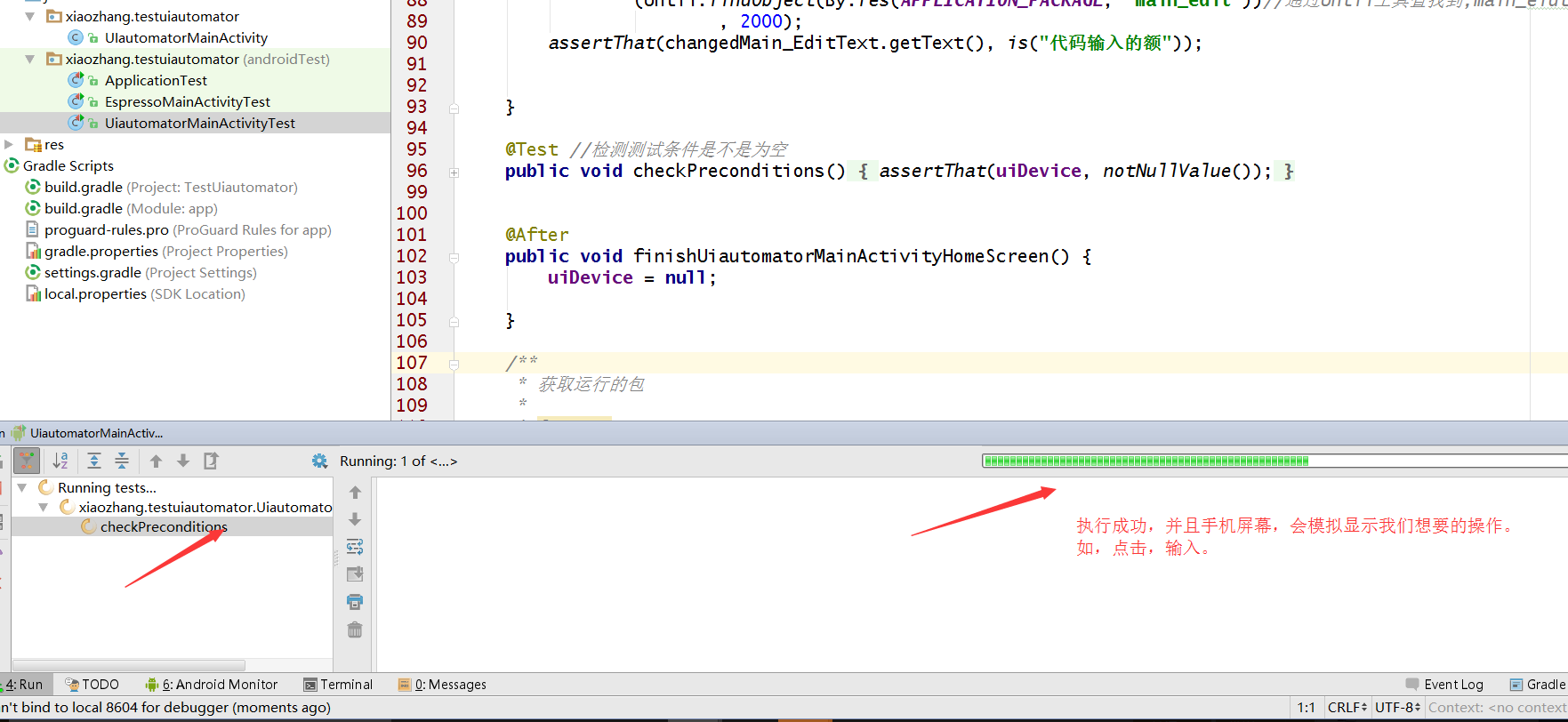
执行成功
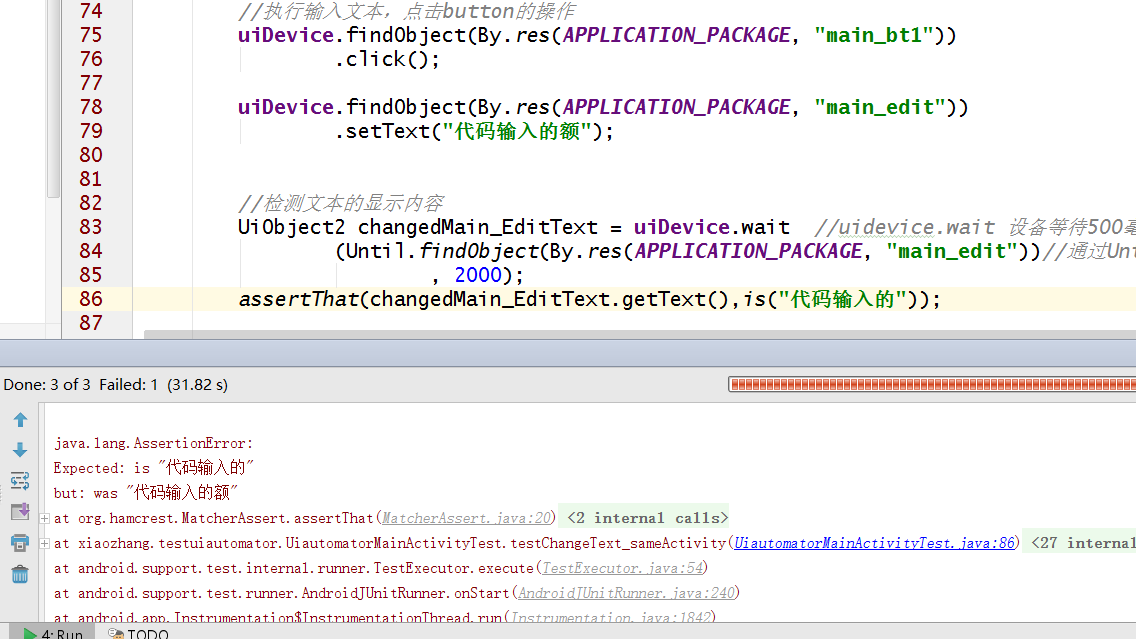
执行失败
附上官方的Api,他的作用,不用说,上面的wait()方法和Uiobject所提供的方法,都可以查看,不懂上面,有很详细的说明。
https://developer.android.com/training/testing/ui-testing/uiautomator-testing.html#build
以下为该篇文章Ui automator测试的全部代码:
package xiaozhang.testuiautomator;

import android.content.Context;
import android.content.Intent;
import android.content.pm.PackageManager;
import android.content.pm.ResolveInfo;
import android.os.RemoteException;
import android.support.test.InstrumentationRegistry;
import android.support.test.runner.AndroidJUnit4;
import android.support.test.uiautomator.By;
import android.support.test.uiautomator.UiDevice;
import android.support.test.uiautomator.UiObject2;
import android.support.test.uiautomator.Until;
import android.test.suitebuilder.annotation.LargeTest;

import org.junit.After;
import org.junit.Before;
import org.junit.Test;
import org.junit.runner.RunWith;

import static org.hamcrest.CoreMatchers.is;
import static org.hamcrest.CoreMatchers.notNullValue;
import static org.junit.Assert.assertThat;

/**
 * Created by zhang on 2016/6/4.
 * 使用Ui automator来测试 MainActivity
 *
 */
@RunWith(AndroidJUnit4.class)
@LargeTest
public class UiautomatorMainActivityTest {
    private UiDevice uiDevice;
    private static final int LAUNCH_TIMEOUT = 5000;//运行的时间
    private static final String APPLICATION_PACKAGE
            = "xiaozhang.testuiautomator";
   // @Before代替setUp方法,有多个依次执行   @After 代替tearDown方法   //uiautomatorviewer  自动化界面分析工具
    @Before
    public void startUiautomatorMainActivityHomeScreen() {

        //初始化UiDevice实例
        uiDevice = UiDevice.getInstance(InstrumentationRegistry.getInstrumentation());

        //从主屏幕
        uiDevice.pressHome();

        //等待运行
        final String launcherPackage = getLauncherPackageName();
        assertThat(launcherPackage, notNullValue());
        uiDevice.wait(Until.hasObject(By.pkg(launcherPackage).depth(0)), LAUNCH_TIMEOUT);

        //启动测试应用
        Context context = InstrumentationRegistry.getContext();//获取上下文
        final Intent intent = context.getPackageManager()
                .getLaunchIntentForPackage("xiaozhang.testuiautomator");
        intent.addFlags(Intent.FLAG_ACTIVITY_CLEAR_TASK);
        context.startActivity(intent);

        //等待应用程序出现
        uiDevice.wait(//等待5000秒
                Until.hasObject(By.pkg("xiaozhang.testuiautomator")//找到满足条件的包,取第一个
                .depth(0)), LAUNCH_TIMEOUT);


    }


    @Test
    public void testChangeText_sameActivity() {
        //点击button的操作,执行输入文本,
        uiDevice.findObject(By.res(APPLICATION_PACKAGE, "main_bt1"))
                .click();
        try {
            uiDevice.sleep();
        } catch (RemoteException e) {
            e.printStackTrace();
        }
        //uiDevice.waitForIdle(6000);//空虚时间6秒

        uiDevice.findObject(By.res(APPLICATION_PACKAGE, "main_edit"))
                .setText("代码输入的额");


        //检测文本的显示内容
        UiObject2 changedMain_EditText = uiDevice.wait  //uidevice.wait 设备等待500毫秒
                (Until.findObject(By.res(APPLICATION_PACKAGE, "main_edit"))//通过Until工具查找到,main_eidt
                        , 2000);
        assertThat(changedMain_EditText.getText(), is("代码输入的额"));


    }

    @Test //检测测试条件是不是为空
    public void checkPreconditions() {
        assertThat(uiDevice, notNullValue());
    }


    @After
    public void finishUiautomatorMainActivityHomeScreen() {
        uiDevice = null;

    }

    /**
     * 获取运行的包
     *
     * @return
     */
    private String getLauncherPackageName() {
        //创建启动intent
        final Intent intent = new Intent(Intent.ACTION_MAIN);
        intent.addCategory(Intent.CATEGORY_HOME);

        //使用manage获取运行的包名
        PackageManager pm = InstrumentationRegistry.getContext().getPackageManager();
        ResolveInfo resolveInfo = pm.resolveActivity(intent, PackageManager.MATCH_DEFAULT_ONLY);

        return resolveInfo.activityInfo.packageName;
    }

}

测试的主界面:
package xiaozhang.testuiautomator;

import android.app.Activity;
import android.os.Bundle;
import android.view.View;
import android.widget.Button;
import android.widget.EditText;

/**
 * Created by zhang on 2016/6/4.
 */
public class UIautomatorMainActivity extends Activity implements View.OnClickListener {
    private Button main_bt1;
    private EditText main_edit;
    @Override
    protected void onCreate(Bundle savedInstanceState) {
        super.onCreate(savedInstanceState);
        setContentView(R.layout.act_uiautomator_main_layout);
        main_bt1= (Button) findViewById(R.id.main_bt1);
        main_bt1.setOnClickListener(this);
        main_edit= (EditText) findViewById(R.id.main_edit);
    }

    @Override
    public void onClick(View v) {
        switch (v.getId()) {
            case R.id.main_bt1:
                main_edit.setText("这是点击按钮,输入的文字!");

                break;

        }
    }
}

布局文件:
<?xml version="1.0" encoding="utf-8"?>
<LinearLayout xmlns:android="http://schemas.android.com/apk/res/android"
    android:layout_width="match_parent"
    android:layout_height="match_parent"
    android:orientation="vertical">

    <Button
        android:id="@+id/main_bt1"
        android:layout_width="match_parent"
        android:layout_height="wrap_content"
        android:text="测试" />

    <EditText
        android:id="@+id/main_edit"
        android:layout_width="match_parent"
        android:layout_height="300dp"
        android:gravity="start"
        android:hint="内容" />


</LinearLayout>
最后献丑,附上两篇文章的github地址,希望不喜欢的跳过,就算,也是对自己的一种成长吧,记录自己的,做自己的事。另外自己还在研究用Dagger2来模拟测试数据,毕竟这才是学习的重点,希望赶快搞懂它.
地址:https://github.com/zr940326/TestEspressoAndUiautomator

北京人形旗下天工造物具身智能开源社区,聚焦具身天工与慧思开物两大平台
更多推荐
 0
0 0
0- 0


 已为社区贡献2条内容

所有评论(0)