【运维系列】【ubuntu22.04】新装系统开启root账户登录
·
一、开启root账户
1.新安装的ubuntu server 22.04,开机登录,账户名:joe,密码:joe。
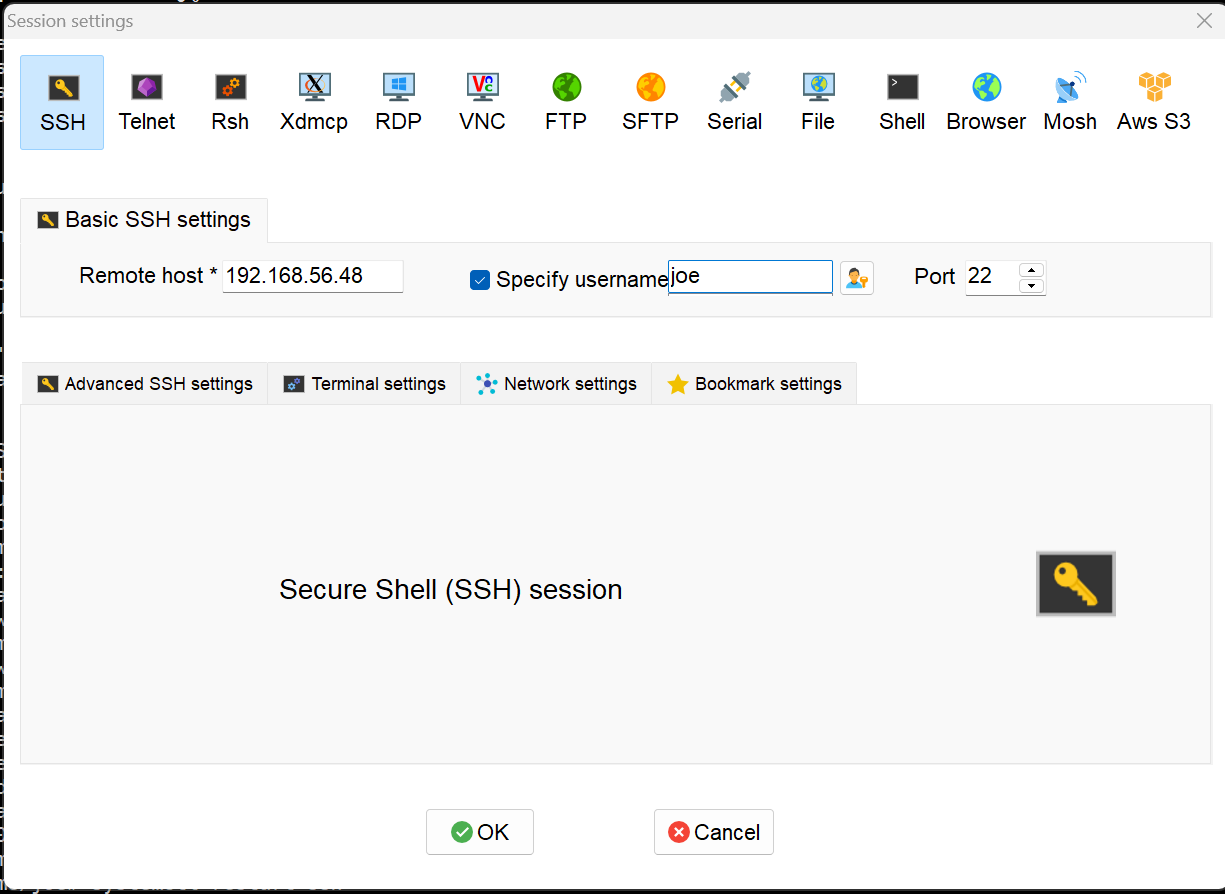
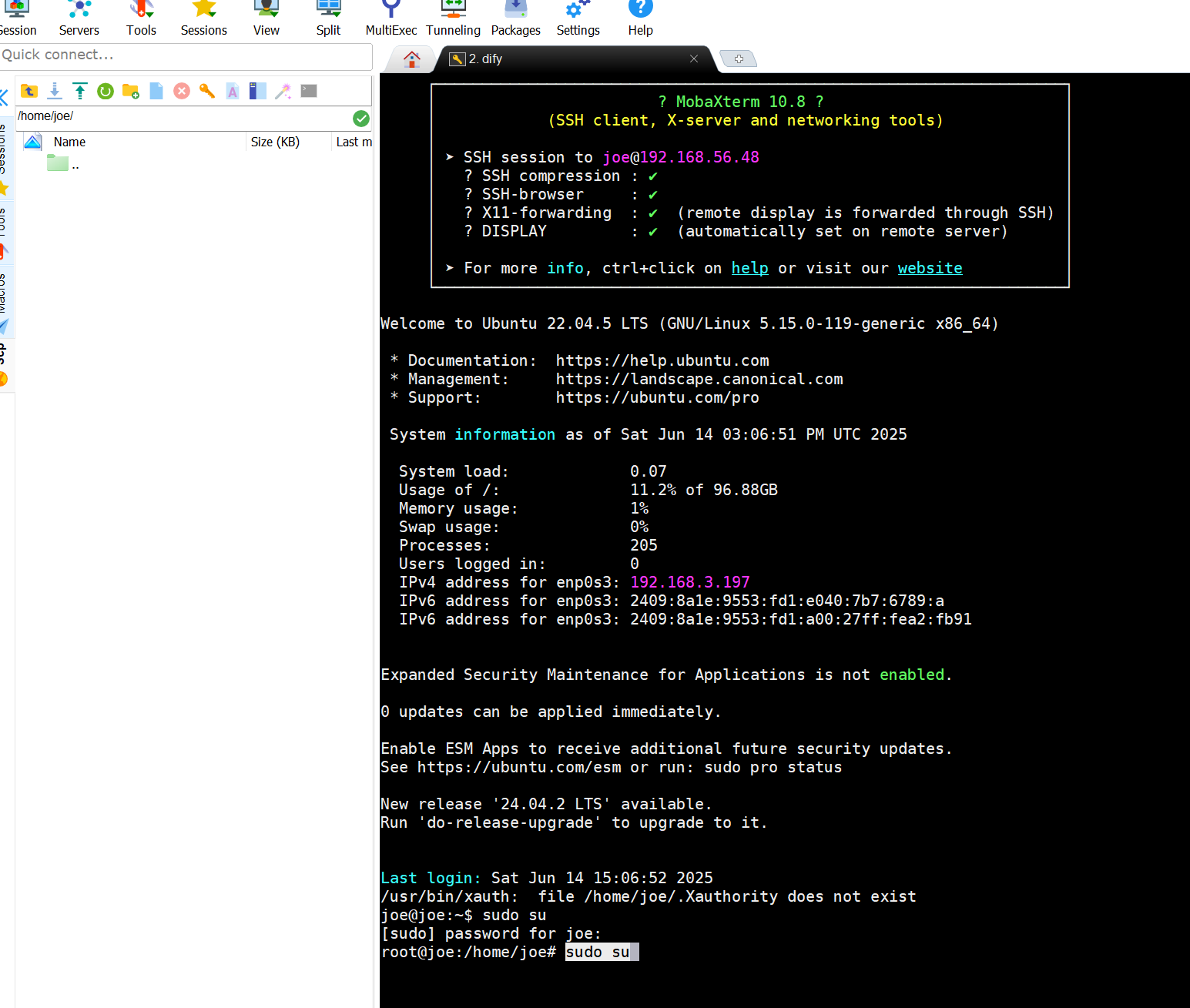
2.登录后提升权限:
joe@joe:~$ sudo su
[sudo] password for joe:
root@joe:/home/joe#
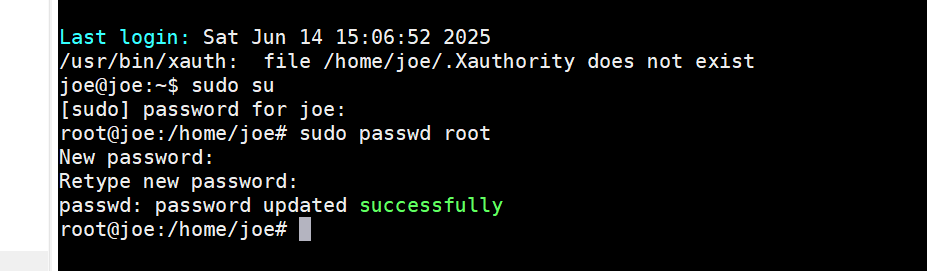
3.设定root账户密码:
root@joe:/home/joe# sudo passwd root
New password:
Retype new password:
passwd: password updated successfully
4.启用已被停止的账户root
root@joe:/home/joe# sudo passwd -u root
passwd: password expiry information changed.
root@joe:/home/joe#
5.修改ssh登录配置文件sshd_confg
修改两个地方:
root@joe:/home/joe# vim /etc/ssh/sshd_config
5.1 第一个地方:
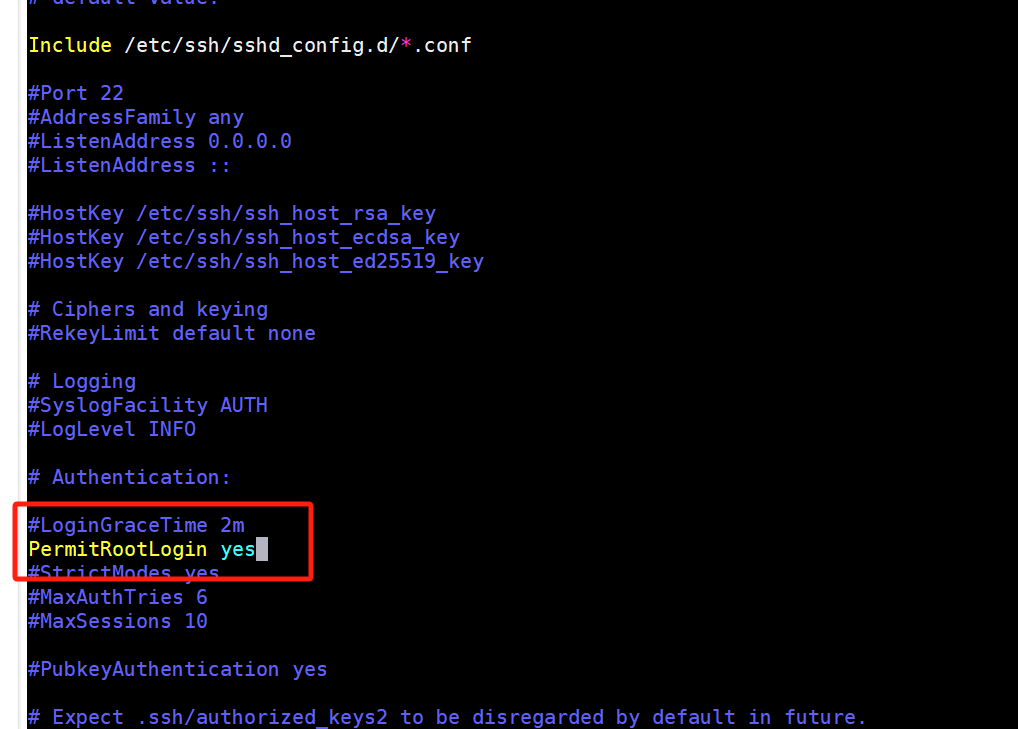
第二个地方:
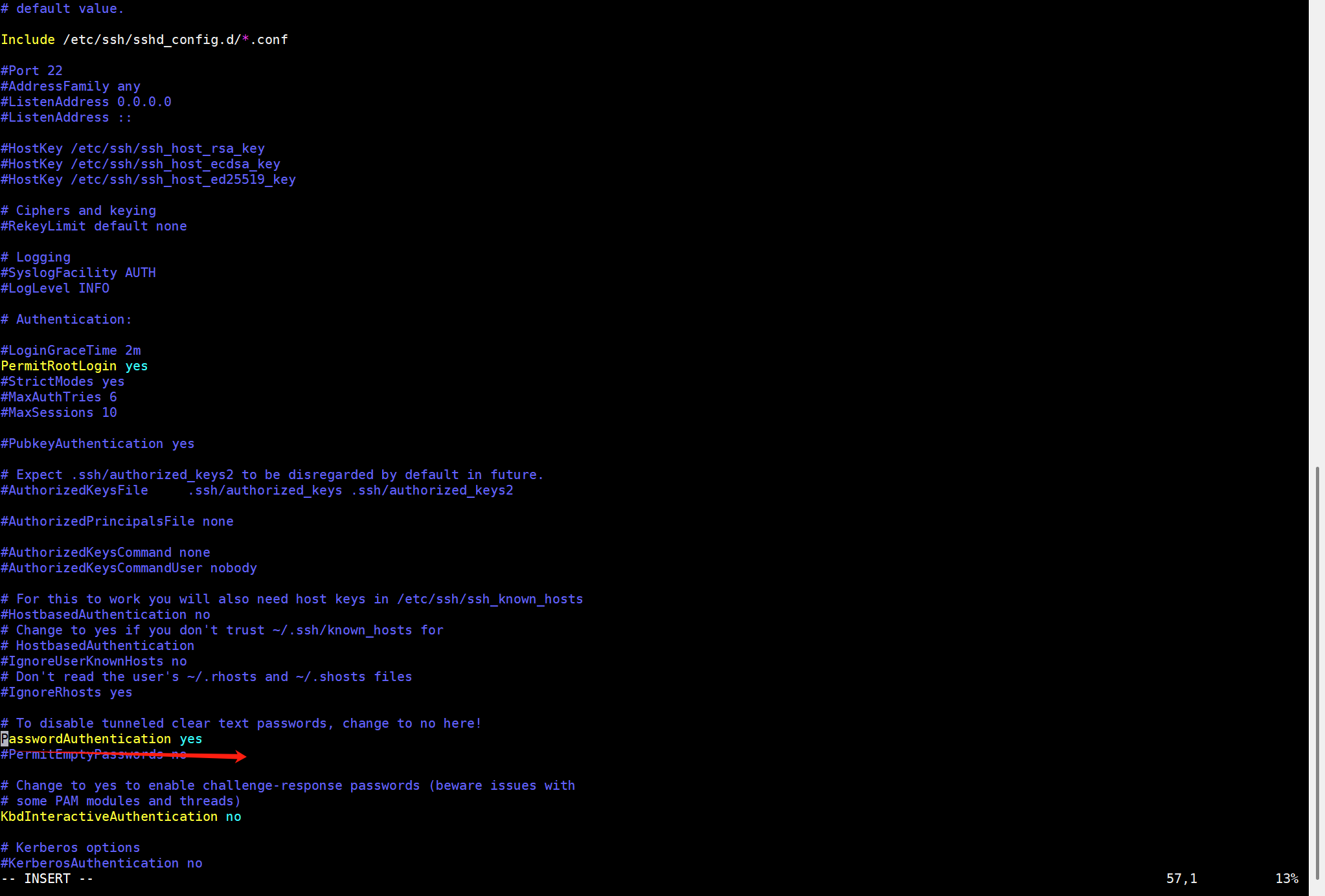
6保存修改,重启ssh服务
root@joe:/home/joe# systemctl restart ssh
root@joe:/home/joe# reboot
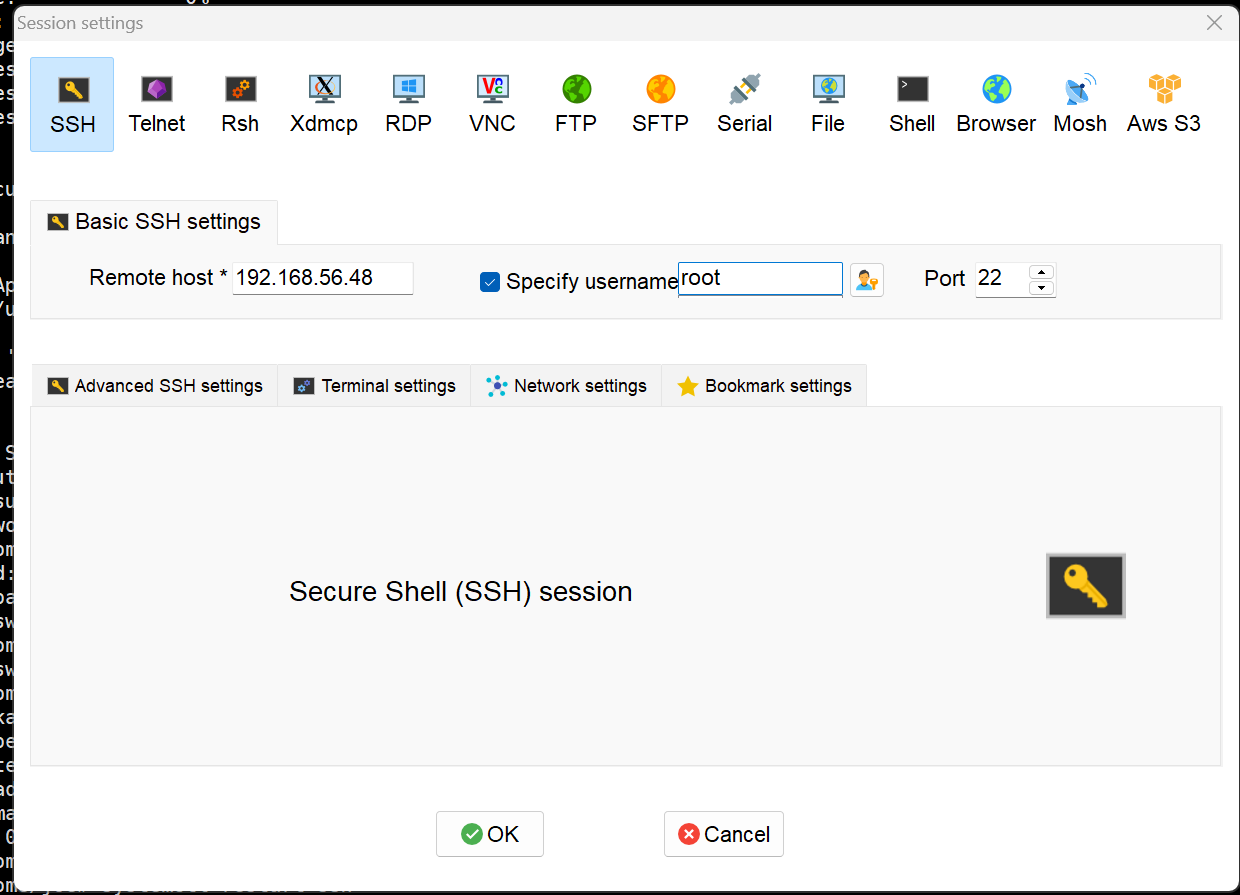
7.重新登录验证root用户是否可用


北京人形旗下天工造物具身智能开源社区,聚焦具身天工与慧思开物两大平台
更多推荐
 8
8 0
0- 0


 已为社区贡献2条内容

所有评论(0)