vc++2017 创建ATL 存根代理项目
·
1 创建项目为 MyCOMComponent
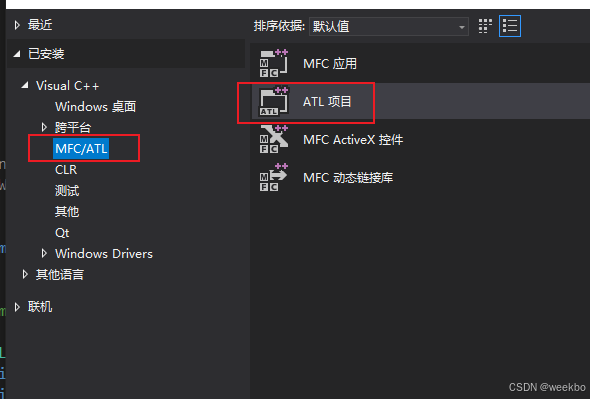
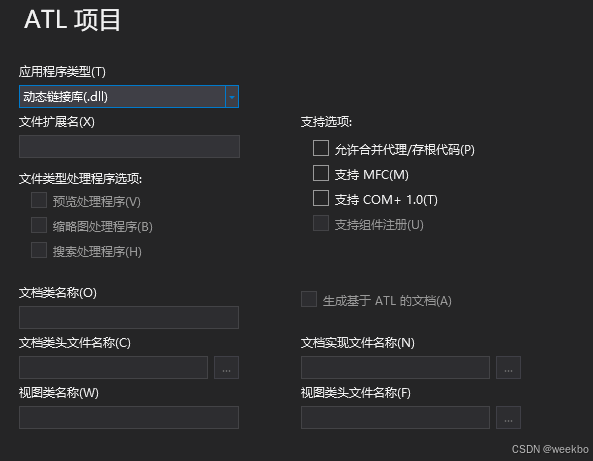
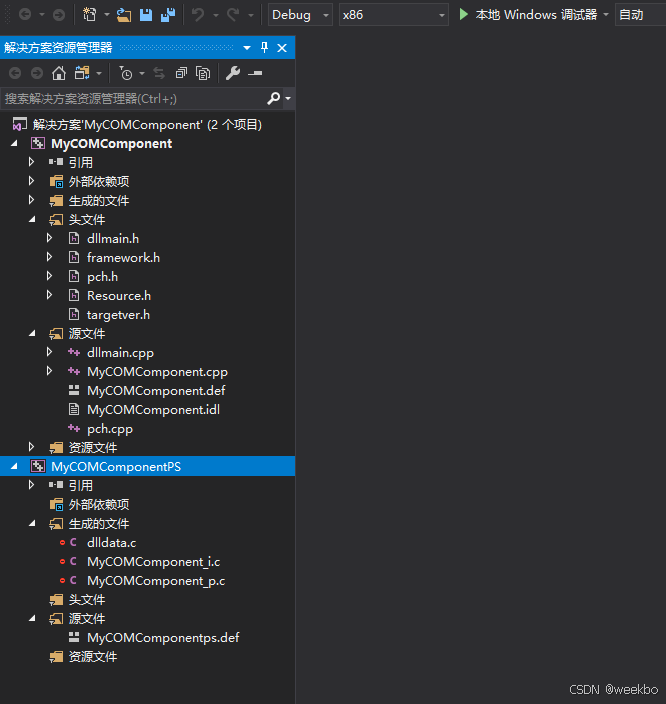
2 增加一个 MyComponent 类
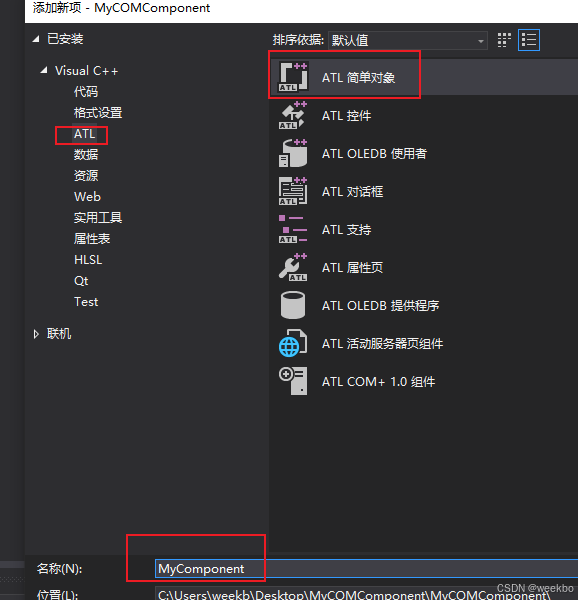
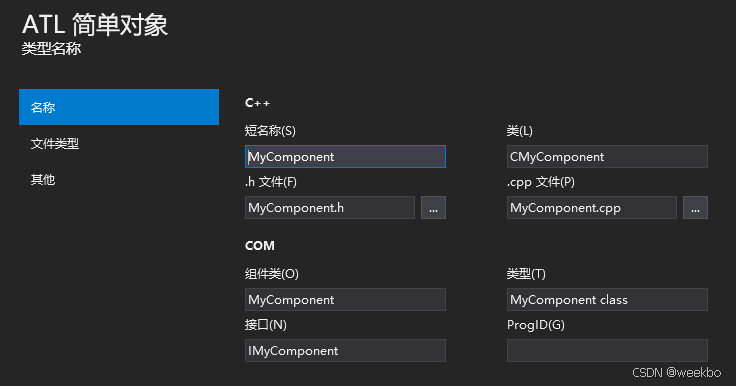
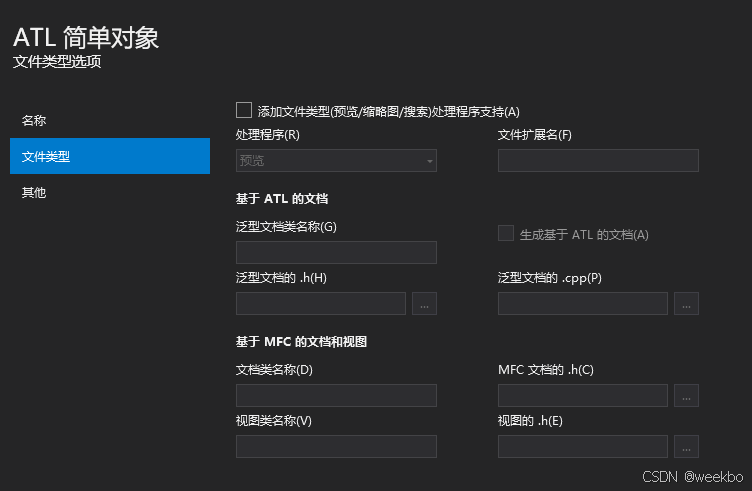
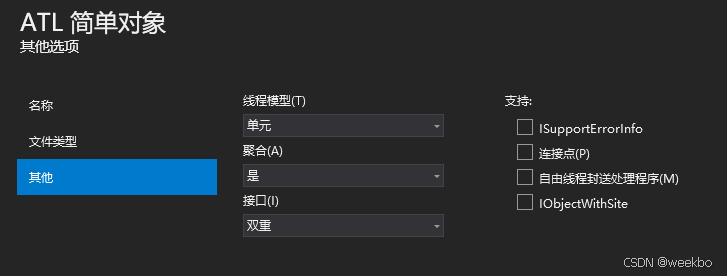
3 在 MyComponent.h 类增加 Add 声明
class CMyComponent
{
    ...
BEGIN_COM_MAP(CMyComponent)
	COM_INTERFACE_ENTRY(IMyComponent)
	COM_INTERFACE_ENTRY(IDispatch)
END_COM_MAP()

	STDMETHOD(Add)(int a, int b, int* result);
    ...
};
在 MyComponent.cpp 类增加 Add 定义
STDMETHODIMP CMyComponent::Add(int a, int b, int* result)
{
	if (result == nullptr) return E_POINTER; // 检查指针是否有效
	*result = a + b; // 实现加法逻辑
	return S_OK; // 返回成功
}
在 MyCOMComponent.idl 类增加 Add 接口
[
	object,
	uuid(c11c7898-12bf-4656-a027-18fa5c6a227d),
	dual,
	nonextensible,
	pointer_default(unique)
]
interface IMyComponent : IDispatch
{
	[id(1), helpstring("Method Add")] HRESULT Add([in] int a, [in] int b, [out, retval] int* result);
};
4 MyCOMComponentPS 项目编译报错 路径找不到

修改生生前事件 -> 命令行 路径为主项目 MyCOMComponent 目录
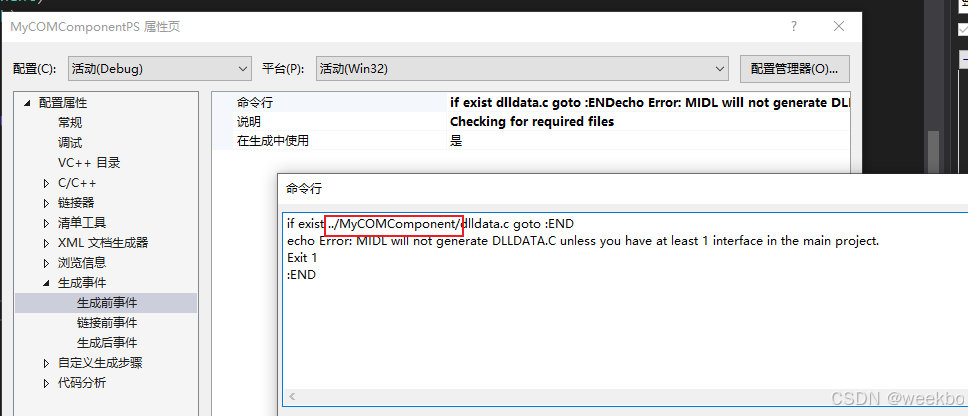
编译后继续报错
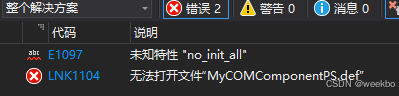
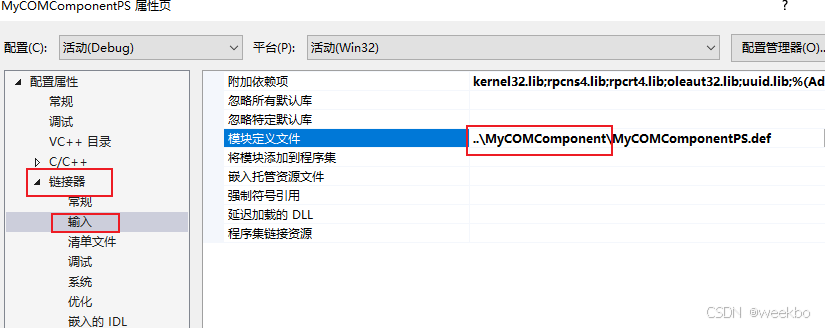
MyCOMComponentPS.def 文件在 MyCOMComponent 项目里面
5 注册代理/存根 DLL
-
使用
regsvr32注册代理/存根 DLL:cmdregsvr32 MyCOMComponentPS.dll
6 测试 COM 组件
-
创建一个测试项目(例如控制台应用程序)。
-
在测试项目中,引用 COM 组件:
-
编写测试代码:
#include <iostream>
#import "..\\MyCOMComponent\\Debug\\MyCOMComponent.tlb" no_namespace

int main()
{
    CoInitialize(NULL); // 初始化 COM 库

    IMyComponentPtr pComponent(__uuidof(MyComponent)); // 创建 COM 组件实例
    if (pComponent)
    {
        int result = 0;
        //pComponent->Add(2, 3, &result); // 这样调用 Add 方法提示多了第三个参数 不清楚什么问题
        result = pComponent->Add(2, 3, &result); // 调用 Add 方法
        std::cout << "Result: " << result << std::endl; // 输出结果
    }

    CoUninitialize(); // 释放 COM 库
    return 0;
}
7 运行测试
-
编译并运行测试项目。
-
如果一切正常,输出应为:
Result: 5
8 总结
-
主项目:实现 COM 组件的功能。
-
代理/存根项目:处理跨进程或跨机器通信。
-
测试项目:验证 COM 组件的功能。

北京人形旗下天工造物具身智能开源社区,聚焦具身天工与慧思开物两大平台
更多推荐
 3
3 0
0- 0


 已为社区贡献3条内容

所有评论(0)