ubuntu20.04 apt-get update连不上dl.google.com解决方法
·
出现问题:
W: 无法下载 https://dl.google.com/linux/chrome/deb/dists/stable/InRelease 无法连接上 dl.google.com:443 (180.163.150.33),连接超时 W: 部分索引文件下载失败。如果忽略它们,那将转而使用旧的索引文件。
原因:
使用当前IP无法访问dl.google.com
解决:
更换dl.google.com 的ip
1,使用站长工具查询可用IP
多个地点ping[dl.google.com]服务器-网站测速-站长工具
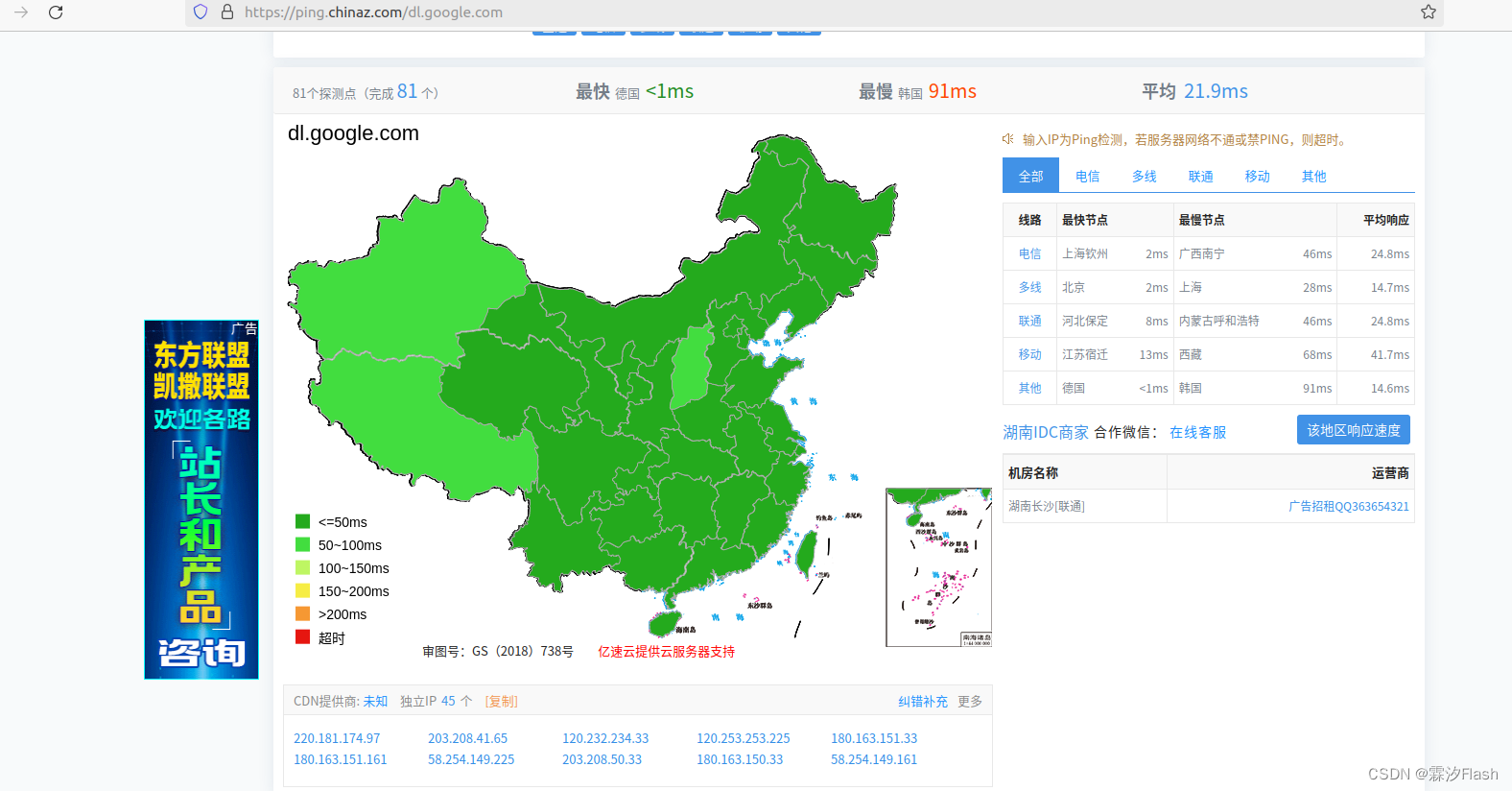
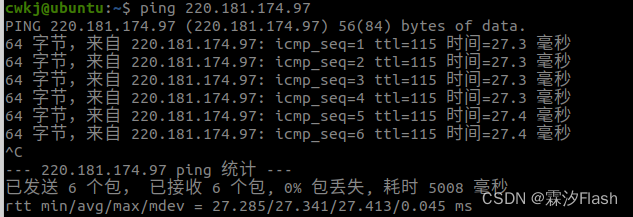
2,选择一个IP在终端ping一下看是否可用
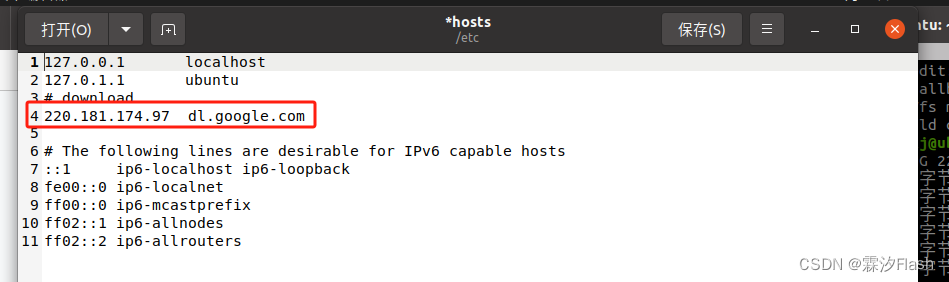
3,添加IP
sudo gedit /etc/hosts

北京人形旗下天工造物具身智能开源社区,聚焦具身天工与慧思开物两大平台
更多推荐
 13
13 0
0- 0


 已为社区贡献1条内容

所有评论(0)