Node.js安装 ,及环境变量配置
·
系统:windws
1、下载:下载 Node.js
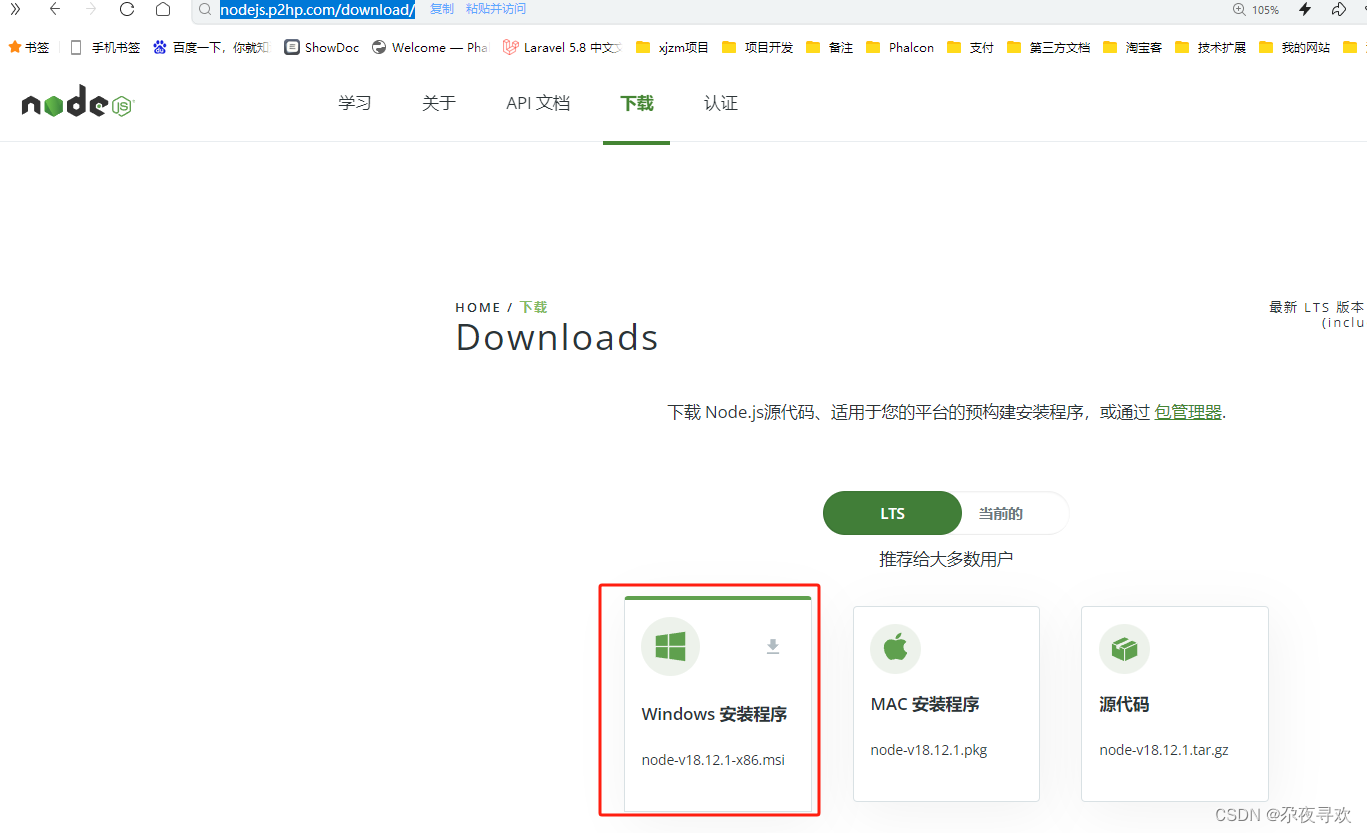
2、双击安装,(建议不要安装到C盘),然后新建两个目录:node_cache 、node_global 备用
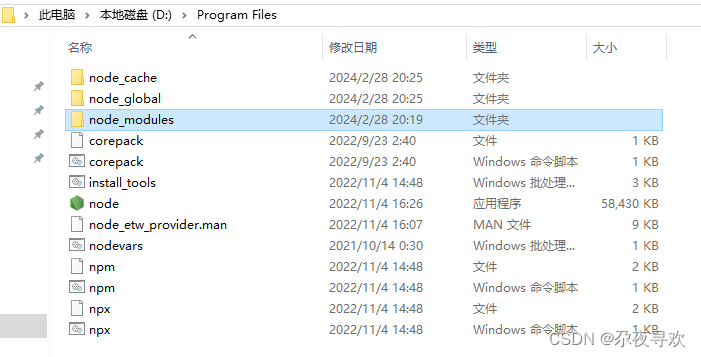
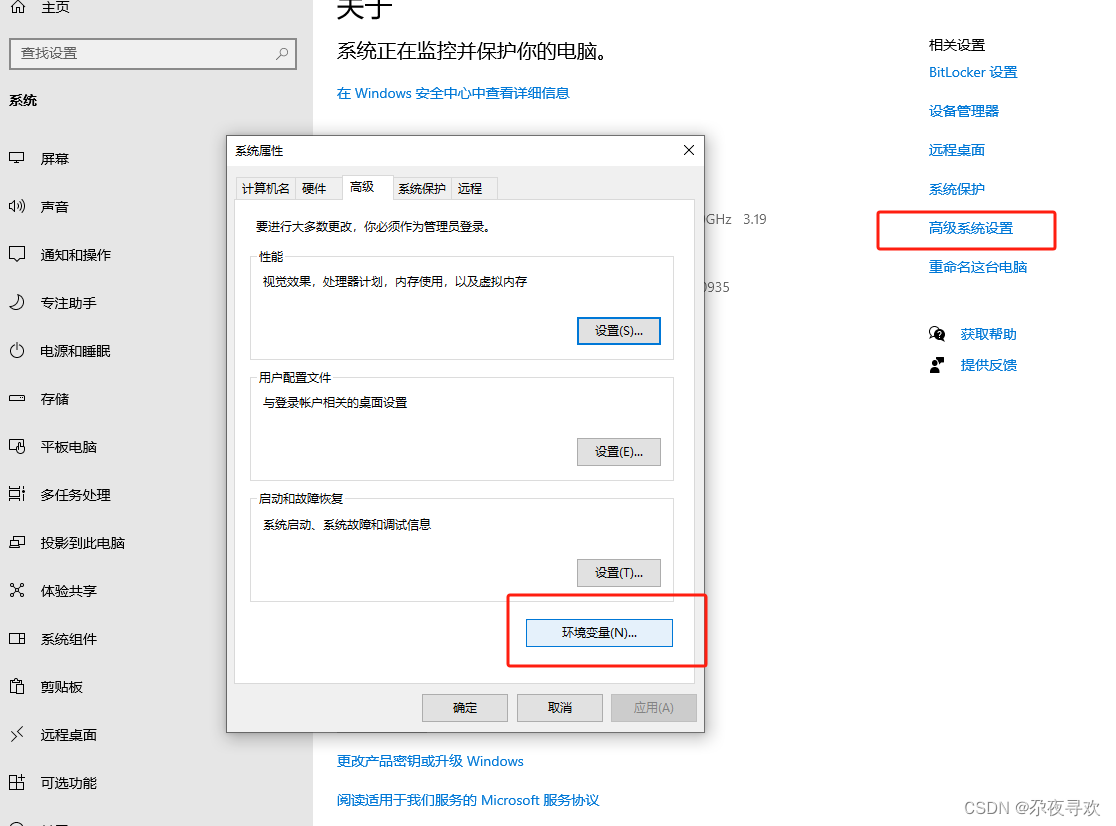
3、配置环境变量
我的电脑-右键属性-高级系统设置-环境变量
然后:
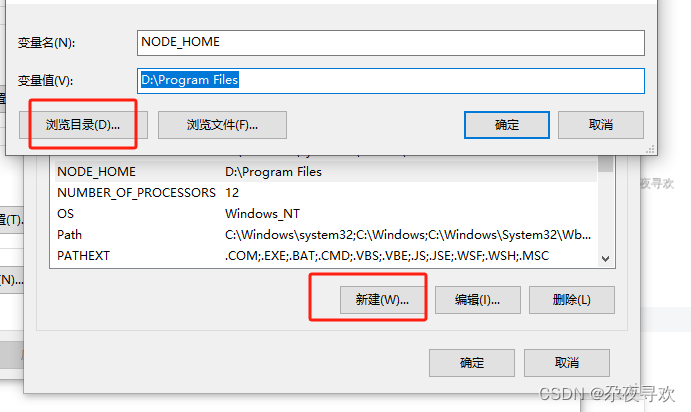
找到Path -> 编辑 -> 添加三条记录
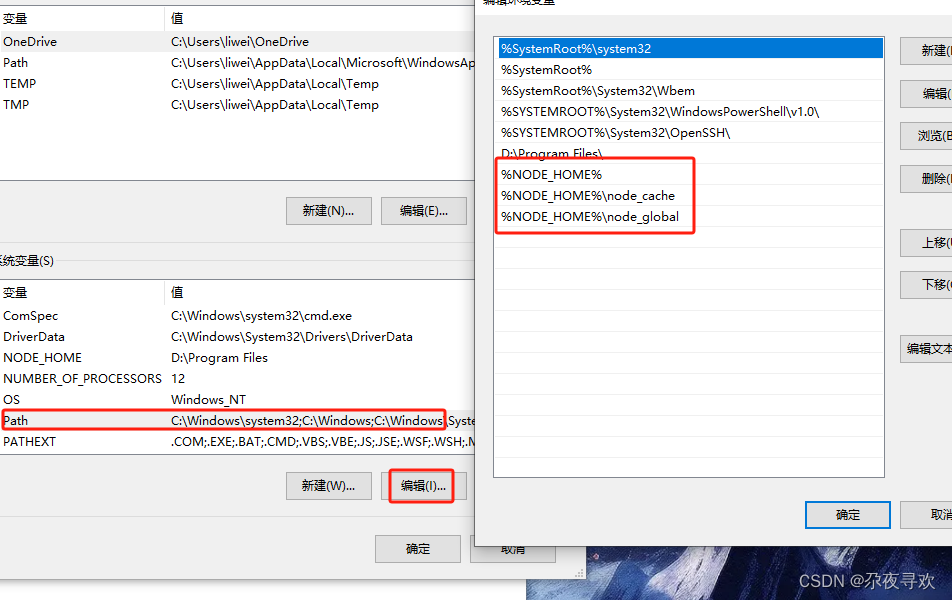
保存!安装完毕
测试是否成功:
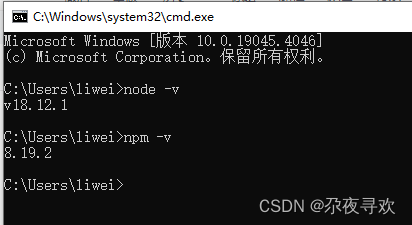
非常的OK!
二、npm配置
全局安装路径配置:
npm config set prefix "D:\Program Files\node_global"缓存路径配置:
npm config set cache "D:\Program Files\node_cache"配置国内镜像
npm config set registry https://registry.npmmirror.com
npm install cnpm@7.1.0 -g查看是否安装成功
cnpm -v

进入到vue项目 目录后创建项目:
npm init vue@latestcnpm installnpm run dev
北京人形旗下天工造物具身智能开源社区,聚焦具身天工与慧思开物两大平台
更多推荐
 9
9 0
0- 0


 已为社区贡献1条内容

所有评论(0)