Miniforge安装教程
目录
0 Anaconda Miniconda Miniforge简介
0 Anaconda Miniconda Miniforge简介
Anaconda 是一个专为数据科学、机器学习和科学计算设计的开源发行版,集成了大量常用的工具和库,旨在简化开发环境的搭建与管理。它适用于需要快速启动项目或避免复杂依赖配置的场景。Anaconda 提供了 包管理器 Conda 和 环境管理工具,支持多环境隔离和依赖管理。通过 Conda,用户可以轻松安装、更新和删除软件包,同时创建独立的 Python 环境,避免版本冲突。它预装了超过 150 个科学计算库,包括 NumPy、Pandas、Matplotlib、Scikit-learn 等,覆盖数据分析、可视化和机器学习的全流程。Anaconda 还集成了 Jupyter Notebook 和 Spyder,支持交互式编程和数据分析。
Anacondad的优点:开箱即用,预装丰富的科学计算库,图形界面降低使用门槛。 缺点:安装包体积较大,占用较多磁盘空间,更新速度较慢。 对于需要快速启动项目的用户,Anaconda 是理想选择;而在资源有限或需要轻量化的场景下,可选择 Miniconda。
Anaconda 可以理解为 Miniconda + more packages。Anaconda 一般还包括一个图形界面,默认会安装很多packages,但是有一些可能不是很常用,占用大量空间。Miniconda 可以按需求安装库,也可以借助conda install anaconda手动实现anaconda一样的 pre-installed package。简单来说,Anaconda追求的是大而全,但不一定都用得上,而Miniconda则是短小精悍,按需安装定制都可以,随心所欲。
Anaconda、Miniconda和Miniforge的核心都是使用conda工具实现python环境管理。Anaconda 和 Miniconda 是一个商业公司的产品,个人暂时免费;而Miniforge则是由社区主导,托管于Github,目前完全免费。Miniconda 和 Miniforge 都代表着轻量化,而Anaconda是完整版,稍显臃肿。社区化的Miniforge软件更新速度相比较于商业公司的Anaconda和Miniconda会更快,同时软件包数量也会更多。
Miniforge 使用conda-forge 作为默认 channel,而 Miniconda 使用anaconda.org 作为默认channel。目前主流的就是 conda-forge,齐全且更新快。
1 Miniforge下载
(1)conda-forge(官网):
https://conda-forge.org/
https://forge.conda.org.cn/
选择上方的Download页面
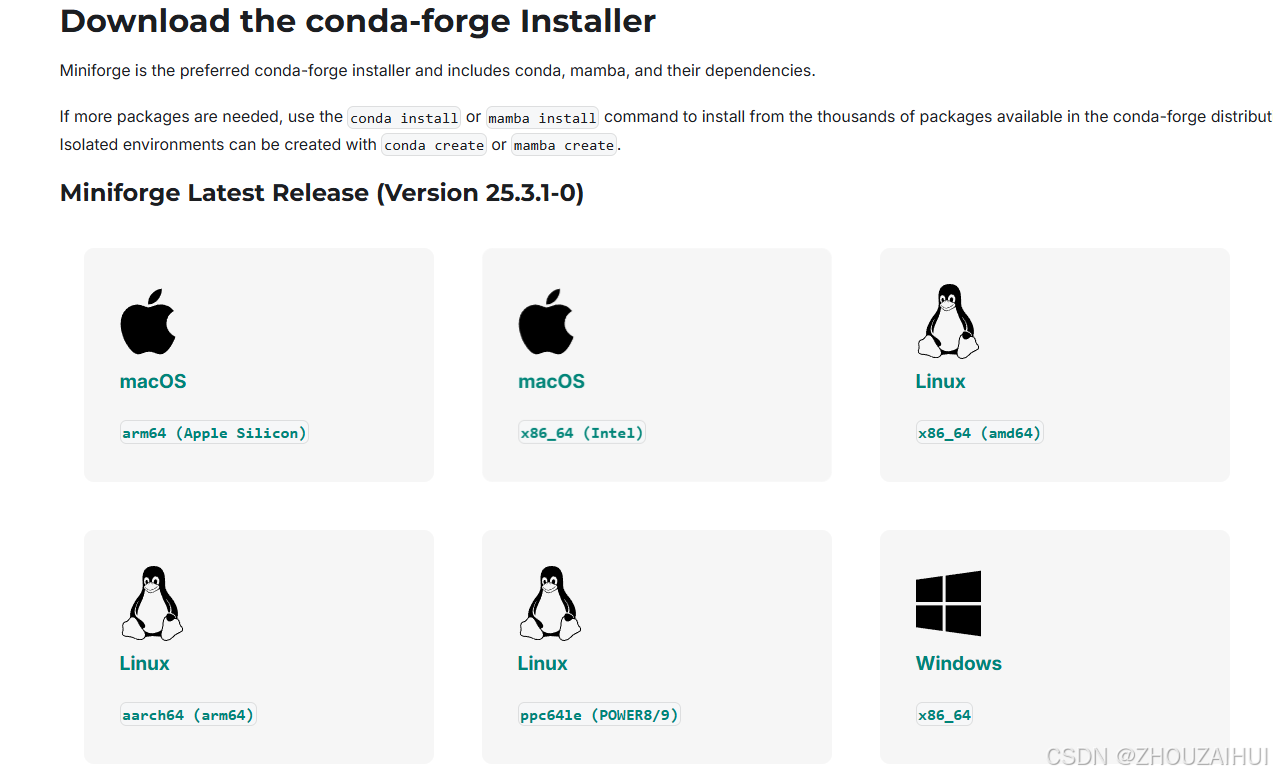
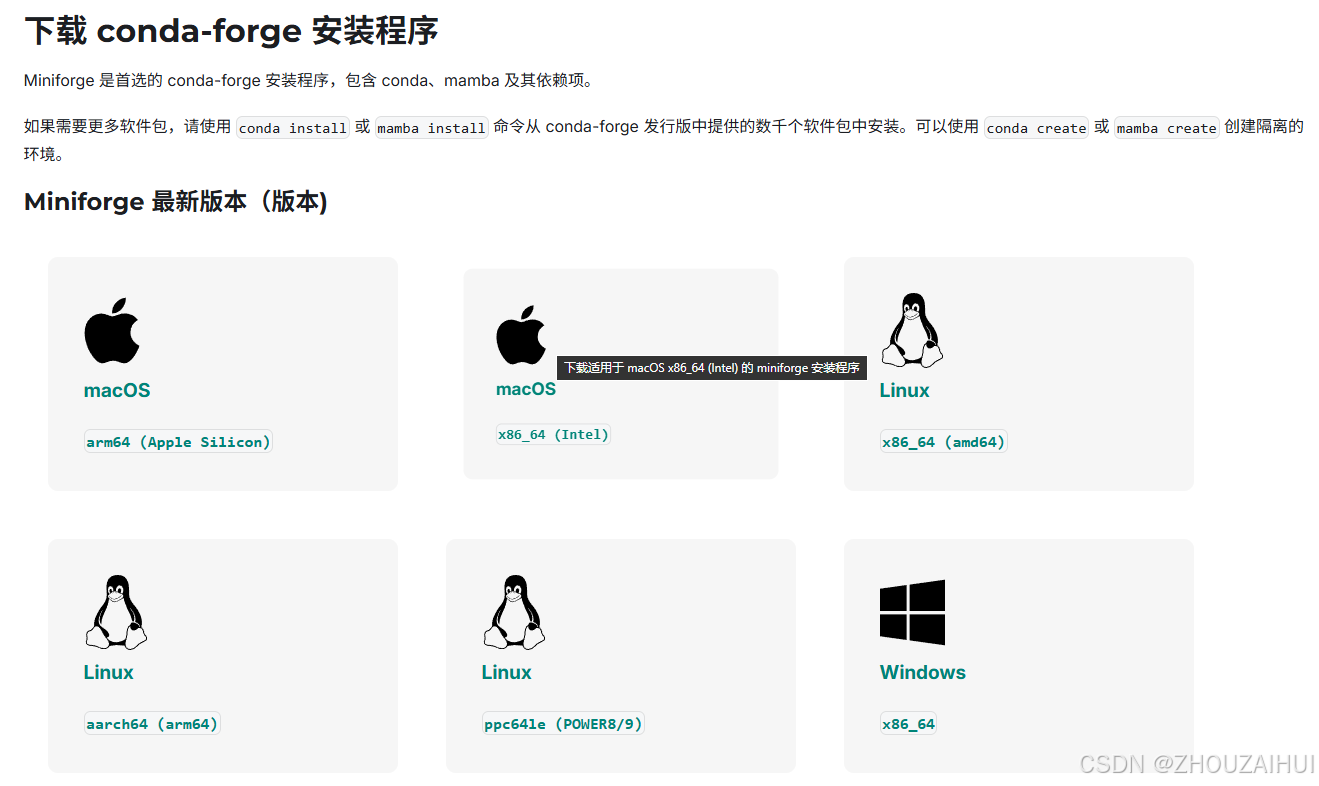
(2)Github(科学上网):
https://github.com/conda-forge/miniforge选择右侧的Releases链接。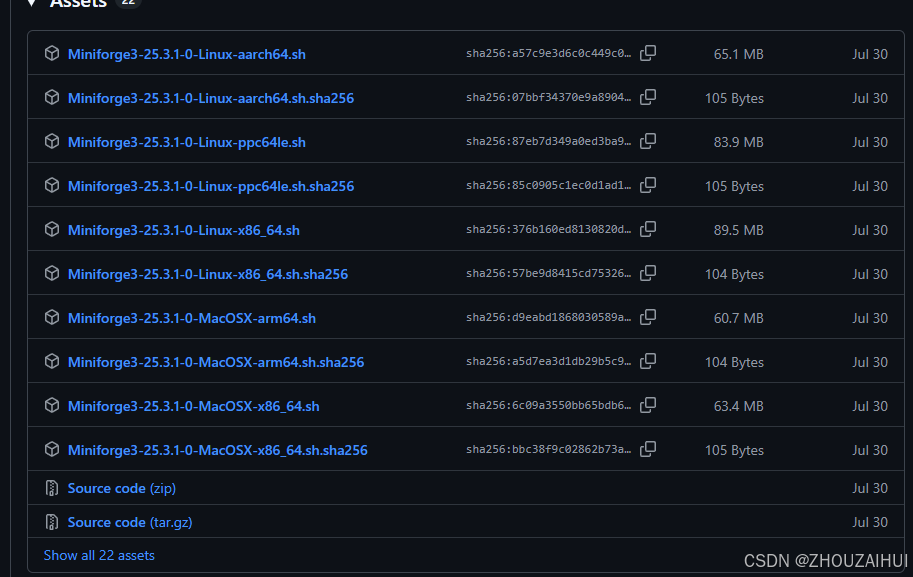
(3)清华大学开源镜像站:
https://mirrors.tuna.tsinghua.edu.cn/github-release/conda-forge/miniforge/选择LatestVersion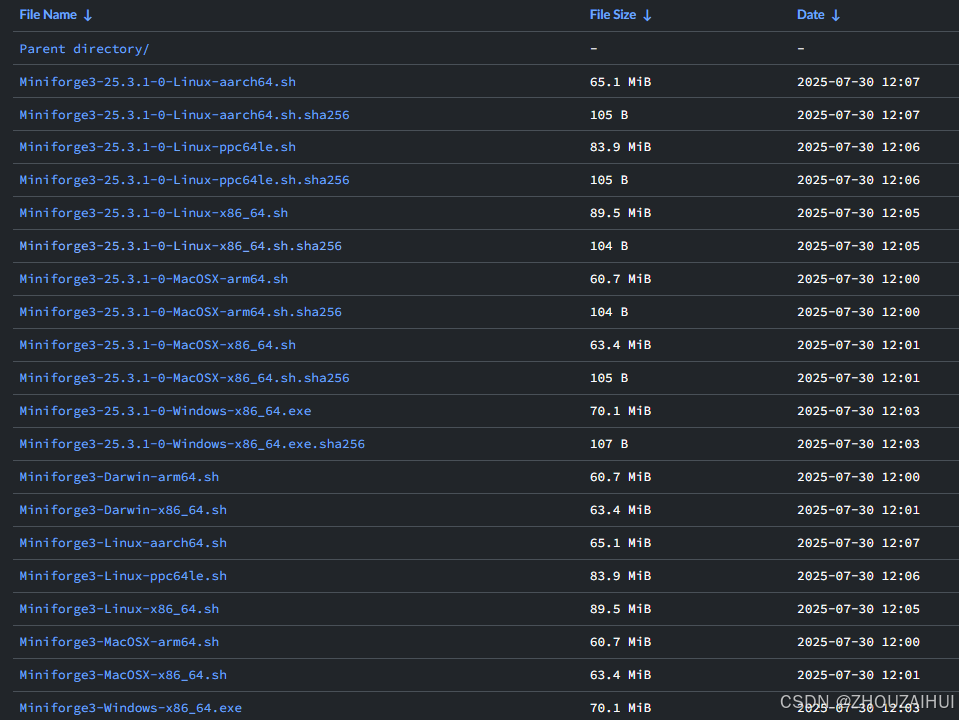
(4)南京大学开源镜像站
https://mirror.nju.edu.cn/github-release/conda-forge/miniforge/选择LatestVersion
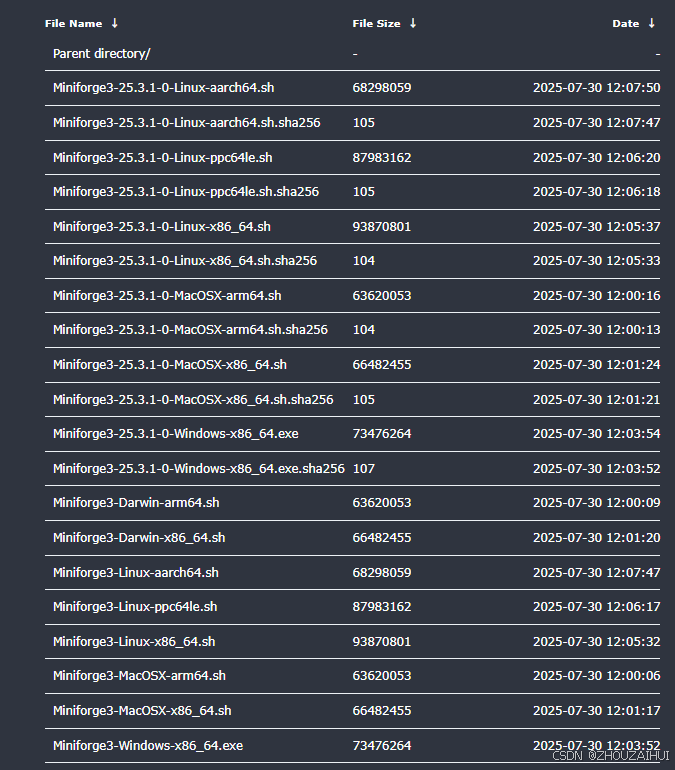
根据需要下载相应操作系统的版本,Python最新版本3.12(截止到2025年09月)。
| 系统 | 架构 | 最小版本需求 | 文件 |
|---|---|---|---|
| Linux | x86_64 (amd64) | glibc >= 2.17 | Miniforge3-Linux-x86_64.sh |
| Linux | aarch64 (arm64) (**) | glibc >= 2.17 | Miniforge3-Linux-aarch64.sh |
| Linux | ppc64le (POWER8/9) | glibc >= 2.17 | Miniforge3-Linux-ppc64le.sh |
| macOS | x86_64 | macOS >= 10.13 | Miniforge3-MacOSX-x86_64.sh |
| macOS | arm64 (Apple Silicon) (***) | macOS >= 11.0 | Miniforge3-MacOSX-arm64.sh |
| Windows | x86_64 | Windows >= 7 | Miniforge3-Windows-x86_64.exe |
2 Miniforge安装
2.1Windows安装
(1)双击Miniforge3-Windows-x86_64.exe。
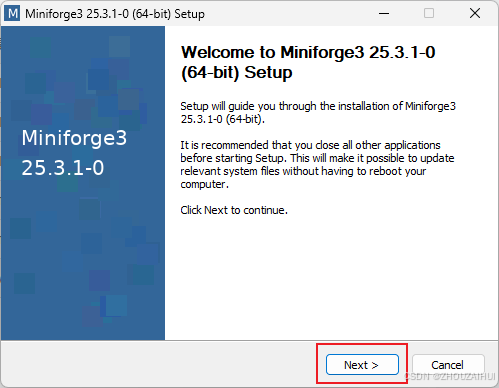
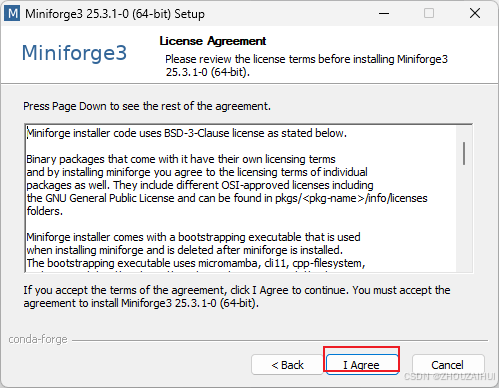
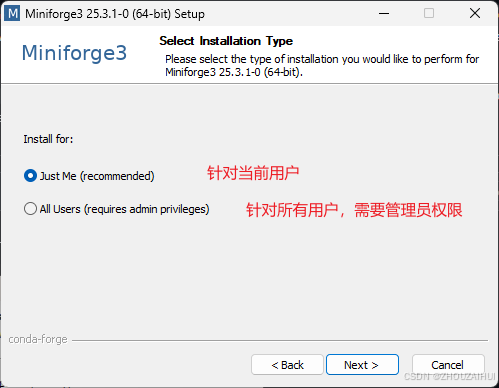
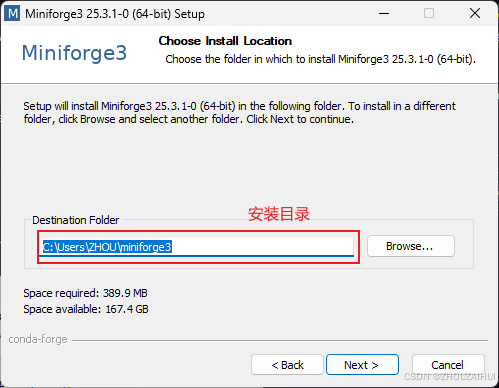
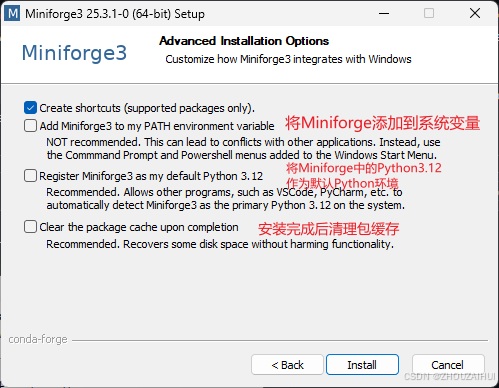
建议将上述三项都选上。
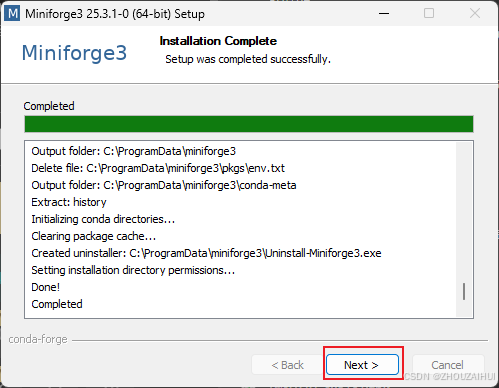
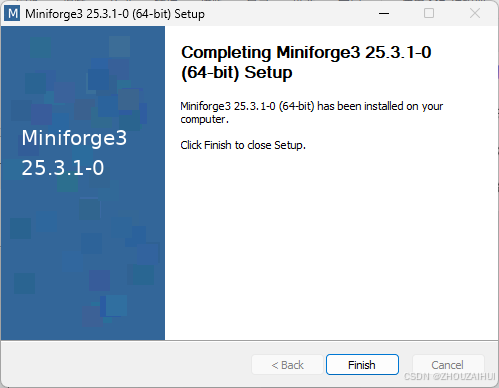
2.2 Linux、MacOS安装
以WSL中的Ubuntu(Linux)为例。
(1)下载安装程序
wget https://mirrors.tuna.tsinghua.edu.cn/github-release/conda-forge/miniforge/LatestRelease/Miniforge3-Linux-x86_64.sh
(2)安装程序
bash Miniforge3-Linux-x86_64.sh
安装完成后会在.bashrc文件后添加以下内容
# >>> conda initialize >>>
# !! Contents within this block are managed by 'conda init' !!
__conda_setup="$('/home/zhou/miniconda3/bin/conda' 'shell.bash' 'hook' 2> /dev/null)"
if [ $? -eq 0 ]; then
    eval "$__conda_setup"
else
    if [ -f "/home/zhou/miniconda3/etc/profile.d/conda.sh" ]; then
        . "/home/zhou/miniconda3/etc/profile.d/conda.sh"
    else
        export PATH="/home/zhou/miniconda3/bin:$PATH"
    fi
fi
unset __conda_setup
# <<< conda initialize <<<


# >>> mamba initialize >>>
# !! Contents within this block are managed by 'mamba shell init' !!
export MAMBA_EXE='/home/zhou/miniconda3/bin/mamba';
export MAMBA_ROOT_PREFIX='/home/zhou/miniconda3';
__mamba_setup="$("$MAMBA_EXE" shell hook --shell bash --root-prefix "$MAMBA_ROOT_PREFIX" 2> /dev/null)"
if [ $? -eq 0 ]; then
    eval "$__mamba_setup"
else
    alias mamba="$MAMBA_EXE"  # Fallback on help from mamba activate
fi
unset __mamba_setup
# <<< mamba initialize <<<
(3)激活Miniforge环境
source ~/.bashrc通过以下命令查看conda是否安装成功
(base) zhou@ZHOU-PC:~$ conda --version
conda 25.3.1
3 更改国内源
参考网址:
https://mirrors.nju.edu.cn/help/miniforge
https://mirrors.tuna.tsinghua.edu.cn/help/anaconda/
conda的源地址可以通过文件.condarc文件来配置,通过以下命令可以生成该文件。
conda config --set show_channel_urls yes文件内容如下:
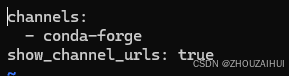
将该文
件修改为如下内容:(两者选其一即可)
channels:
  - conda-forge
show_channel_urls: true
mirrored_channels:
  conda-forge:
    - https://mirrors.tuna.tsinghua.edu.cn/anaconda/cloud/conda-forge/
channels:
  - conda-forge
  - defaults
show_channel_urls: true
default_channels:
  - https://mirrors.tuna.tsinghua.edu.cn/anaconda/pkgs/main
  - https://mirrors.tuna.tsinghua.edu.cn/anaconda/pkgs/r
  - https://mirrors.tuna.tsinghua.edu.cn/anaconda/pkgs/msys2
custom_channels:
  conda-forge: https://mirrors.tuna.tsinghua.edu.cn/anaconda/cloud
  pytorch: https://mirrors.tuna.tsinghua.edu.cn/anaconda/cloud
4 更改PyPI国内源
pip config set global.index-url https://mirrors.tuna.tsinghua.edu.cn/pypi/web/simple
5 常用命令
| 功能 | mamba命令 | conda命令 |
|---|---|---|
| 创建环境 | mamba create -n mypython python=3.14 | conda create -n mypython python=3.14 |
| 激活环境 | mamba activate mypython | conda activate mypython |
| 安装包 | mamba install numpy | conda install numpy |
| 更新所有包 | mamba update -n mypython --all | conda update -n mypython --all |
| 导出环境 | mamba env export > environment.yml | conda env export > environment.yml |
| 从文件创建环境 | mamba env create -f environment.yml | conda env create -f environment.yml |
| 依赖查询 | mamba repoquery depends -t numpy | conda search --info numpy |
| 清理缓存 | mamba clean --all | conda clean --all |
| 删除环境 | mamba remove -n mypython --all | conda remove -n mypython --all |

北京人形旗下天工造物具身智能开源社区,聚焦具身天工与慧思开物两大平台
更多推荐
 20
20 0
0- 0


 已为社区贡献1条内容

所有评论(0)