UiPath2025笔记第十节:利用java反射编写智能体
·
一、主体思想
将操作方法传递给DeepSeek模型,Ai通过用户的语境识别出要做出的动作,并给出方法。
二、AiUtil工具类
public class AiUtil {
    public static String getAiResponse(String input) throws JSONException, IOException {
        OkHttpClient client = new OkHttpClient();
        // 构建JSON对象
        JSONObject requestBody = new JSONObject();
        requestBody.put("model", "deepseek-v3.1-250821");

        JSONArray messages = new JSONArray();

        JSONObject systemMsg = new JSONObject();
        systemMsg.put("role", "system");
        systemMsg.put("content", "你现在是一个智能体的ai,现在此智能体目前有三个功能台添加,删除,修改,查询用户,分别为add,delete,update,select三个函数。" +
                "当用户和你对话时,你需根据语境判断出操作方法,以json格式输出,包括回答内容content,操作方法method");
        messages.put(systemMsg);

        JSONObject userMsg = new JSONObject();
        userMsg.put("role", "user");
        userMsg.put("content", input);
        messages.put(userMsg);

        requestBody.put("messages", messages);

        RequestBody body = RequestBody.create(
                requestBody.toString(),
                MediaType.parse("application/json")
        );

        Request request = new Request.Builder()
                .url("https://qianfan.baidubce.com/v2/chat/completions")
                .post(body)
                .addHeader("Authorization", "Bearer ")
                .addHeader("Content-Type", "application/json")
                .build();

        Response response = client.newCall(request).execute();
        String responseBody = response.body().string();

        // 解析响应,只提取内容
        JSONObject jsonResponse = new JSONObject(responseBody);
        JSONArray choices = jsonResponse.getJSONArray("choices");
        JSONObject firstChoice = choices.getJSONObject(0);
        JSONObject message = firstChoice.getJSONObject("message");
        return message.getString("content");
    }
}
三、Ai要操作的方法
public class Utils {
    public Utils() {
    }
    public static void add(){
        System.out.println("添加用户成功");
    }
    public static void delete(){
        System.out.println("删除用户成功");
    }
    public static void update(){
        System.out.println("更新用户成功");
    }
    public static void select(){
        System.out.println("查找用户成功");
    }

}
四、测试
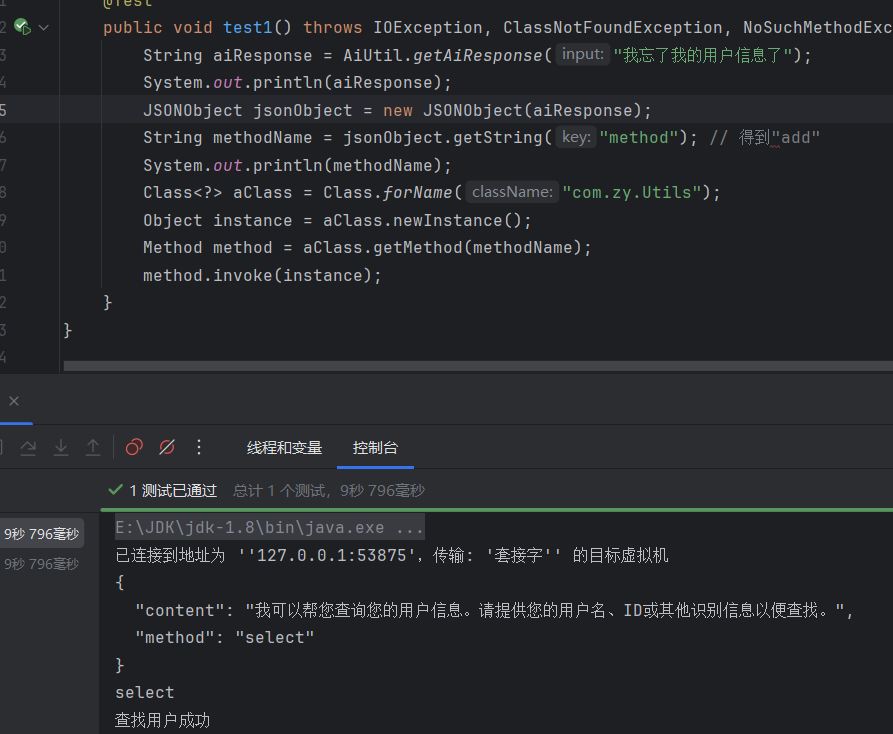
public class Test01 {
    @Test
    public void test1() throws IOException, ClassNotFoundException, NoSuchMethodException, InstantiationException, IllegalAccessException, InvocationTargetException {
        String aiResponse = AiUtil.getAiResponse("我忘了我的用户信息了");
        System.out.println(aiResponse);
        JSONObject jsonObject = new JSONObject(aiResponse);
        String methodName = jsonObject.getString("method"); // 得到"add"
        System.out.println(methodName);
        Class<?> aClass = Class.forName("com.zy.Utils");
        Object instance = aClass.newInstance();
        Method method = aClass.getMethod(methodName);
        method.invoke(instance);
    }
}

北京人形旗下天工造物具身智能开源社区,聚焦具身天工与慧思开物两大平台
更多推荐
 2
2 0
0- 0


 已为社区贡献1条内容

所有评论(0)