Python爬虫之手把手教你开发一个论文爬取系统

最近在做一个论文自动爬取下载的项目,这里给大家分享一下Nature Gold OA论文的爬取方法,顺便也聊聊Python爬虫的具体流程以及Session和线程池在爬虫中的应用。(需要源代码的可以直接点击目录中的完整代码跳转)
Spring Nature作为国际顶尖的学术出版集团,其旗下的期刊论文质量高、影响力大,特别是Nature,是科研工作者们争相引用的对象。本文,我将开发一个以Nature子刊名称为参数的多线程论文爬取系统,来爬取那些Gold OA类型的论文(不需要机构登录或付费即可免费获取)。
论文获取方式
Nature Portfolio(自然系列)是Springer Nature旗下的旗舰出版物,而目前,Springer Nature旗下的文章获取方式及其比例如下表所示
| 获取模式 | 描述 | 预估文章比例 (基于SN报告) | 期刊示例 |
|---|---|---|---|
| 完全开放获取 (Gold OA) | 在纯OA期刊上发表,立即免费。 | ~50%+ (是OA文章的主体) | Scientific Reports, Nature Communications, 所有BMC期刊 |
| 混合开放获取 (Hybrid OA) | 在混合期刊上发表且作者支付APC,单篇文章免费。 | ~15%-20% (占OA文章一部分) | Nature主刊、Nature Physics、多数Springer期刊 |
| 付费获取 (Subscription-Only) | 在混合期刊上发表但作者未支付APC,需订阅阅读。 | ~32% | (同上,但作者未选择OA选项) |
可以发现,Gold OA占据主力,然后是Subscription-Only类型的文章,部分文章还是Hybrid OA的获取方式,不过,还是可以看到,Springer Nature其作为世界上最大的学术出版商之一,正在积极向全面开放获取转型。
区分一个Nature子刊是否是Gold OA很简单,看期刊名称和品牌就可以,Nature Portfolio 的出版模式与其品牌系列强相关。
-
如果是 Gold OA(完全开放获取):
- *
Communications ...* (通讯-系列)- 例如:Communications Biology、Communications Physics、Communications Medicine
- *
npj ...* (合作期刊系列)- 例如:npj Digital Medicine、npj Computational Materials、npj Climate and Atmospheric Science
- *
Scientific Reports* (科学报告) - *
BMC* 系列(属于Springer Nature,但非Nature品牌)- 例如:BMC Biology、BMC Medicine
- *
-
如果是 Hybrid(混合模式,非完全OA):
- *
Nature* (主刊) - *
Nature + 学科* (传统子刊)- 例如:Nature Physics、Nature Chemistry、Nature Genetics
- *
Nature Reviews + 学科* (综述期刊)- 例如:Nature Reviews Materials、Nature Reviews Cancer
- *
简单总结:只要期刊名以 Communications 或 npj 开头,或者叫 Scientific Reports,那它就是纯Gold OA期刊。反之,如果以 Nature 直接开头,那它就是Hybrid模式期刊。
本文爬取的对象主要是Gold OA类型的期刊,对于Subscription类型的文章爬取效果一般,最多只能爬取到一个网页。毕竟我们没有机构登录或付费,Nature最多也就让你看看网页。。
爬取方法
- 从子刊官网抓包分析定位文章链接具体位置,
- 使用requests发送请求返回网页内容后使用BeautifulSoup解析,查找到所有论文PDF阅读器内显示链接。
- 创建Session,定义一个根据PDF阅读器链接爬取单篇论文的函数
- 使用concurrent.futures下的ThreadPoolExecutor线程池执行该函数进而实现多线程爬取
本文的工作流程完全按照上述描述展开
子刊官网链接获取方式
Nature子刊的官网可以通过网络查询或从其内部的的导航网址来获得,当然,为了方便,这里提供一个从该网站爬取所有期刊链接的方法
爬取思路
https://www.nature.com/siteindex
首先,前往该网站,F12打开开发者工具点击网络选项,F5刷新一下网页,
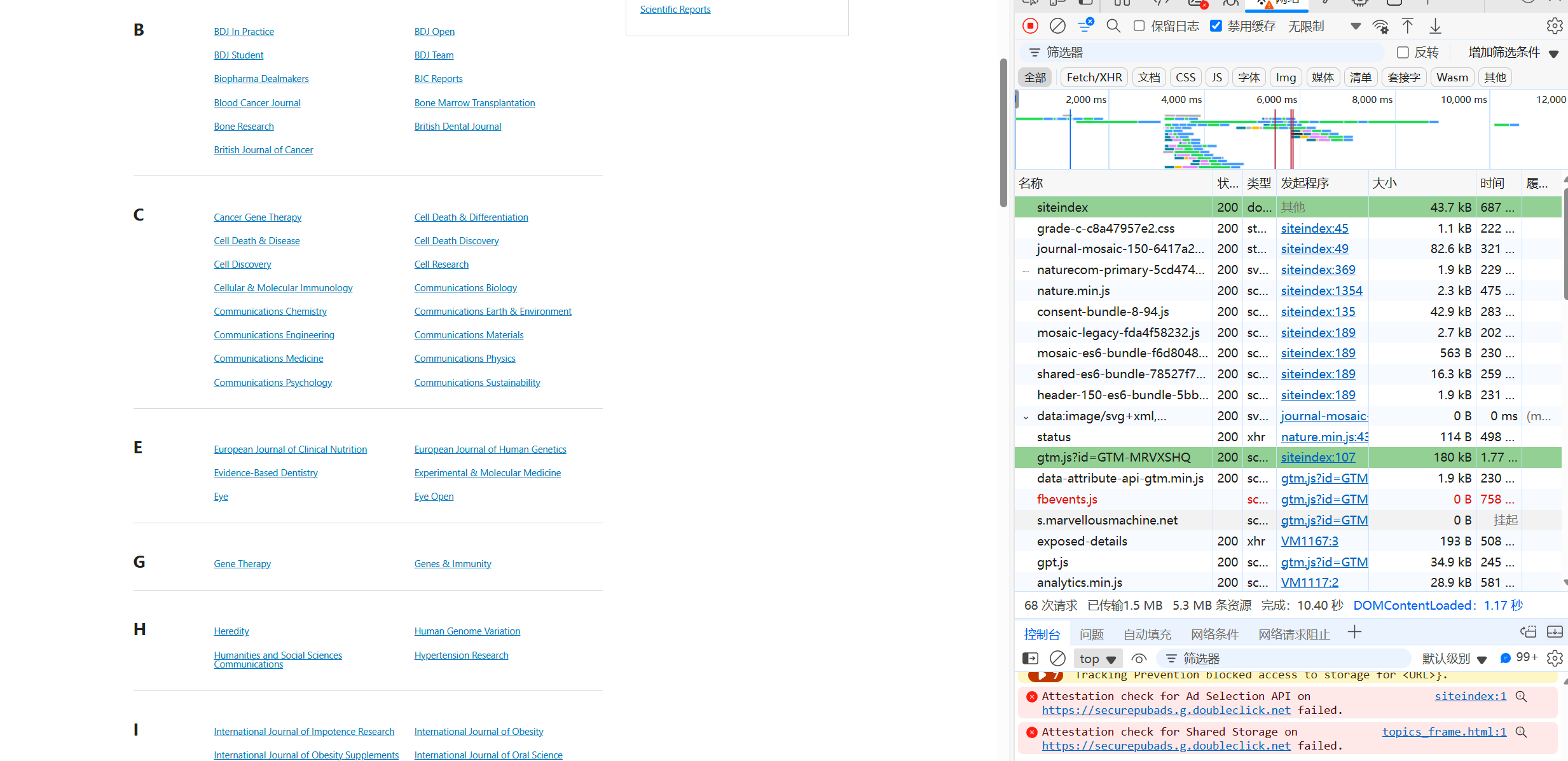
然后点击Fetch/XHR选项,心存侥幸地看一下有没有可能这些蓝色期刊名称对应的跳转链接会藏在服务器响应后返回的Json文件中
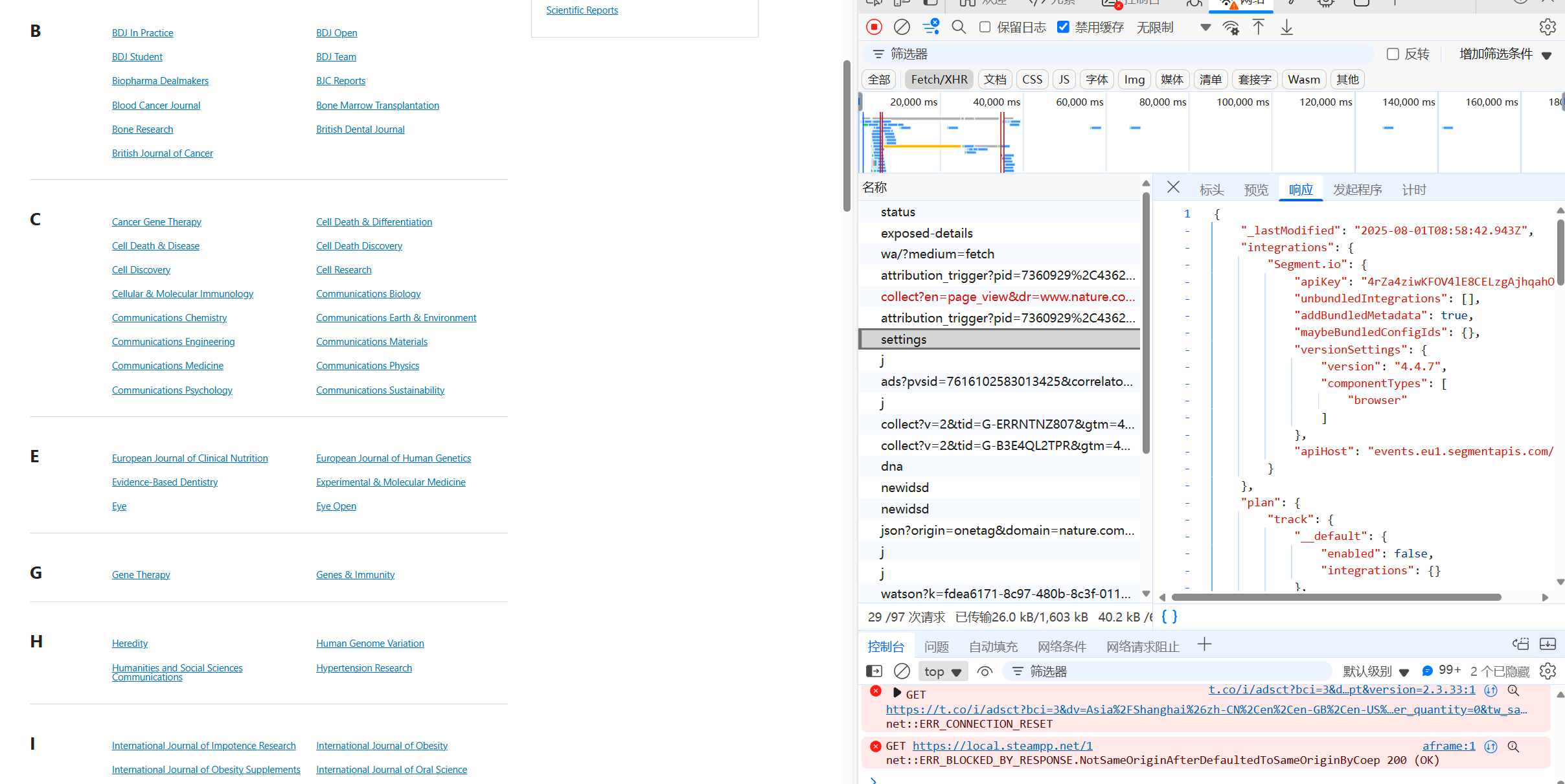
经过一翻查找,没有找到,那就只能点击文档选项卡,在渲染后的Html网页中定位查找了
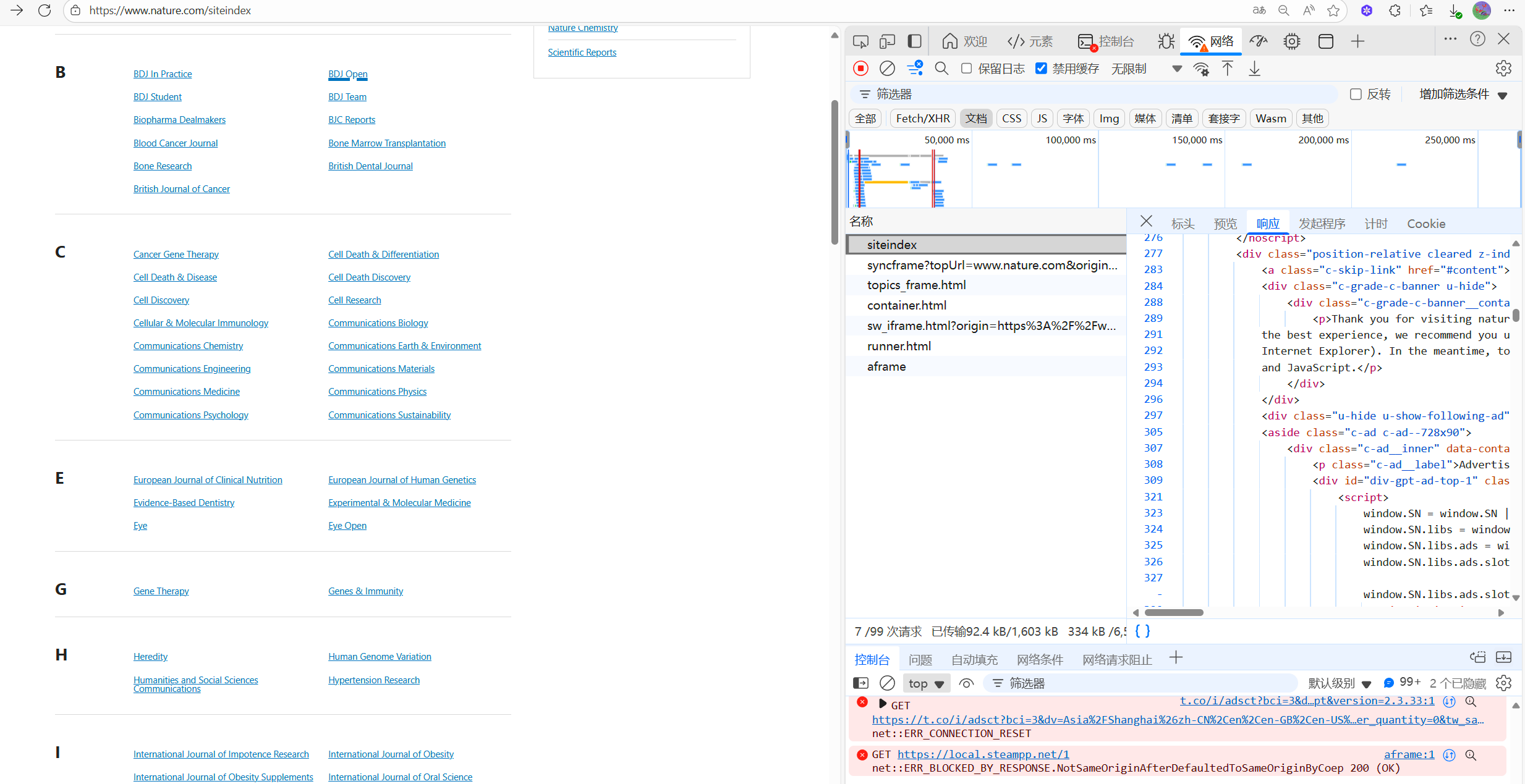
点击左上角的检查工具,鼠标右键任意一个链接,确定这些链接的Html源代码
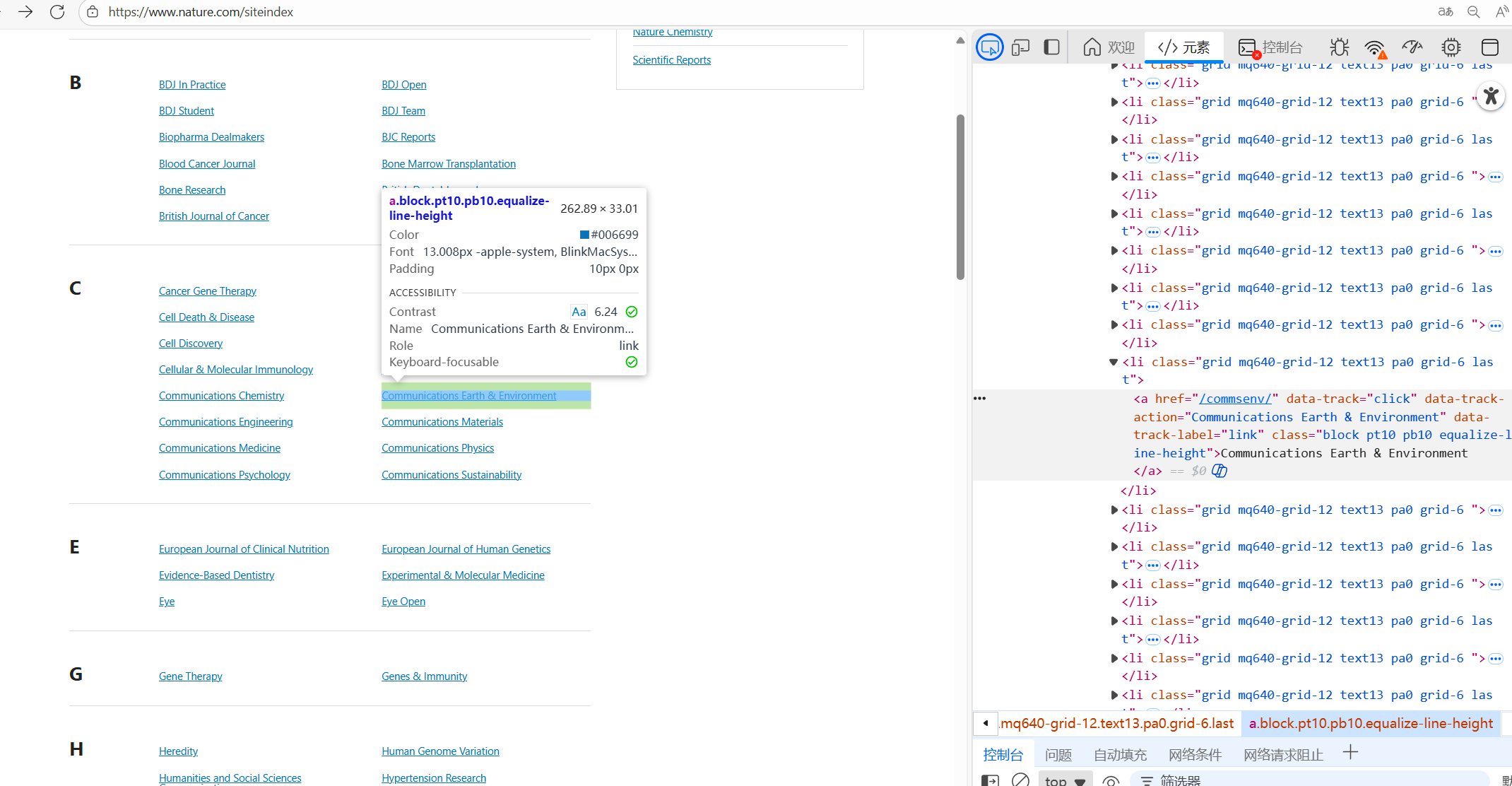
好的,位置确定了,接下来就是把他们爬下来了,首先我们把网页源内容爬取到本地
import requests

headers={
    'accept': 'text/html,application/xhtml+xml,application/xml;q=0.9,image/avif,image/webp,image/apng,*/*;q=0.8,application/signed-exchange;v=b3;q=0.7',
    'accept-language': 'zh-CN,zh;q=0.9,en;q=0.8,en-GB;q=0.7,en-US;q=0.6',
    'cache-control': 'no-cache',
    'pragma': 'no-cache',
    'priority': 'u=0, i',
    'referer': 'https://cn.bing.com/',
    'upgrade-insecure-requests': '1',
    'user-agent': 'Mozilla/5.0 (Windows NT 10.0; Win64; x64) AppleWebKit/537.36 (KHTML, like Gecko) Chrome/139.0.0.0 Safari/537.36 Edg/139.0.0.0',
}

response=requests.get('https://www.nature.com/siteindex', headers=headers)
#将siteindex网页html爬取下来,并保存到本地txt,主要是为了后续我们正则或beautifulsoup提取链接方便
#大家在解析网页内容时,不要总是一直使用response.text返回的字符串作为参数,这样每运行一次代码都要发送一次请求
#要学会保存到本地,然后慢慢解析,不然等你解析完,可能已经短时间发送了几十次请求,对方反爬措施强的话,早就把你IP封了
with open('test.txt','w',encoding='utf-8') as f:
    f.write(response.text)
这里建议大家在解析网页内容时,不要总是一直使用response.text返回的字符串作为参数,因为,如果这样,每尝试一次解析,运行一次代码都要发送一次请求。正确方法应该是保存到本地,然后再慢慢解析,不然等你解析完,可能已经短时间发送了几十次请求,对方反爬措施强的话,早就把你IP封了。。。

然后就是解析Html文本中的链接了,经过不懈努力,最终,得到了该Nature SiteIndex网页内所有的Journal名称以及其官网链接
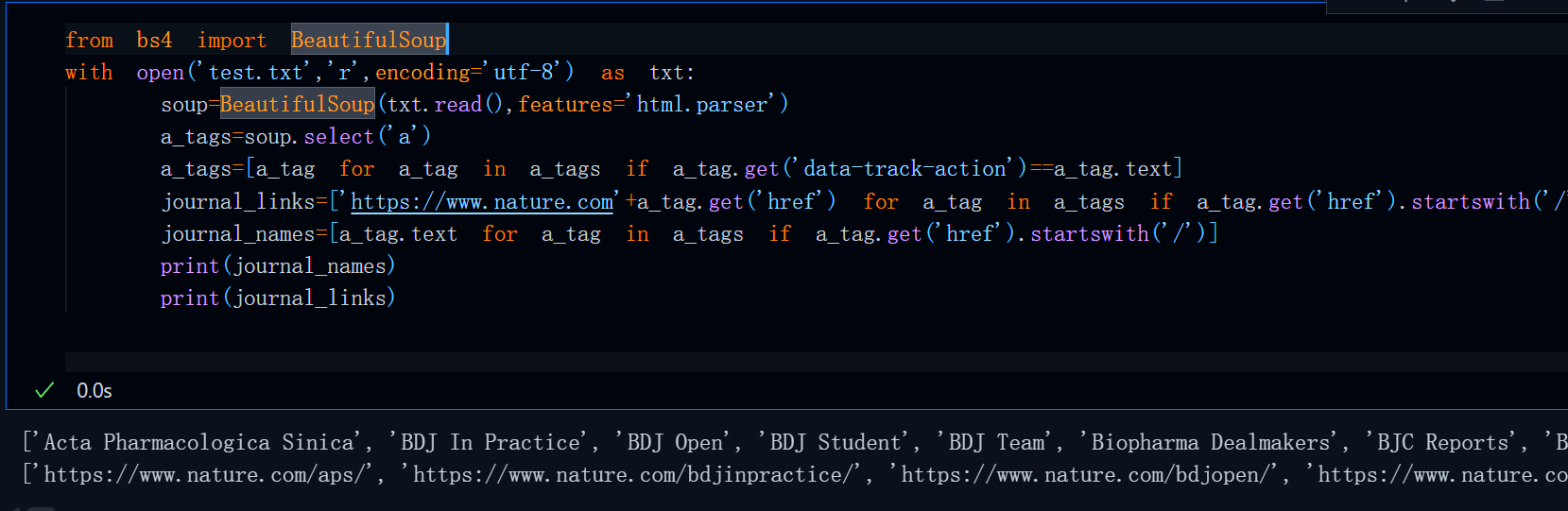
完整代码
import requests
import json
from bs4 import BeautifulSoup
headers={
    'accept': 'text/html,application/xhtml+xml,application/xml;q=0.9,image/avif,image/webp,image/apng,*/*;q=0.8,application/signed-exchange;v=b3;q=0.7',
    'accept-language': 'zh-CN,zh;q=0.9,en;q=0.8,en-GB;q=0.7,en-US;q=0.6',
    'cache-control': 'no-cache',
    'pragma': 'no-cache',
    'priority': 'u=0, i',
    'referer': 'https://cn.bing.com/',
    'upgrade-insecure-requests': '1',
    'user-agent': 'Mozilla/5.0 (Windows NT 10.0; Win64; x64) AppleWebKit/537.36 (KHTML, like Gecko) Chrome/139.0.0.0 Safari/537.36 Edg/139.0.0.0',
}
response=requests.get('https://www.nature.com/siteindex', headers=headers)
soup=BeautifulSoup(response.text,features='html.parser')
a_tags=soup.select('a')
a_tags=[a_tag for a_tag in a_tags if a_tag.get('data-track-action')==a_tag.text]
journal_links=['https://www.nature.com'+a_tag.get('href') for a_tag in a_tags if a_tag.get('href').startswith('/')]
journal_names=[a_tag.text for a_tag in a_tags if a_tag.get('href').startswith('/')]
journal_info=dict(zip(journal_names,journal_links))
#运行一次该代码后便可以将Nature Site Index内所有期刊与其官网链接写入到本地的一个config.json中
with open('config.json','w',encoding='utf-8') as f:
    journal_info=json.dumps(journal_info)
    f.write(journal_info)
运行上述代码后,便可以将所有Nature子刊的名称与其官网链接把保存到本地的一个名为config.json中,之所以这么做一方面是为了方便,另一方面也是为了防反爬。。。
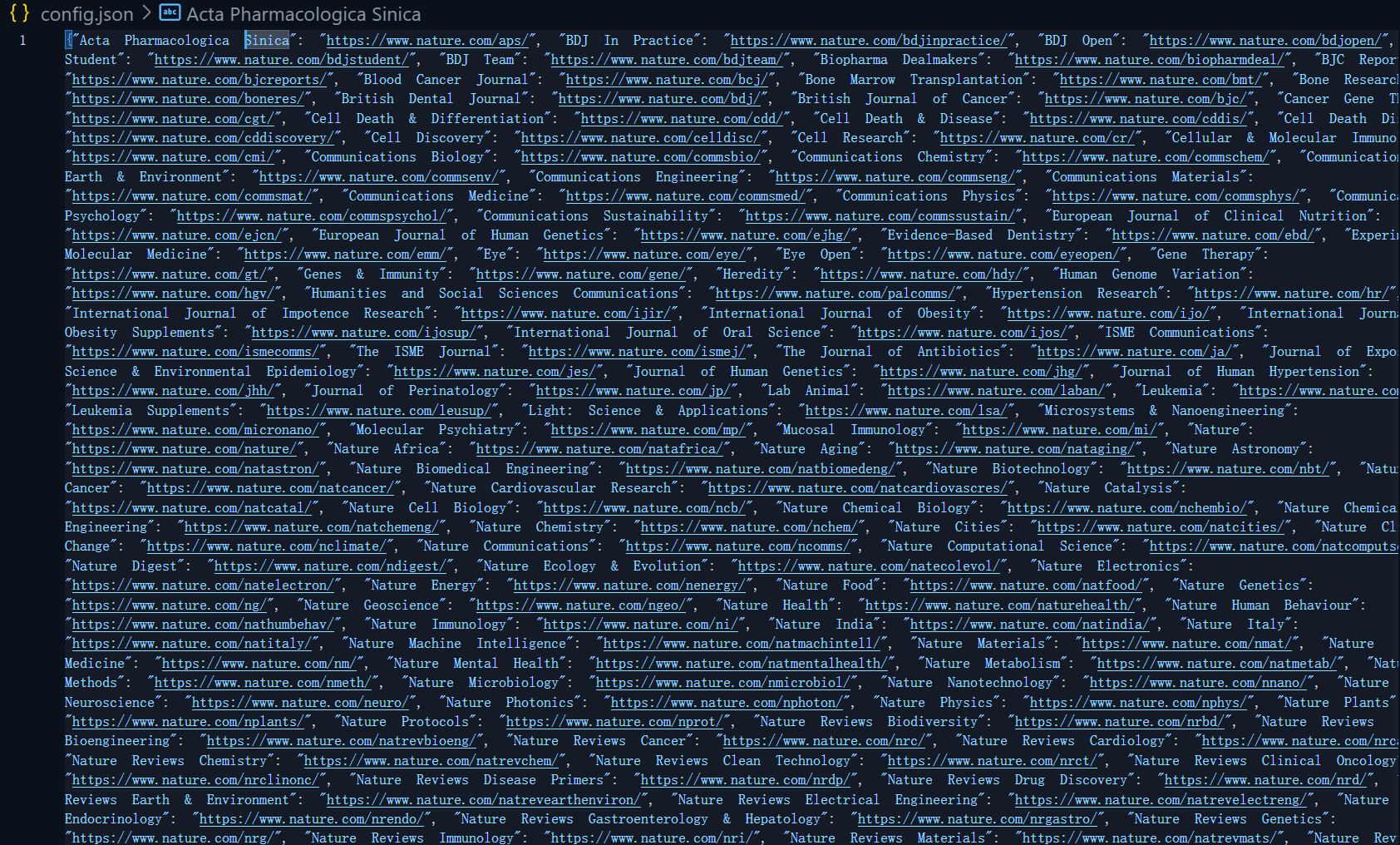
PDF爬取说明
当我们在爬取一些PDF文档时,要注意,如果使用发送请求的方式来爬取PDF的话,一定要保证可以拿到该PDF文档的浏览器PDF阅读器链接,比如:
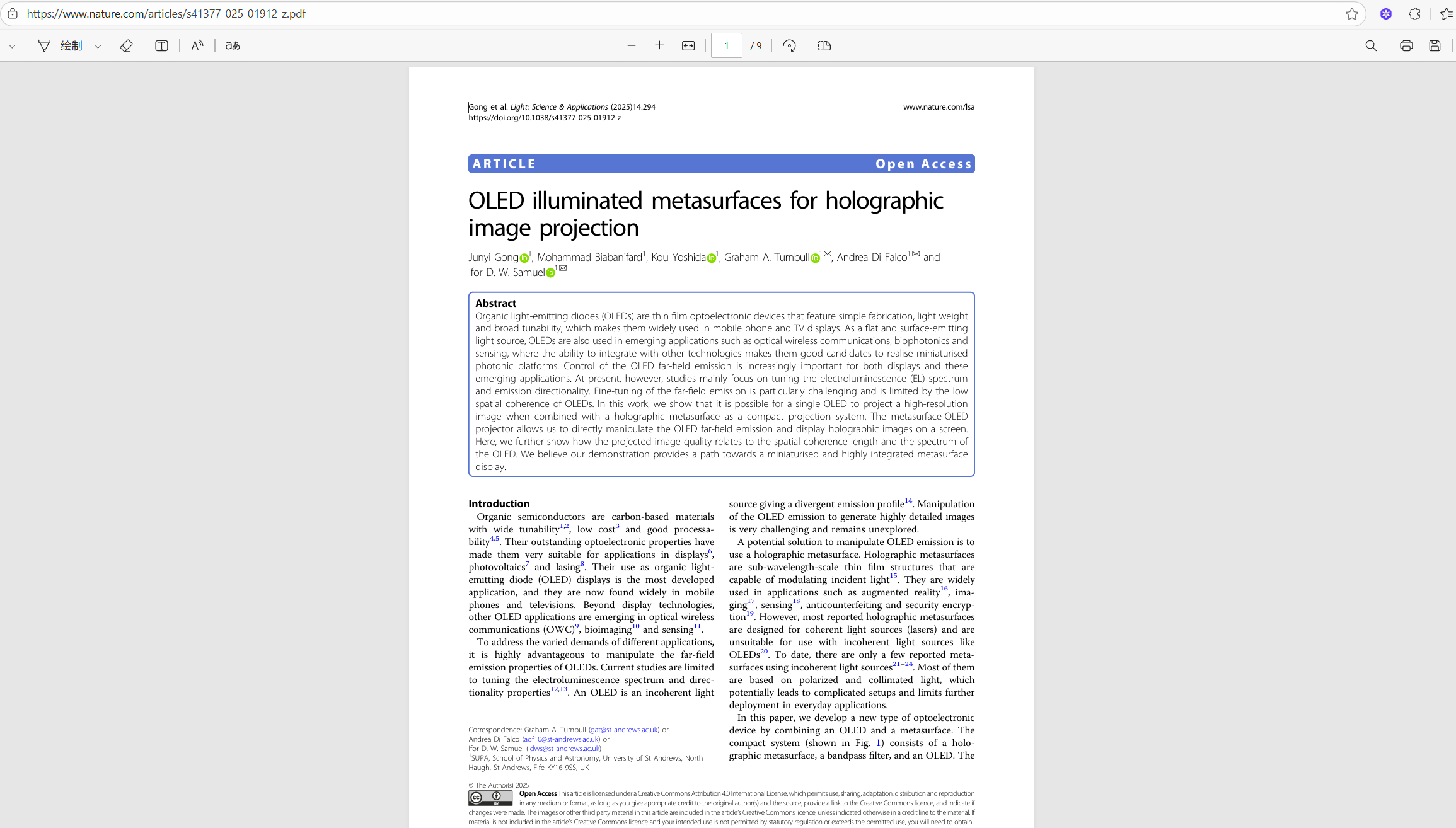
因为,只有这样,我们才可以使用
with open('test.pdf','wb') as pdf:
    pdf.write(response.content)
with open语句将response.content保存为本地的pdf。
如果这个网页内没有上述链接或接口,我们可以尝试在当前链接后添加一个.pdf,这有一定几率可以直接跳转到上图所示的界面,当然这不是所有网站都支持,最终还是取决于网站服务器的路由配置,某些网站,不会增加这样的接口,只可以通过一个PDF下载按钮,这样的网站下期我将详细讲解一下爬取策略。
子刊官网抓包分析
随便进入几个Gold OA子刊官网,发现它们的网页布局与结构除内容外一模一样
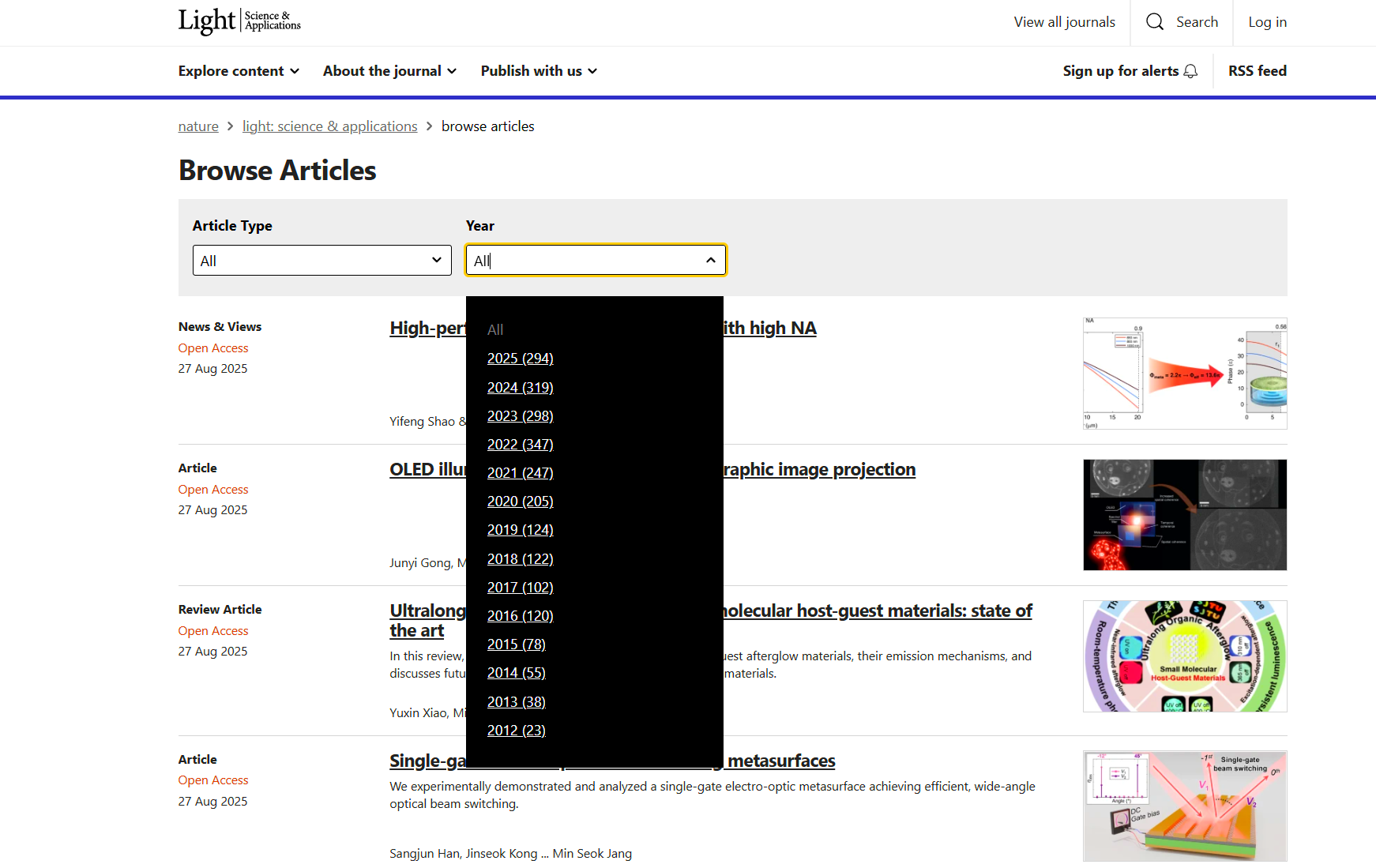
这十分利于我们的爬虫脚本一般化
https://www.nature.com/lsa/articles
https://www.nature.com/commseng/articles
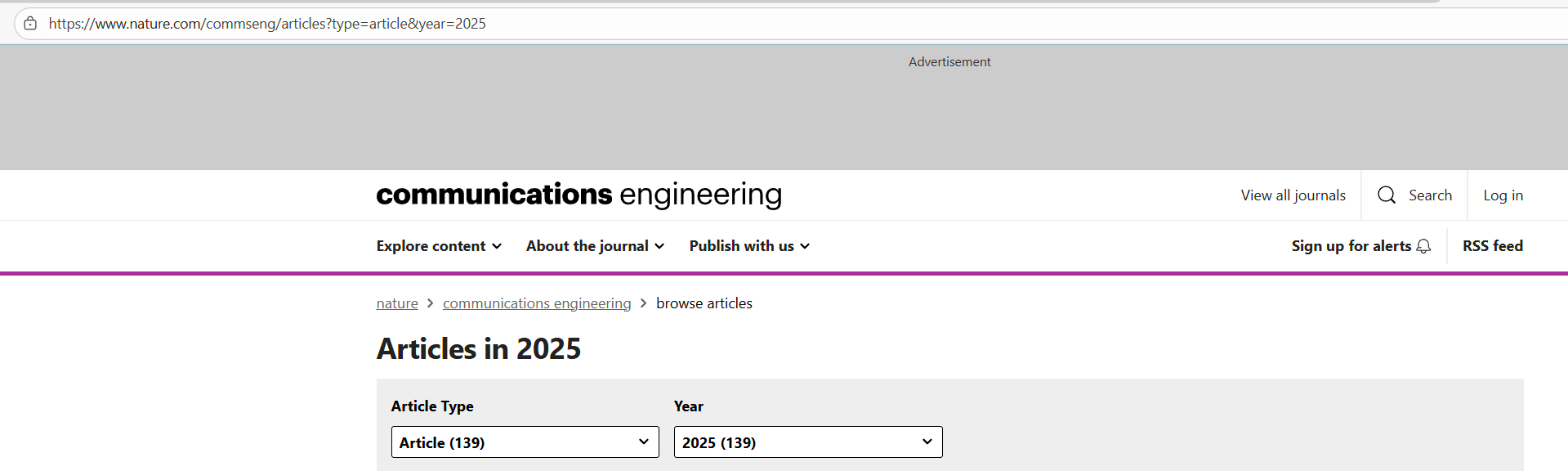
并且,在子刊官网链接后加一个/articles便可直接跳转到Browse Articles界面,那么接下来就是在Browse Articles网页内爬取论文标题与PDF链接了。
同时注意到,当我们选择Article Type与 Year时,顶部的Url中会多几个明文查询参数,这说明该网页内的内容是通过get方法获取,并且支持自定义查询参数。
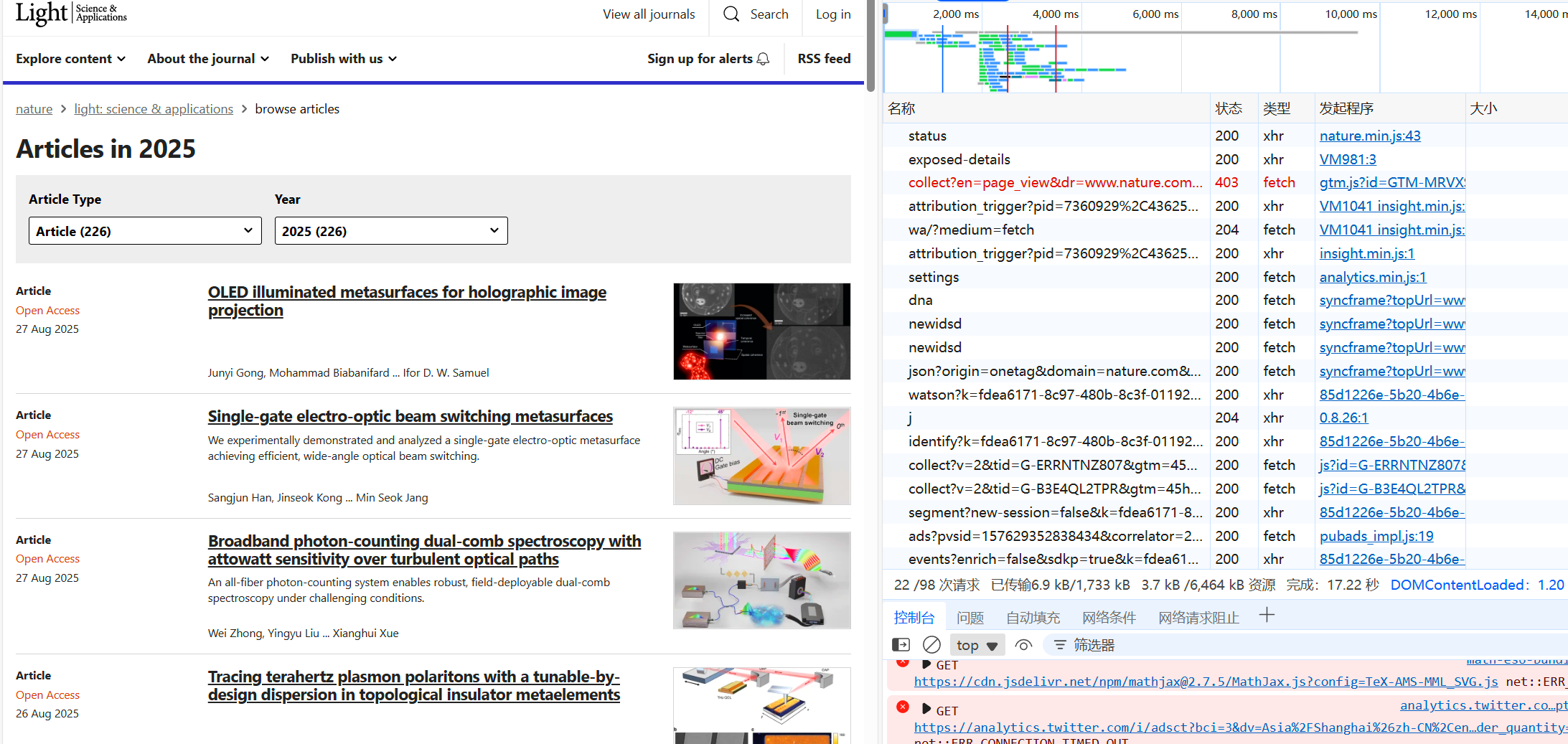
按下F12,打开开发者工具,在网络-Fetch/XHR选项中看看,发现没有什么可用的json
那就再看看网页源代码
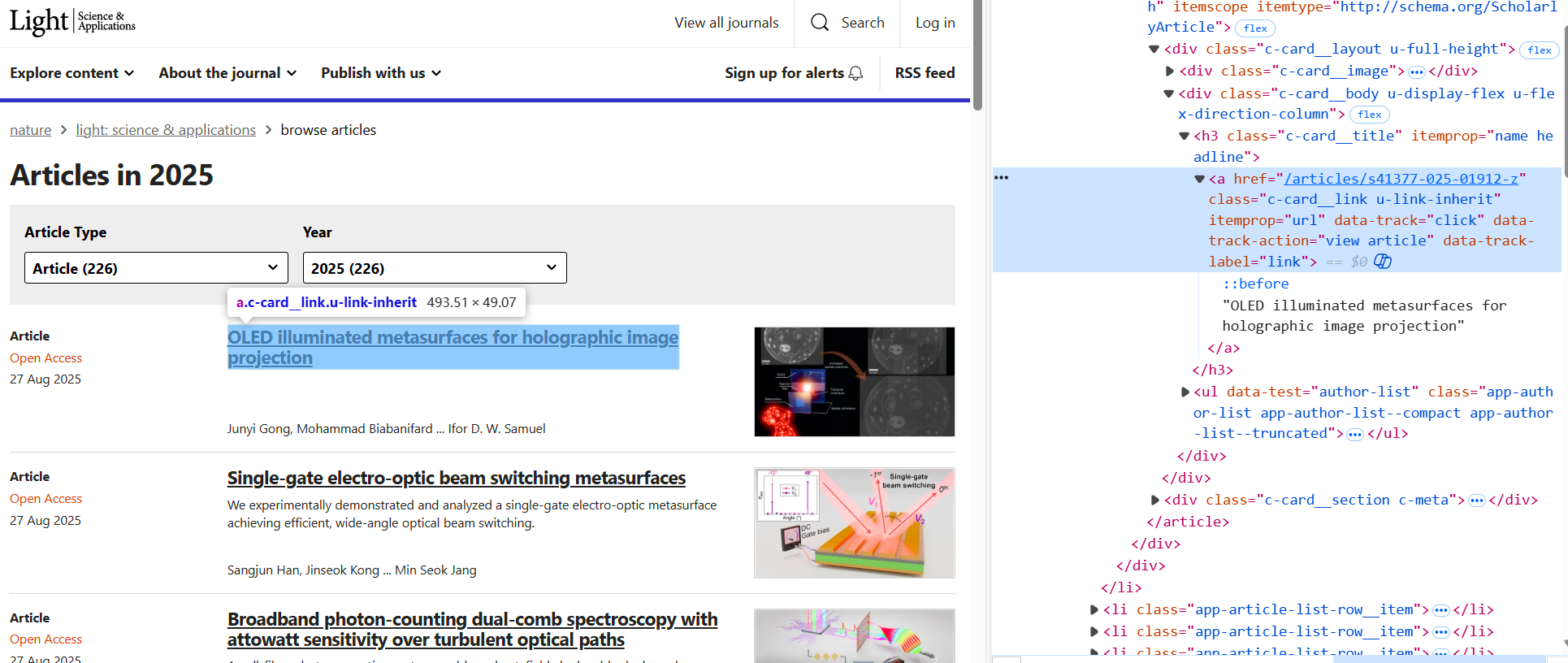
鼠标右键文章标题部分发现需要的链接

但,需要注意的是,当我们点击文章标题,激活该链接后会直接跳转到一个新网页,并非浏览器PDF阅读器界面,这并不利于我们爬取,不过,经过我的测试,只要在该链接中添加一个.pdf便会跳转到浏览器PDF阅读器界面。
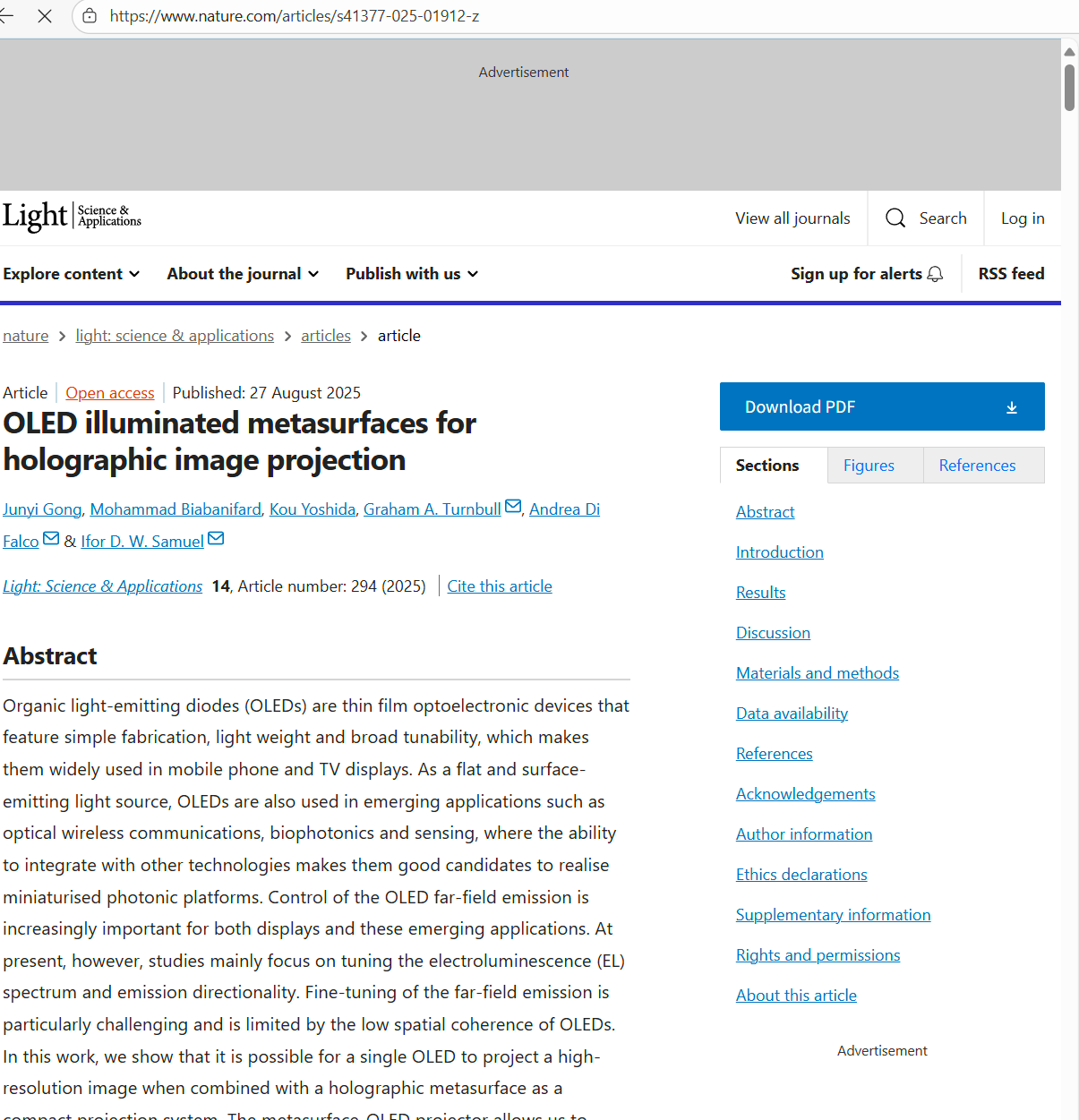
url不含.pdf
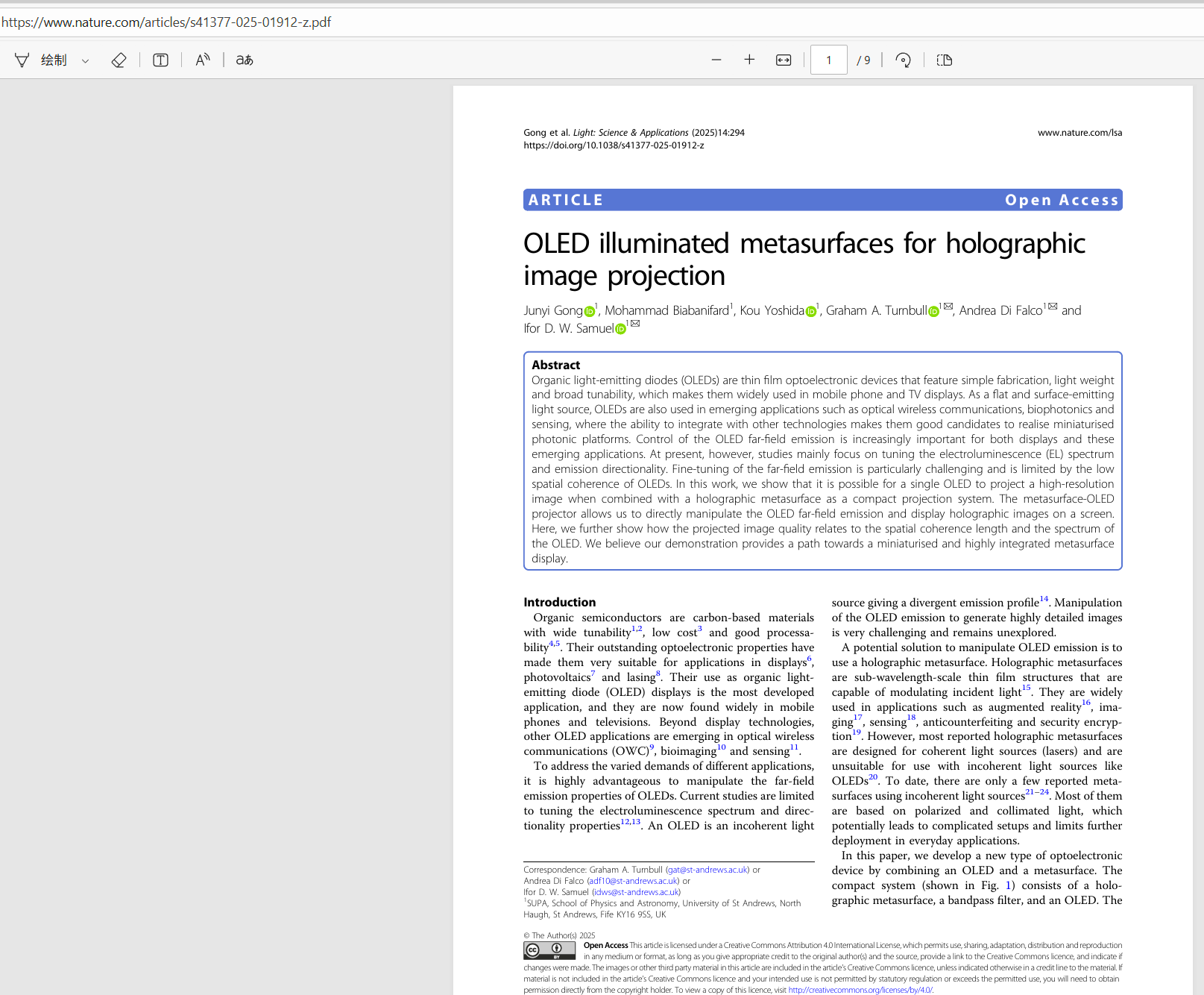
url手动添加一个.pdf后缀后,强制使用pdf阅读器打开
获取PDF链接
考虑到所有文章数量多,全部下载无IP代理池极其容易被检测,所以这里我们只下载当月的论文即可,那么根据前边的分析,我们便可以通过下述代码来获取指定期刊名称的当月最新论文PDF链接:
import json
import time
import requests
from bs4 import BeautifulSoup
from requests.adapters import HTTPAdapter
with open('config.json','r',encoding='utf-8') as f:
    journal_info=json.loads(f.read())

def get_session():
    """创建session"""
    session=requests.Session()
    # 配置连接池
    adapter=HTTPAdapter(
        pool_connections=10,
        pool_maxsize=35,
        max_retries=3,
        pool_block=False
    )
    session.max_redirects=3
    session.mount('http://', adapter)
    session.mount('https://', adapter)
    return session

def get_crawl_link(journal_name:str,year:str=time.strftime('%Y'),month:str=time.strftime('%m'),max_pages:int=3):
    '''
    该函数用来获取指定期刊名称当月最新论文爬取链接,也可获得链接后手动下载
    Args:
        journal_name:指定期刊名称
        year:指定年份,格式YYYY
        month:指定月份,格式MM
        max_pages:在max_pages页内查找指定year和month出版的论文,一般nature当月出版的轮文数量不会超过3页
    '''
    pdfLinks=[]
    Titles=[]
    published_times=[]
    journal_link=journal_info.get(journal_name)
    if not journal_link:
        raise ValueError('错误,Nature无该子刊!')
    journal_link+='articles'
    headers={
        'accept': 'text/html,application/xhtml+xml,application/xml;q=0.9,image/avif,image/webp,image/apng,*/*;q=0.8,application/signed-exchange;v=b3;q=0.7',
        'accept-language': 'zh-CN,zh;q=0.9,en;q=0.8,en-GB;q=0.7,en-US;q=0.6',
        'cache-control': 'no-cache',
        'pragma': 'no-cache',
        'priority': 'u=0, i',
        'referer': journal_link,
        'upgrade-insecure-requests': '1',
        'user-agent': 'Mozilla/5.0 (Windows NT 10.0; Win64; x64) AppleWebKit/537.36 (KHTML, like Gecko) Chrome/139.0.0.0 Safari/537.36 Edg/139.0.0.0',
        }
    params={
        'searchType': 'journalSearch',
        'sort': 'PubDate',
        'type': 'article',
        'year': year,
        'page': '1',
        }
    session=get_session()
    for page in range(1,max_pages+1):
        params['page']=str(page)
        response=session.get(journal_link, params=params, headers=headers)
        soup=BeautifulSoup(response.text,'html.parser')
        a_tags=soup.find_all('a',class_='c-card__link u-link-inherit')
        time_tags=soup.find_all('time',class_='c-meta__item c-meta__item--block-at-lg')
        Titles.extend([a_tag.text for a_tag in a_tags])
        pdfLinks.extend(['https://www.nature.com'+a_tag.get('href')+'.pdf' for a_tag in a_tags])
        published_times.extend([item.get('datetime') for item in time_tags])
    published_this_month=[timestamp for timestamp in published_times if f'{year}-{month}' in timestamp]
    Titles=Titles[:len(published_this_month)]
    pdfLinks=pdfLinks[:len(published_this_month)]
    return Titles,pdfLinks
get_crawl_link('Communications Medicine')
运行效果
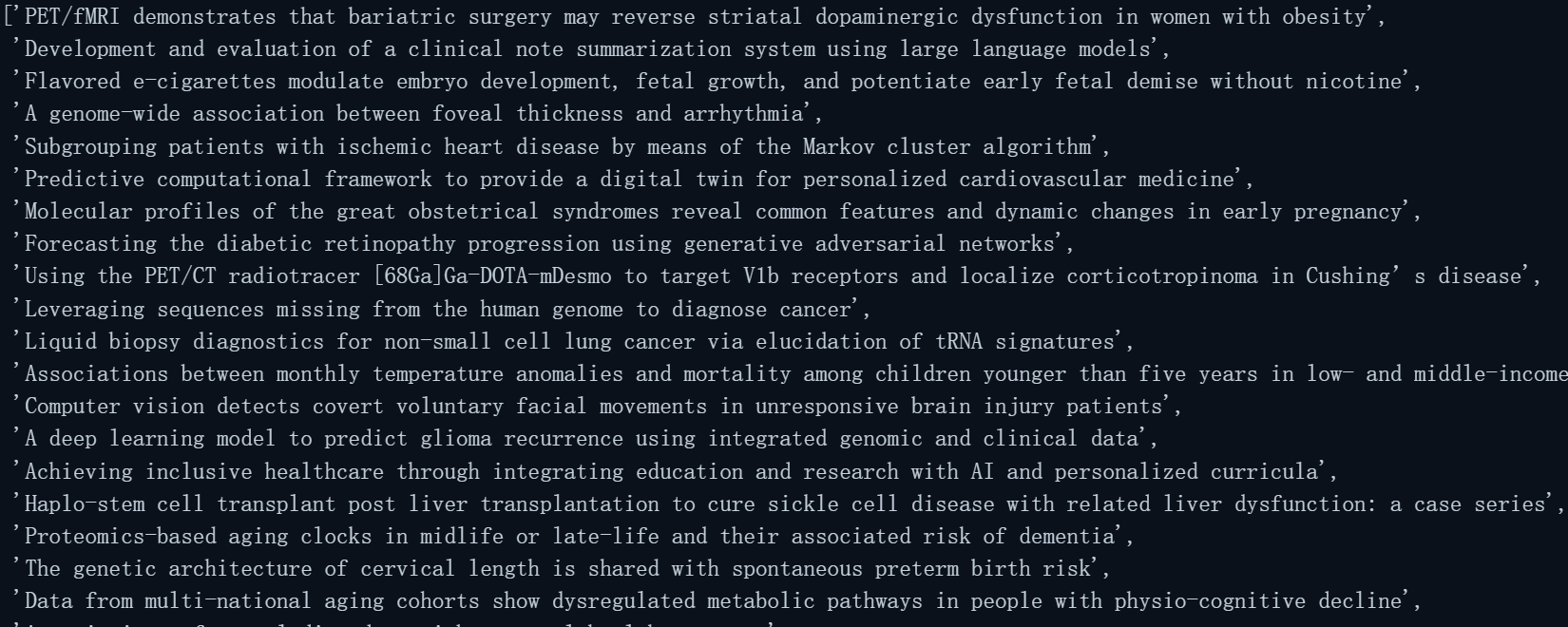
论文标题
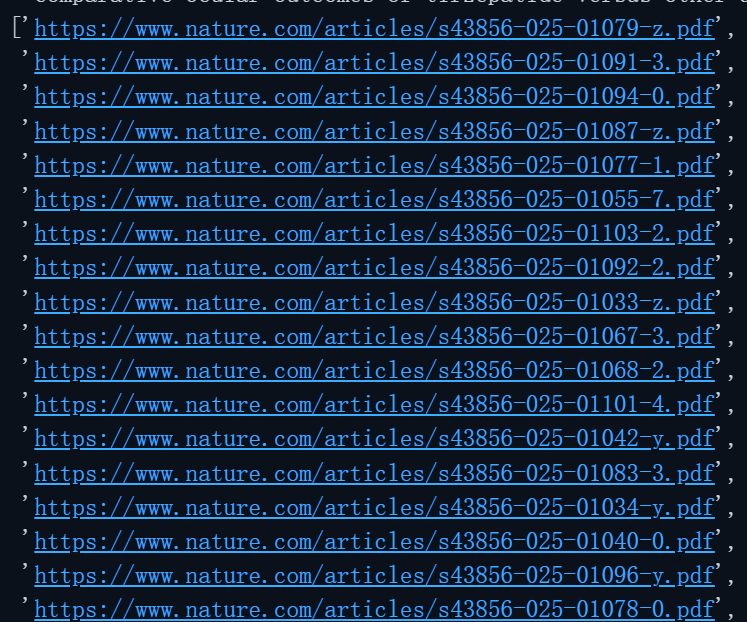
论文PDF阅读链接
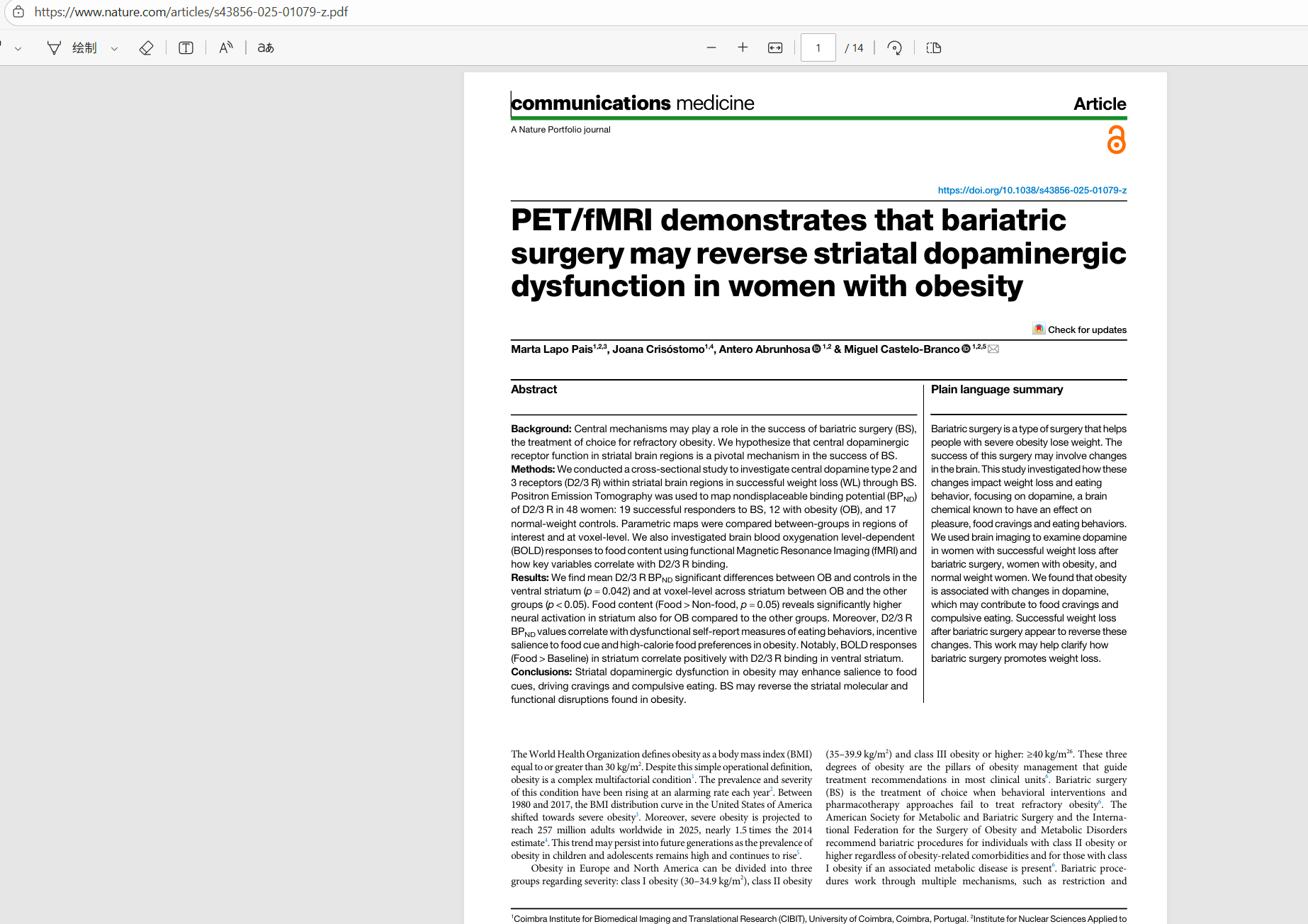
任意链接浏览器中打开
PDF爬取
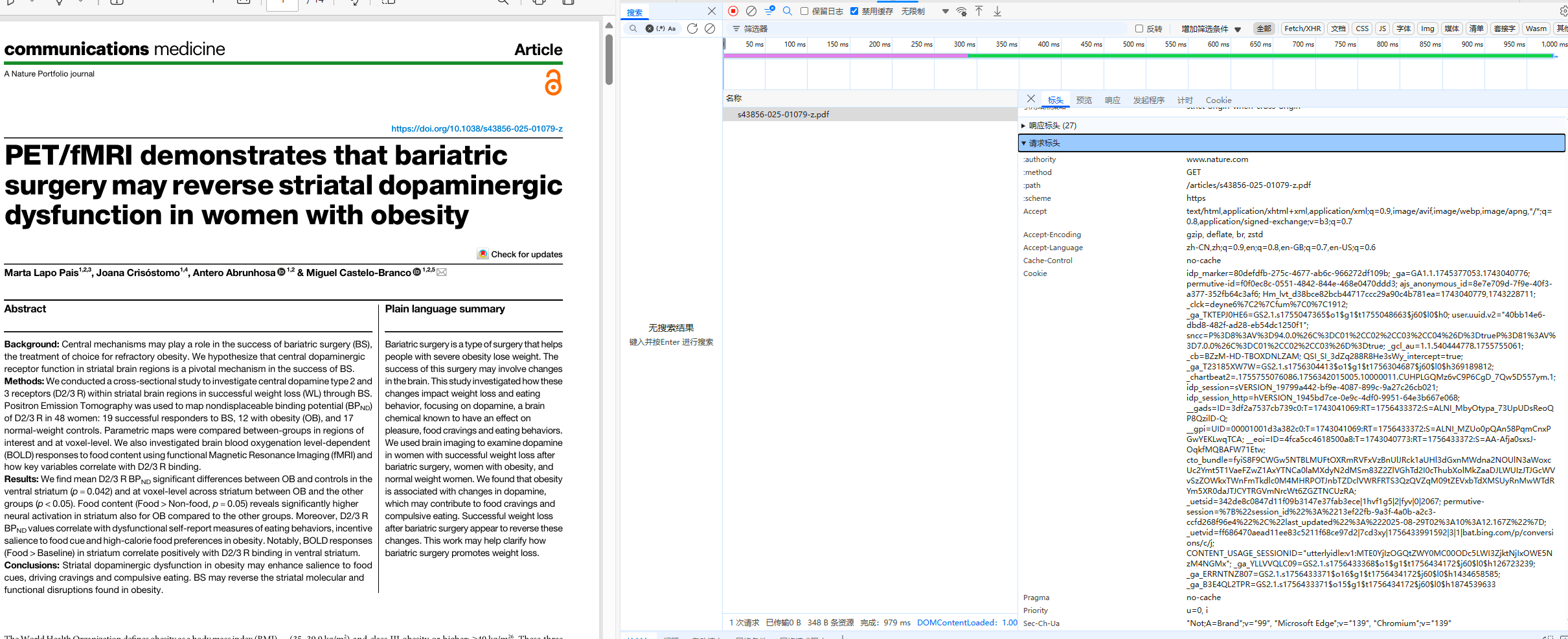
这种形式的PDF链接非常适合爬取,在该网页中,按下F12打开开发人员工具,观察其响应Headers,不难写出这样一个爬虫代码。
爬取单个PDF
import re
import os
import requests
def crawl_pdf(download_path,title,url):
        pdf_headers={
        'accept': 'text/html,application/xhtml+xml,application/xml;q=0.9,image/avif,image/webp,image/apng,*/*;q=0.8,application/signed-exchange;v=b3;q=0.7',
        'accept-language': 'zh-CN,zh;q=0.9,en;q=0.8,en-GB;q=0.7,en-US;q=0.6',
        'cache-control': 'no-cache',
        'pragma': 'no-cache',
        'priority': 'u=0, i',
        'upgrade-insecure-requests': '1',
        'user-agent': 'Mozilla/5.0 (Windows NT 10.0; Win64; x64) AppleWebKit/537.36 (KHTML, like Gecko) Chrome/139.0.0.0 Safari/537.36 Edg/139.0.0.0',
        }
        illegal_chars=r'[\\/*?:"<>|]'
        title=re.sub(illegal_chars, ' ', title)
        pdf_path=os.path.join(download_path,f'{title}.pdf')
        if not os.path.exists(pdf_path):
            response=requests.get(url,headers=pdf_headers)
            with open(pdf_path,'wb') as pdf:
                pdf.write(response.content)
        else:
                print('本地已存在,无需爬取!')
完整代码
import re
import os
import json
import time
import requests
from bs4 import BeautifulSoup
from requests.adapters import HTTPAdapter
from concurrent.futures import ThreadPoolExecutor

with open('config.json','r',encoding='utf-8') as f:
    journal_info=json.loads(f.read())

class Nature_Crawler():
    def __init__(self):
        self.session=self.get_session()
    def get_session(self):
        '''用来创建一个Session'''
        session=requests.Session()
        # 配置连接池
        adapter=HTTPAdapter(
            pool_connections=10,
            pool_maxsize=35,
            max_retries=3,
            pool_block=False
        )
        session.max_redirects=3
        session.mount('http://', adapter)
        session.mount('https://', adapter)
        return session

    def get_crawl_link(self,journal_name:str,year:str=time.strftime('%Y'),month:str=time.strftime('%m'),max_pages:int=3):
        '''
        该函数用来获取指定期刊名称当月最新论文爬取链接,也可获得链接后手动下载
        Args:
            journal_name:指定期刊名称
            year:指定年份,格式YYYY
            month:指定月份,格式MM
            max_pages:在max_pages页内查找指定year和month出版的论文,一般nature当月出版的轮文数量不会超过3页
        '''
        pdfLinks=[]
        Titles=[]
        published_times=[]
        journal_link=journal_info.get(journal_name)
        if not journal_link:
            raise ValueError('错误,Nature无该子刊!')
        journal_link+='articles'
        headers={
            'accept': 'text/html,application/xhtml+xml,application/xml;q=0.9,image/avif,image/webp,image/apng,*/*;q=0.8,application/signed-exchange;v=b3;q=0.7',
            'accept-language': 'zh-CN,zh;q=0.9,en;q=0.8,en-GB;q=0.7,en-US;q=0.6',
            'cache-control': 'no-cache',
            'pragma': 'no-cache',
            'priority': 'u=0, i',
            'referer': journal_link,
            'upgrade-insecure-requests': '1',
            'user-agent': 'Mozilla/5.0 (Windows NT 10.0; Win64; x64) AppleWebKit/537.36 (KHTML, like Gecko) Chrome/139.0.0.0 Safari/537.36 Edg/139.0.0.0',
            }
        params={
            'searchType': 'journalSearch',
            'sort': 'PubDate',
            'type': 'article',
            'year': year,
            'page': '1',
            }

        for page in range(1,max_pages+1):
            params['page']=str(page)
            response=self.session.get(journal_link, params=params, headers=headers)
            soup=BeautifulSoup(response.text,'html.parser')
            a_tags=soup.find_all('a',class_='c-card__link u-link-inherit')
            time_tags=soup.find_all('time',class_='c-meta__item c-meta__item--block-at-lg')
            Titles.extend([a_tag.text for a_tag in a_tags])
            pdfLinks.extend(['https://www.nature.com'+a_tag.get('href')+'.pdf' for a_tag in a_tags])
            published_times.extend([item.get('datetime') for item in time_tags])
        published_this_month=[timestamp for timestamp in published_times if f'{year}-{month}' in timestamp]
        Titles=Titles[:len(published_this_month)]
        pdfLinks=pdfLinks[:len(published_this_month)]
        return Titles,pdfLinks

    def crawl_pdf(self,download_path,title,url):
        '''
        该函数用来根据pdf链接爬取pdf,最终爬取到的pdf以title命名
        Args:
           download_path:pdf下载路径,需要是文件夹
           title:pdf名称
           url:pdf链接
        '''
        pdf_headers={
        'accept': 'text/html,application/xhtml+xml,application/xml;q=0.9,image/avif,image/webp,image/apng,*/*;q=0.8,application/signed-exchange;v=b3;q=0.7',
        'accept-language': 'zh-CN,zh;q=0.9,en;q=0.8,en-GB;q=0.7,en-US;q=0.6',
        'cache-control': 'no-cache',
        'pragma': 'no-cache',
        'priority': 'u=0, i',
        'upgrade-insecure-requests': '1',
        'user-agent': 'Mozilla/5.0 (Windows NT 10.0; Win64; x64) AppleWebKit/537.36 (KHTML, like Gecko) Chrome/139.0.0.0 Safari/537.36 Edg/139.0.0.0',
        }
        illegal_chars=r'[\\/*?:"<>|]'
        title=re.sub(illegal_chars, ' ', title)
        pdf_path=os.path.join(download_path,f'{title}.pdf')
        if not os.path.exists(pdf_path):
            response=self.session.get(url,headers=pdf_headers)
            with open(pdf_path,'wb') as pdf:
                pdf.write(response.content)
        else:
            print(f'本地已下载,无需下载!')

    def download(self,download_path,journal_name:str,year:str=time.strftime('%Y'),month:str=time.strftime('%m'),max_pages:int=3):
        '''
        该函数用来根据期刊名称多线程爬取当月最新论文
        Args:
            journal_name:指定Nature子刊名称
            year:指定年份,格式YYYY
            month:指定月份,格式MM
            max_pages:在max_pages页内查找指定year和month出版的论文,一般nature当月出版的轮文数量不会超过3页
        '''
        titles,pdf_Links=self.get_crawl_link(journal_name=journal_name,year=year,month=month,max_pages=max_pages)
        if titles and pdf_Links:
            args_list=list(zip([download_path]*len(titles),titles,pdf_Links))
            with ThreadPoolExecutor(max_workers=10) as pool:
                pool.map(lambda args:self.crawl_pdf(*args),args_list)
        else:
            print(f'未查询到{journal_name}在{year}年{month}月出版的articles')

crawler=Nature_Crawler()
crawler.download(r"E:\Desktop\测试",'Communications Medicine','2025','08')
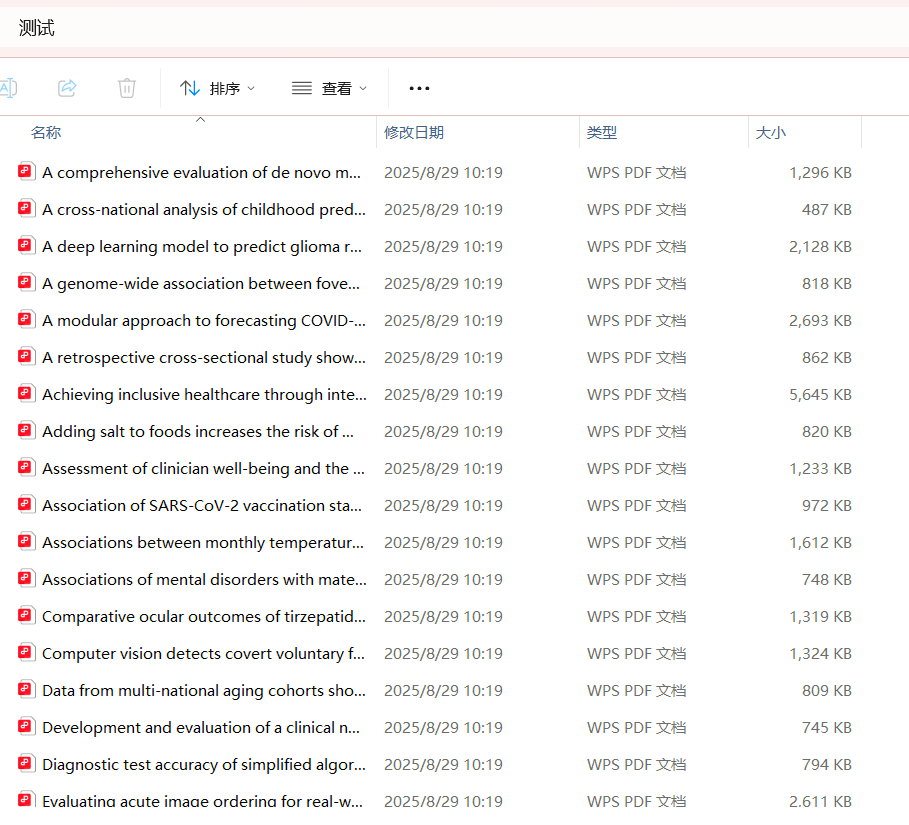
运行效果
浅聊爬虫
这里,和大家聊一聊爬虫时的注意事项以及可能的技术要点,观点全部来自于作者本人,如与你不符那一切依你为准。
何时使用Session
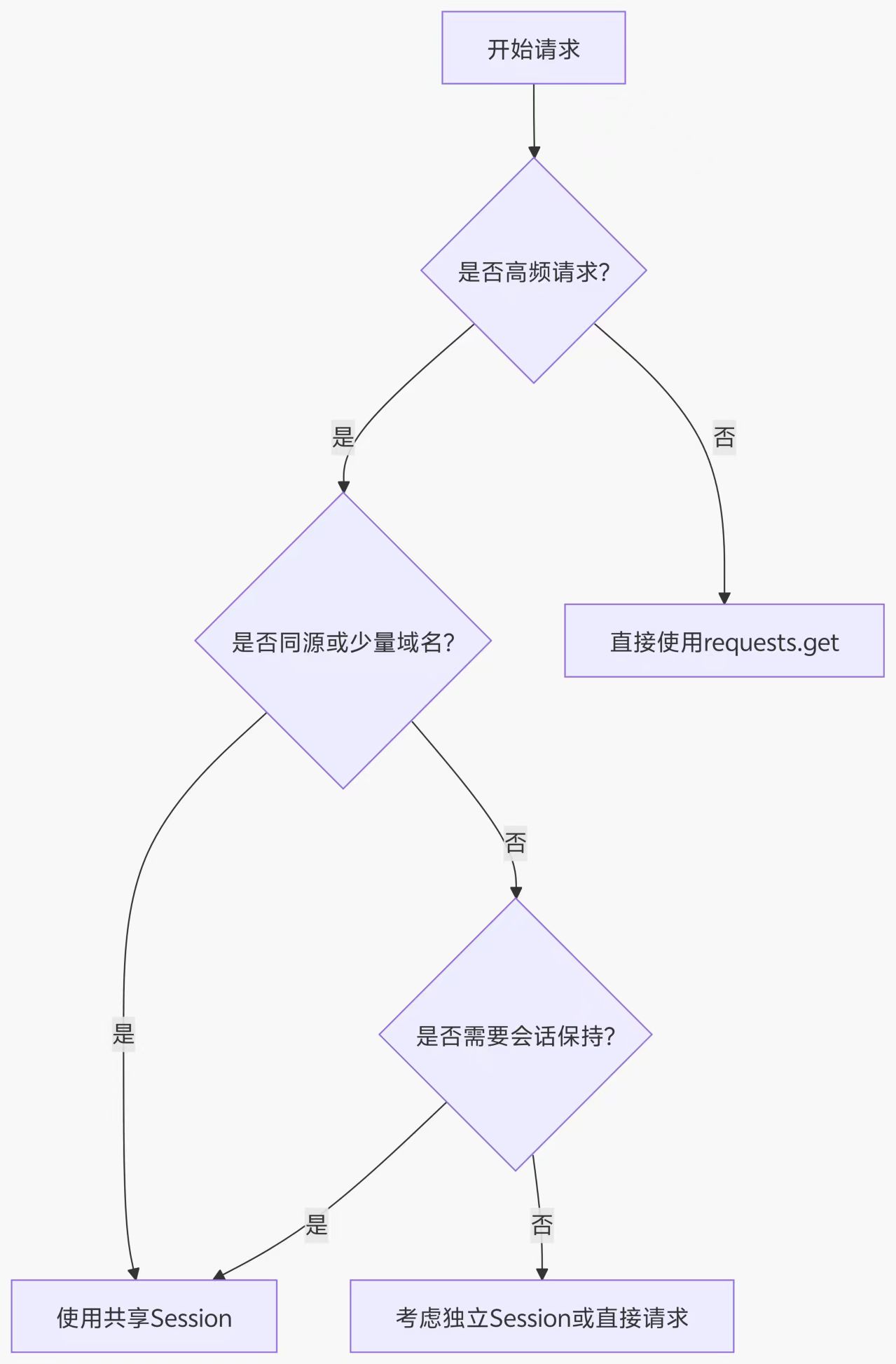
上图给出了在爬虫任务中,使用Session的具体场景。特别是我们在爬取同一个域名下不同链接的内容时,使用Session绝对是一个明智的选择,比如本文的论文爬虫系统、
下表给出了requests.get与session.get二者之间的差别,
| 指标 | requests.get | session.get |
|---|---|---|
| TCP连接建立 | 每次新建连接 | 连接复用(Keep-Alive) |
| SSL握手开销 | 每次都需要 | 仅首次需要 |
| 内存占用 | 较低(无状态) | 较高(维护连接池) |
| 吞吐量 | 低(约500请求/秒) | 高(可达3000+请求/秒) |
| 延迟 | 高(每次100-300ms握手) | 低(减少60-80%延迟) |
可以发现,session.get与requests.get相比最大的优势就是其支持连接复用,特别是当我们高并发多线程爬虫时,如果使用requests.get发送请求,每次都需要建立新的连接,不仅耗时,还容易被对方服务器检测到异常行为(短时间内建立大量新的连接产生大量SYN包,消耗服务器端口资源)
而目前,绝大多数网站的反爬机制都是,短时间内链接次数超过一定阈值封禁IP,使该IP无法继续访问网站。
if src_ip.count_new_connections>50(阈值)
    block_ip
如果使用session.get发送请求,只需建立连接一次,更加拟人化,特别地,如果存在登录cookie,使用session发送请求还可以一直持续登录的状态,但如果是requests发送请求,每次都建立一个新的连接,每次都需要登录验证。
总结

本文经过详细的抓包分析,使用requests构建session并使用ThreadPoolExecutor构建了一个多线程Nature论文爬虫系统。

北京人形旗下天工造物具身智能开源社区,聚焦具身天工与慧思开物两大平台
更多推荐
 22
22 0
0- 0


 已为社区贡献4条内容

所有评论(0)