Python爬虫爬取微博话题评论(2025新版)
·
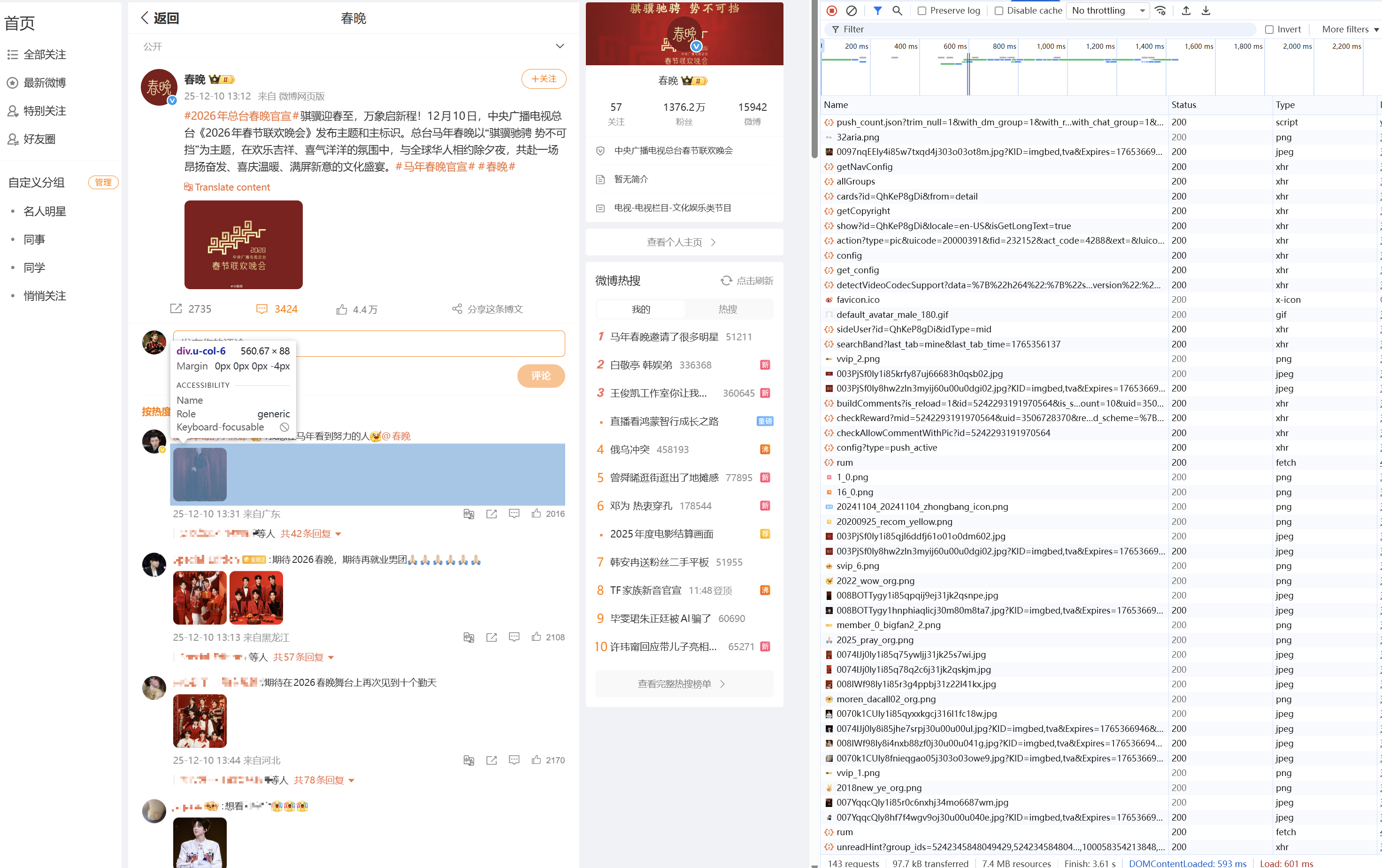
为了解决微博的反爬导致爬取失败,这里使用了selenium库进行真实网页的打开,在运行程序时,需要先保证浏览器的打开,因为需要进行登录操作进行验证。
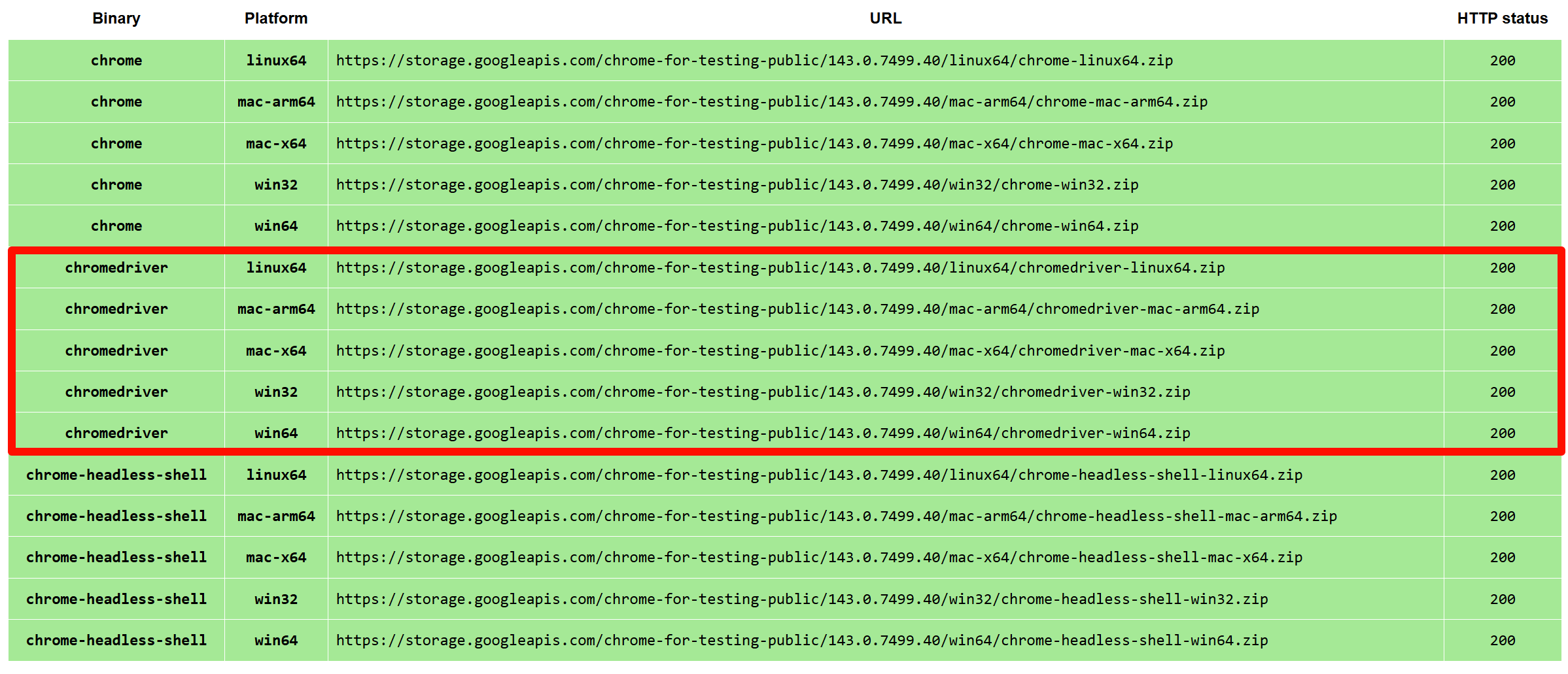
chromedriver安装
首先,安装chromedriver.exe(官方安装地址)
本地运行需要替换的变量内容
在完整的代码中,需要提供的变量包括:
# 要爬取的话题url
TOPIC_URLS = [
    "https://m.weibo.cn/6217939256/Pn6Yo6P2F#comment",
    "https://m.weibo.cn/6217939256/PjxGWCwdZ#comment",
    "https:/m.weibo.cn/6217939256/PeYOhmHZj#comment",
    "https://m.weibo.cn/6217939256/PlFehybSu#comment",
    "https://m.weibo.cn/6217939256/Pj07BFAmF#comment",
]

# 输出路径
OUTPUT_FILE = "../Comments_Separated/comments_weibo.csv"

# 你本地的chromedriver路径
service = Service("D:\\chromedriver-win64\\chromedriver.exe")
其他参数说明
scroll_to_bottom函数:max_scrolls:int类型,页面最大下滑数量,控制爬取的数量。wait:float类型,等待时长,每次滑动加载元素预留的时间,可以根据网速自行调节。tolerance:int类型,容忍度,当5次滑动没有新元素产生时,退出循环。
完整代码
from selenium import webdriver
from selenium.webdriver.common.by import By
from selenium.webdriver.chrome.options import Options
from selenium.webdriver.chrome.service import Service
from selenium.webdriver.support.ui import WebDriverWait
from selenium.webdriver.support import expected_conditions as EC
import time
import csv

# ===== 设置官微主页链接和输出文件 =====
TOPIC_URLS = [
    "https://m.weibo.cn/6217939256/Pn6Yo6P2F#comment",
    "https://m.weibo.cn/6217939256/PjxGWCwdZ#comment",
    "https:/m.weibo.cn/6217939256/PeYOhmHZj#comment",
    "https://m.weibo.cn/6217939256/PlFehybSu#comment",
    "https://m.weibo.cn/6217939256/Pj07BFAmF#comment",
]
OUTPUT_FILE = "../Comments_Separated/comments_weibo.csv"

# ===== 初始化浏览器设置 =====
options = Options()
options.add_argument("--start-maximized")

service = Service("D:\\chromedriver-win64\\chromedriver.exe")  # 替换为你本地chromedriver路径
driver = webdriver.Chrome(service=service, options=options)
driver.get("https://passport.weibo.com")

input("请扫码登录微博后按回车继续")

def scroll_to_bottom(max_scrolls=50, wait=1.2, tolerance=5):
    last_height = driver.execute_script("return document.body.scrollHeight")
    last_offset = driver.execute_script("return window.pageYOffset")
    same_count = 0

    for i in range(max_scrolls):
        driver.execute_script("window.scrollTo(0, document.body.scrollHeight);")
        time.sleep(wait)

        new_height = driver.execute_script("return document.body.scrollHeight")
        current_offset = driver.execute_script("return window.pageYOffset")

        if new_height == last_height and current_offset == last_offset:
            same_count += 1
        else:
            same_count = 0

        if same_count >= tolerance:
            print("到底了")
            break

        last_height = new_height
        last_offset = current_offset

# ===== 评论提取函数(终极稳定版) =====
def extract_comments_from_post(post_url):

    comments_data = []

    try:
        driver.get(post_url)
        time.sleep(2)
        scroll_to_bottom(50)

        # scroll_comment_container()  # 滚动评论区容器

        WebDriverWait(driver, 5).until(
            EC.presence_of_element_located((By.CSS_SELECTOR, "div.card.m-avatar-box.lite-page-list"))
        )

        comments = driver.find_elements(By.CSS_SELECTOR, "div.card.m-avatar-box.lite-page-list")
        for i, c in enumerate(comments):
            try:
                username = c.find_element(By.CSS_SELECTOR, "h4.m-text-cut").text.strip()
                content = c.find_element(By.CSS_SELECTOR, "h3").text.strip()
                time_location = c.find_element(By.CSS_SELECTOR, "div.time").text.strip()

                # 拆分时间 & 地区
                parts = ""
                if time_location:
                    parts = time_location.split("来自")
                datetime = parts[0] if parts else ""
                location = parts[1] if parts else ""

                # 保存格式化数据(示意)
                comments_data.append([
                    username, content, datetime, location
                ])
            except Exception as e:
                continue


    except Exception as e:
        print(f"抓取失败:{post_url} 错误:{e}")
    return comments_data

# ===== 主流程遍历每个话题页 =====
data = []
for topic_url in TOPIC_URLS:
    driver.get(topic_url)
    time.sleep(2)

    print(f"正在抓取评论:{topic_url}")
    comments = extract_comments_from_post(topic_url)
    data.extend(comments)

# ===== 保存结果为 CSV =====
with open(OUTPUT_FILE, mode="w", encoding="utf-8-sig", newline="") as f:
    writer = csv.writer(f)
    writer.writerow(["Username", "Comment", "Datetime", "Location"])
    writer.writerows(data)

print(f"抓取完成,共 {len(data)} 条评论,保存为 {OUTPUT_FILE}")
driver.quit()

北京人形旗下天工造物具身智能开源社区,聚焦具身天工与慧思开物两大平台
更多推荐
 6
6 0
0- 0


 已为社区贡献2条内容

所有评论(0)