npm安装依赖报错出现node—sass和python错误
什么是node-sass
-
node-sass是一个用于Node.js的库,用于将SCSS(Sassy CSS)文件编译为CSS文件。它是对LibSass的封装,LibSass是一个用C/C++编写的Sass编译器。使用node-sass,你可以在Node.js环境中快速、高效地将SCSS文件转换为CSS,从而简化前端开发工作。
为什么下载依赖时node-sass容易报错
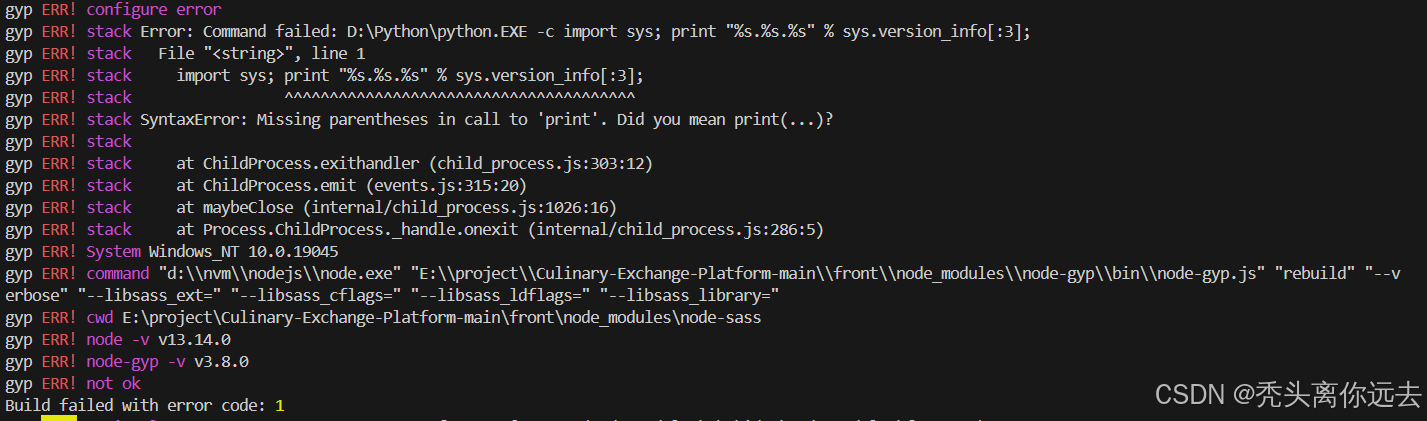
报错信息
gyp ERR! command "d:\\nvm\\nodejs\\node.exe" "E:\\project\\Culinary-Exchange-Platform-main\\front\\node_modules\\node-gyp\\bin\\node-gyp.js" "rebuild" "--verbose" "--libsass_ext=" "--libsass_cflags=" "--libsass_ldflags=" "--libsass_library="
gyp ERR! cwd E:\project\Culinary-Exchange-Platform-main\front\node_modules\node-sass
gyp ERR! node -v v13.14.0
gyp ERR! node-gyp -v v3.8.0
gyp ERR! not ok
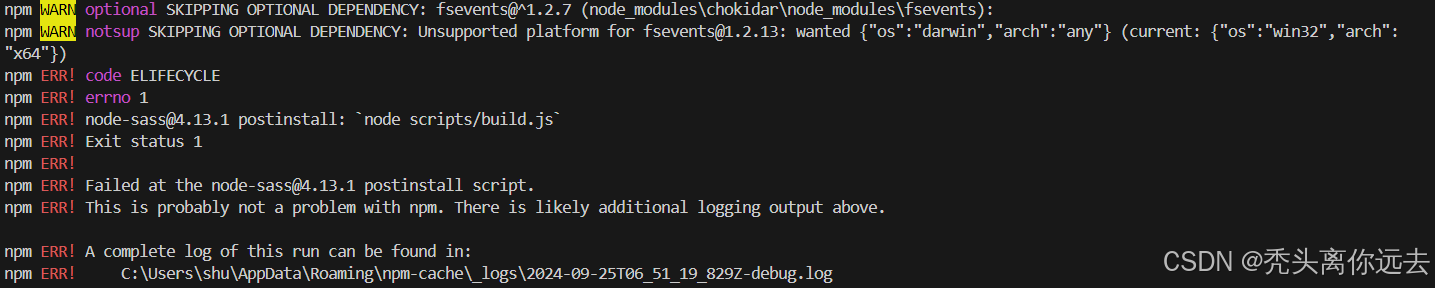
npm ERR! code ELIFECYCLE
npm ERR! errno 1
npm ERR! node-sass@4.13.1 postinstall: `node scripts/build.js`
npm ERR! Exit status 1
npm ERR!
npm ERR! Failed at the node-sass@4.13.1 postinstall script.
npm ERR! This is probably not a problem with npm. There is likely additional logging output above.
报错原因
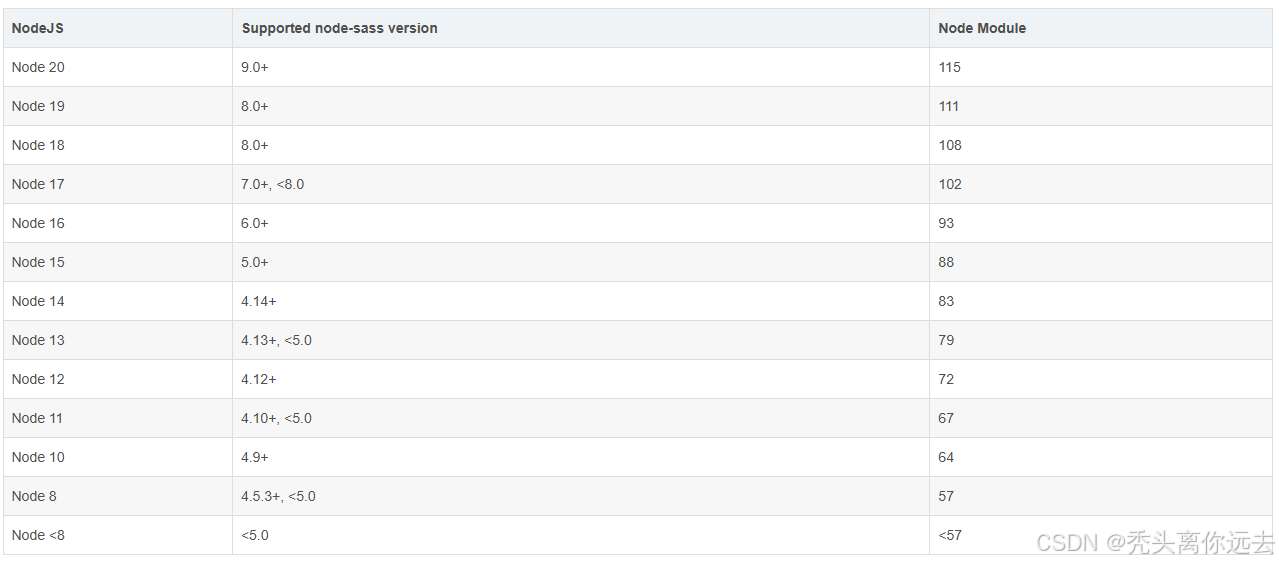
本地安装的node版本不同,需要安装的node-sass版本也是不一样的。node-sass官方给出了不同版本的node和node-sass的对应关系
解决办法
找到自己node对应的node-sass进行安装
npm install node-sass@^4.13.0 --registry=https://registry.npmmirror.com
建议使用淘宝源来安装node-sass
同时因为下载node-sass需要到github下载二进制文件,一般都难以下载会网络超时这时需要添加命令下载二进制文件也使用淘宝源
npm install node-sass@^4.13.0 --registry=https://registry.npmmirror.com --sass_binary_site=https://www.npmmirror.com/mirrors/node-sass/
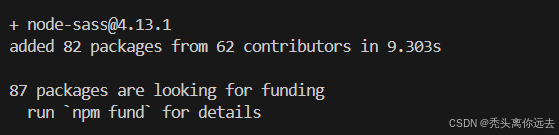
出现下面信息则代表成功安装可以运行项目啦
为什么没有sass会报Python错误
gyp verb check python checking for Python executable "python" in the PATH
gyp verb `which` succeeded python D:\Python\python.EXE
因为提示没有安装python、build失败,如果拉取binding.node失败,node-sass会尝试在本地编译binding.node,过程就需要用到python,所以只要node-sass安装成功就没有这个python错误了。

北京人形旗下天工造物具身智能开源社区,聚焦具身天工与慧思开物两大平台
更多推荐
 8
8 0
0- 0


 已为社区贡献1条内容

所有评论(0)