动手学深度学习——安装MXNET与d2l报错
简介
动手学AI时遇到的mxnet版本与numpy,requests等都不兼容问题
问题一:
安装深度学习框架和d2l软件包时,运行nvcc --version查看cuda版本:
(d2l) C:\Users\86185\Downloads>nvcc --version
nvcc: NVIDIA (R) Cuda compiler driver
Copyright (c) 2005-2023 NVIDIA Corporation
Built on Tue_Aug_15_22:09:35_Pacific_Daylight_Time_2023
Cuda compilation tools, release 12.2, V12.2.140
Build cuda_12.2.r12.2/compiler.33191640_0
我电脑的cuda版本是12.2。
将pip install mxnet-cu101==1.7.0 -f https://dist.mxnet.io/python改为:pip install mxnet-cu122==1.7.0 -f https://dist.mxnet.io/python
报错:

分析原因
cuda_12.2可以向下兼容,因此不用修改。
解决办法:
重新运行pip install mxnet-cu101==1.7.0 -f https://dist.mxnet.io/python
问题二
在安装d2l包时,运行
pip install d2l==0.17.6时,出现mxnet版本与numpy、requests等都不兼容问题

ERROR: pip's dependency resolver does not currently take into account all the packages that are installed. This behaviour is the source of the following dependency conflicts.
mxnet-cu101 1.7.0 requires numpy<1.17.0,>=1.8.2, but you have numpy 1.21.5 which is incompatible.
mxnet-cu101 1.7.0 requires requests<2.19.0,>=2.18.4, but you have requests 2.25.1 which is incompatible.
解决办法:
简单粗暴,也不知道后边会不会报错,反正就conda install numpy==1.8.2和conda install requests==2.18.4
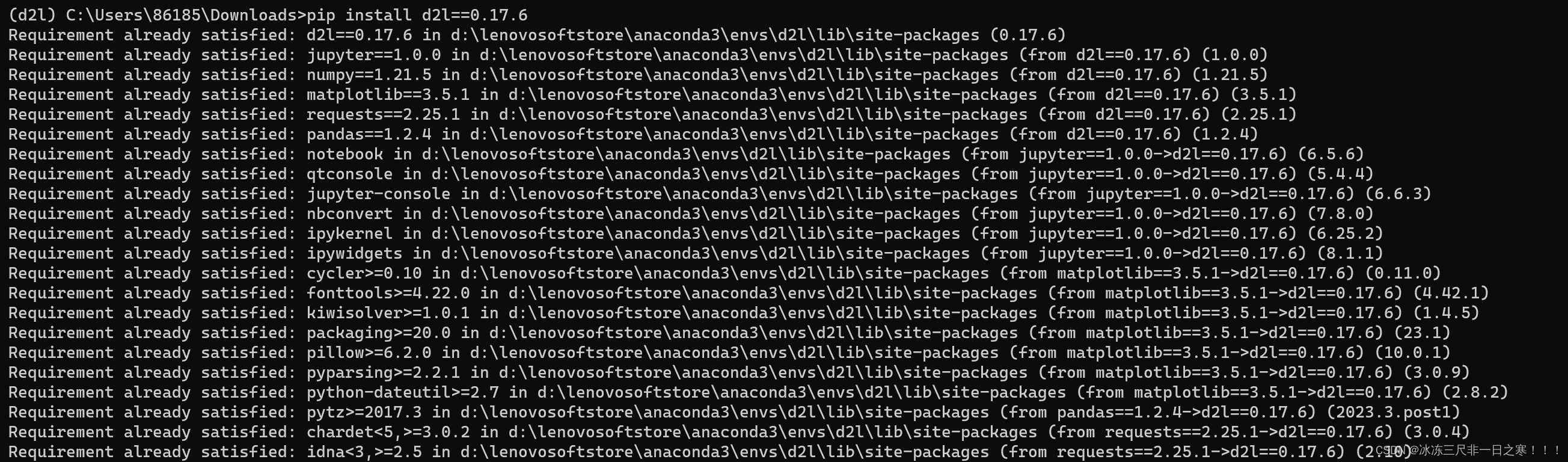
在这里pip install d2l==0.17.6的时候就没有报错了。也不知道这么搞对不对,先这么做吧~
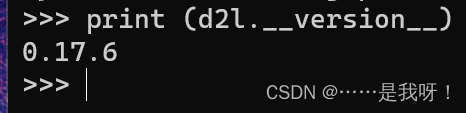
print(d2l.__version__)可以检查d2l这个包是否安装成功,结果如下,也就是说conda install numpy==1.8.2和conda install requests==2.18.4有效
问题三
跟着李沐学AI进行到下载D2L Notbook阶段,运行前两步都没有问题,但当
unzip d2l-zh.zip && rm d2l-zh.zip的时候,就有很多问题
(d2l) C:\Users\86185\Downloads\d2l-zh>unzip d2l-zh.zip && rm d2l-zh.zip
'unzip' 不是内部或外部命令,也不是可运行的程序
或批处理文件。
csdn上又搜了俩小时,按照Windows下安装zip和unzip安装和下载了MinGW软件,配置环境变量。但还是会出现(重启终端后就没有这个问题了)
 特别注意,配置完环境变量后要重启
cmd

北京人形旗下天工造物具身智能开源社区,聚焦具身天工与慧思开物两大平台
更多推荐
 2
2 0
0- 0


 已为社区贡献1条内容

所有评论(0)