Python爬虫--豆果网美食爬取demo,使用xpath库爬取,保存数据到excel
·
注1:只是用来简单练习,无频繁且恶意请求。
注2:此爬虫使用urllib和xpath库完成,页面数据都在html标签中。基础爬取,无需登录及验证码输入。
爬取数据网站链接:https://www.douguo.com/jingxuan/0
1、百度打开上方链接进入网站,点击F12打开查找元素
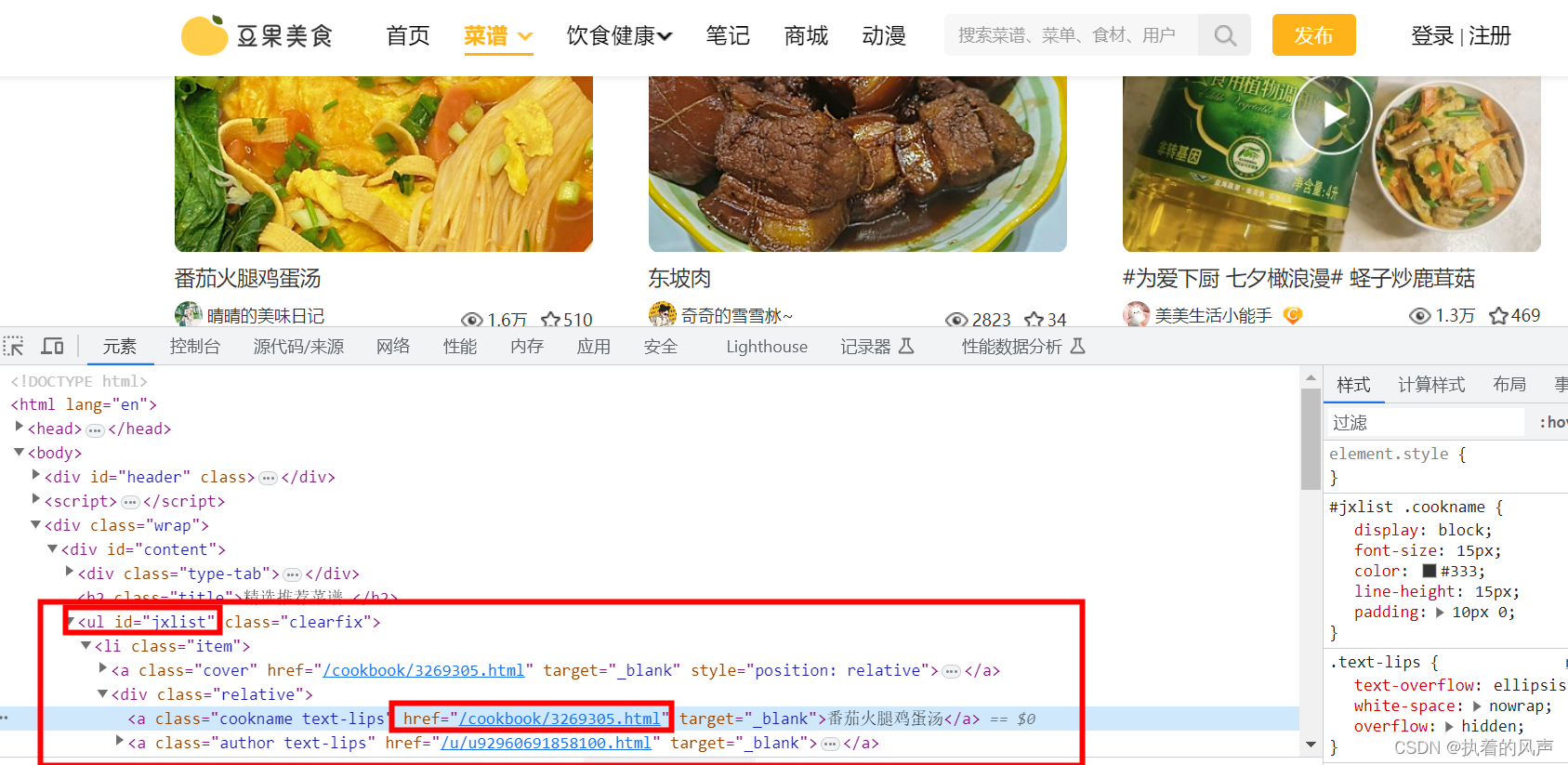
2、导入xpath库
pip install lxml
3 、xpath基本语法:
# 解析本地html     etree.parse()
# 解析响应html     etree.HTML(response.read().decode('utf-8'))
4、代码开发
from lxml import etree
import urllib.request
from openpyxl import Workbook

# 解析本地html     etree.parse()
# 解析响应html     etree.HTML(response.read().decode('utf-8'))

# 爬取网站链接
url = 'https://www.douguo.com/jingxuan/0'

# 发送请求
request = urllib.request.urlopen(url)

#读取响应回来的结果
response = request.read().decode('utf-8')

# 响应回来的页面使用etree.HTML封装后得到一个对象
html = etree.HTML(response)

# 开始对对象结果数据解析
links = html.xpath('//ul[@id="jxlist"]/li/a/@href')
names = html.xpath('//ul[@id="jxlist"]/li/div/a[1]/text()')

# 需要把此链接拼接到links结果的前边,成为一个完成的链接
h = 'https://www.douguo.com'


# 创建一个空的excel
wb = Workbook()
# 选择当前工作表
ws = wb.active
# 写入表头
ws.append(['链接', '名称', '备注'])


if __name__ == '__main__':
    # 遍历解析后的结果
    for link, name in zip(links, names):

        # 把数据添加到工作表对应表头中
        ws.append([h+link, name])

    # 保存
    wb.save('dou.xlsx')
    print("结果保存成功")
5、运行代码,结果保存在本地项目中


北京人形旗下天工造物具身智能开源社区,聚焦具身天工与慧思开物两大平台
更多推荐
 1
1 0
0- 0


 已为社区贡献1条内容

所有评论(0)