Python爬虫:7_BeautifulSoup4图片爬取
·
安装
pip install bs4
代码
import requests
from bs4 import BeautifulSoup
import time

url = 'https://umei.cc/bizhitupian/weimeibizhi/'
domain = 'https://umei.cc'

resp = requests.get(url)
resp.encoding = 'utf-8'
# print(resp.text)

# 把网页源代码传给bs
page = BeautifulSoup(resp.text, 'html.parser')
a_list = page.find('div', class_='TypeList').find_all('a')
# print(a_list)
for a in a_list:
    # 使用get可以直接拿到属性值
    href = domain + a.get('href')
    child_resp = requests.get(href)
    child_resp.encoding = 'utf-8'
    child_content = child_resp.text
    # 从子页面中拿图片的下载路径
    child_page = BeautifulSoup(child_content, 'html.parser')
    p = child_page.find('p', align='center')
    # print(p)
    img = p.find('img')
    src = img.get('src')
    # 下载图片
    img_resp = requests.get(src)
    # 这里拿到的是字节
    # img_resp.content
    img_name = src.split('/')[-1]
    with open('img/' + img_name, mode='wb') as f:
        f.write(img_resp.content)
    f.close()
    print('Pic:{} download successfully!'.format(img_name))
    time.sleep(1)
resp.close()
print('All Over!')
效果
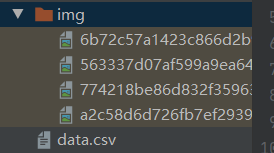
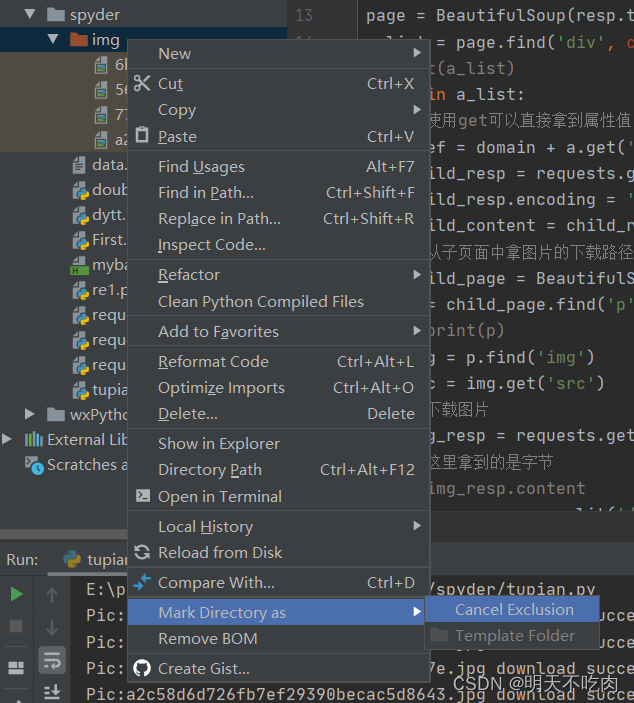
注意
把img文件夹标志为Excluded,这样Pycharm就不会建立索引,不然会很卡

北京人形旗下天工造物具身智能开源社区,聚焦具身天工与慧思开物两大平台
更多推荐
 1
1 0
0- 0


 已为社区贡献1条内容

所有评论(0)