python爬虫之数据提取——Beautiful Soup
·
Beautiful Soup
Beautiful Soup提供一些简单的,python式的函数来处理导航、索引、修改分析树等功能。他是一个工具箱,通过解析文档为用户提供需要抓取的数据,因为简单,所以不需要多少代码就可以写出一个完整的应用程序。
Beautiful Soup自动将输入文档转成Unicode编码,输出文档转换为utf-8编码,不需要考虑编码方式,除非文档没有指定一个编码方式。
Beautiful Soup是一个出色的python解释器,为用户灵活地提供不同的解析策略或强劲的速度。
Beautiful Soup的安装
下载库:pip install beautifulsoup4
导入库:import bs4
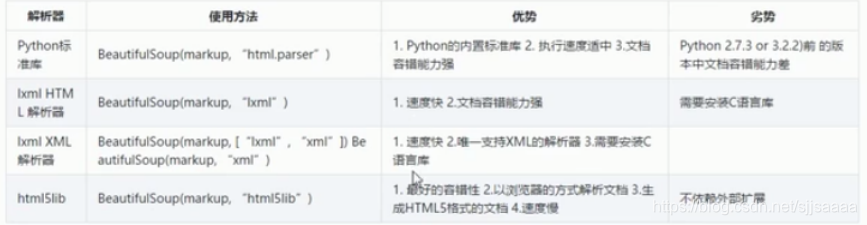
创建Beautiful Soup对象
from bs4 import BeautifulSoup
soup = BeautifulSoup(html,'lxml')
四大对象种类
- Tag
- NavigableString
- BeautifulSoup
- Comment
1.Tag
举例:
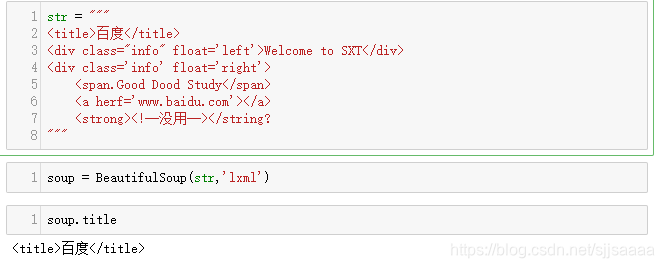
str = """
<title>百度</title>
<div class="info" float='left'>Welcome to SXT</div>
<div class='info' float='right'>
    <span.Good Dood Study</span>
    <a herf='www.baidu.com'></a>
    <strong><!--没用--></string?
"""
获取标签:
soup = BeautifulSoup(str,'lxml')
soup.title
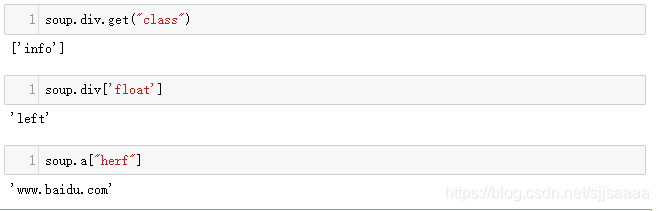
获取属性:
soup.div.attrs

soup.div.get("class")
soup.div['float']
soup.a["herf"]
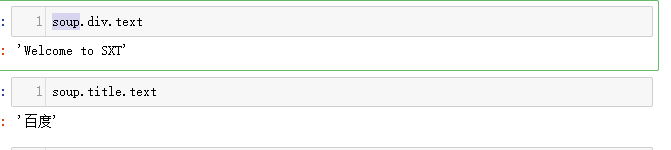
2.NavigableString获取内容
soup.title.text
soup.div.text
3.BeautifulSoup
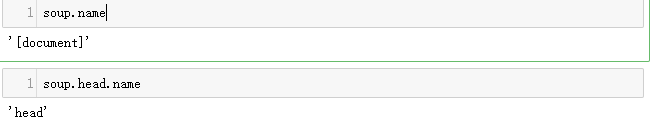
BeautifulSoup对象表示的是一个文档的全部内容,大部分的时候可以把他当作Tag对象,它支持遍历文档树和搜索文档树种描述的大部分方法。
soup.name
soup.head.name
4.Comment
获取注释内容:
#注释内容获取
from bs4 import Comment
soup.strong.string

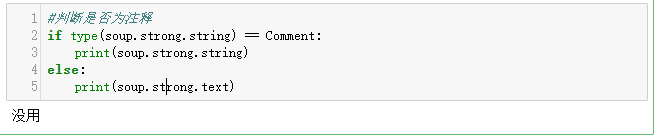
判断是否为注释语句:
if type(soup.strong.string) == Comment:
    print(soup.strong.string)
else:
    print(soup.strong.text)
注释原样显示:
#注释原样显示
soup.strong.prettify()
搜索文档树
1.find_all()
soup.find_all('title')

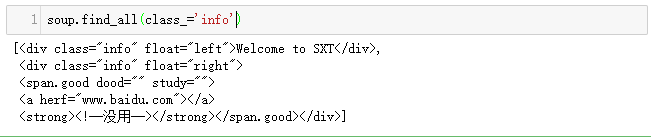
soup.find_all(class_='info')
soup.find_all(attrs={"float":"left"})

2.CSS
from bs4 import BeautifulSoup
from bs4 import Comment
str2 = """
<title id="title">百度</title>
<div class="info" float='left'>Welcome to SXT</div>
<div class='info' float='right'>
    <span.Good Dood Study</span>
    <a herf='www.baidu.com'></a>
    <strong><!--没用--></string?
"""
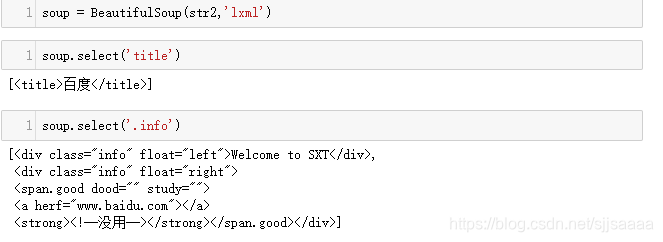
soup = BeautifulSoup(str2,'lxml')
soup.select('title')
soup.select('.info')
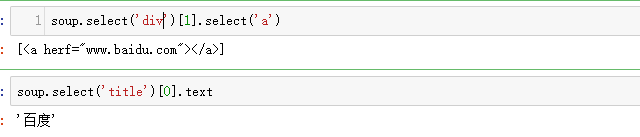
获取文档:
soup.select('div')[1].select('a')
soup.select('title')[0].text

北京人形旗下天工造物具身智能开源社区,聚焦具身天工与慧思开物两大平台
更多推荐
 0
0 0
0- 0


 已为社区贡献11条内容

所有评论(0)