uni-app 滚动到指定位置
·
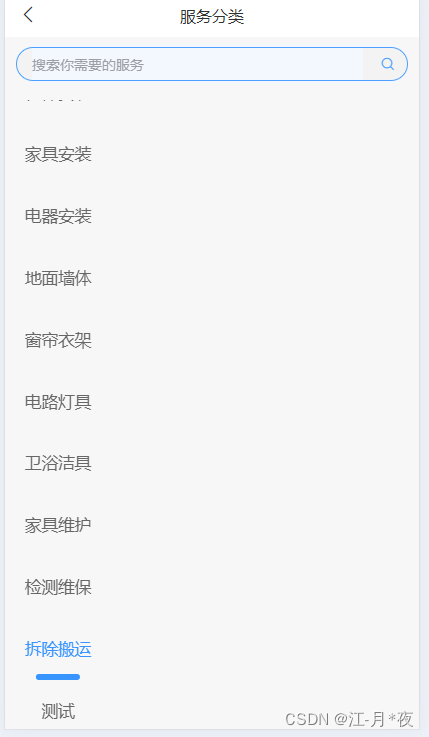
方法1:使用标签,可以将页面横向(或纵向)滚动到指定位置
无法滚动 将代码放在setTimeout,nextTick里执行
<!-- 左边 -->
			<scroll-view show-scrollbar="false" scroll-y="true" class="left-box"
				:scroll-top="scrollLeftTop" scroll-with-animation="true">
				<view class="scroll-view-item" v-for="(item,index) in servicesLeftList" :key="item.id"
					:id="'scroll' + activeLeftTab" :class="{'active':activeLeftTab==item.id}">
					{{item.name}}
				</view>
			</scroll-view>
import {getServicesTree} from "@/api/tree"
data(){
return {
servicesLeftList:[],
scrollLeftTop:0,,//滚动位置
activeLeftTab:"" //选中的样式
}
}

getData() {
	//接口
	getServicesTree().then(res => {
		this.servicesLeftList= res.data
		res.data.forEach((item, ind) => {
				setTimeout(()=>{
					uni.createSelectorQuery().in(this).select('#scroll' + item.id)
						.boundingClientRect(res => {
							scrollLeftTop.value = 65 * ind; // 设置滚动条距离左侧的距离
						}).exec()
				},100)
		})
	})
}
方法二 使用uni.pageScrollTo 使页面纵向滚到到指定位置
建议设置height为auto :height:auto
<view class="left-box" >
				<view class="scroll-view-item" v-for="(item,index) in servicesLeftList" :key="item.id"
					 :class="{'active':activeLeftTab==item.id}" :id="textarea"+index>
					{{item.name}}
				</view>
			</view>
//方法
uni.pageScrollTo({
	scrollTop: 0,
	duration: 500,
	selector: '#textarea5' //指定位置
});
方法三 用scroll-view描点
 //左边 :scroll-top="scrollLeftTop"
<scroll-view scroll-y="true" class="left-box" scroll-with-animation="true"
	:scroll-into-view="tracingLeftPoint">
	<view class="scroll-view-item" v-for="(item,index) in servicesLeftList" :key="item.id"
		:id="'scroll' + item.id" :class="{'active':activeLeftTab==item.id}">
		{{item.name}}
	</view>
</scroll-view>

//方法

data(){
	retrun {
		tracingLeftPoint:"",//描点id
	}
}


	getData() {
	//接口
		getServicesTree().then(res => {
			this.servicesLeftList= res.data
			res.data.forEach((item, ind) => {
					setTimeout(()=>{
						this.tracingLeftPoint= 'scroll' + item.id
					},200)
			})
		})
	}
样式:
<style lang="scss">
	.nav-txt {
		color: #409eff;
	}

	.work-box {
		/* #ifdef APP-PLUS */
		margin-top: calc(44px + var(--status-bar-height));
		/* #endif */
		/* #ifdef H5 */
		margin-top: 44px;
		/* #endif */
	}

	.left-box {
		width: 192rpx;
		max-height: calc(100vh - 44px);

		.scroll-view-item {
			width: 192rpx;
			height: 112rpx;
			text-align: center;
			line-height: 112rpx;
			font-size: 30rpx;
			color: #666;

			&.active {
				color: #F4CA11;
				border-radius: 0px 30rpx 30rpx 0px;
				background: #F7F7F7;
			}
		}
	}

	.right-box {
		width: calc(100% - 192rpx);
		max-height: calc(100vh - 44px);
		margin: 0 20rpx;

		:deep(.uni-scroll-view-content) {
			display: flex;
			justify-content: space-between;
			flex-wrap: wrap;
			height: auto !important;
		}


		.scroll-view-item {
			margin-bottom: 30rpx;
			text-align: center;
			line-height: 64rpx;
			font-size: 28rpx;
			width: 248rpx;
			height: 64rpx;
			border-radius: 8rpx;
			background: #F7F7F7;
			color: #666;

			&.active {
				color: #fff;
				background: #F4CA11;
			}
		}
	}
</style>

北京人形旗下天工造物具身智能开源社区,聚焦具身天工与慧思开物两大平台
更多推荐
 4
4 0
0- 0


 已为社区贡献1条内容

所有评论(0)