selenium元素定位总结
**
使用selenium来做测试或者爬虫,定位元素都是很重要的一个步骤,定位到需要的元素才能够继续进行下一步,就好比说你确定了网页按钮或标签的位置才可以点击它,知道文本框在哪里才能输入或清空文本框等等。这一期我们就来一起学习一下selenium的定位方法。
**
定位方法:
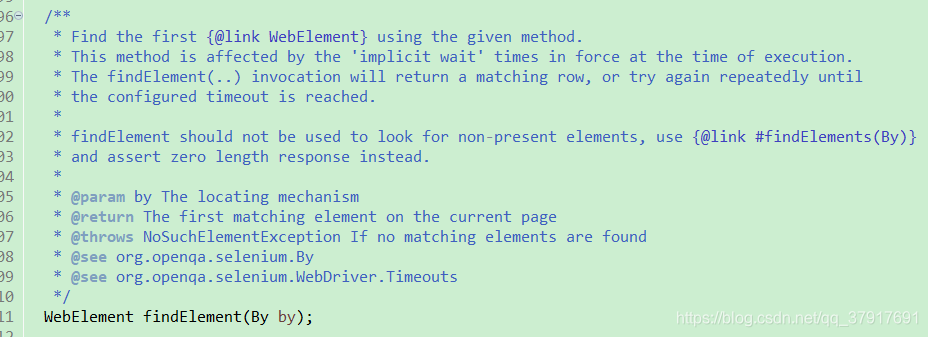
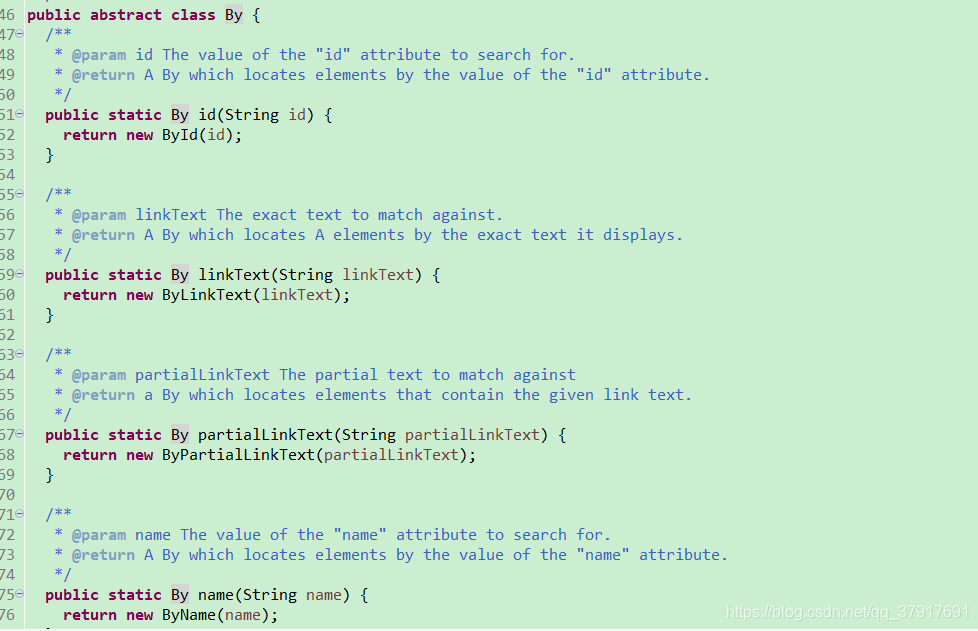
selenium webdriver进行元素定位时,通常使用findElement或findElements方法结合By类返回元素句柄来定位元素。
1. findElement() 方法
返回一个元素, 如果没有找到,会抛出一个异常 NoElementFindException()
2. findElements()方法
返回多个元素, 如果没有找到,会返回空数组, 不会抛出异常
定位方式:
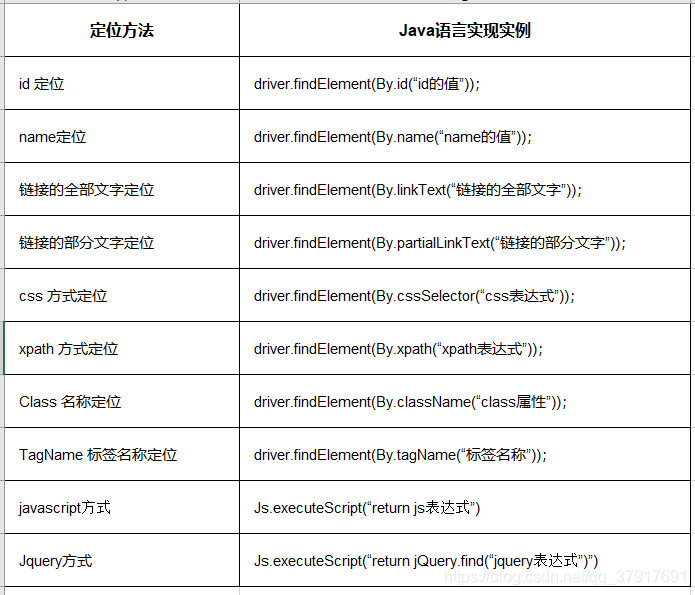
selenium的定位方式有10种:
1. id 定位
2. name定位
3. 链接的全部文字定位
4. 链接的部分文字定位
5. css 方式定位
6. xpath 方式定位
7. Class 名称定位
8. TagName 标签名称定位
9. javascript方式定位
10. Jquery方式定位
接下来我们来一一了解每一种定位方式。。。
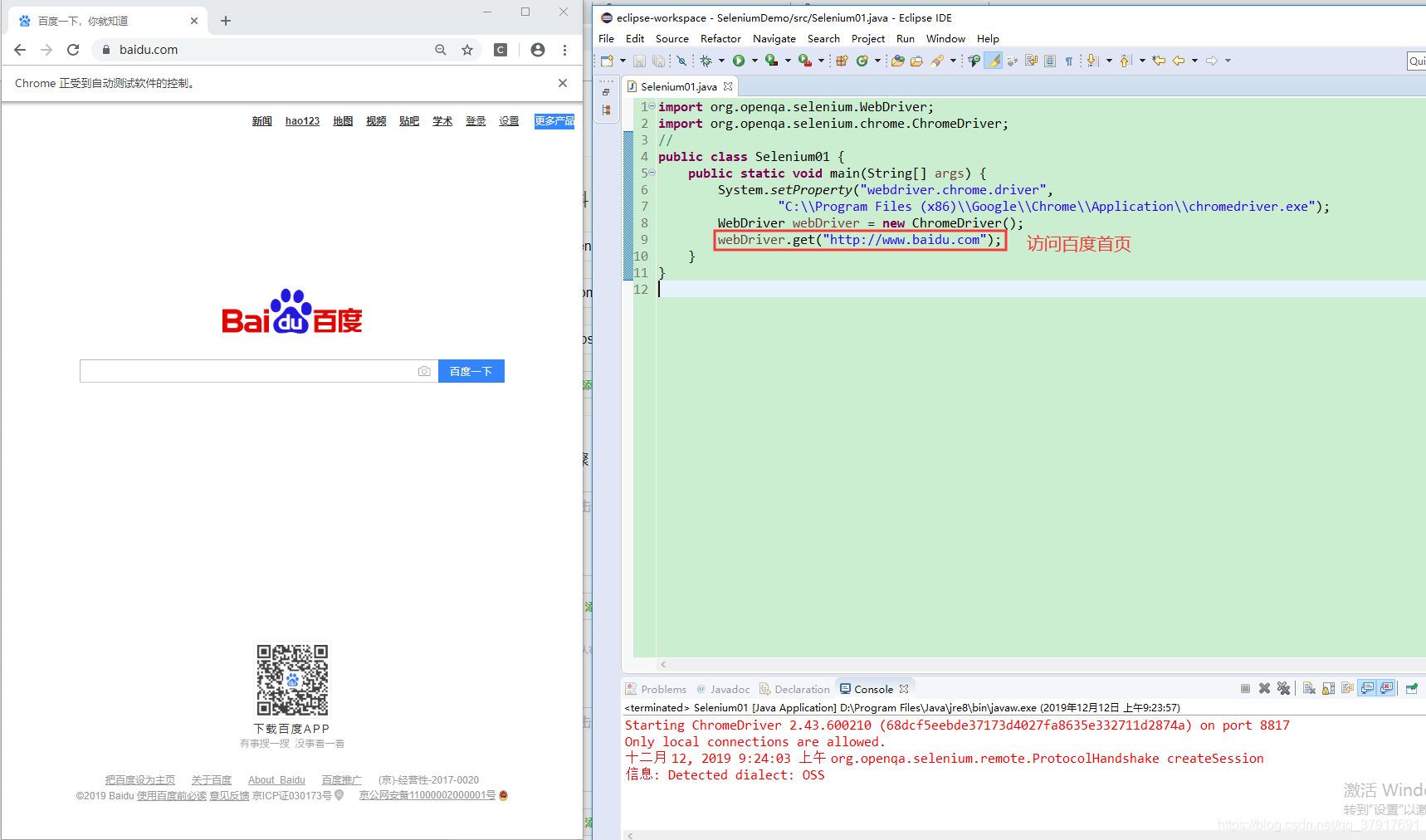
首先我们写一个简单的程序,打开百度首页
import org.openqa.selenium.WebDriver;
import org.openqa.selenium.chrome.ChromeDriver;
import org.openqa.selenium.chrome.ChromeOptions;
//
public class Selenium01 {
	public static void main(String[] args) {
		System.setProperty("webdriver.chrome.driver",
				"C:\\Program Files (x86)\\Google\\Chrome\\Application\\chromedriver.exe");
		WebDriver webDriver = new ChromeDriver();
		webDriver.get("http://www.baidu.com");
	}
}
1、id定位:
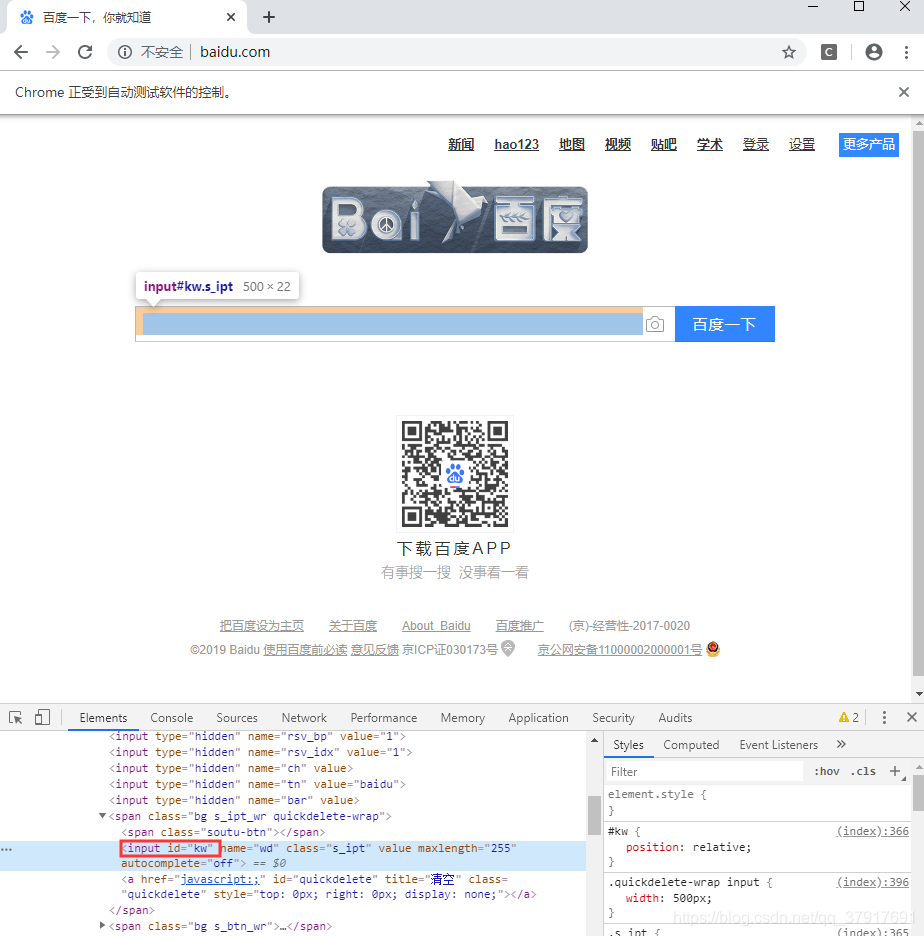
按键盘的F12,找到输入框的元素,发现它的id是kw
然后输入以下代码:
WebElement input = webDriver.findElement(By.id("kw"));
input.clear();
input.sendKeys("经验");
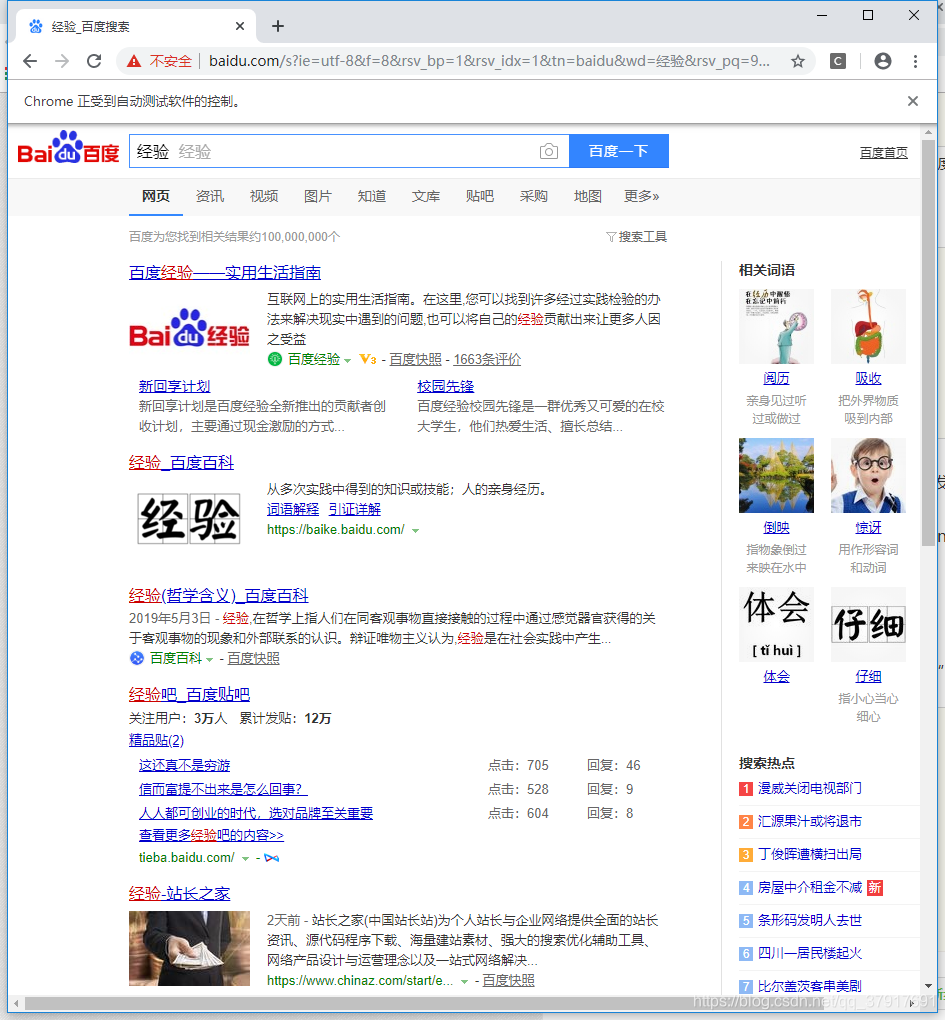
再次运行程序:
程序就会自动在输入框中输入“经验”
2、name定位:
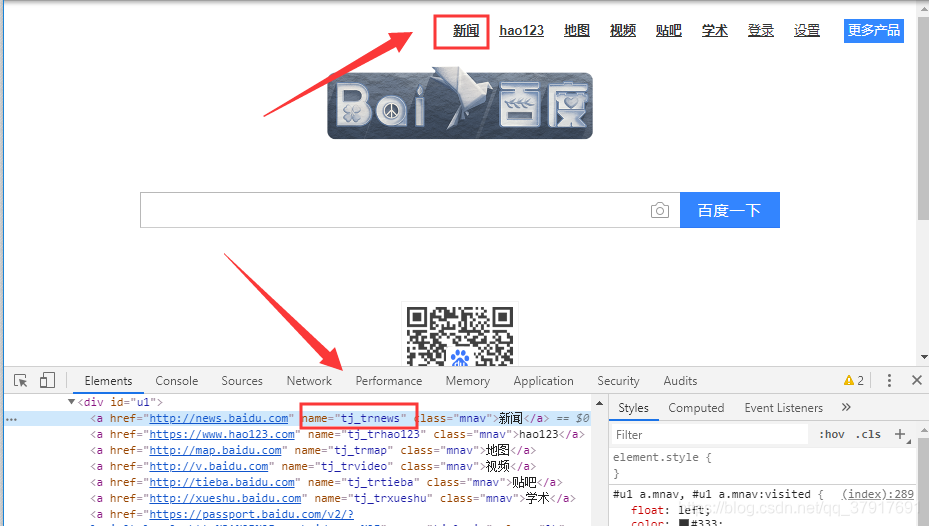
在百度首页找一个有name属性的元素,我们发现“新闻”这个链接的name属性是:tj_trnews
然后输入以下代码:
WebElement input = webDriver.findElement(By.name("tj_trnews"));
input.click();
再次运行程序:
程序就会打开百度首页之后,自动点击“新闻”连接

3、链接的全部文字定位:
我们来尝试通过文字内容来定位“关于百度”这个连接,然后打开这个连接
输入代码:
WebElement input = webDriver.findElement(By.linkText("关于百度"));
input.click();
运行程序:
程序会自动打开百度首页之后,自动点击“关于百度”

如果代码中要找的文本在网页中找不到会怎么样呢?
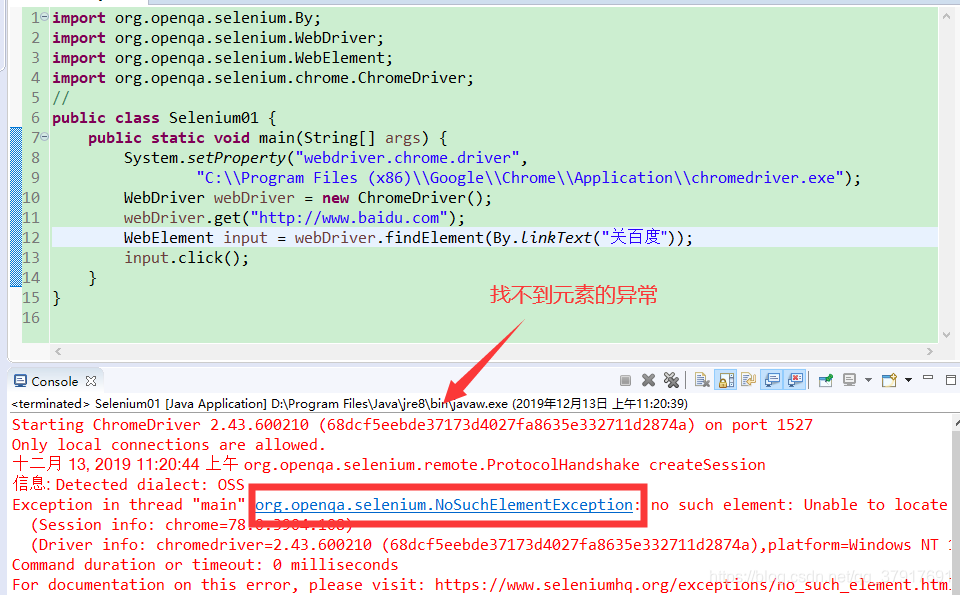
我们来测试一下,输入代码:(查找“关百度”,很明显这个连接不存在)
WebElement input = webDriver.findElement(By.linkText("关于百度"));
input.click();
运行程序:
程序运行到这一句的时候会报异常:
org.openqa.selenium.NoSuchElementException
4、链接的部分文字定位:
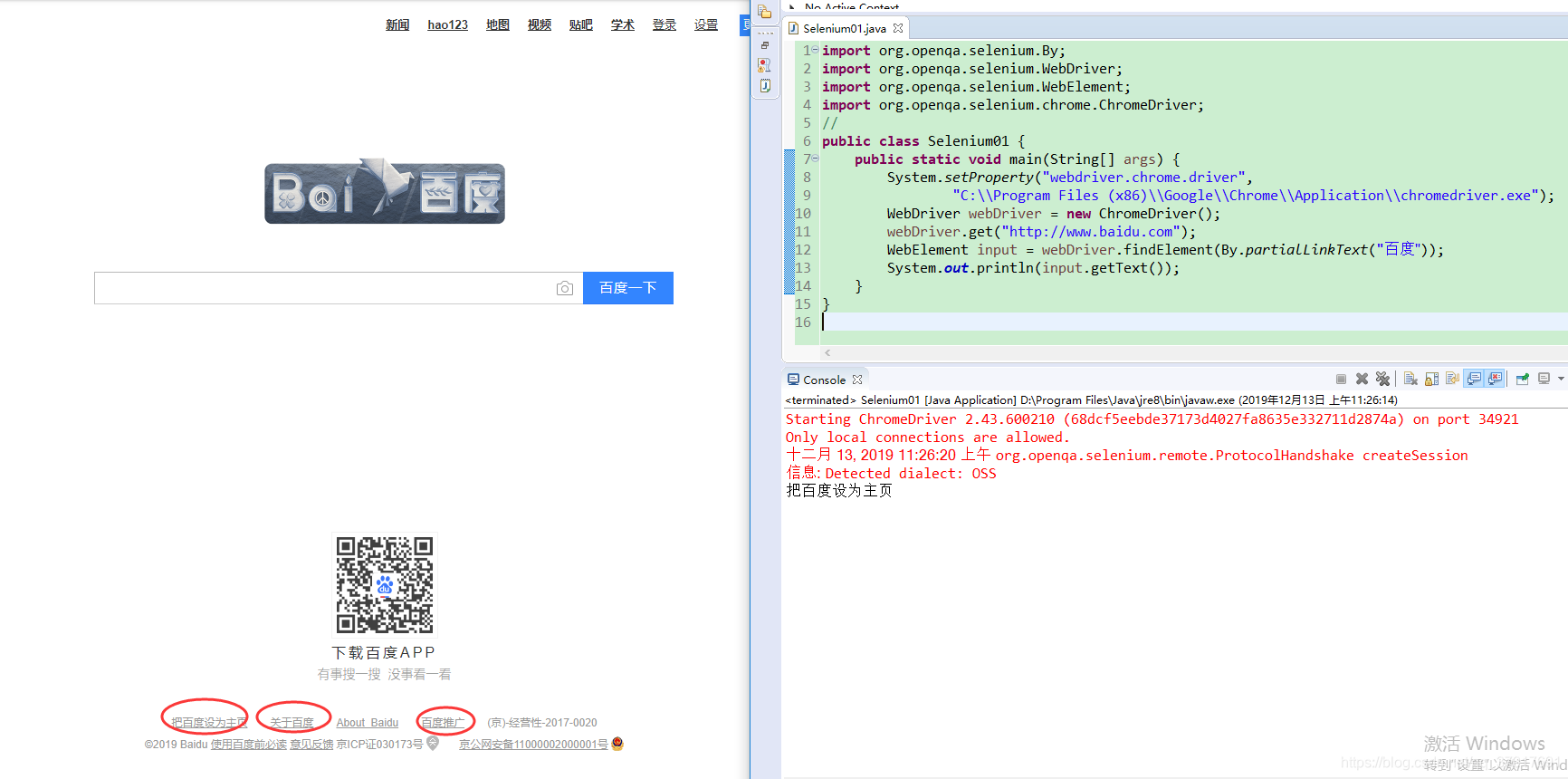
部分定位和全部定位类似,需要注意的是,部分定位往往会有多个结果,如果用findElement方法,就默认返回查找到的第一个结果,我们执行以下代码看看效果:
WebElement input = webDriver.findElement(By.partialLinkText("百度"));
System.out.println(input.getText());
结果发现页面中包含百度的连接有3个,而代码返回的是第一个。
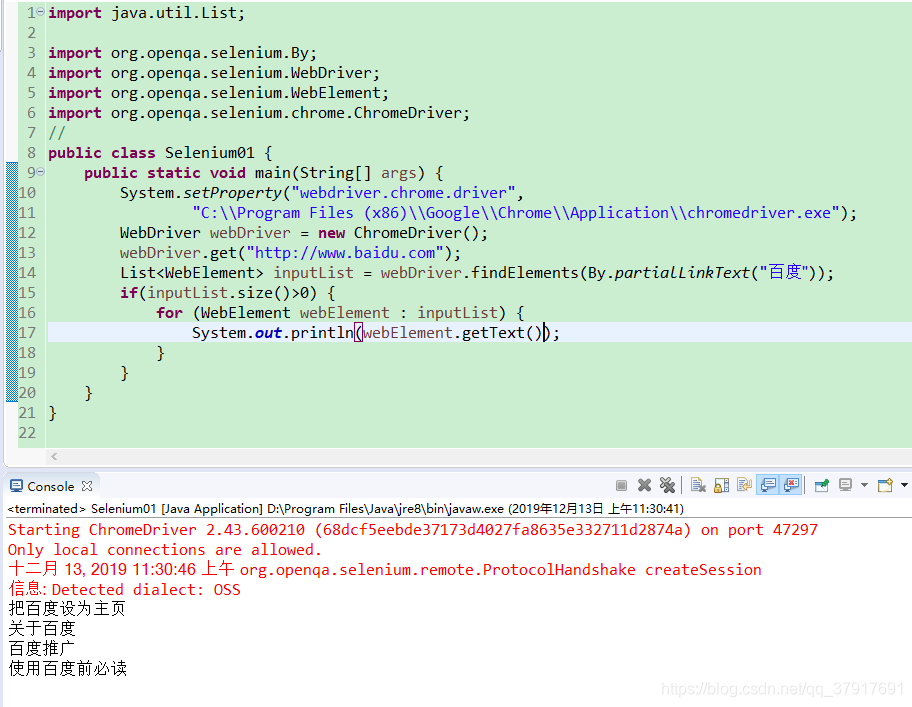
如果要找出所有包含指定文字的连接可以用findElements方法,具体如下:
List<WebElement> inputList = webDriver.findElements(By.partialLinkText("百度"));
if(inputList.size()>0) {
	for (WebElement webElement : inputList) {
	System.out.println(webElement.getText());
}
程序查找出4个包含“百度”的连接
5、CSS方式定位:
CSS定位相对于XPath定位的优点是:css定位更快,语法更简洁。
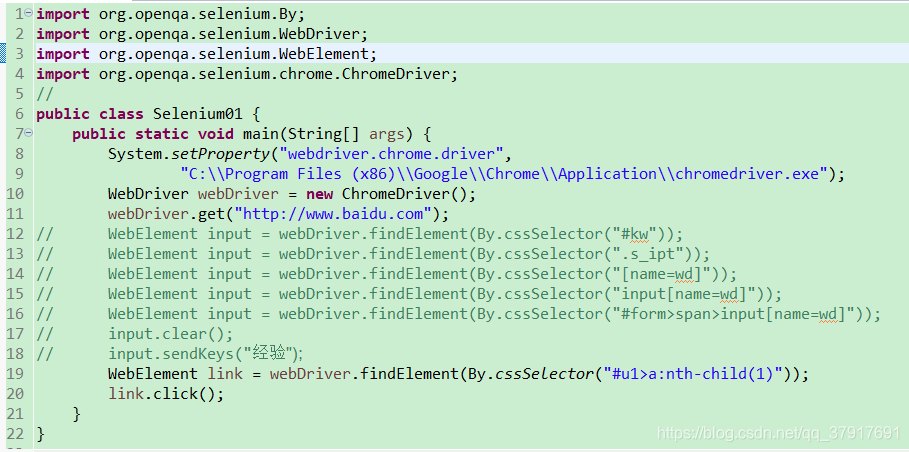
1>id属性,需要加上标识符“#”
WebElement input = webDriver.findElement(By.cssSelector("#kw"));
2>class属性,需要加上标识符 “.”
WebElement input = webDriver.findElement(By.cssSelector(".s_ipt"));
3>其他属性格式[属性=属性值]
WebElement input = webDriver.findElement(By.cssSelector("[name=wd]"));
4>标签与属性的组合来定位元素
WebElement input = webDriver.findElement(By.cssSelector("input[name=wd]"));
5>层级加组合定位
WebElement input = webDriver.findElement(By.cssSelector("#form>span>input[name=wd]"));
6>索引定位:nth-child(index)
WebElement link = webDriver.findElement(By.cssSelector("#u1>a:nth-child(1)"));
6、 xpath 方式定位:
优点:功能强大,可以定位所有元素
缺点:速度比较慢,xpath定位时由于webdriver会将整个页面的所有元素进行扫描以定位我们所需要的元素, 这是个非常费时的操作
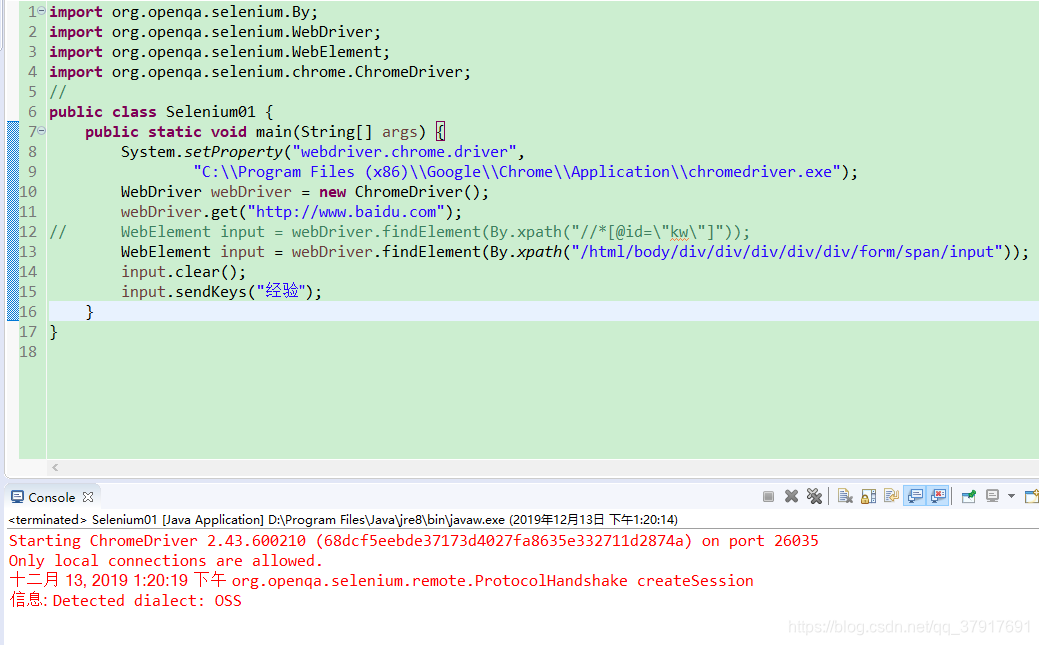
以 “/” 开头, 让xpath 从文档的根节点开始解析
WebElement input = webDriver.findElement(By.xpath("/html/body/div/div/div/div/div/form/span/input"));
以"//" 开头, 让xpath 从文档的任何元素节点开始解析
WebElement input = webDriver.findElement(By.xpath("//*[@id=\"kw\"]"));
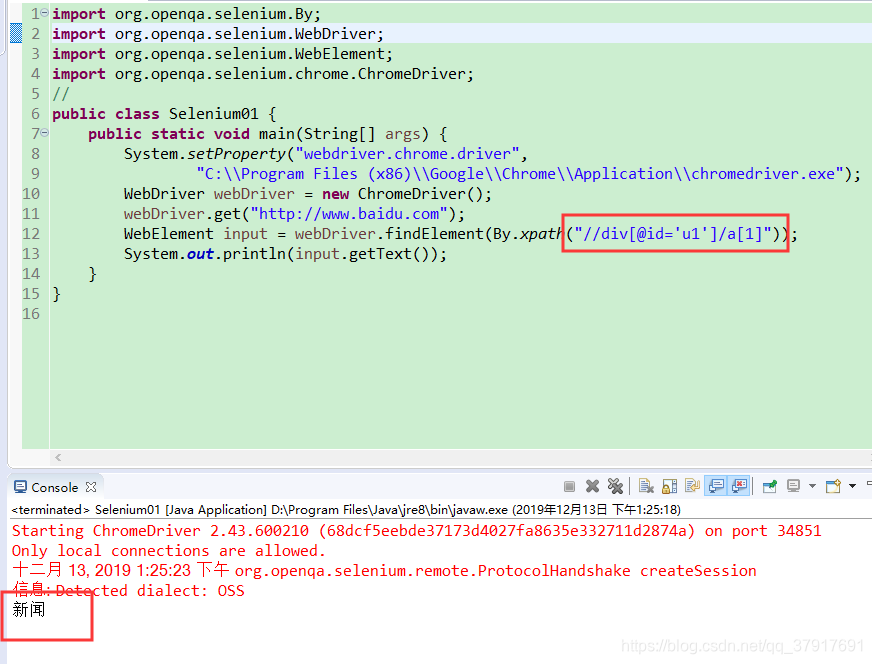
WebElement input = webDriver.findElement(By.xpath("//div[@id='u1']/a[1]"));
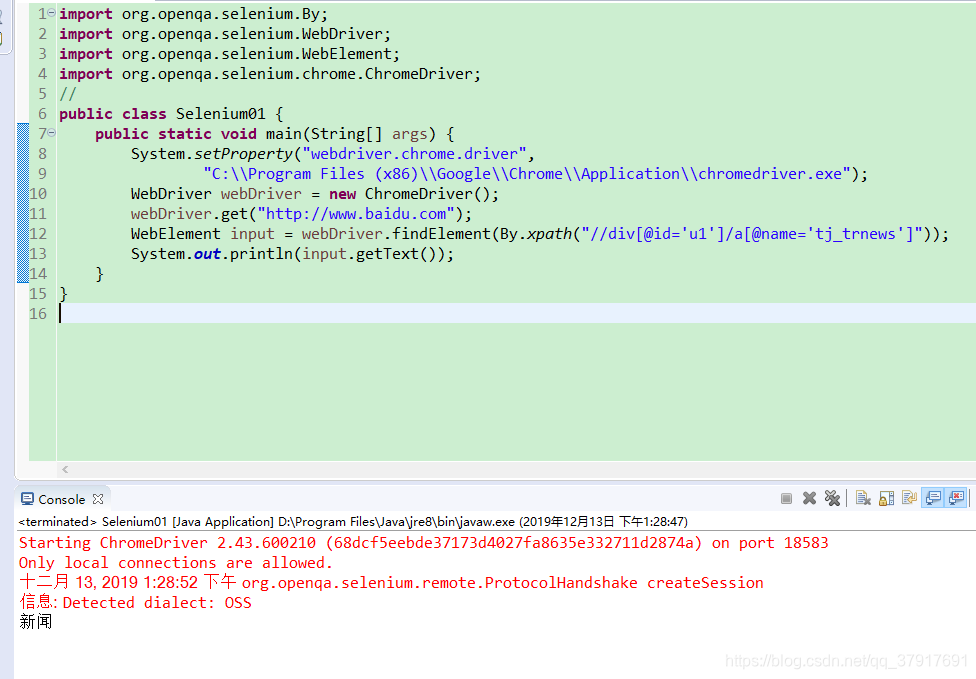
WebElement input = webDriver.findElement(By.xpath("//div[@id='u1']/a[@name='tj_trnews']"));
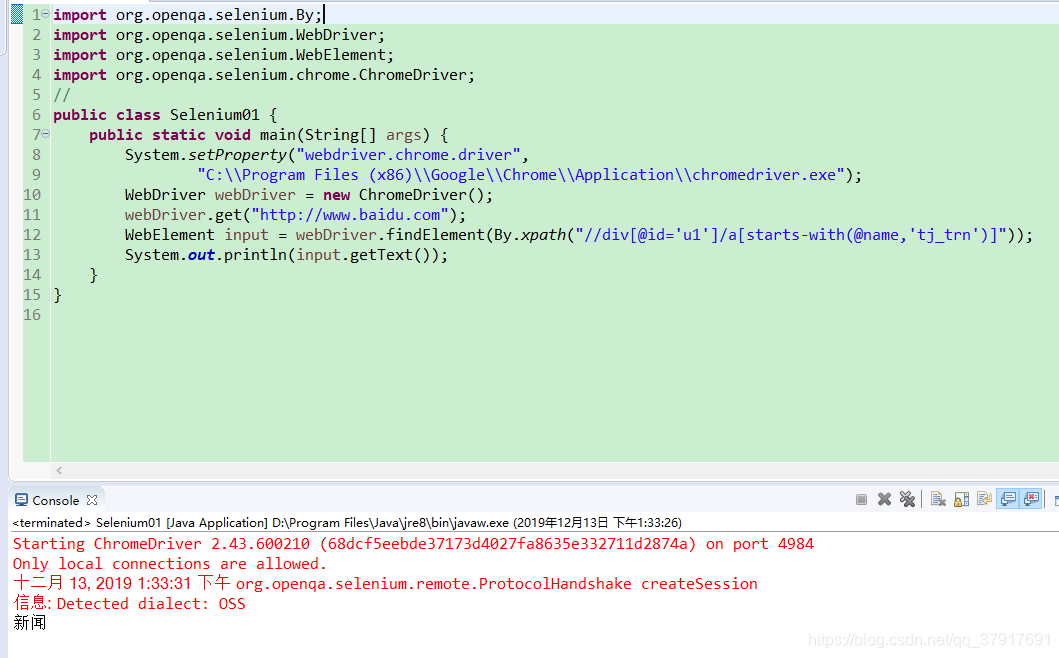
WebElement input = webDriver.findElement(By.xpath("//div[@id='u1']/a[starts-with(@name,'tj_trn')]"));
WebElement input = webDriver.findElement(By.xpath("//div[@id='u1']/a[contains(@name,'tj_trne')]"));
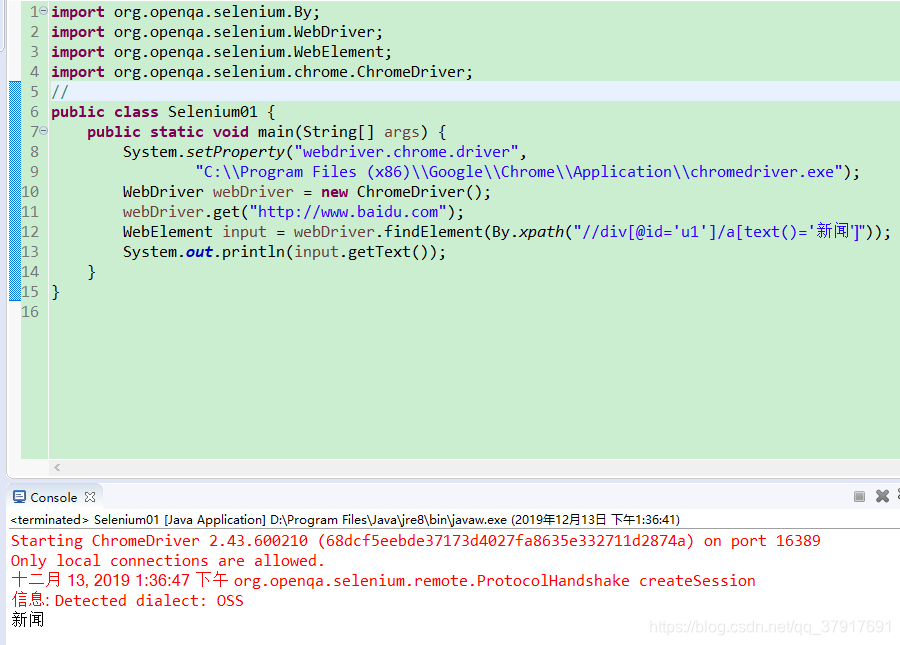
WebElement input = webDriver.findElement(By.xpath("//div[@id='u1']/a[text()='新闻']"));
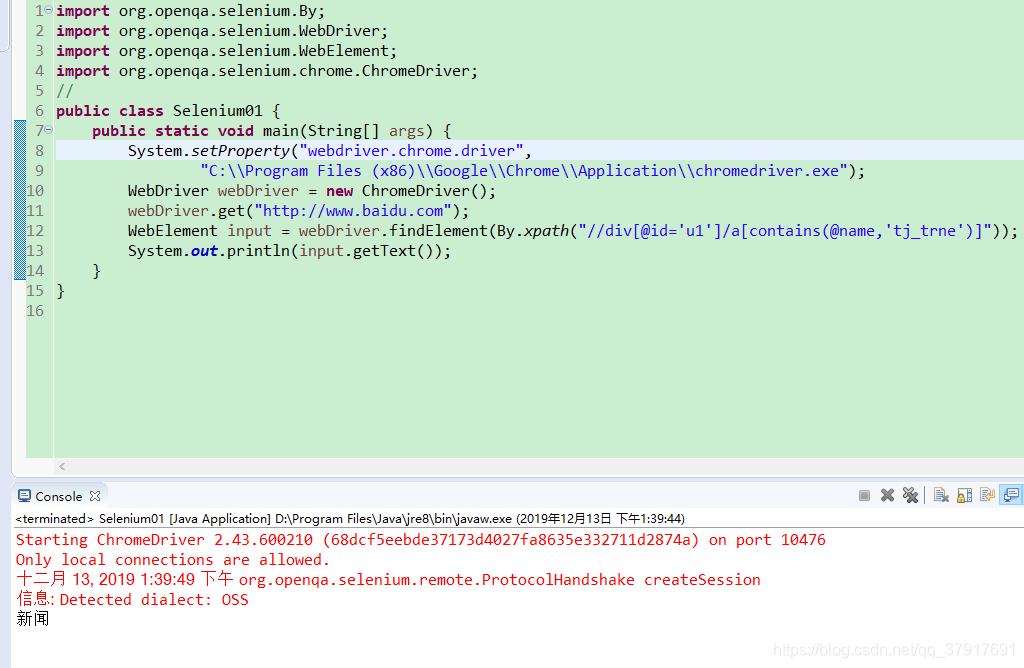
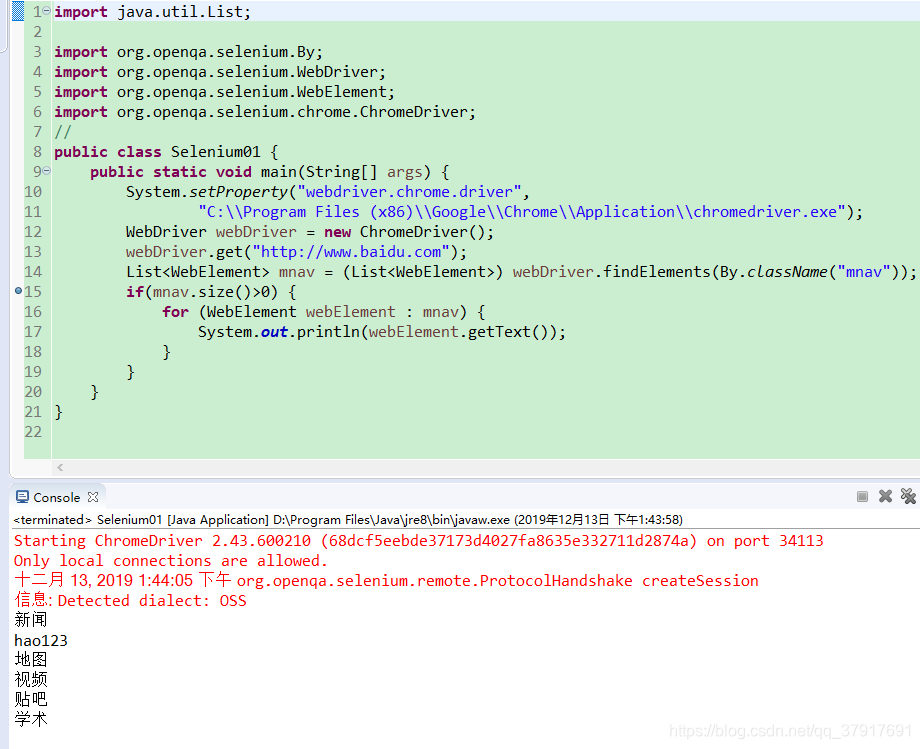
7、 Class 属性名称定位:
List<WebElement> mnav = (List<WebElement>) webDriver.findElements(By.className("mnav"));
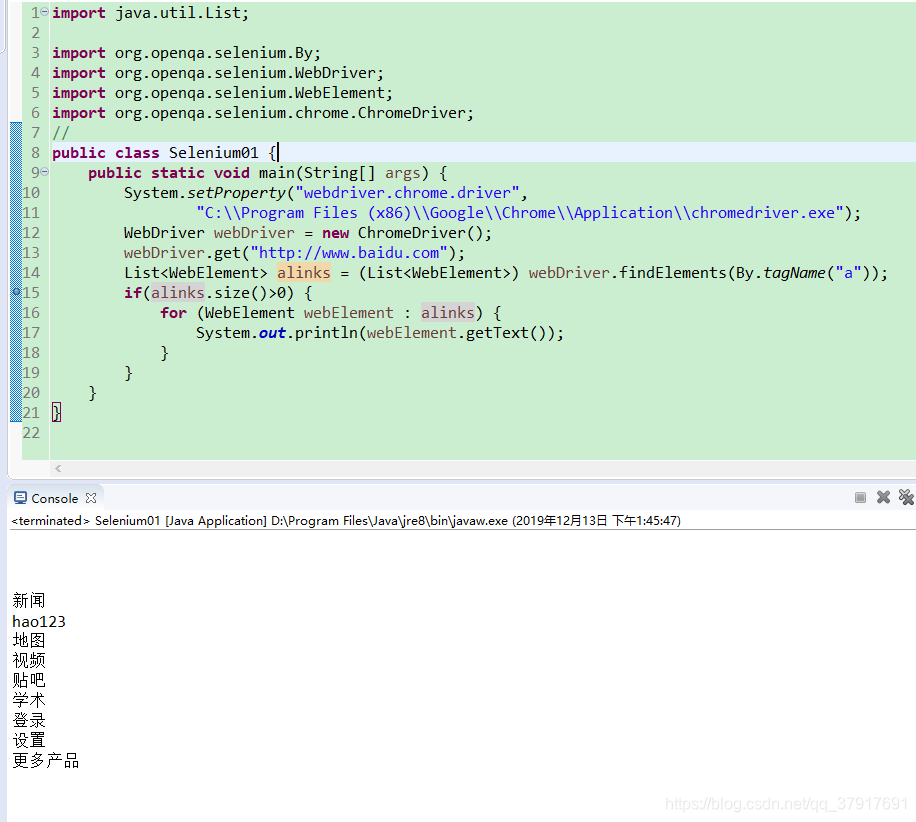
8、TagName 标签名称定位:
List<WebElement> alinks = (List<WebElement>) webDriver.findElements(By.tagName("a"));
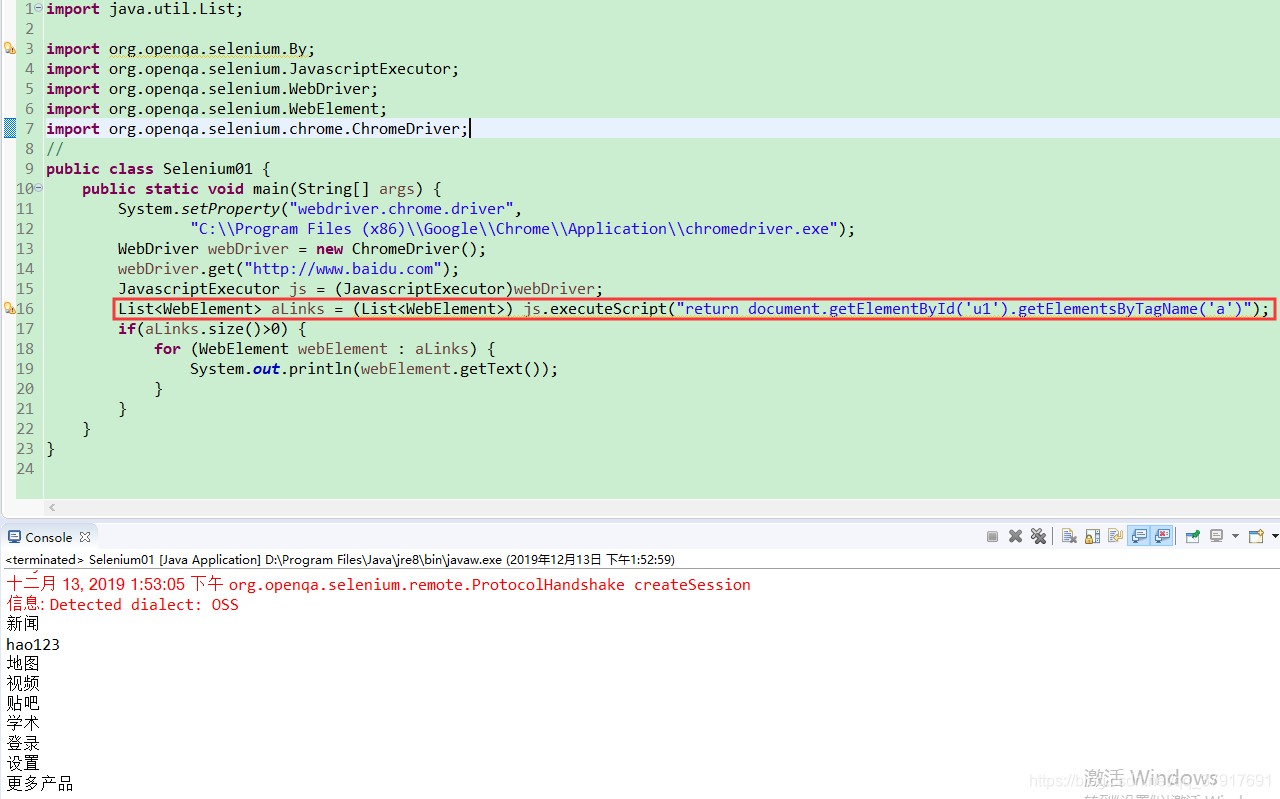
9、 javascript方式定位:
JavascriptExecutor js = (JavascriptExecutor)webDriver;
List<WebElement> aLinks = (List<WebElement>) js.executeScript("return document.getElementById('u1').getElementsByTagName('a')");
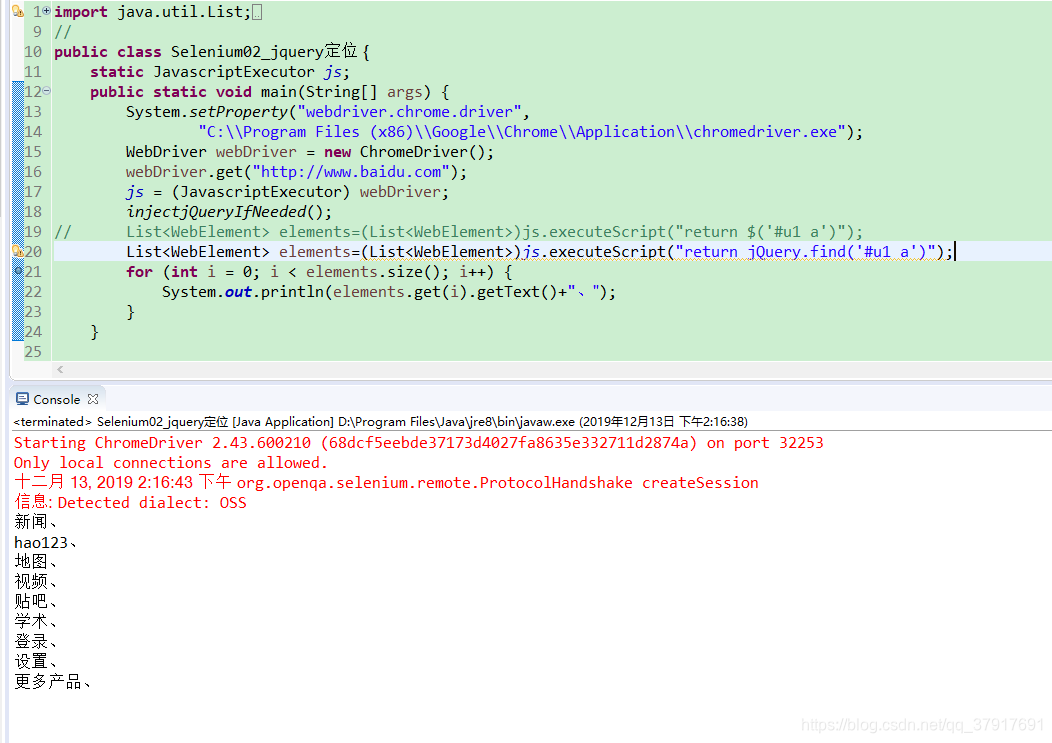
10、Jquery方式定位:
jquery方式定位之前要先判断页面是否已经加载jquery:
public static boolean JQueryLoaded() {//判断网页是否已经加载jquery
    Boolean loaded;
    try{
        loaded = (Boolean) js.executeScript("return" + "jQuery()!=null");
    }catch(WebDriverException e){
    	loaded = false;
    }
    return loaded;
}
如果没有加载jquery,就载入jquery:
public static void injectjQuery(){//载入jquery
    js.executeScript(" var headID = "
    + "document.getElementsByTagName(\"head\")[0];"
    + "var newScript = document.createElement('script');"
    + "newScript.type = 'text/javascript';"
    + "newScript.src = "
    + "'http://apps.bdimg.com/libs/jquery/1.6.4/jquery.min.js';"
    + "headID.appendChild(newScript);");
}
准备好之后就可以使用jquery定位了:
List<WebElement> elements=(List<WebElement>)js.executeScript("return $('#u1 a')");
List<WebElement> elements=(List<WebElement>)js.executeScript("return jQuery.find('#u1 a')");

北京人形旗下天工造物具身智能开源社区,聚焦具身天工与慧思开物两大平台
更多推荐
 2
2 0
0- 0


 已为社区贡献1条内容

所有评论(0)