CVAT在线数据标注
·
CVAT支持矩形、多边形、视频插值的数据标注平台,支持团队协作、复杂项目、视频标注等,可导出YOLO格式
一、平台地址
必须先登录在进入系统
二、创建项目
主要用于管理多个共享同一套标签体系的任务
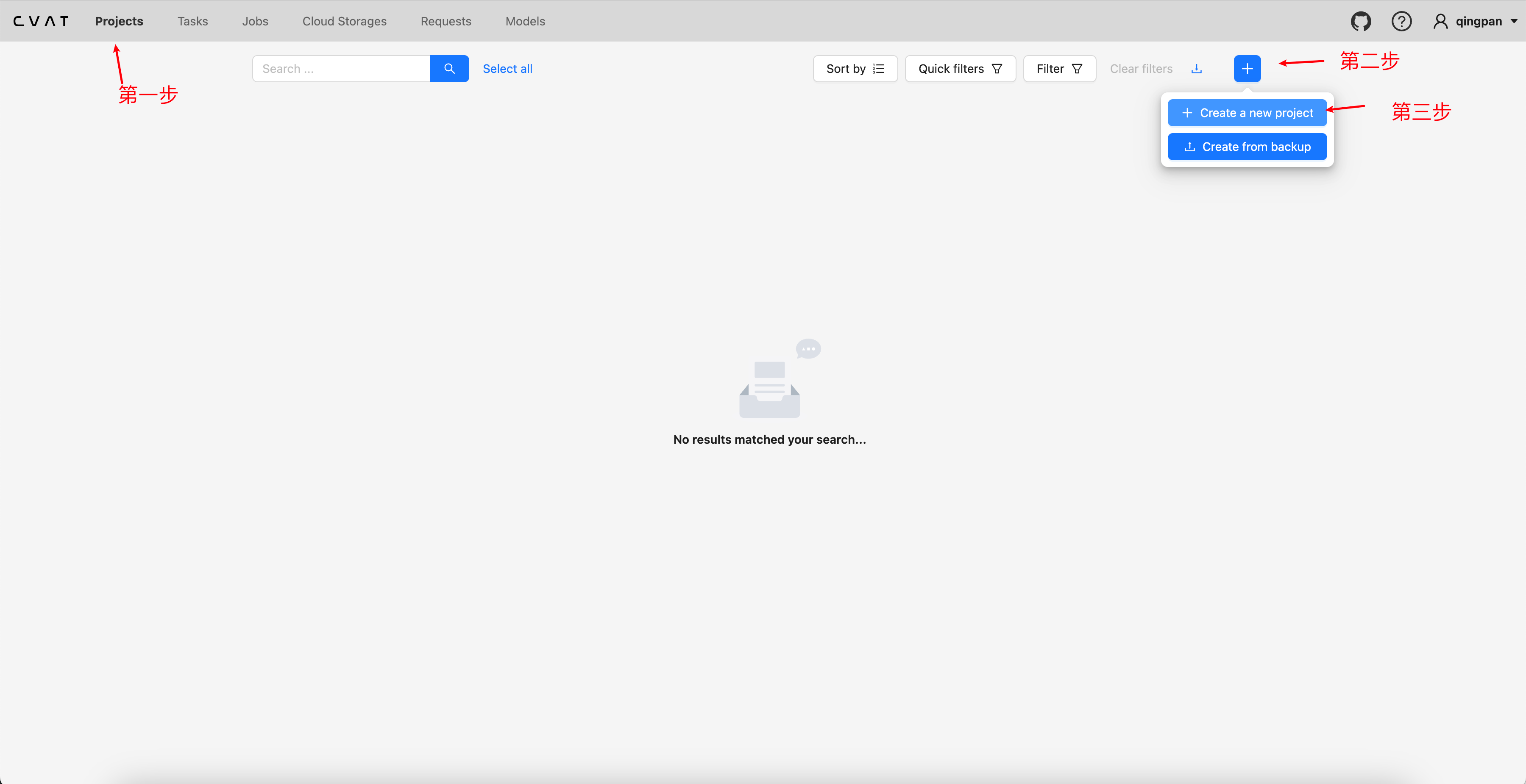
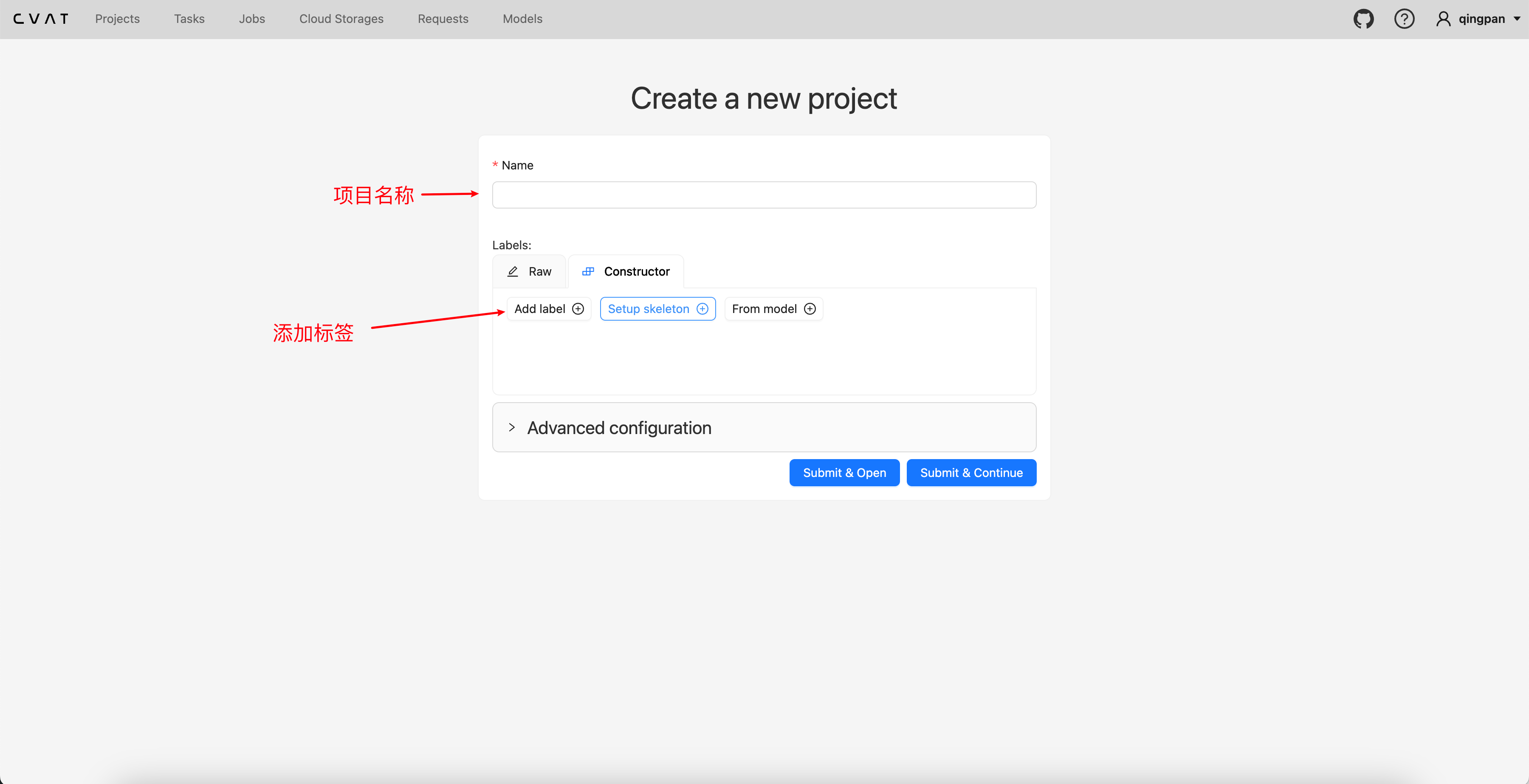
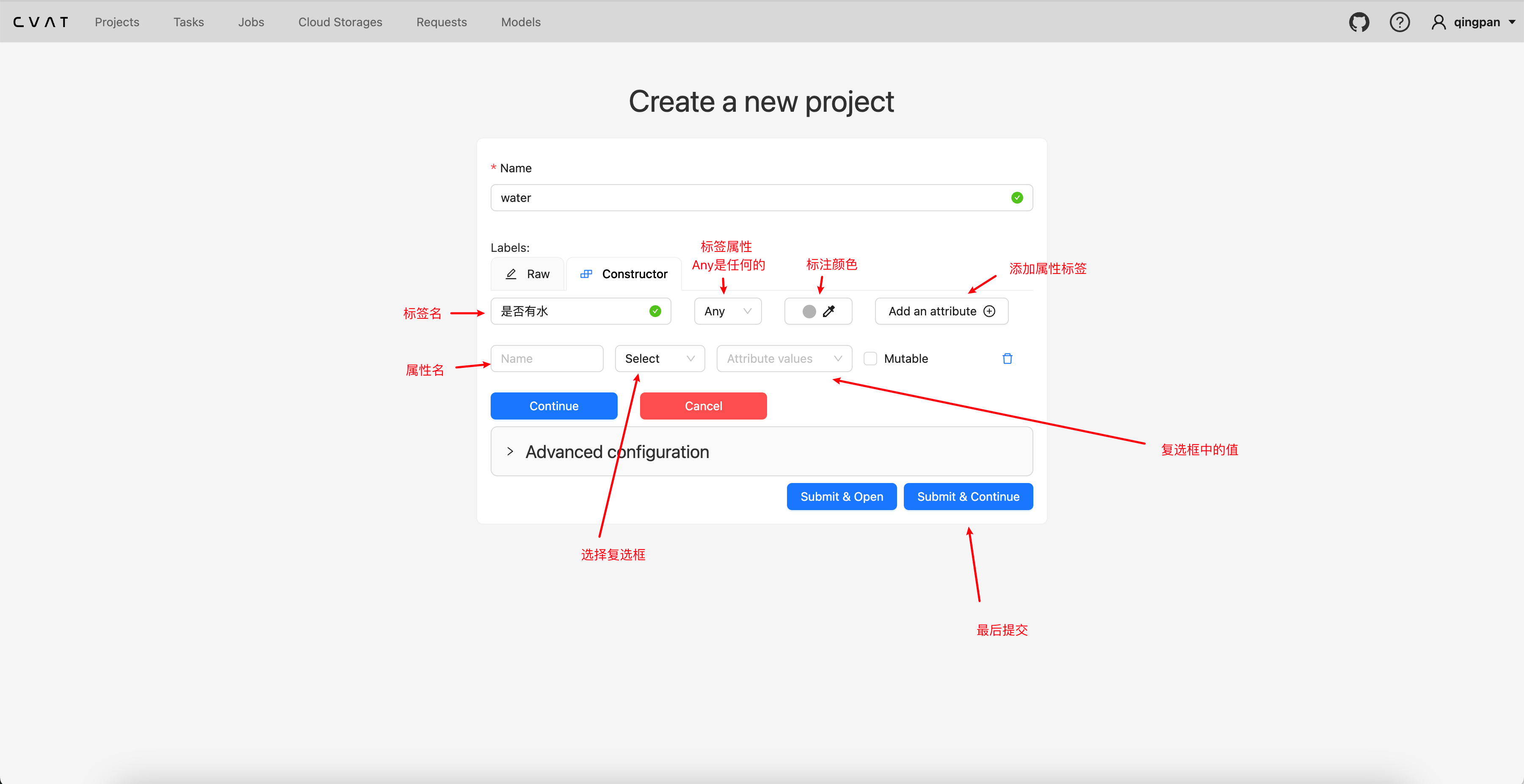
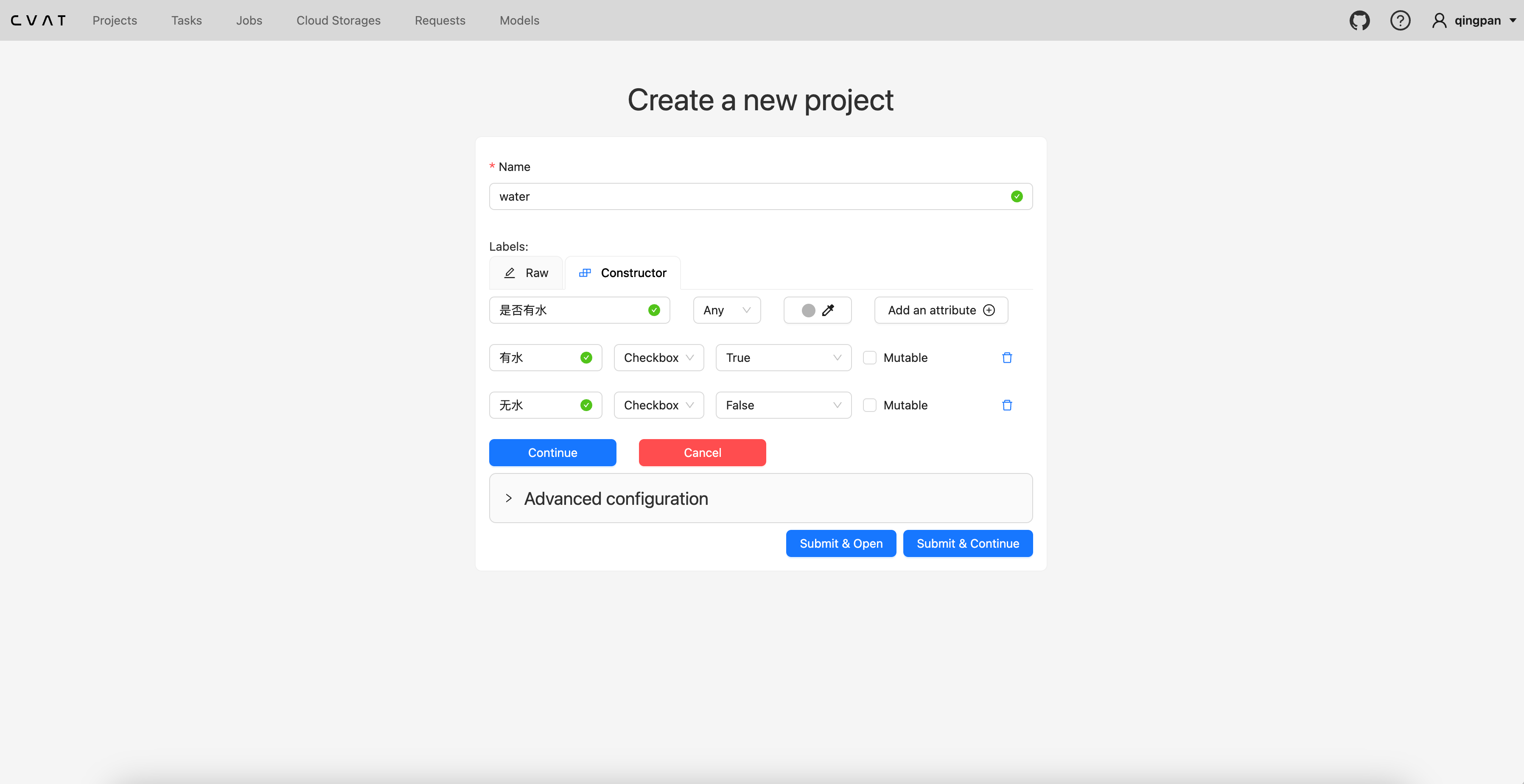
三、创建任务与配置
任务是实际进行标注工作的单元,包含了要标注的具体数据(图片或视频)以及最终的标注结果。
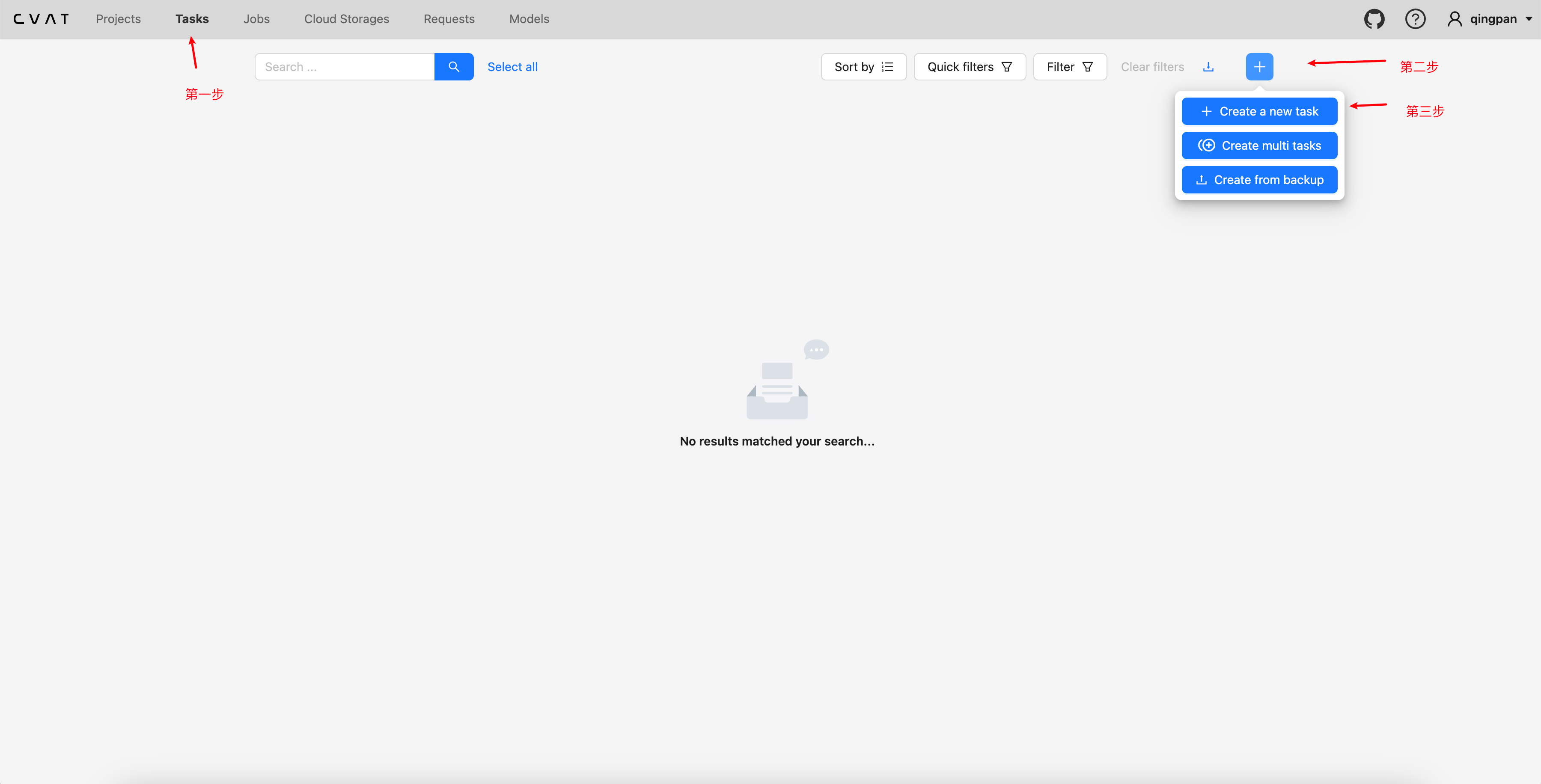
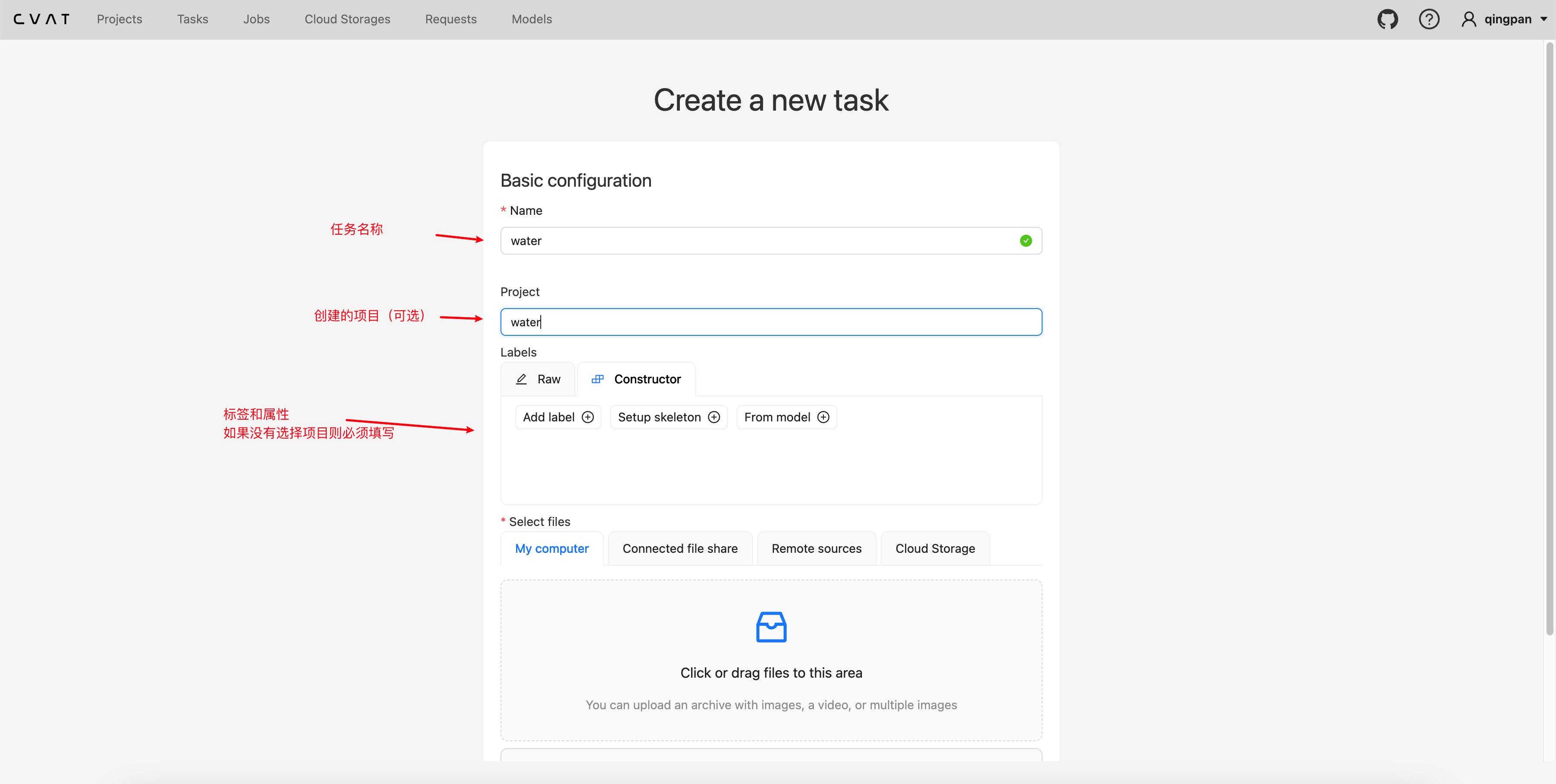


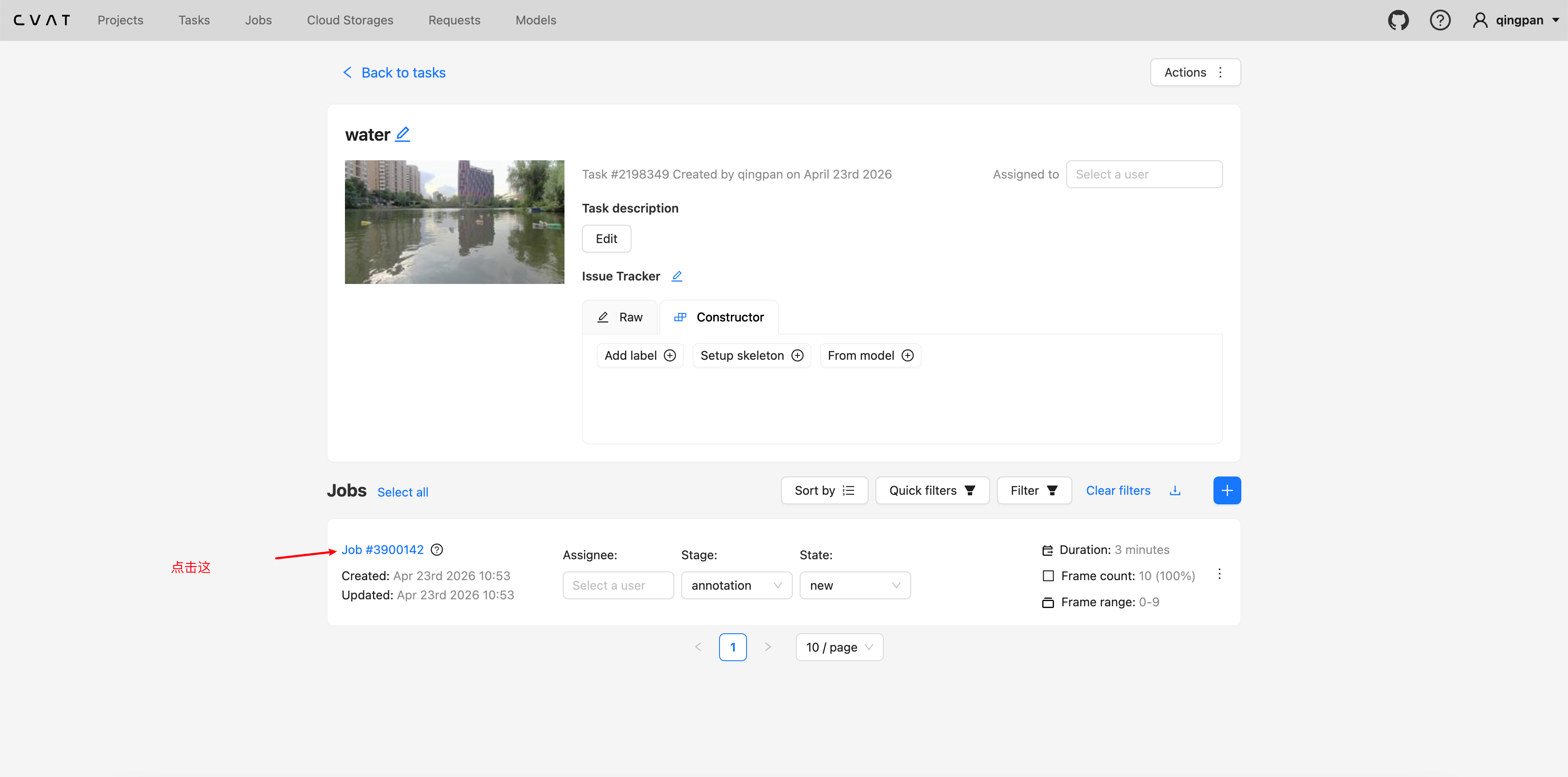
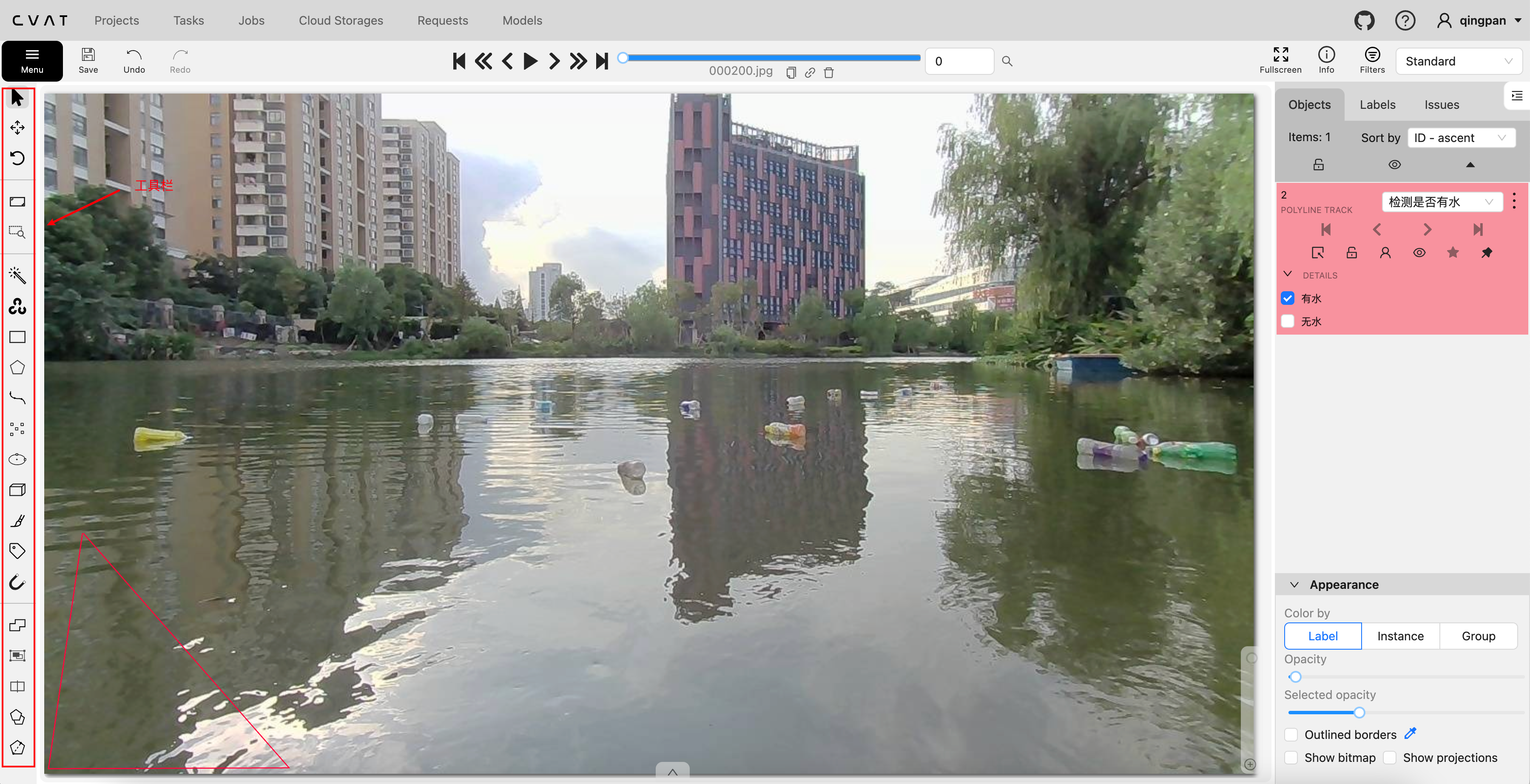
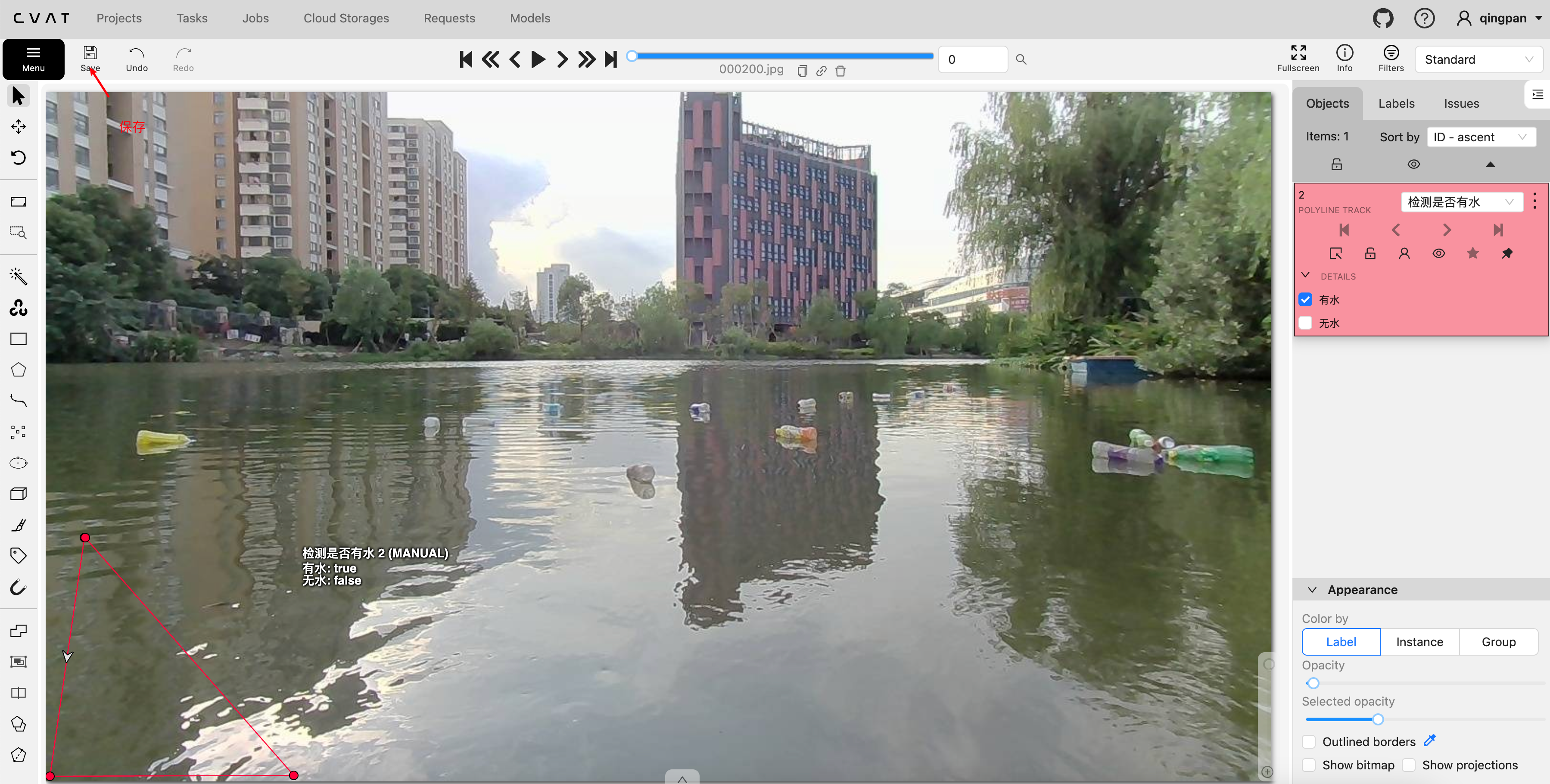
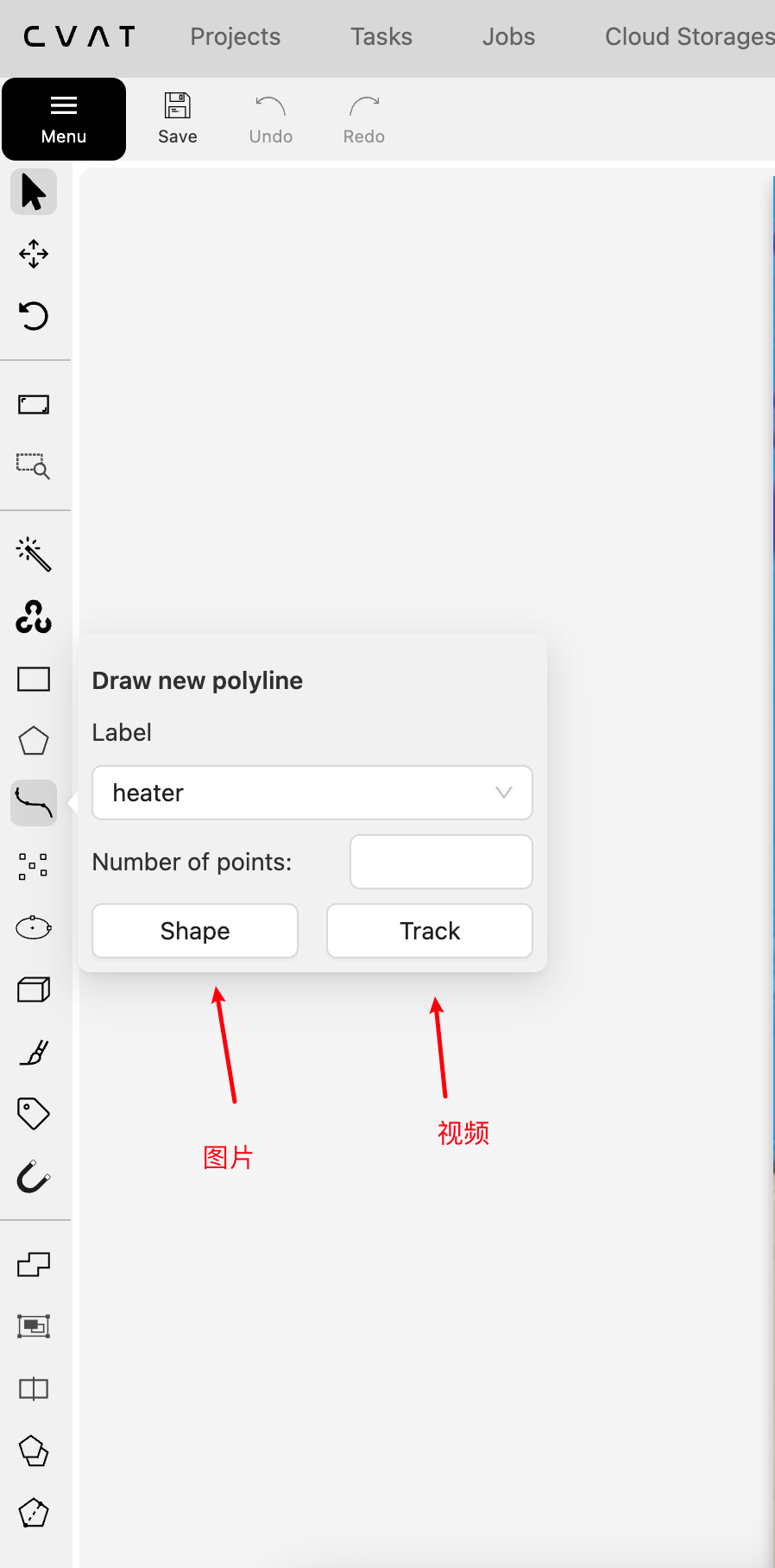
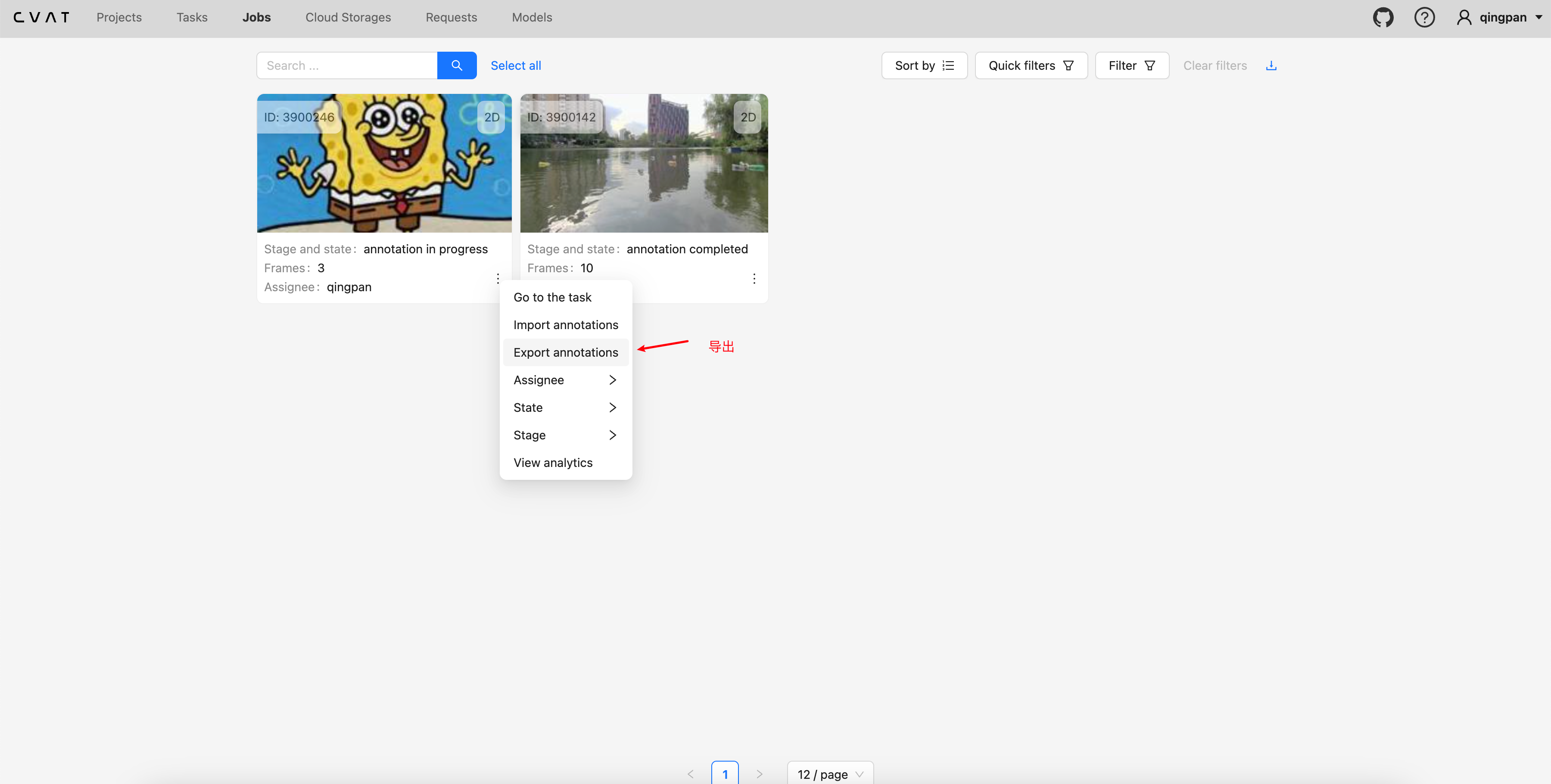
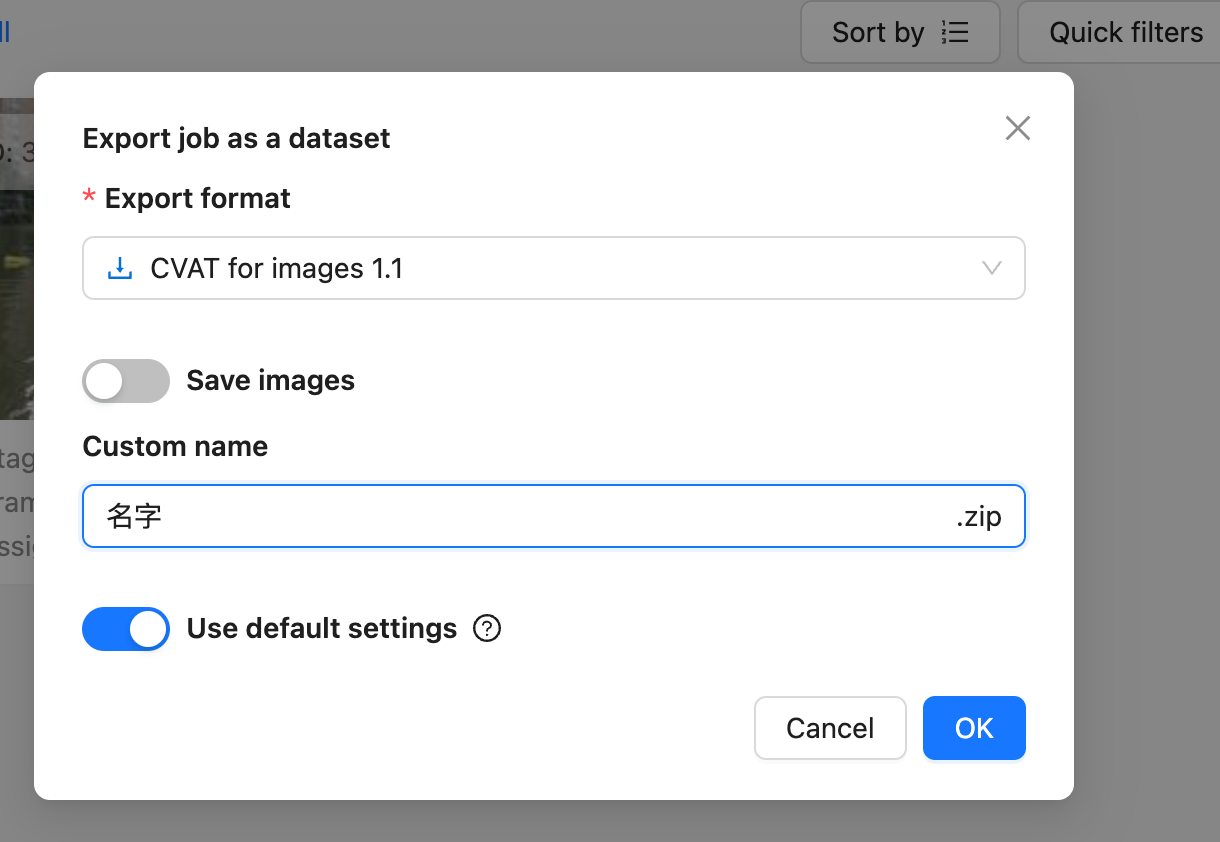
format就用默认的就行,其他的格式导出数据有问题,下一步通过脚本转成yolo格式的
# -*- coding: utf-8 -*-
# CVAT转YOLO格式

import xml.etree.ElementTree as ET
import os
from pathlib import Path

# CVAT的xml格式文件路径
XML_FILE = '../cvat/annotations.xml'

# 数据yolo格式的路径
OUTPUT_DIR = Path('/Users/wangqingpan/Desktop/baby/labels')

# 标签
CLASS_MAP = {'heater': 0}

def convert_to_yolo_seg():
    OUTPUT_DIR.mkdir(parents=True, exist_ok=True)

    try:
        tree = ET.parse(XML_FILE)
        root = tree.getroot()
    except (ET.ParseError, FileNotFoundError) as e:
        print(f"读取 XML 文件失败: {e}")
        return

    img_count = 0
    for img in root.findall('image'):
        w = float(img.get('width'))
        h = float(img.get('height'))
        # 使用 Path 处理文件名,兼容性更好
        name = Path(img.get('name')).stem

        yolo_lines = []
        for tag in ['polyline', 'polygon']:
            for poly in img.findall(tag):
                label = poly.get('label')
                if label not in CLASS_MAP:
                    continue

                cls_id = CLASS_MAP[label]
                points_str = poly.get('points')
                if not points_str:
                    continue

                raw_points = points_str.replace(';', ' ').replace(',', ' ').split()

                try:
                    pts = [float(p) for p in raw_points]
                except ValueError:
                    continue

                if len(pts) < 6 or len(pts) % 2 != 0:
                    continue

                norm_pts = []
                for i in range(0, len(pts), 2):
                    nx = max(0.0, min(1.0, pts[i] / w))
                    ny = max(0.0, min(1.0, pts[i+1] / h))
                    norm_pts.extend([f"{nx:.6f}", f"{ny:.6f}"])

                yolo_lines.append(f"{cls_id} {' '.join(norm_pts)}")

        if yolo_lines:
            output_path = OUTPUT_DIR / f"{name}.txt"
            with open(output_path, 'w', encoding='utf-8') as f:
                f.write("\n".join(yolo_lines))
            img_count += 1

    print(f"转换完成!共处理图片: {img_count} 张。")
    print(f"输出目录: {OUTPUT_DIR}")


convert_to_yolo_seg()
北京人形旗下天工造物具身智能开源社区,聚焦具身天工与慧思开物两大平台
更多推荐
 1
1 0
0- 0


 已为社区贡献1条内容

所有评论(0)