CSS四种定位方式的水平与垂直居中
·
一、四种定位方式(粘性定位除外):
静态定位、绝对定位、相对定位、固定定位
二、是否脱离标准流
1 不脱离标准流:
静态定位
相对定位
1.1 不脱离标准流的水平居中
margin: 0 auto;
/*或者*/
margin: auto;
此处以静态定位为例,相对定位亦是
<!DOCTYPE html>
<html>
	<head>
		<meta charset="utf-8">
		<title></title>
		<style type="text/css">
			.center {
				position: static;/* 静态定位 */
				margin: 0 auto;/* 或者使用margin: auto; */
				width: 100px;
				height: 100px;
				background-color: #00FFFF;
			}
		</style>
	</head>
	<body>
		<div class="center">

		</div>
	</body>
</html>
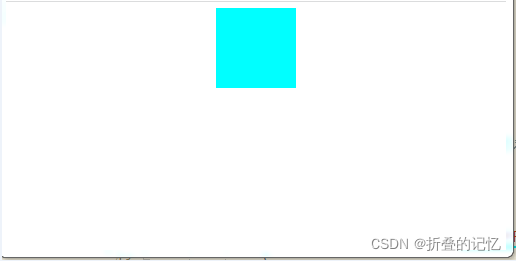
1.2 不脱离标准流的垂直居中
可以通过margin-top进行向下偏移,但是较难实现居中
2 脱离标准流:
绝对定位
固定定位
2.1 脱离标准流的水平居中
left: 50%;
margin-left: 宽度一半取负数;
也可以
right: 50%;
margin-right: 宽度一半取负数;
这里以绝对定位为例,固定定位相同
<!DOCTYPE html>
<html>
	<head>
		<meta charset="utf-8">
		<title></title>
		<style type="text/css">
			.center {
				position: absolute;/* 绝对定位 */
				width: 100px;
				height: 100px;
				background-color: #00FFFF;
				left: 50%;/*按照父元素为基准,左侧向右偏移一半*/
				margin-left: -50px;/*由于自身有宽度,反向偏移自身宽度的一半*/

			}
		</style>
	</head>
	<body>
		<div class="center">

		</div>
	</body>
</html>
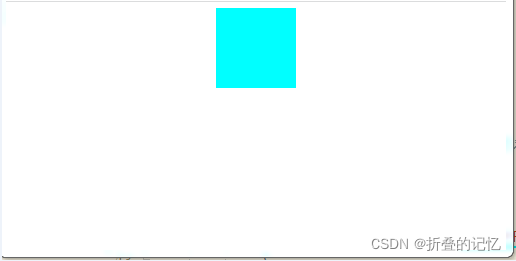
2.2 脱离标准流的垂直居中
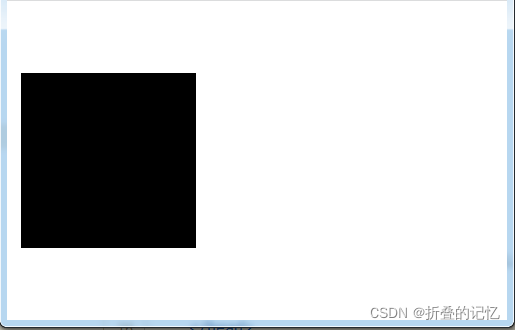
与水平居中类似,可通过偏移加上margin来进行处理
这里以absolute为例,fixed相同
<!DOCTYPE html>
<html>
	<head>
		<meta charset="utf-8">
		<title></title>
		<style type="text/css">
			.verticalCenter {
				position: absolute;
				width: 100px;
				height: 100px;
				margin-top: -50px;
				top:50%;
				background-color: black;
			}
		</style>
	</head>
	<body>
		<div class="verticalCenter"></div>
	</body>
</html>

北京人形旗下天工造物具身智能开源社区,聚焦具身天工与慧思开物两大平台
更多推荐
 0
0 0
0- 0


 已为社区贡献1条内容

所有评论(0)