Windows下安装NTP时间同步服务器
·
【实验系统版本为WIndows Server 2008 R2 Enterprise】
1.修改NTP服务相关注册表
#打开“运行”
#打开注册表(regedit)
#注册表定位到 HKEY_LOCAL_MACHINE\SYSTEM\CurrentControlSet\services\W32Time\TimeProviders\NtpServer
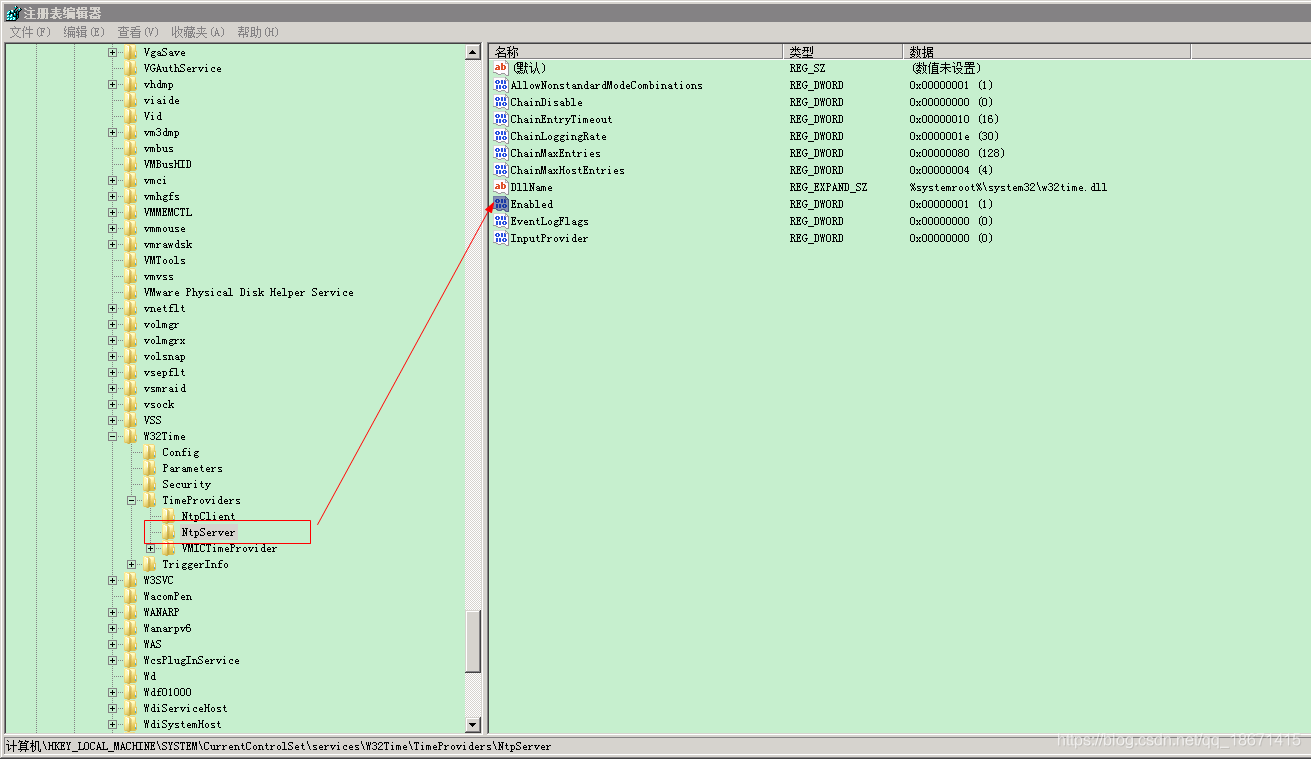
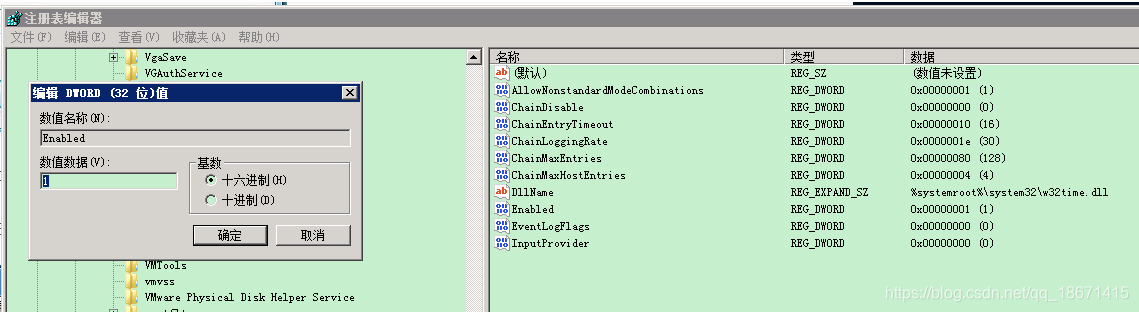
#修改Enabled的值 0->1,即为启用ntp服务器
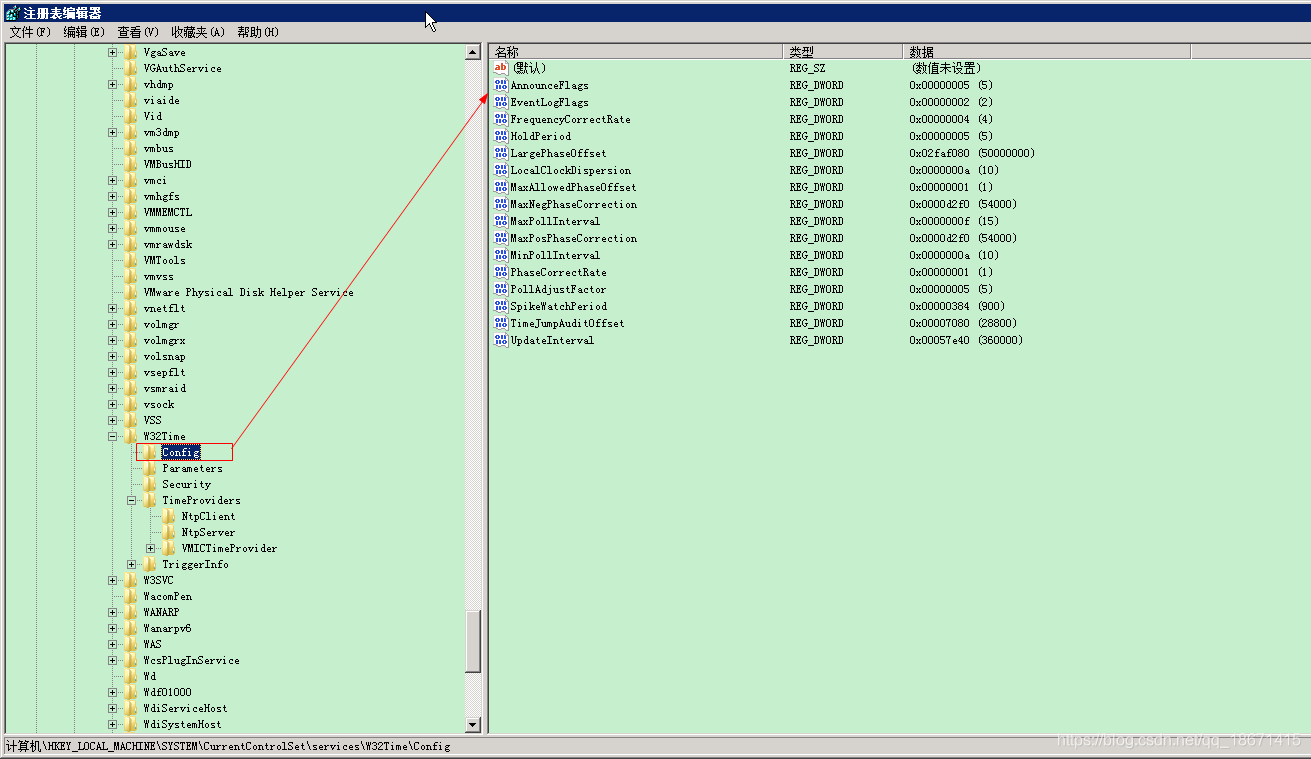
#定位到注册表 HKEY_LOCAL_MACHINE\SYSTEM\CurrentControlSet\services\W32Time\Config
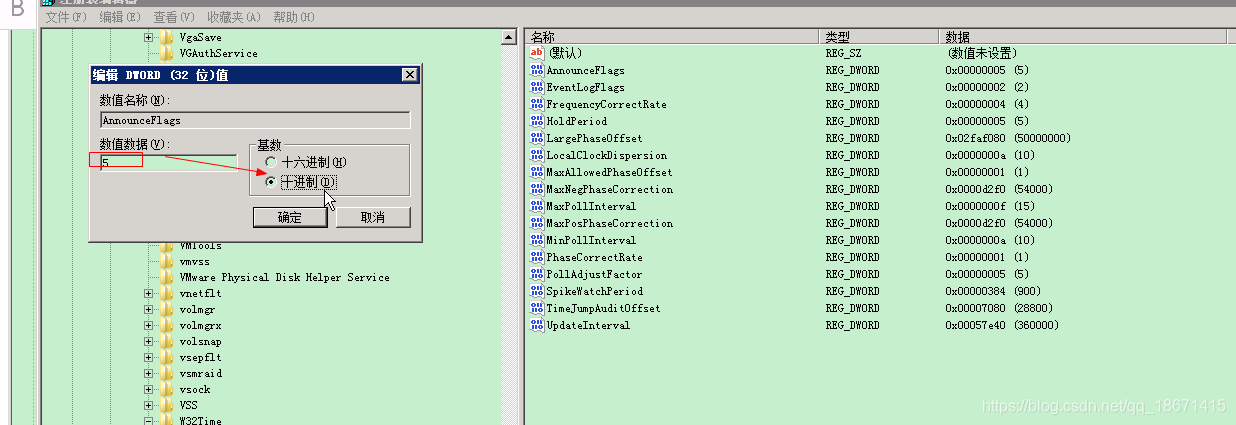
#修改 AnnounceFlags 项的值 10->5,注意先把16进制改为10进制后再修改
2.重启NTP服务
#打开cmd窗口
#关闭ntp服务:net stop w32Time
#启动ntp服务:net start w32Time
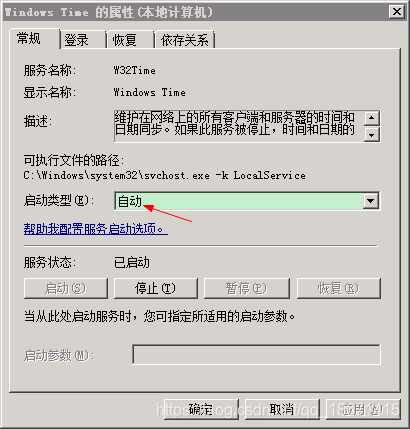
【将时间同步服务(Windows Time)设置成开启自启动】

3.验证同步ntp服务器
- linux系统
#root用户登录,执行同步ntp服务器命令
ntpdate 搭建的ntp服务器IP地址

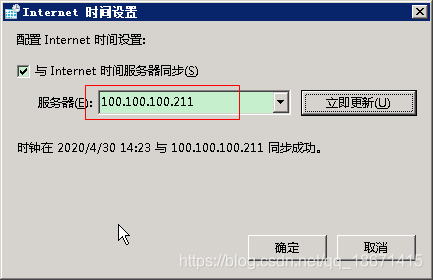
- windows系统

北京人形旗下天工造物具身智能开源社区,聚焦具身天工与慧思开物两大平台
更多推荐
 1
1 0
0- 0


 已为社区贡献4条内容

所有评论(0)