PyTorch安装cuda版换源教程
·
PyTorch安装cuda版换源教程
1.问题
pytorch的cpu的包可以在国内镜像上下载,但是gpu版的包只能通过国外镜像下载,于是寻找国内源进行安装
2.常用国内镜像源
以下是一些常用的PyTorch国内镜像源:
- 阿里云镜像: https://mirrors.aliyun.com/pytorch-wheels
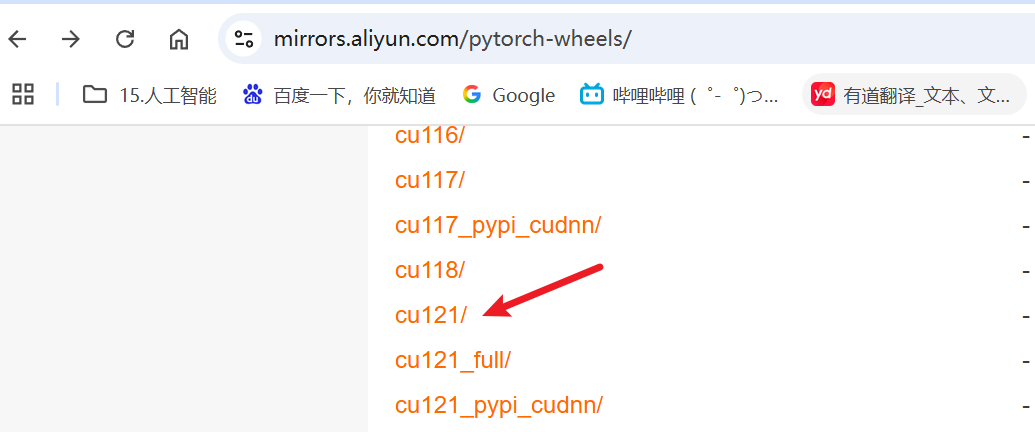
- 上海交通大学镜像:https://mirror.sjtu.edu.cn/pytorch-wheels
3.换源操作
以安装torch==2.5.0 cuda12.1为例,原官网安装命令
#CUDA 12.1
pip install torch==2.5.0 torchvision==0.20.0 torchaudio==2.5.0 --index-url https://download.pytorch.org/whl/cu121
改为阿里云
#CUDA 12.1
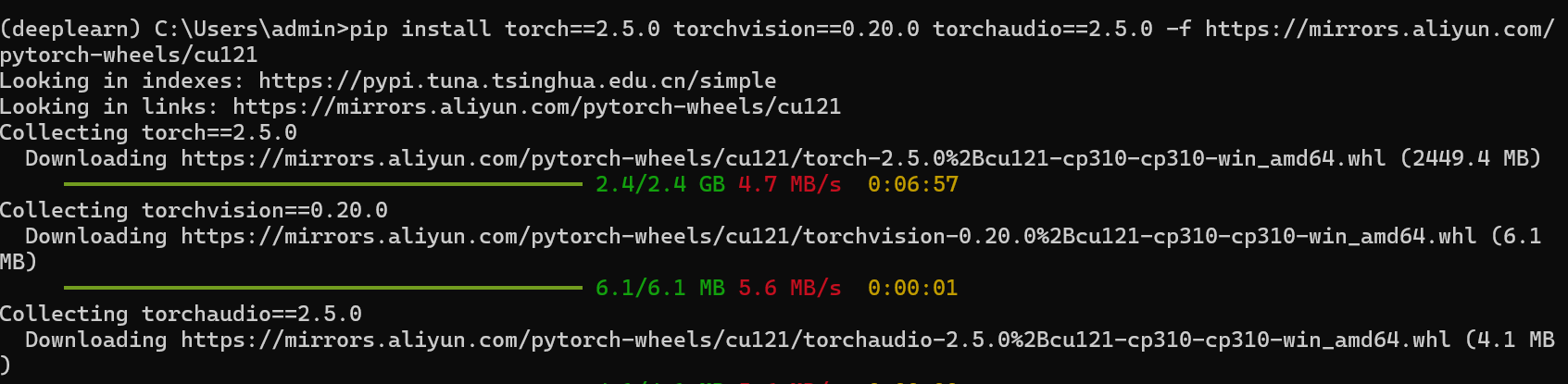
pip install torch==2.5.0 torchvision==0.20.0 torchaudio==2.5.0 -f https://mirrors.aliyun.com/pytorch-wheels/cu121
注意:要把原命令的–index-url 改为 -f
亲测如下:

北京人形旗下天工造物具身智能开源社区,聚焦具身天工与慧思开物两大平台
更多推荐
 12
12 0
0- 0


 已为社区贡献1条内容

所有评论(0)