Vscode与TeX Live与外部SumatraPDF的配置(双向定位)
·
软件下载vscode,latex,SumatraPDF:网上资源很多,不再叙述。
Vscode中json文件配置(me):
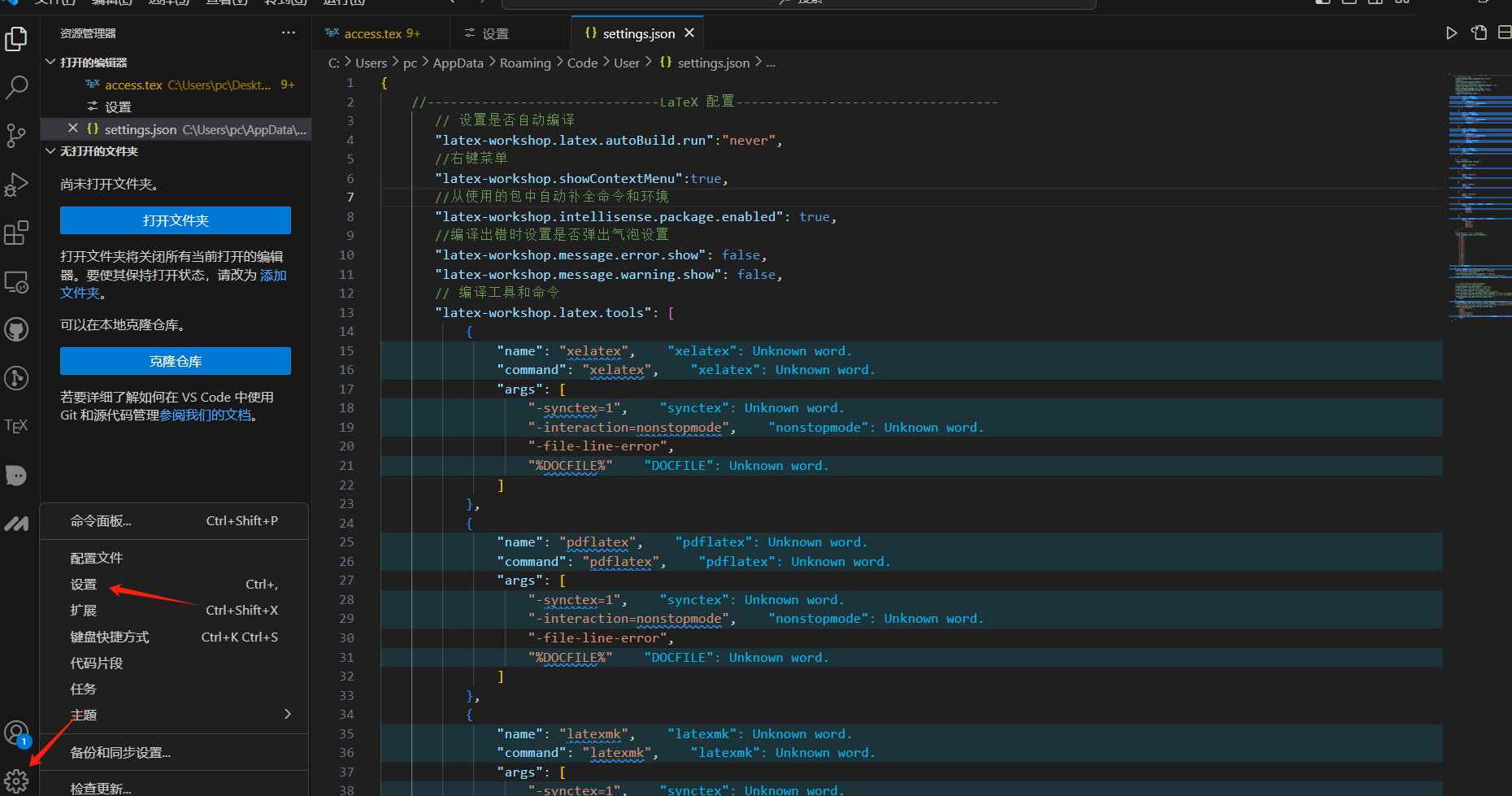
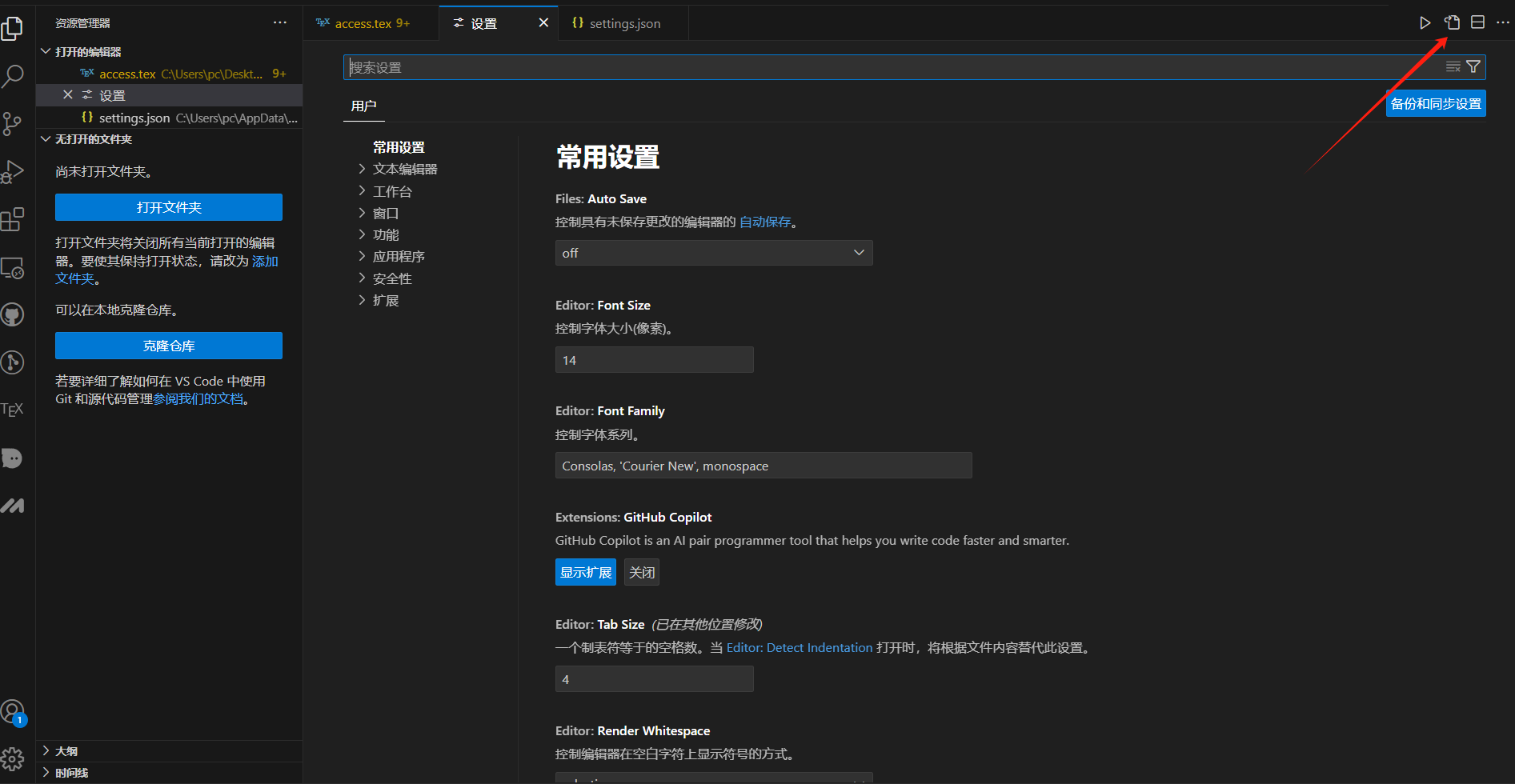
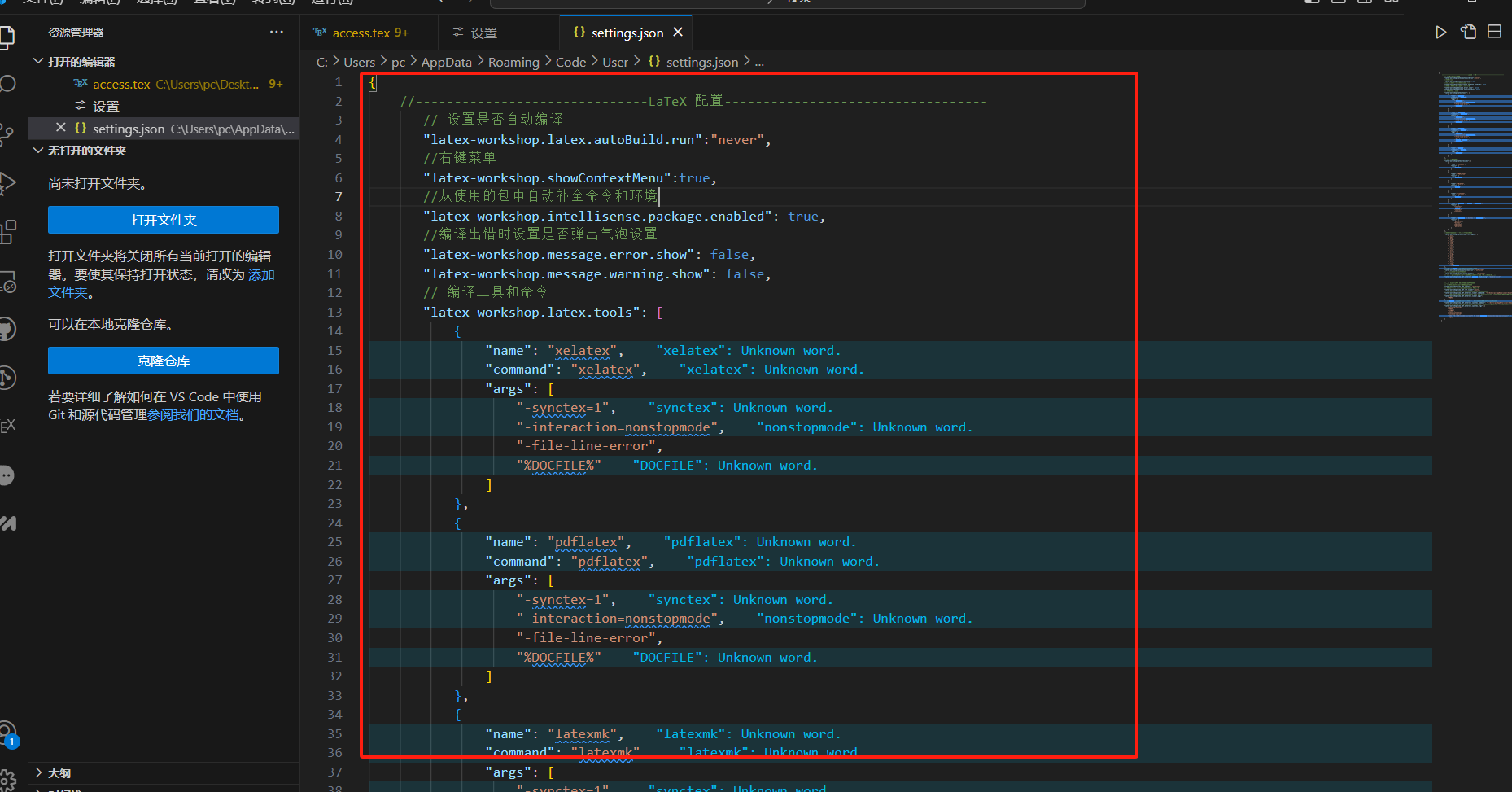
{
    //------------------------------LaTeX 配置----------------------------------
       // 设置是否自动编译
       "latex-workshop.latex.autoBuild.run":"never",
       //右键菜单
       "latex-workshop.showContextMenu":true,
       //从使用的包中自动补全命令和环境
       "latex-workshop.intellisense.package.enabled": true,
       //编译出错时设置是否弹出气泡设置
       "latex-workshop.message.error.show": false,
       "latex-workshop.message.warning.show": false,
       // 编译工具和命令
       "latex-workshop.latex.tools": [
           {
               "name": "xelatex",
               "command": "xelatex",
               "args": [
                   "-synctex=1",
                   "-interaction=nonstopmode",
                   "-file-line-error",
                   "%DOCFILE%"
               ]
           },
           {
               "name": "pdflatex",
               "command": "pdflatex",
               "args": [
                   "-synctex=1",
                   "-interaction=nonstopmode",
                   "-file-line-error",
                   "%DOCFILE%"
               ]
           },
           {
               "name": "latexmk",
               "command": "latexmk",
               "args": [
                   "-synctex=1",
                   "-interaction=nonstopmode",
                   "-file-line-error",
                   "-pdf",
                   "-outdir=%OUTDIR%",
                   "%DOCFILE%"
               ]
           },
           {
               "name": "bibtex",
               "command": "bibtex",
               "args": [
                   "%DOCFILE%"
               ]
           }
       ],
       // 用于配置编译链
       "latex-workshop.latex.recipes": [
           {
               "name": "XeLaTeX",
               "tools": [
                   "xelatex"
               ]
           },
           {
               "name": "PDFLaTeX",
               "tools": [
                   "pdflatex"
               ]
           },
           {
               "name": "BibTeX",
               "tools": [
                   "bibtex"
               ]
           },
           {
               "name": "LaTeXmk",
               "tools": [
                   "latexmk"
               ]
           },
           {
               "name": "xelatex -> bibtex -> xelatex*2",
               "tools": [
                   "xelatex",
                   "bibtex",
                   "xelatex",
                   "xelatex"
               ]
           },
           {
               "name": "pdflatex -> bibtex -> pdflatex*2",
               "tools": [
                   "pdflatex",
                   "bibtex",
                   "pdflatex",
                   "pdflatex"
               ]
           }
       ],
       //文件清理。此属性必须是字符串数组
       "latex-workshop.latex.clean.fileTypes": [
           "*.aux",
           "*.bbl",
           "*.blg",
           "*.idx",
           "*.ind",
           "*.lof",
           "*.lot",
           "*.out",
           "*.toc",
           "*.acn",
           "*.acr",
           "*.alg",
           "*.glg",
           "*.glo",
           "*.gls",
           "*.ist",
           "*.fls",
           "*.log",
           "*.fdb_latexmk"
       ],
       //设置为onFaild 在构建失败后清除辅助文件
       "latex-workshop.latex.autoClean.run": "onFailed",
       // 使用上次的recipe编译组合
       "latex-workshop.latex.recipe.default": "lastUsed",
       // 用于反向同步的内部查看器的键绑定。ctrl/cmd +点击(默认)或双击
       "latex-workshop.view.pdf.internal.synctex.keybinding": "double-click",


       //使用 SumatraPDF 预览编译好的PDF文件
       // 设置VScode内部查看生成的pdf文件
       "latex-workshop.view.pdf.viewer": "external",
       // PDF查看器用于在\ref上的[View on PDF]链接
       "latex-workshop.view.pdf.ref.viewer":"auto",
       // 使用外部查看器时要执行的命令。此功能不受官方支持。
       "latex-workshop.view.pdf.external.viewer.command": "C:/Users/pc/AppData/Local/SumatraPDF/SumatraPDF.exe", // 注意修改路径
       // 使用外部查看器时,latex-workshop.view.pdf.external.view .command的参数。此功能不受官方支持。%PDF%是用于生成PDF文件的绝对路径的占位符。
       "latex-workshop.view.pdf.external.viewer.args": [
           "%PDF%"
       ],
       // 将synctex转发到外部查看器时要执行的命令。此功能不受官方支持。
       "latex-workshop.view.pdf.external.synctex.command": "C:/Users/pc/AppData/Local/SumatraPDF/SumatraPDF.exe", // 注意修改路径
       // latex-workshop.view.pdf.external.synctex的参数。当同步到外部查看器时。%LINE%是行号,%PDF%是生成PDF文件的绝对路径的占位符,%TEX%是触发syncTeX的扩展名为.tex的LaTeX文件路径。
       "latex-workshop.view.pdf.external.synctex.args": [
           "-forward-search",
           "%TEX%",
           "%LINE%",
           "-reuse-instance",
           "-inverse-search",
           "code \"D:/YAN/vscode/Microsoft VS Code/anzhuang/resources/app/out/cli.js\" -r -g \"%f:%l\"", // 注意修改路径
           "%PDF%"
       ]
   }
latex具体使用:
-
下载一个扩展:
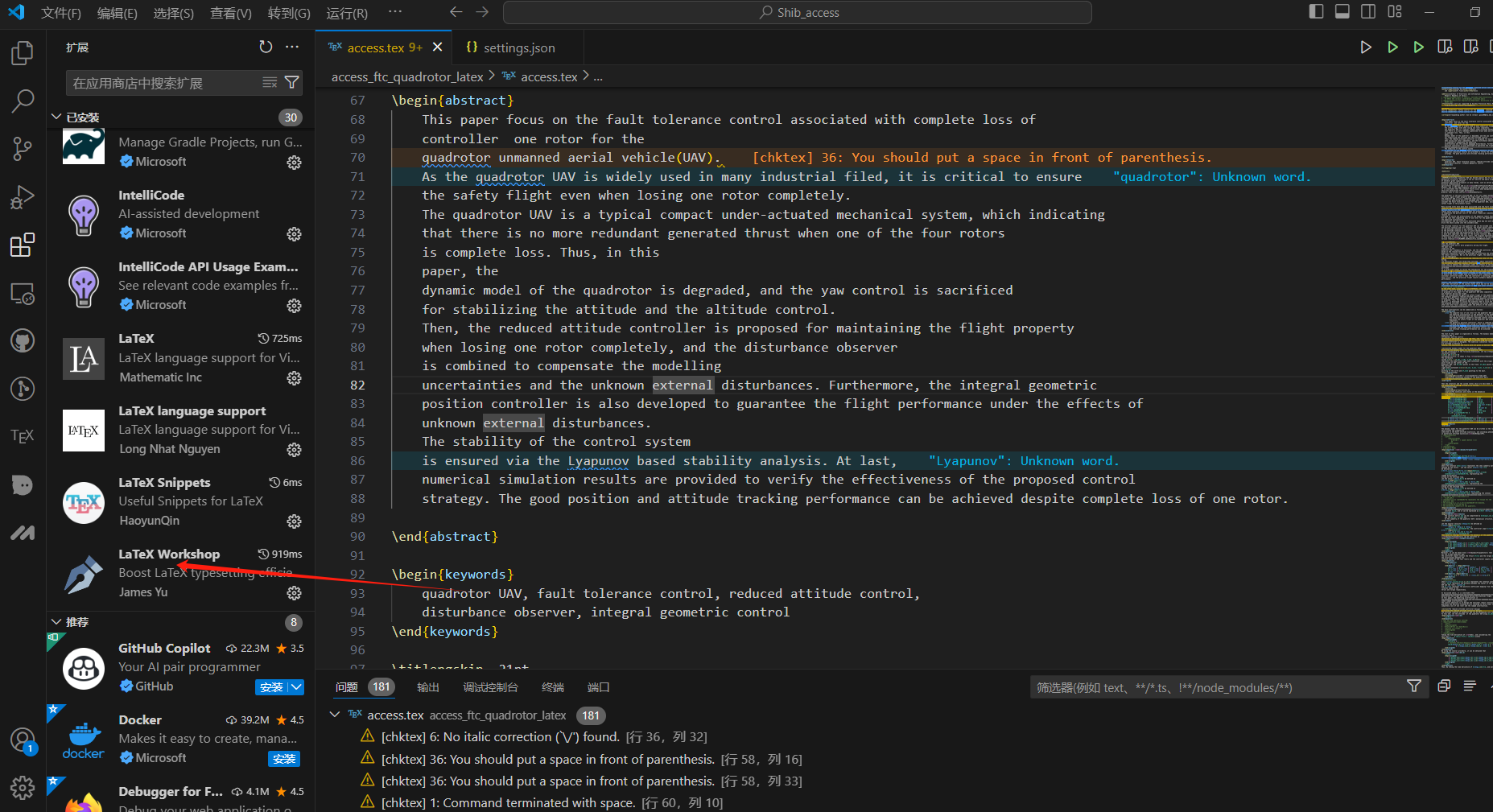
-
打开一个相关的.tex文件,双击.tex文件。
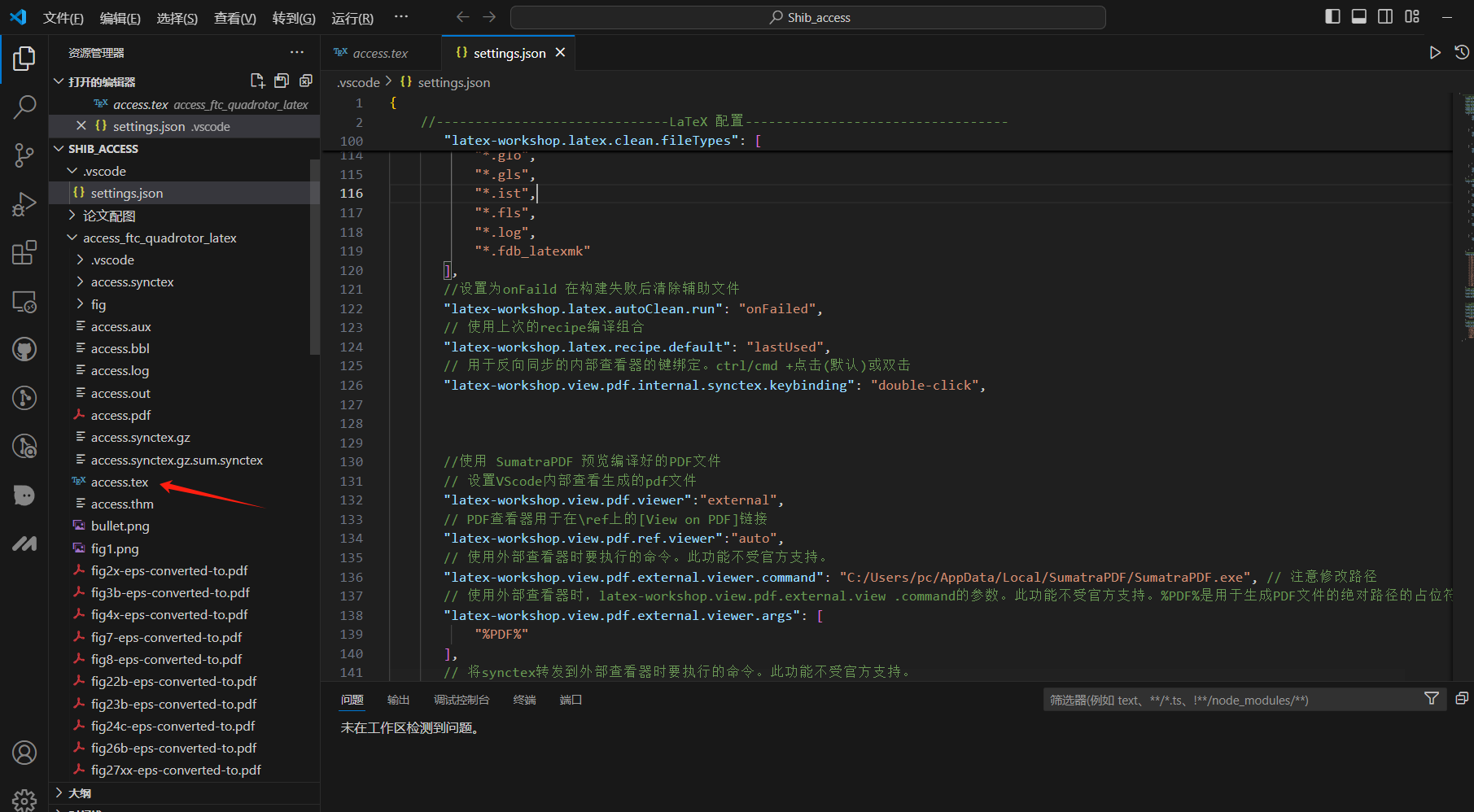
-
随后双击左侧栏的TEX,如下:
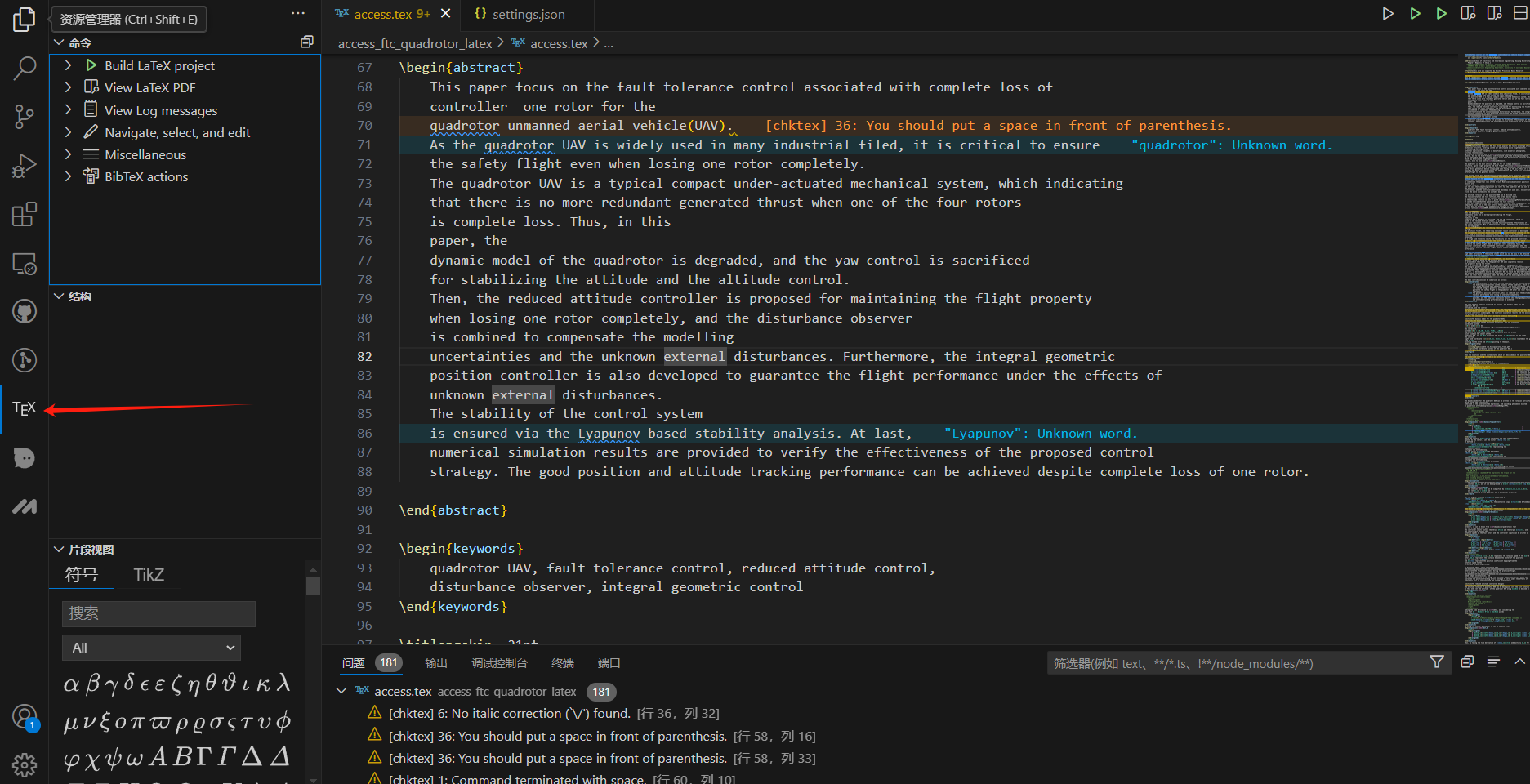
-
选择你的编译链,等待编译:
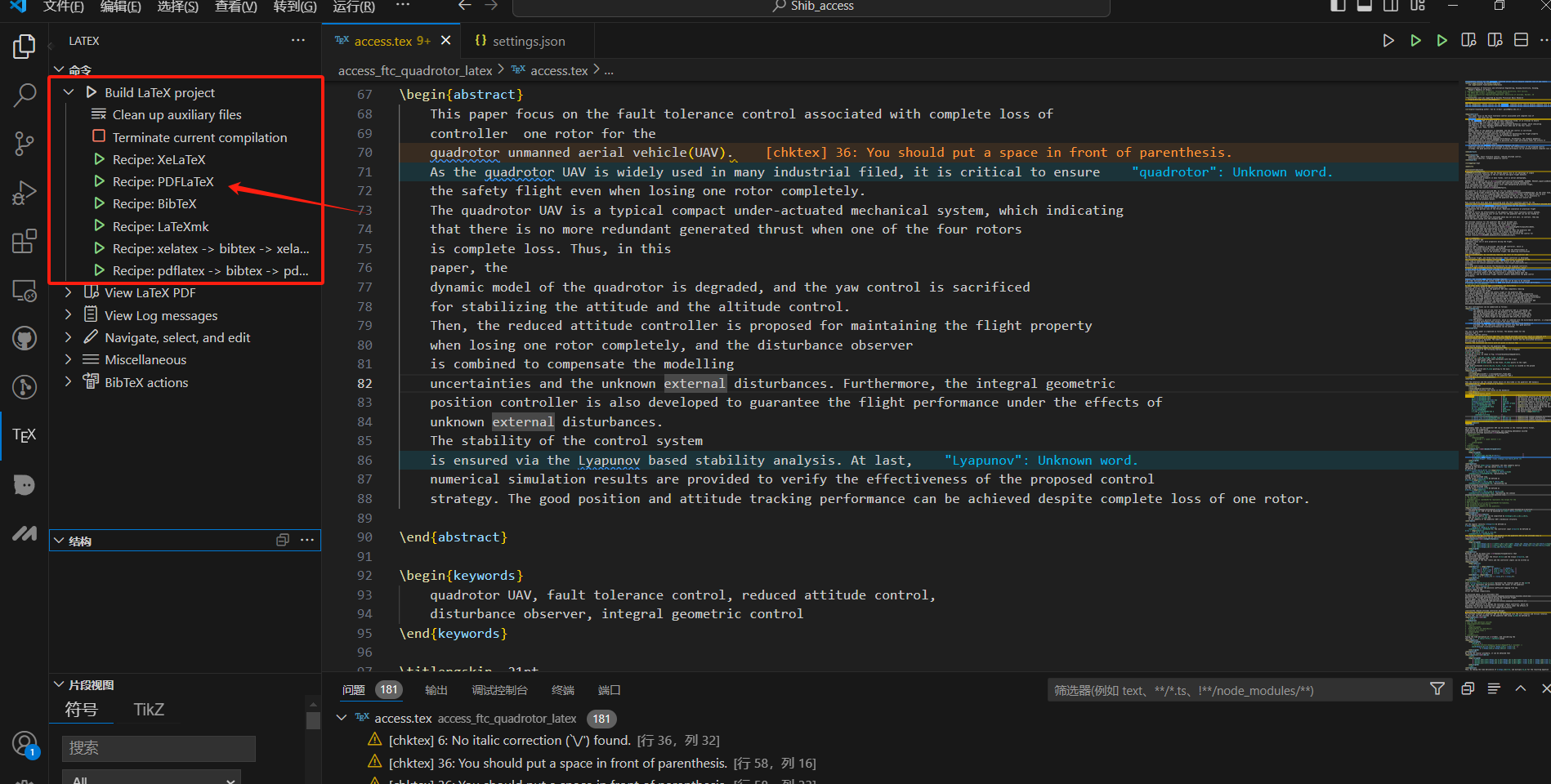
-
查看PDF,第一个是vscode内部查看,第二和是网页查看,第三个是外部PDF查看(SumatraPDF)
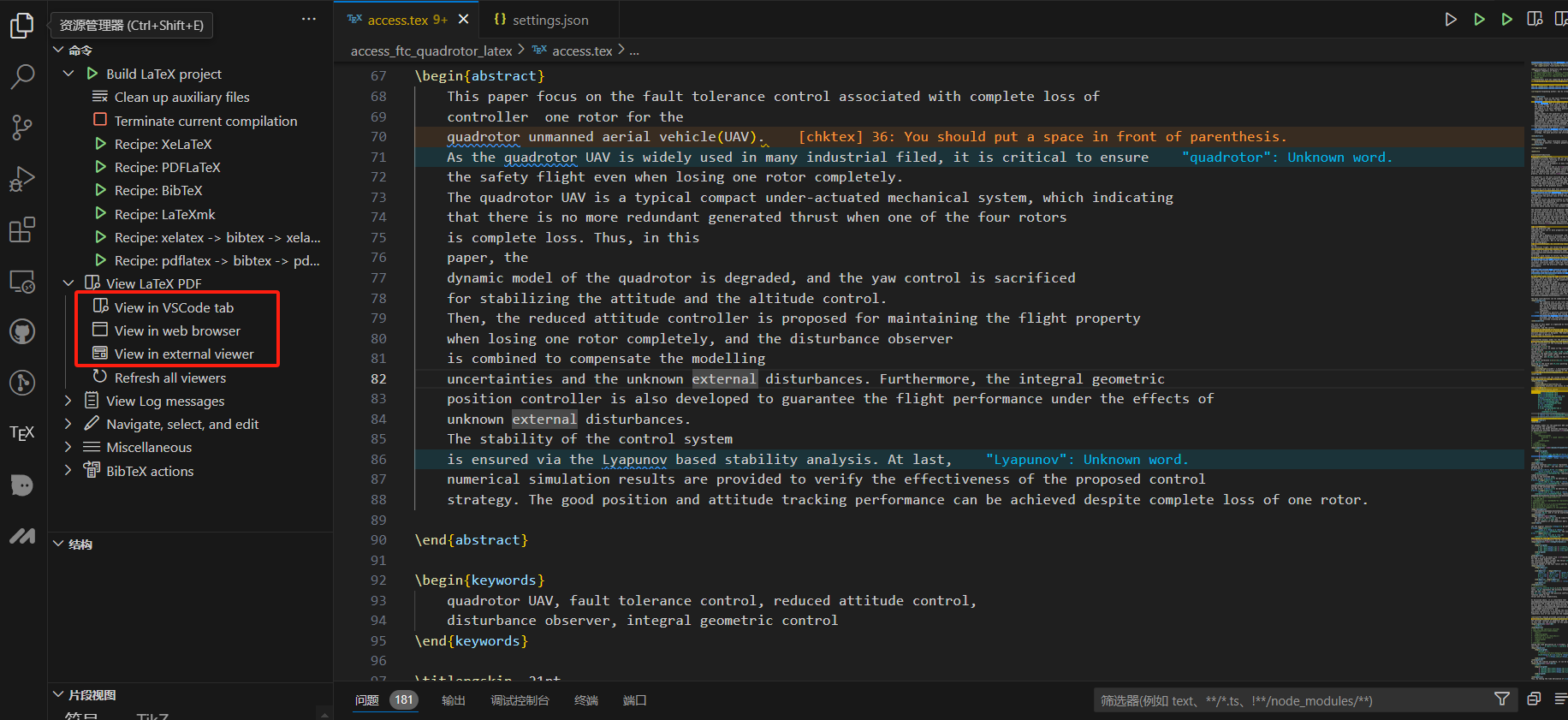
-
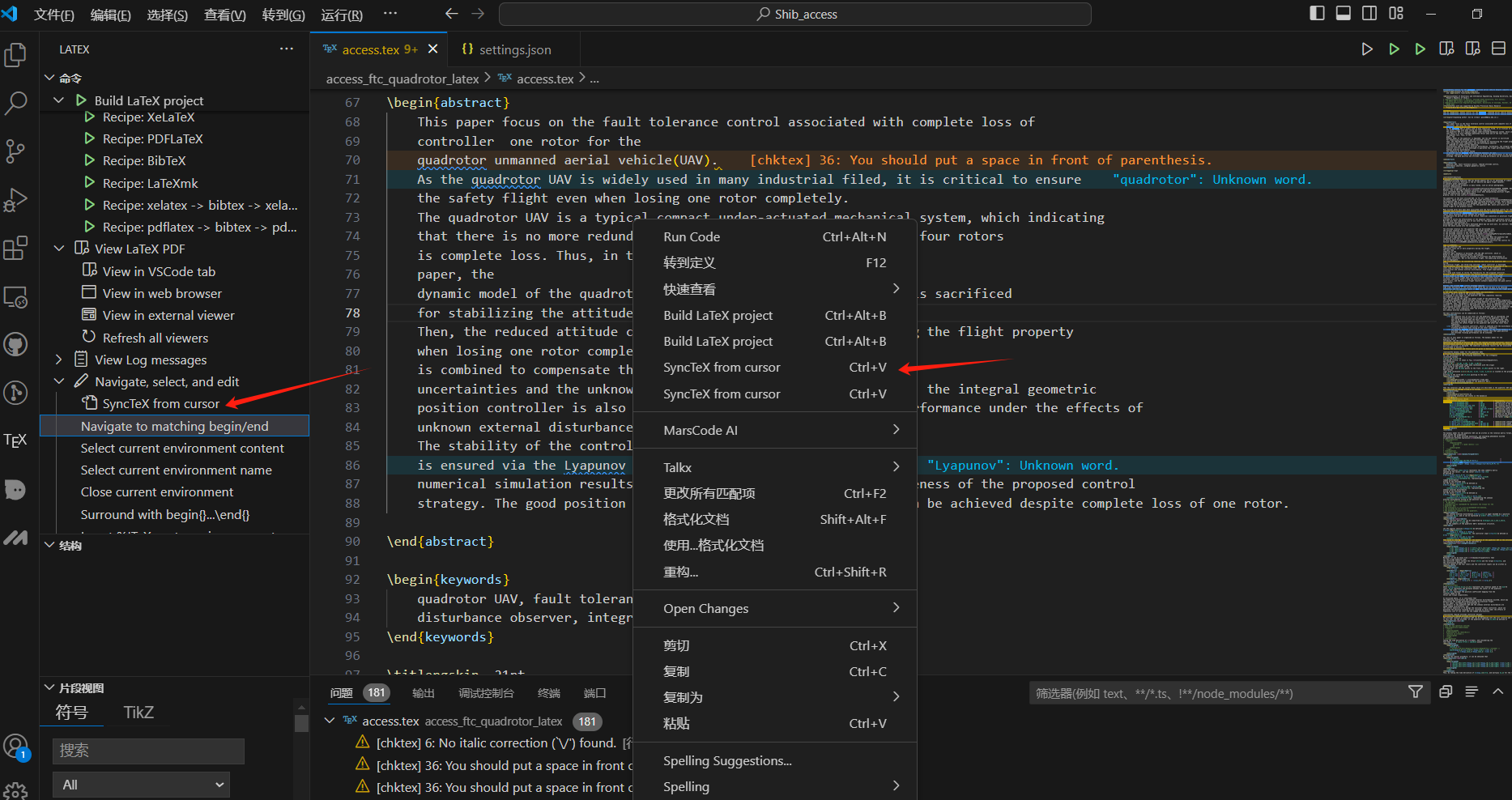
双向定位:vsco的->外部PDF:1、快捷键。2、光标随便放一行代码,左键,点击SyncTeX from cursor。
3、左侧栏的杂项里面
-
外部PDF定位Vscode:一般不可以。
切记先打开外部PDF,因为(由于从vscode调用SumatraPDF时是作为子进程的,为避免反向搜索失败,最好是先独立的运行SumatraPDF.exe后再进行正反向搜索。)
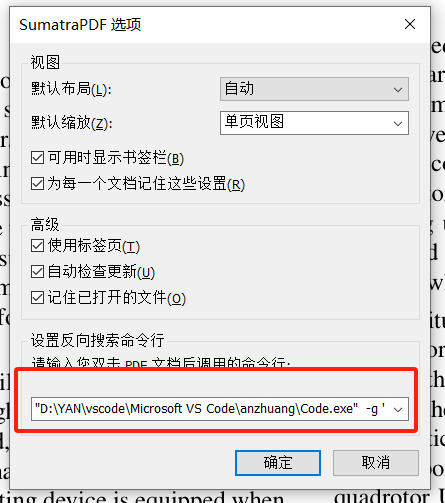
设置如下:
打开SumatraPDF,进入设置->选项 对话框,在“设置反向搜索命令行”处(即双击PDF文件时,应运行的命令)填入如下内容:“C:\Program Files\Microsoft VS Code\Code.exe” -g “%f:%l”(自己的Code.exe位置)

北京人形旗下天工造物具身智能开源社区,聚焦具身天工与慧思开物两大平台
更多推荐
 4
4 0
0- 0


 已为社区贡献2条内容

所有评论(0)