moveit_setup_assistant配置SolidWorks导出的机械臂urdf模型后,执行demo.launch.py后在rviz中出现的报错及解决办法
·
问题1:
- moveit_setup_assistant配置后,launch demo.launch.py后不能显示机械臂模型。
解决1:
- 修改
moveit_config/config/joint_limits.yaml,将max_velocity: 100改为max_velocity: 100.0000000000000001。这是一个待解决的软件本身bug。
问题2:
- rviz中可以plan,但是Excute后Failed。
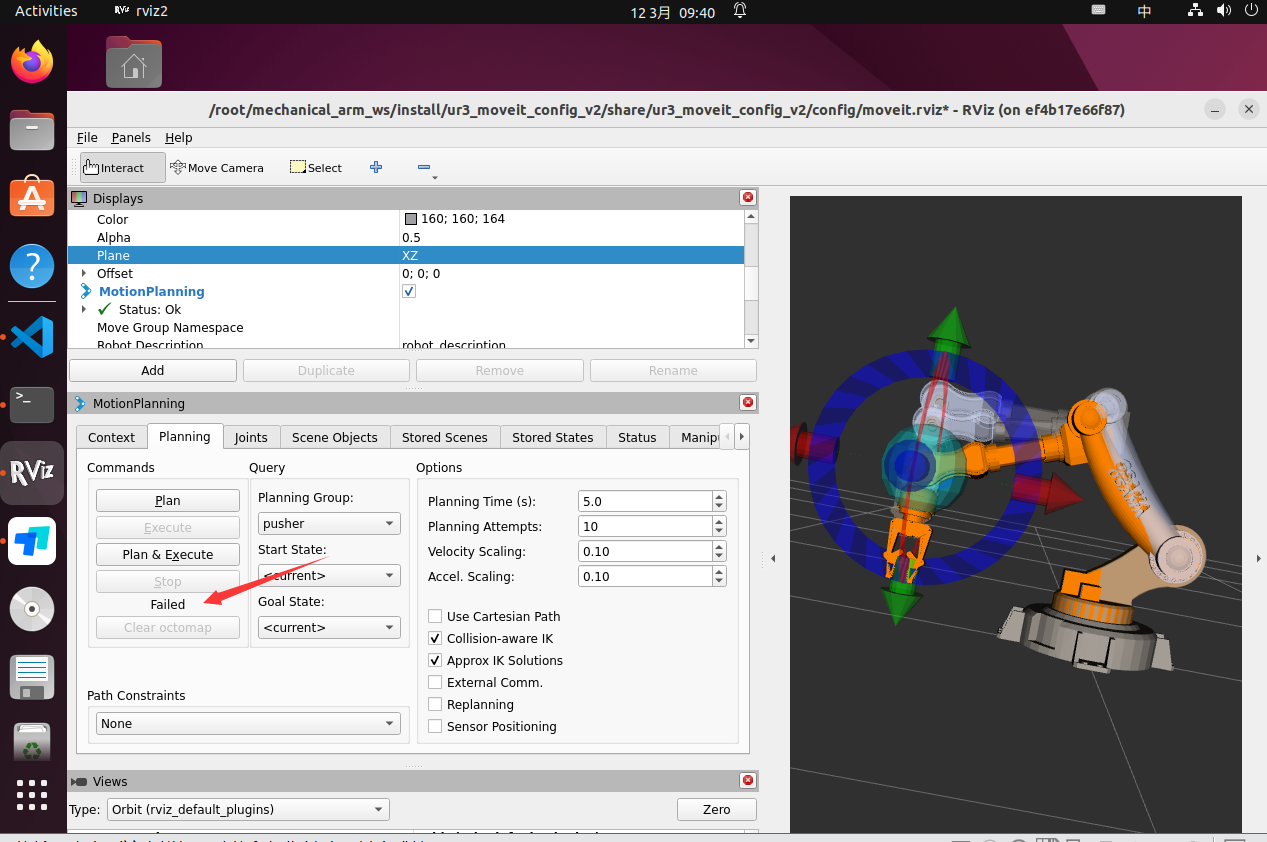
[move_group-3] [ERROR] [1741743548.203203731] [moveit_ros.trajectory_execution_manager]: Unable to identify any set of controllers that can actuate the specified joints: [ Arm_Link1_Joint Arm_Link2_Joint Arm_Link3_Joint Arm_Link4_Joint Arm_Link5_Joint ]
[move_group-3] [ERROR] [1741743548.203225231] [moveit_ros.trajectory_execution_manager]: Known controllers and their joints:
[move_group-3]
[move_group-3] [ERROR] [1741743548.203245731] [moveit_ros.plan_execution]: Apparently trajectory initialization failed
[move_group-3] [INFO] [1741743548.203306331] [moveit_move_group_default_capabilities.move_action_capability]: Solution found but controller failed during execution
[rviz2-4] [INFO] [1741743548.204432830] [move_group_interface]: Plan and Execute request aborted
[rviz2-4] [ERROR] [1741743548.204664830] [move_group_interface]: MoveGroupInterface::move() failed or timeout reached
解决2:
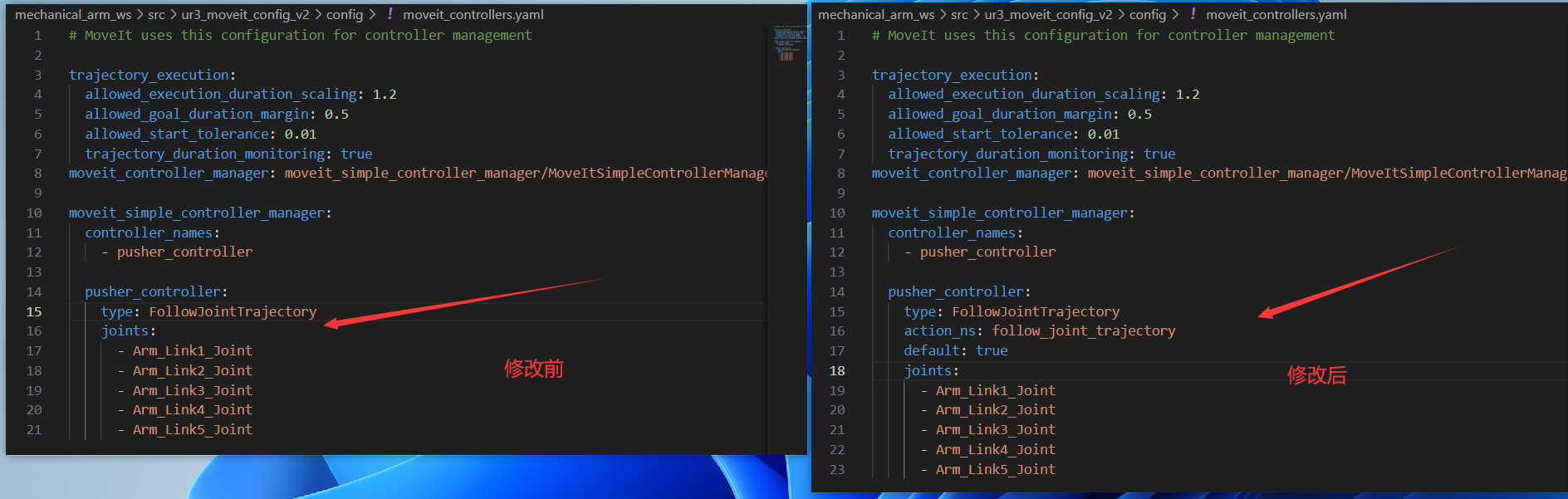
- 修改
moveit_config/config/moveit_controllers.yaml,在其中添加以下内容:
action_ns: follow_joint_trajectory
default: true
参考

北京人形旗下天工造物具身智能开源社区,聚焦具身天工与慧思开物两大平台
更多推荐
 4
4 0
0- 0


 已为社区贡献8条内容

所有评论(0)